
CHUANYUE T2
CHUANYUE T2 Motorcycle Bluetooth Headset User Manual
Modelis: T2
1. Įvadas
The CHUANYUE T2 Motorcycle Bluetooth Headset is designed to enhance communication and entertainment for motorcycle riders. This device features Bluetooth 5.0 technology, supporting two-rider intercom communication up to 1000 meters, music sharing, DSP and CVC noise cancellation for clear audio, FM radio, and one-click pairing. It is built with an IP67 waterproof rating and utilizes a Type-C charging port for convenience.

Image: Four CHUANYUE T2 Motorcycle Bluetooth Headsets, illustrating the product units.
2. Kas yra dėžutėje
Prieš montuodami įsitikinkite, kad yra visi komponentai:
- Mainframe Equipment
- Headset Microphone Sets
- Fixed Installation Bracket
- Sticky Installation Bracket
- C tipo įkrovimo laidas
- Vartotojo vadovas

Vaizdas: Viršview of included components and a visual guide for installing the clip and paste brackets.
3. Montavimas
3.1. Headset Unit Installation
- Paruoškite šalmą: Carefully remove the inner padding of your helmet to access the ear areas.
- Garsiakalbio vieta: Attach the headset speakers to the inside of the helmet using the provided adhesive pads. Ensure they are positioned directly over your ears for optimal audio quality. The short line speaker is for the left side, and the long line speaker is for the right side.
- Mikrofono vieta: Secure the microphone inside the helmet, positioning it close to your mouth but away from direct wind.
- Kabelių valdymas: Route all cables neatly under the helmet padding to prevent discomfort and ensure they are not exposed.

Image: A motorcycle helmet with the T2 headset installed, connected to a GPS device, demonstrating integrated use.
3.2. Main Unit Mounting
Choose between the fixed clip bracket or the adhesive paste bracket:
3.2.1. Clip Bracket Installation
- Open the metal piece of the clip bracket.
- Slide the bracket onto the edge of the helmet shell, ensuring a secure fit.
- Insert the main unit into the clip bracket until it locks into place.
3.2.2. Paste Bracket Installation
- Kruopščiai nuvalykite norimą tvirtinimo vietą šalmo paviršiuje.
- Peel off the red protective film from the adhesive on the paste bracket.
- Firmly press the bracket onto the helmet surface for at least 30 seconds. Allow sufficient time for the adhesive to cure before use.
- Slide the main unit into the paste bracket until it clicks securely.
4. Naudojimo instrukcijos
4.1. Maitinimo įjungimas/išjungimas
- Maitinimas: Press and hold the multi-function button for approximately 3 seconds until the indicator light illuminates.
- Išjungti: Press and hold the multi-function button for approximately 3 seconds until the indicator light turns off.
4.2. Bluetooth Pairing with Mobile Device
- Ensure the T2 headset is powered off.
- Press and hold the multi-function button for approximately 5-7 seconds until the red and blue indicator lights flash alternately, indicating pairing mode.
- Mobiliajame telefone įjunkite „Bluetooth“ ir ieškokite galimų įrenginių.
- Select "T2" from the list of devices to connect. Once connected, the blue indicator light will flash slowly.
4.3. Intercom Pairing (2 Riders)
- Ensure both T2 headsets are powered off.
- On both headsets, press and hold the multi-function button for approximately 5-7 seconds until the red and blue indicator lights flash alternately.
- On one of the headsets, short press the intercom button. The headsets will search for each other and automatically pair.
- Once paired, the indicator lights on both headsets will turn solid blue, indicating a successful intercom connection.
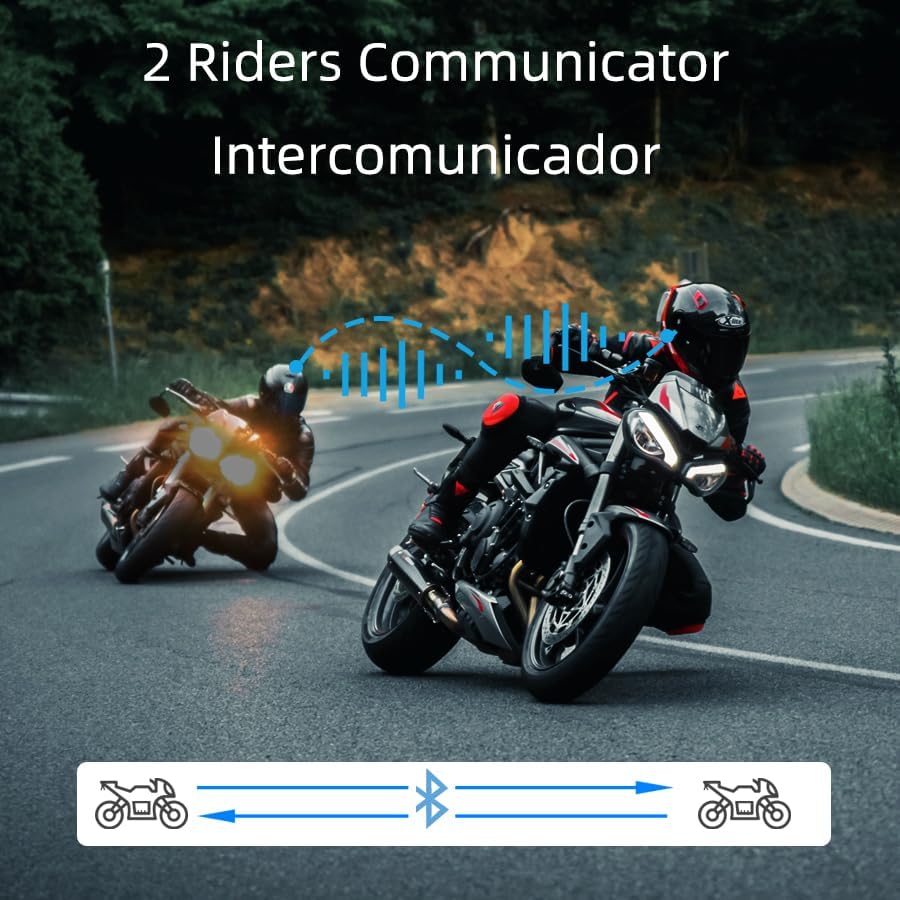
Image: Two riders on motorcycles, illustrating the two-way intercom communication feature.
4.4. Muzikos atkūrimas ir bendrinimas
- Leisti / pristabdyti: Short press the multi-function button to play or pause music.
- Kitas takelis: Rotate the multi-function knob clockwise.
- Ankstesnis takelis: Rotate the multi-function knob counter-clockwise.
- Garso reguliavimas: Paspauskite ir palaikykite garsumo didinimo / mažinimo mygtukus.
- Dalijimasis muzika: (Specific instructions for music sharing between two T2 units would be here if available, but are not detailed in the provided data. Generally, this involves a specific button press on both devices after they are paired.)
4.5. Telefoniniai skambučiai
- Atsiliepti į skambutį: Trumpai paspauskite daugiafunkcį mygtuką, kai gaunate skambutį.
- Baigti skambutį: Skambučio metu trumpai paspauskite daugiafunkcį mygtuką.
- Atmesti skambutį: Kai skambinate, 2 sekundes palaikykite nuspaudę daugiafunkcį mygtuką.
- Voice Dial (Siri/Google Assistant): Long press the multi-function button for 2 seconds to activate your phone's voice assistant.

Image: A helmet with the T2 headset, showing a smartphone screen with voice assistant commands, highlighting the voice control feature.
4.6. FM radijas
- Įjungti / išjungti FM: Double-click the multi-function button to activate or deactivate the FM radio.
- Keisti stotį: Rotate the multi-function knob clockwise or counter-clockwise to scan for stations.
5. Priežiūra
- Valymas: Naudokite minkštą, damp cloth to clean the exterior of the headset. Avoid harsh chemicals or abrasive materials.
- Atsparumas vandeniui: The T2 headset is IP67 waterproof. While it can withstand rain and splashes, avoid submerging it in water for extended periods.
- Įkrovimas: Naudokite pridėtą C tipo įkrovimo laidą. Prieš prijungdami laidą, įsitikinkite, kad įkrovimo prievadas yra sausas.
- Saugykla: Laikykite ausines vėsioje, sausoje vietoje, kai nenaudojate.

Image: The T2 headset shown with water splashing, highlighting its IP67 waterproof feature.
6. Problemų sprendimas
- Nėra galios: Ensure the battery is charged. Connect the headset to the charger and check the indicator light.
- Nepavyksta sujungti: Make sure the headset is in pairing mode (red and blue lights flashing alternately). Ensure your phone's Bluetooth is on and visible. Try restarting both devices.
- Domofono atjungimas: If the intercom disconnects, try re-pairing the units. Ensure they are within the specified range.
- Prasta garso kokybė: Check speaker placement inside the helmet. Ensure the microphone is not obstructed. Verify that noise cancellation features (DSP & CVC) are active.
- Balso asistentas neatsako: Ensure your phone is connected via Bluetooth and the voice assistant is enabled on your device.
7. Specifikacijos
| Funkcija | Detalė |
|---|---|
| Modelio pavadinimas | T2 |
| Prekės ženklas | CHUANYUE |
| Ryšio technologija | „Bluetooth“, belaidis |
| Bluetooth versija | 5.0 |
| Bluetooth diapazonas | 30 Meters (device to phone) |
| Intercom diapazonas | Up to 1000M (2 riders) |
| Triukšmo valdymas | Active Noise Cancellation (DSP & CVC) |
| Atsparumo vandeniui lygis | IP67 Atsparus vandeniui |
| Baterijos veikimo laikas | 15 Hours (usage) |
| Įkrovimo laikas | 2.5 valandų |
| Ausinės Jack | C tipas |
| Medžiaga | Akrilnitrilo butadieno stirenas (ABS) |
| Prekės svoris | 6.7 uncijos |
| Gaminio matmenys | 3.54 x 1.77 x 1.02 colio |
8. Garantija ir palaikymas
For warranty information, technical support, or any inquiries regarding your CHUANYUE T2 Motorcycle Bluetooth Headset, please refer to the contact details provided in the packaging or visit the official CHUANYUE websvetainę. Išsaugokite pirkimo čekį garantiniams reikalavimams.
Ask a question about this manual
Ask about setup, troubleshooting, compatibility, parts, safety, or missing instructions. Manuals+ will review the question and use this page’s manual context to help answer it.