
Įvadas
This manual provides detailed instructions for the EKSA H1 Plus Bluetooth Trucker Headset. Please read thoroughly to ensure proper setup, operation, and maintenance of your device. This headset is designed for clear communication in various environments, featuring advanced noise-cancelling technology and versatile connectivity options.
Pakuotės turinys
- H1 Plus Headset
- Apsauginis dėklas
- Replacement Ear Pad (Mesh breathable)
- C tipo įkrovimo laidas
- USB Dongle (PC Adapter)
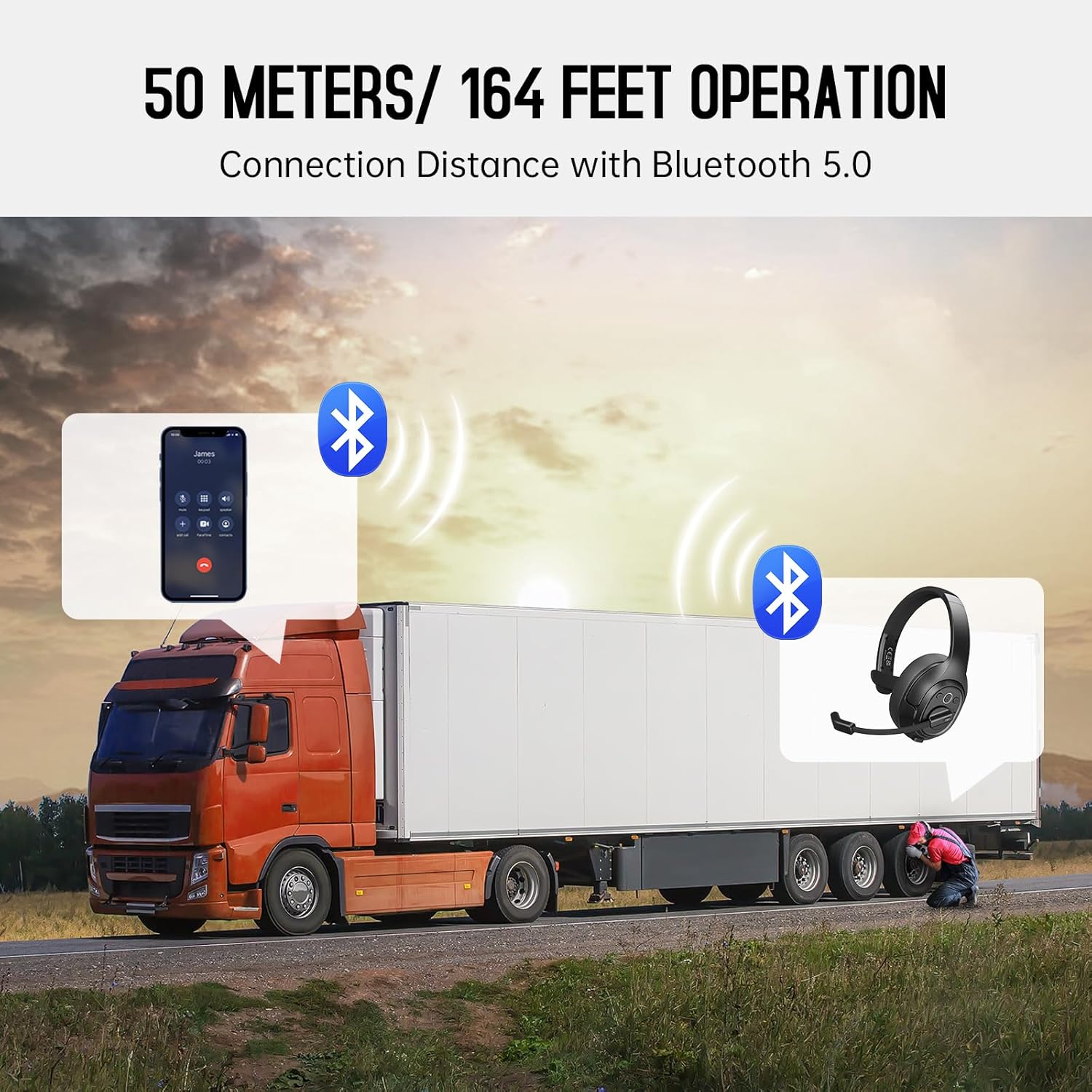
Image: The EKSA H1 Plus headset, USB dongle, and charging cable as typically found in the product packaging.
Sąranka
1. Ausinių įkrovimas
Before first use, fully charge the headset. Connect the provided Type-C charging cable to the headset's charging port and the other end to a USB power source. The charging indicator will show the charging status. A full charge takes approximately 1.5 hours.

Image: Visual representation of the headset's battery life and charging duration.
2. Įjungimas/išjungimas
Press and hold the Multi-Function Button (MFB) for 3 seconds to power on or off the headset. A voice prompt will indicate the status.
3. Bluetooth Pairing (for Mobile Devices)
- Įsitikinkite, kad laisvų rankų įranga išjungta.
- Paspauskite ir palaikykite daugiafunkcį mygtuką 5–7 sekundes, kol LED indikatorius pakaitomis mirksės mėlynai ir raudonai, rodydamas susiejimo režimą.
- On your mobile device, enable Bluetooth and search for "EKSA-H1PLUS".
- Select "EKSA-H1PLUS" to connect. The LED will turn solid blue once connected.
4. Connecting with USB Dongle (for PC/Mac without Bluetooth)
- Prijunkite USB adapterio laikiklį prie laisvo kompiuterio USB prievado.
- Įjunkite ausines. Jos automatiškai bandys prisijungti prie adapterio.
- The LED on the dongle and headset will turn solid blue when connected.
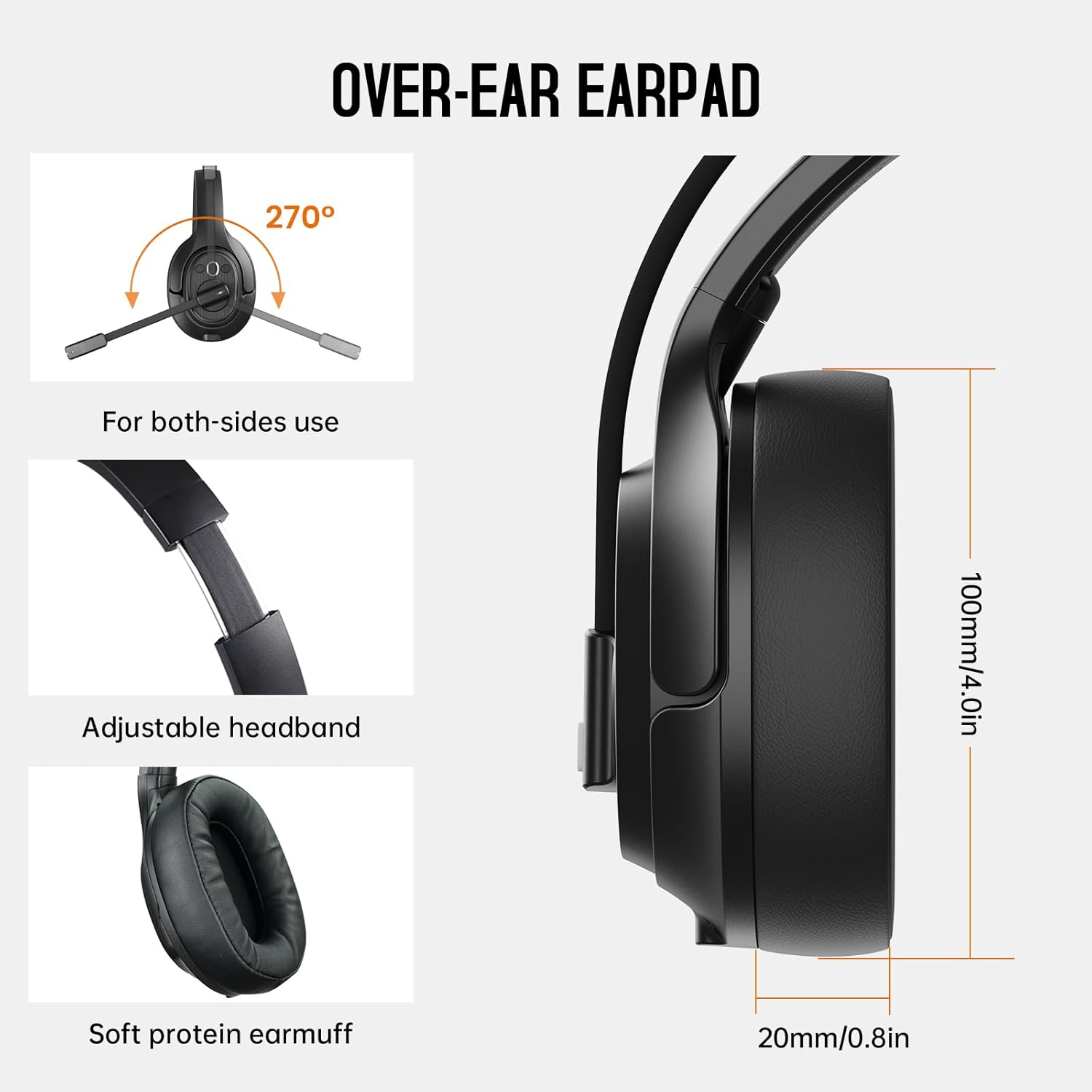
Image: The headset demonstrating simultaneous connection to a phone via Bluetooth and a laptop via USB dongle.
Naudojimo instrukcijos
1. Valdymasview
The headset features intuitive controls located on the earcup:
- Daugiafunkcis mygtukas (MFB): Power on/off, play/pause music, answer/end calls.
- Garsumo padidinimas (+): Padidinti garsumą.
- Sumažinti garsumą (-): Sumažinti garsumą.
- Nutildymo mygtukas: Nutildyti / įjungti mikrofoną pokalbio metu.
- AI Assistant Button: Įjunkite savo įrenginio balso asistentą.

Vaizdas: Stambus planas view of the headset's control buttons and ports.
2. Skambinimas ir skambučių priėmimas
- Atsiliepti / Baigti skambutį: Trumpai paspauskite MFB.
- Atmesti skambutį: Paspauskite ir palaikykite MFB 2 sekundes.
- Perrink paskutinį numerį: Du kartus paspauskite MFB.
- Nutildyti / įjungti mikrofoną: Short press the dedicated mute button on the microphone arm.
3. Microphone and Wearing Adjustments
The headset is designed for comfort and versatility:
- Reguliuojama galvos juosta: Extend or retract the headband to fit your head comfortably.
- Pasukamas mikrofonas: The microphone arm can rotate 270 degrees, allowing it to be worn on either the left or right ear. Position the microphone close to your mouth for optimal voice pickup.
- Patogios ausinės: The over-ear design with soft ear pads ensures comfort during extended use.

Image: Features illustrating the ergonomic design of the headset, including adjustable headband and rotatable microphone.
4. Environmental Noise Cancelling (ENC) Microphone
The AI-Powered ENC microphone filters out up to 99.8% of ambient noise, ensuring your voice is transmitted clearly even in noisy environments like call centers, construction sites, or trucks.

Image: A visual explanation of the ENC microphone's function, demonstrating noise reduction.
5. Kelių įrenginių prijungimas
The headset supports simultaneous connection to two different devices, such as a smartphone and a computer, allowing seamless switching between calls and other audio sources.

Image: Illustration of the headset's ability to connect to two devices concurrently.
6. Extended Wireless Range
Utilizing Bluetooth 5.0 technology, the headset offers a stable wireless connection up to 30 meters (99 feet). In unobstructed environments, the range can extend up to 50 meters (164 feet).

Image: Visualizing the headset's long-range wireless capabilities in an outdoor setting.
Priežiūra
- Valymas: Ausinėms valyti naudokite minkštą, sausą šluostę. Venkite naudoti stiprias chemines medžiagas ar abrazyvines medžiagas.
- Ausų pagalvėlių keitimas: The headset comes with a replacement mesh breathable ear pad. To replace, gently twist and pull off the existing ear pad, then align and press the new ear pad into place.
- Saugykla: Store the headset in its protective case when not in use to prevent damage.

Image: Demonstrating the detachable ear pads and the two types included for different comfort levels.
Trikčių šalinimas
| Problema | Sprendimas |
|---|---|
| Ausinės neįsijungia. | Ensure the headset is fully charged. Press and hold the MFB for 3 seconds. |
| Nepavyksta susieti per „Bluetooth“. | Ensure the headset is in pairing mode (flashing blue/red LED). Turn off and on Bluetooth on your device. Move closer to the device. |
| Nėra garso arba garso kokybė prasta. | Check volume levels on both the headset and connected device. Ensure the headset is selected as the audio output device. Re-pair the headset. |
| Mikrofonas neveikia. | Ensure the microphone is not muted. Check microphone settings on your connected device. Adjust microphone position. |
| USB dongle not connecting. | Ensure the dongle is fully inserted. Try a different USB port. Restart your computer. |
Specifikacijos
| Funkcija | Detalė |
|---|---|
| Modelio pavadinimas | EKSA-H1PLUS |
| Ryšio technologija | Belaidis ryšys („Bluetooth 5.0“) |
| Bluetooth versija | 5.0 |
| Bluetooth diapazonas | 30 Meters (99 feet), up to 50 Meters (164 feet) unobstructed |
| Mikrofonas | Dirbtinio intelekto valdomas aplinkos triukšmo slopinimas (ENC) |
| Baterijos veikimo laikas (pokalbių laikas) | Iki 30 valandų |
| Baterijos veikimo laikas (muzikos laikas) | Iki 57 valandų |
| Įkrovimo laikas | apytiksliai 1.5 valandos |
| Ausinės forma | Virš ausies |
| Valdymo tipas | Volume Control, Mute, AI Assistant |
| Svoris | 1.01 svaro (apie 458 g) |
Oficialūs produktų vaizdo įrašai
EKSA H1 Plus Wireless Bluetooth Headset Overview
Vaizdo įrašas: pareigūnas viršview of the EKSA H1 Plus Wireless Bluetooth Headset, highlighting its key features and design.
EKSA H1Plus Bluetooth Trucker Headset Features
Video: A detailed look at the features and benefits of the EKSA H1Plus Bluetooth Trucker Headset.
Garantija ir palaikymas
EKSA products are designed for durability and performance. For warranty information and customer support, please refer to the official EKSA website or contact their customer service directly. Optional protection plans are available for extended coverage.
Dėl papildomos pagalbos apsilankykite: www.eksa.net