
1. Įvadas
Welcome to the user manual for your Yamaha TW-ES5A True Wireless Sport Earbuds. These earbuds are designed to provide high-quality audio with features tailored for an active lifestyle, including advanced noise cancellation, ambient sound modes, and a waterproof design. Please read this manual thoroughly to ensure proper use and maintenance of your device.

2. Kas yra dėžutėje
Patikrinkite, ar jūsų pakuotėje yra visi šie daiktai:
- TW-ES5A Earbuds (Left and Right)
- Apsauginis įkrovimo dėklas
- USB kintamosios srovės įkrovimo laidas
- 5 sets of Eartips (XS, S, M, L, XL)
- 4 sets of Stabilizer Ear Fins (XS, S, M, L)

3. Produktas baigtasview
The Yamaha TW-ES5A earbuds are designed for comfort and performance. Familiarize yourself with the earbud and charging case components.
Ausinių dizainas

Each earbud features a compact design with integrated controls and a stabilizer ear fin for a secure fit during physical activity. The earbuds are lightweight, weighing approximately 0.28 ounces each.
Įkrovimo dėklas
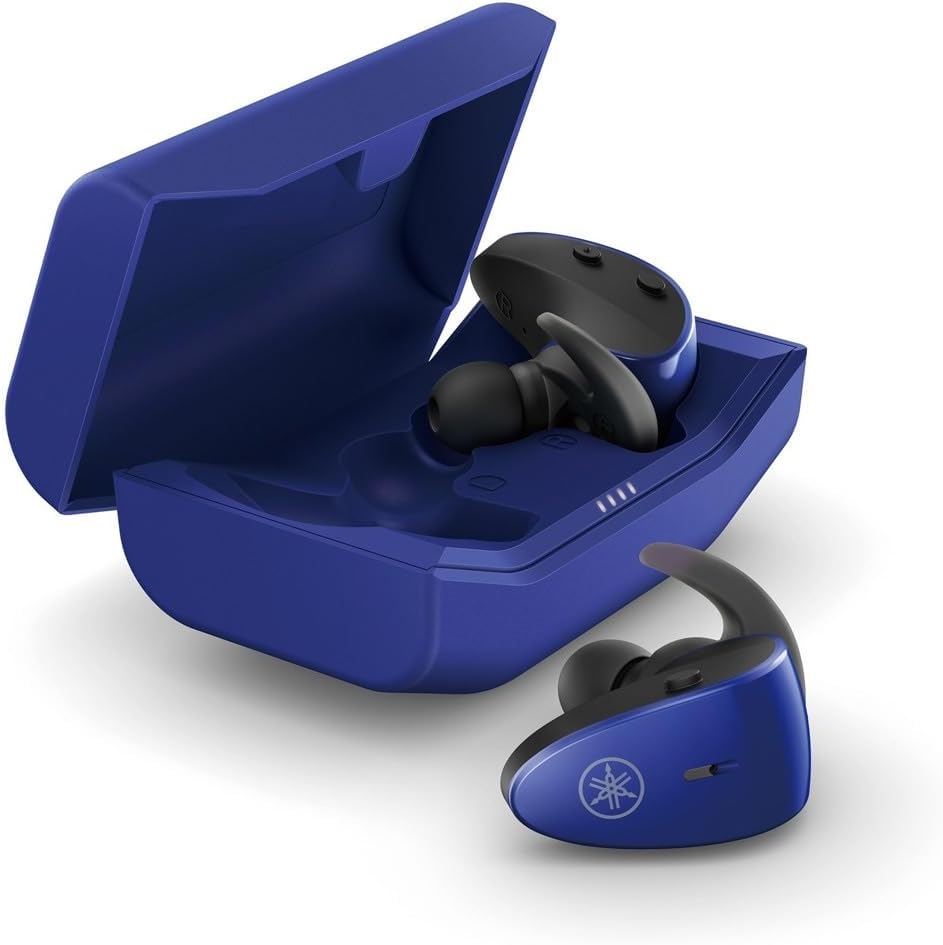
The protective charging case not only stores your earbuds but also recharges them, providing extended battery life. LED indicators on the case show the charging status.
Atspari vandeniui funkcija
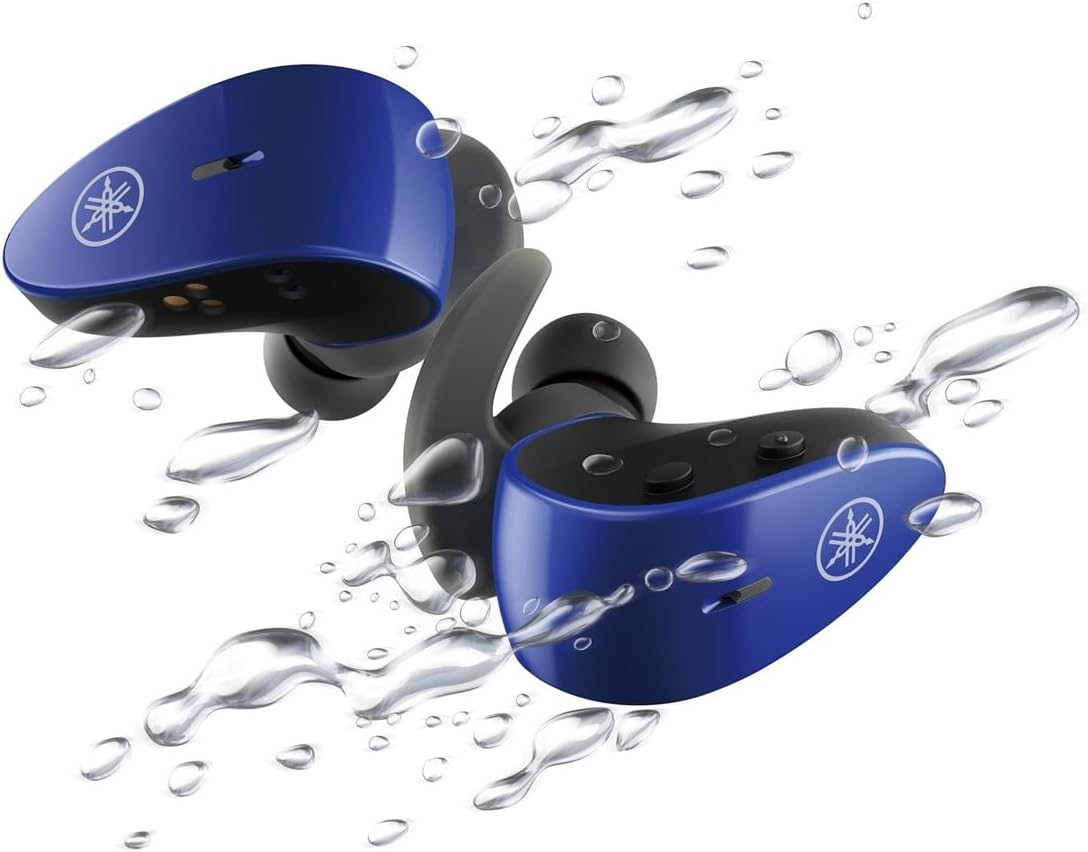
With an IPX7 waterproof rating, these earbuds are protected against immersion in water up to 1 meter for 30 minutes, making them ideal for workouts and outdoor activities.
Oficialus produkto vaizdo įrašas
4. Sąranka
4.1 Ausinių ir dėklo įkrovimas
- Įdėkite ausines į įkrovimo dėklą. Įsitikinkite, kad jos tinkamai įstatytos; ausinių LED indikatoriai užsidegs, patvirtindami įkrovimą.
- Connect the USB A-C charging cable to the charging case and then to a USB power source (e.g., computer, USB wall adapter).
- The charging case LEDs will indicate the charging status. A full charge provides up to 34 hours of total battery life (earbuds + case).
4.2 Selecting Eartips and Stabilizer Ear Fins
For optimal sound quality, comfort, and a secure fit, it is crucial to select the correct size of eartips and stabilizer ear fins.
- Ausinės: Experiment with the 5 provided sizes (XS, S, M, L, XL). The correct size should create a good seal in your ear canal, blocking out external noise and providing rich bass.
- Stabilizer Ear Fins: Choose from the 4 provided sizes (XS, S, M, L). The fin should fit snugly into the concha of your ear, preventing the earbud from falling out during movement.
4.3 Bluetooth poravimas
- Atidarykite įkrovimo dėklą. Ausinės automatiškai įsijungs susiejimo režimu (mirksės šviesos diodai).
- Savo įrenginyje (išmaniajame telefone, planšetiniame kompiuteryje, nešiojamajame kompiuteryje) eikite į „Bluetooth“ nustatymus ir įjunkite „Bluetooth“.
- Ieškokite available devices and select "Yamaha TW-ES5A" from the list.
- Once connected, the earbud LEDs will stop flashing, and your device will confirm the connection.
- Vėlesniam naudojimui ausinės automatiškai prisijungs prie paskutinio suporuoto įrenginio, kai bus išimtos iš dėklo.
5. Naudojimo instrukcijos
The TW-ES5A earbuds feature touch controls for various functions.
5.1 Maitinimo įjungimas/išjungimas
- Maitinimas: Atidarykite įkrovimo dėklą ir ausinės įsijungs automatiškai.
- Išjungti: Įdėkite ausines atgal į įkrovimo dėklą ir uždarykite dangtelį. Jos išsijungs automatiškai.
5.2 Muzikos atkūrimas
- Leisti / pristabdyti: Vieną kartą bakstelėkite bet kurią ausinę.
- Kitas takelis: Dukart palieskite dešinįjį ausinės antgalį.
- Ankstesnis takelis: Dukart palieskite kairįjį ausinės antgalį.
- Pagarsink: Tris kartus palieskite dešinįjį ausinės antgalį.
- Patildyti: Tris kartus palieskite kairįjį ausinės antgalį.
5.3 Skambučių valdymas
- Atsiliepti / Baigti skambutį: Vieną kartą bakstelėkite bet kurią ausinę.
- Atmesti skambutį: Paspauskite ir 2 sekundes palaikykite bet kurią ausinę.
5.4 Triukšmo valdymo režimai
The TW-ES5A offers two noise control modes:
- Aktyvus triukšmo slopinimas (ANC): Sumažina aplinkos triukšmą, kad klausymosi patirtis būtų įtraukianti.
- Aplinkos garsas: Allows you to hear your surroundings while listening to audio, enhancing awareness.
Perjungimo režimai: Press and hold the touch control on the left earbud for 2 seconds to cycle between ANC, Ambient Sound, and Off modes.
5.5 Balso padėjėjas
Activate your device's voice assistant (Siri or Google Assistant) by pressing and holding the touch control on the right earbud for 2 seconds. This allows for hands-free control of your device.
6. Priežiūra
6.1 Valymas
- Regularly clean the earbuds, eartips, and charging contacts with a soft, dry, lint-free cloth.
- Remove eartips and wash them with mild soap and water if necessary. Ensure they are completely dry before reattaching.
- Nenaudokite abrazyvinių valiklių ar tirpiklių.
6.2 Saugykla
- Kai nenaudojate, visada laikykite ausines įkrovimo dėkle, kad jos būtų apsaugotos ir įkrautos.
- Laikykite prietaisą vėsioje, sausoje vietoje, toliau nuo ekstremalių temperatūrų ir tiesioginių saulės spindulių.
7. Problemų sprendimas
If you encounter issues with your TW-ES5A earbuds, try the following solutions:
| Problema | Galima priežastis | Sprendimas |
|---|---|---|
| Earbuds won't power on | Senka baterija | Įdėkite ausines į įkrovimo dėklą ir visiškai įkraukite. |
| Nepavyksta susieti su įrenginiu | Bluetooth off, earbuds not in pairing mode, or previously paired device interference | Ensure Bluetooth is on. Open case to enter pairing mode. Forget device on your phone and re-pair. Turn off Bluetooth on other nearby devices. |
| Nėra garso ar mažas garsumas | Volume too low, improper fit, or earbud obstruction | Increase volume on earbuds and device. Adjust eartips for a secure seal. Clean earbud mesh. |
| Skambučio kokybė prasta | Microphone obstruction or environmental noise | Ensure microphone is clear. Try moving to a quieter environment. |
| Ausinės dažnai atsijungia | Atstumas nuo įrenginio, trukdžiai arba išsikrovusi baterija | Keep earbuds close to your device. Avoid strong electromagnetic interference. Charge earbuds fully. |
If the issue persists, please refer to the Warranty & Support section for further assistance.
8. Specifikacijos
Key technical specifications for the Yamaha TW-ES5A True Wireless Sport Earbuds:
| Funkcija | Detalė |
|---|---|
| Modelio pavadinimas | TW-ES5A |
| Ryšio technologija | Bluetooth 5.2, Qualcomm aptX Adaptive TrueWireless Mirroring with Clear Voice |
| Atsparumo vandeniui lygis | IPX7 (atsparus vandeniui) |
| Triukšmo valdymas | Active Noise Cancellation, Ambient Sound |
| Baterijos veikimo laikas | Up to 34 hours total (earbuds + charging case) |
| Prekės svoris | 0.28 uncijos (vienai ausinei) |
| Gaminio matmenys | 1.32 x 2.78 x 0.67 colio |
| Garso tvarkyklės tipas | Dinaminis vairuotojas |
| Palaikomi kodekai | AptX Adaptive, AAC |
| Suderinami įrenginiai | Android, Laptops, Mac Book, Tablets, iPhone |
| Ypatingos savybės | Android Phone Control, iOS Phone Control, Fast Charging, Microphone included, Sweatproof, Volume Control, Sports & Exercise, Lightweight, Wireless, Firm Secure Fit |
9. Garantija ir palaikymas
Dėl išsamios informacijos apie garantiją, produkto registraciją ir techninės pagalbos apsilankykite oficialioje „Yamaha“ svetainėje websvetainėje arba susisiekite su jų klientų aptarnavimo tarnyba. Išsaugokite pirkimo įrodymą, jei prireiktų garantijos.
Taip pat galite apsvarstyti pirkimąasing extended protection plans for your device. Details on available protection plans can often be found at the point of purchase or on the retailer's websvetainę.