
Įvadas
Thank you for choosing the Flutesan Pocket Calculator. This manual provides detailed instructions for the proper setup, operation, and maintenance of your new calculator. Designed for students, kids, and general office or home use, these mini calculators offer basic four-function arithmetic with an easy-to-read display and responsive keys.

Image: A set of Flutesan pocket calculators in red, green, and blue, highlighting their compact design and clear displays.
Pakuotės turinys
Jūsų pakuotėje turėtų būti šie elementai:
- 10 x Green Pocket Calculators
- 10 x Red Pocket Calculators
- 10 x Blue Pocket Calculators
Note: AA batteries are required for operation and are not included in the package.
Sąranka
Akumuliatoriaus montavimas
The Flutesan Pocket Calculator is powered by one (1) AA battery. Follow these steps to install the battery:
- Skaičiuoklės gale suraskite baterijų skyriaus dangtelį.
- Gently slide or pry open the battery compartment cover. A small screwdriver may be needed to assist in opening the cover.
- Įdėkite vieną (1) AA bateriją, užtikrindami, kad teigiamas (+) ir neigiamas (-) poliai teisingai sutaptų su žymėjimais skyriaus viduje.
- Uždėkite baterijų skyriaus dangtelį, įsitikindami, kad jis tvirtai užsifiksavo.

Image: Illustration of how to open the battery compartment and insert an AA battery into the calculator.
Naudojimo instrukcijos
Pagrindinės funkcijos
The Flutesan Pocket Calculator is designed for basic arithmetic operations and includes several useful features:
- ON/CE (On/Clear Entry): Press to turn the calculator on or to clear the last entered number.
- IŠJUNGTA: Press to turn the calculator off.
- MRC (atminties iškvietimas / išvalymas): Press once to recall the value stored in memory. Press twice to clear the memory.
- M- (atminties minusas): Iš atminties atima rodomą reikšmę.
- M+ (Memory Plus): Įtraukia rodomą reikšmę į atmintį.
- √ (Square Root): apskaičiuoja rodomo skaičiaus kvadratinę šaknį.
- % (procentais): Naudojama proctage skaičiavimai.
- ÷ (Division): Performs division.
- × (Multiplication): Performs multiplication.
- - (Subtraction): Performs subtraction.
- + (Addition): Performs addition.
- = (lygu): Displays the result of the calculation.
Ekranas ir klavišai
The calculator features a large 8-digit LCD display for clear visibility. The keys are designed for high sensitivity and quick response, ensuring efficient operation. The numbers and symbols on the keys are durable and resistant to wear for long-term use.
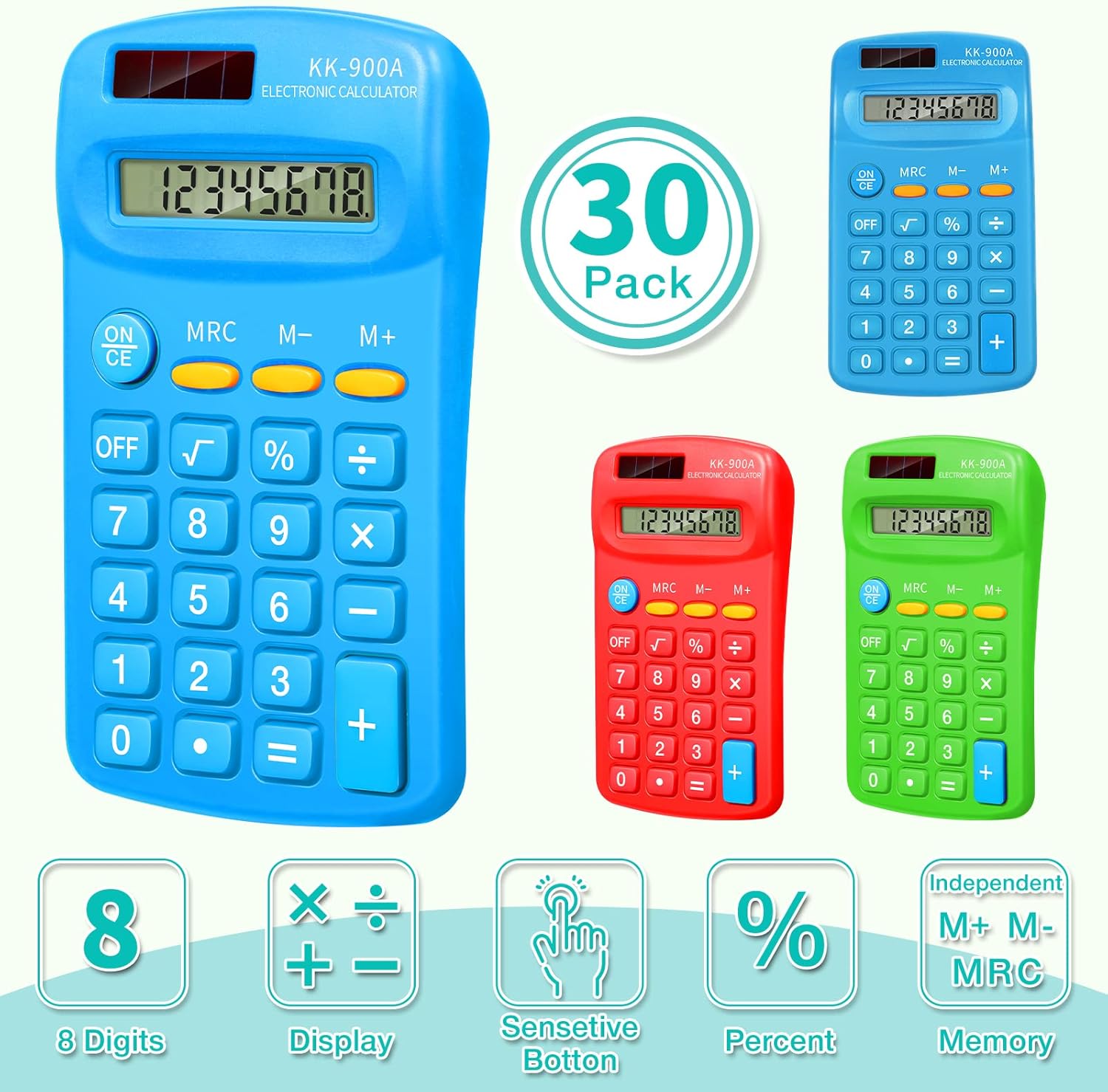
Image: Visual representation of the calculator's key features, such as its 8-digit display and responsive buttons.

Image: Demonstrates the calculator's portability and convenience for daily use in various settings.
Priežiūra
Valymas
To clean your calculator, gently wipe the surface with a soft, dry cloth. For stubborn dirt, a slightly damp cloth can be used, but ensure no moisture enters the calculator's internal components. Do not use abrasive cleaners or solvents.
Sandėliavimas
Store the calculator in a cool, dry place away from direct sunlight and extreme temperatures. Its compact size makes it easy to store in a drawer, school bag, or briefcase.
Trikčių šalinimas
If you encounter issues with your Flutesan Pocket Calculator, please refer to the following common problems and solutions:
| Problema | Galima priežastis | Sprendimas |
|---|---|---|
| Calculator does not turn on or display is blank. | No battery, dead battery, or incorrectly installed battery. | Ensure an AA battery is installed. Check battery polarity (+/-). Replace with a new AA battery if necessary. |
| Keys are unresponsive or require excessive force. | Dust or debris under keys, or internal mechanism issue. | Gently clean around the keys. Ensure keys are not stuck. If the issue persists, the unit may be defective. |
| Incorrect numbers appear on display when pressing keys (e.g., pressing '3' shows '7'). | Defective keypad or internal circuit. | This indicates a manufacturing defect. The calculator may need to be replaced. |
| Battery cover opens easily or battery falls out. | Loose or damaged battery compartment cover. | Ensure the cover is properly aligned and snapped into place. If it remains loose, consider using tape to secure it, or the unit may be defective. |
| Some buttons are mislabeled (e.g., two '=' signs). | Manufacturing error. | This is a manufacturing defect. The calculator may need to be replaced. |
Specifikacijos
| Funkcija | Detalė |
|---|---|
| Modelio numeris | Flutesan-Solar Battery-11 |
| Gaminio matmenys | Maždaug 11.4 x 6.4 x 2 cm (4.49 x 2.52 x 0.79 colio) |
| Prekės svoris | Approx. 2.45 pounds (for 30 pack) |
| Maitinimo šaltinis | 1 AA baterija (į komplektą neįeina) |
| Ekranas | 8-Digit LCD Display |
| Skaičiuoklės tipas | Basic Four-Function |
| Spalva | Žalia, raudona, mėlyna |
| Gamintojas | Flutesan |

Image: Detailed dimensions and ergonomic design of the Flutesan pocket calculator.
Garantija ir palaikymas
Specific warranty information for this product is not provided in the available data. For details regarding warranty coverage, returns, or technical support, please refer to the seller's return policy or contact the manufacturer, Flutesan, directly through their official channels or the platform where the product was purchased.