
1. Įvadas
Thank you for choosing the Bontempi HarmonyKeys 61-Key Digital Keyboard. This instrument is designed to provide a versatile and engaging musical experience for users of various skill levels. This manual provides essential information for the proper setup, operation, maintenance, and troubleshooting of your new digital keyboard. Please read this manual thoroughly before use to ensure optimal performance and longevity of your instrument.
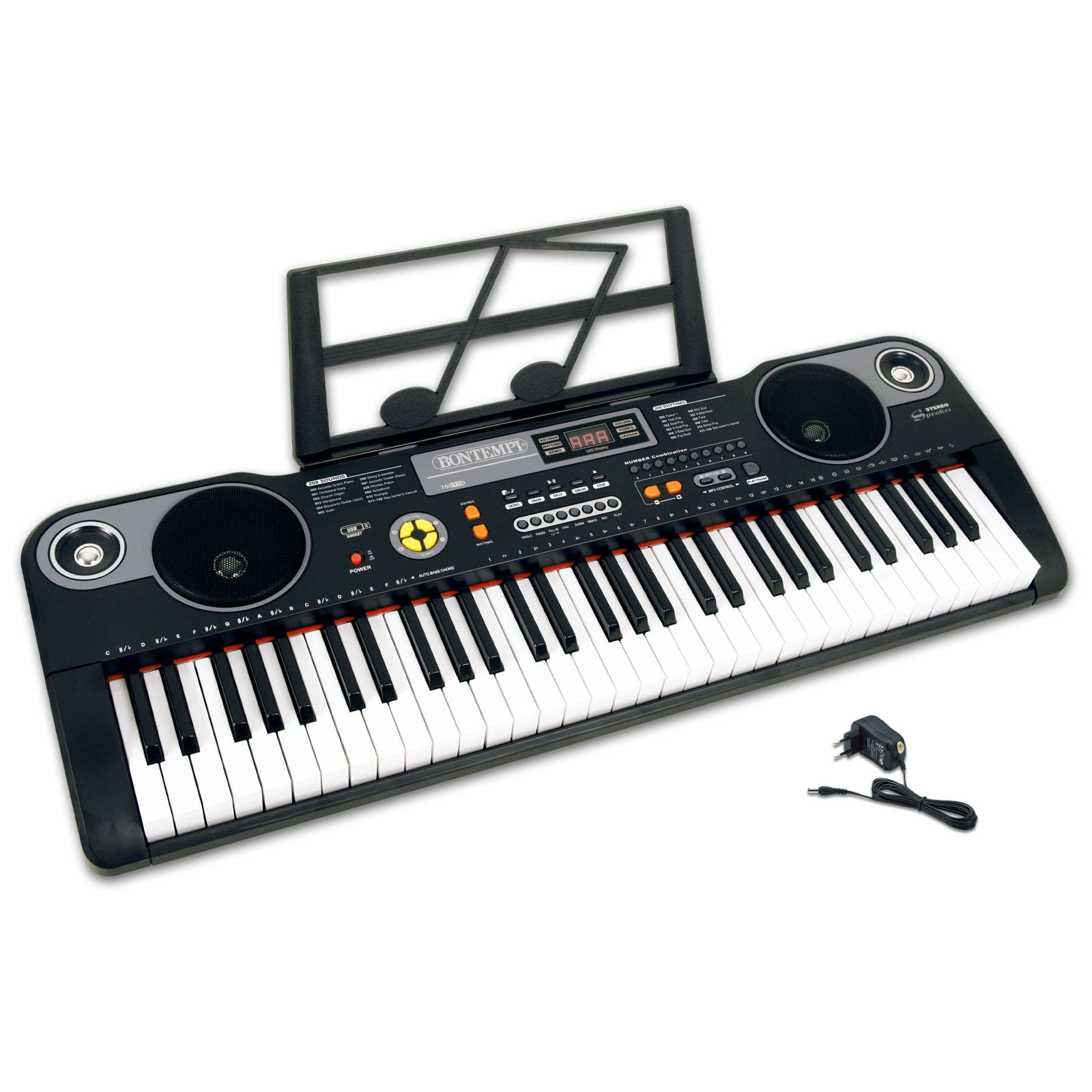
1 pav.: Viršus view of the Bontempi HarmonyKeys 61-Key Digital Keyboard, showing the keys, control panel, and speakers.
2. Saugos informacija
To prevent damage to the instrument or injury to yourself or others, please observe the following safety precautions:
- Maitinimo šaltinis: Use only the specified power adapter or a compatible USB power source. Ensure the voltage atitinka instrumento reikalavimus.
- Vanduo ir drėgmė: Saugokite instrumentą nuo vandens ar drėgmės. Venkite laikyti skysčius šalia klaviatūros.
- Šilumos šaltiniai: Laikykite prietaisą atokiau nuo šilumos šaltinių, tokių kaip radiatoriai, šildytuvai, viryklės ar kiti šilumą skleidžiantys prietaisai.
- Vėdinimas: Do not block any ventilation openings. Ensure adequate airflow around the instrument.
- Valymas: Valykite tik sausa šluoste. Nenaudokite skystų valiklių ar aerozolinių valiklių.
- Aptarnavimas: Nemėginkite patys aptarnauti šio gaminio. Visą techninę priežiūrą patikėkite kvalifikuotam aptarnavimo personalui.
- Vieta: Place the instrument on a stable, flat surface to prevent it from falling.
3. Pakuotės turinys
Patikrinkite, ar pakuotėje yra visi reikalingi daiktai:
- Bontempi HarmonyKeys 61-Key Digital Keyboard
- Maitinimo adapteris
- Instrukcijų vadovas (šis dokumentas)
- Music Stand (if included with your specific model)
Pastaba: Batteries are not included and must be purchased separately if you intend to use the keyboard without the power adapter.

Image 2: The Bontempi HarmonyKeys 61-Key Digital Keyboard shown with its music stand and power adapter.
4. Sąranka
4.1 Maitinimo jungtis
Your HarmonyKeys keyboard can be powered in two ways:
- Naudojant kintamosios srovės adapterį: Connect the included power adapter to the DC IN jack on the back of the keyboard. Plug the other end into a standard wall outlet.
- Using Batteries (not included): For portable use, insert the required number of D-size batteries (refer to the battery compartment for specifications) into the battery compartment on the underside of the keyboard. Ensure correct polarity.
4.2 Pradinis išdėstymas
Place the keyboard on a stable, flat surface. If using a keyboard stand, ensure it is properly assembled and secure. Attach the music stand to the designated slot on the keyboard, if applicable.
4.3 Ausinių prijungimas
To practice privately, connect standard 3.5mm stereo headphones to the HEADPHONE jack on the keyboard. The internal speakers will automatically mute when headphones are connected.
5. Naudojimo instrukcijos
5.1 Įjungimas / išjungimas
Paspauskite GALIA button to turn the keyboard on. The display will light up. Press the GALIA button again to turn the keyboard off.
5.2 Pagrindinis žaidimas
Once powered on, you can immediately begin playing the 61 keys. The default sound is typically a piano tone. Use the volume controls to adjust the output level.
5.3 Selecting Sounds and Rhythms
Your HarmonyKeys keyboard features 60 demo songs, 200 sounds, and 200 rhythms. Use the dedicated buttons and the numeric keypad to select different instrument sounds (Tones) and rhythmic accompaniments (Rhythms). The digital display will show your current selection.
5.4 Specialiosios funkcijos
- Išlaikyti: Paspauskite ILGALAIKIS button to make notes linger longer after the key is released.
- Vibracija: Suaktyvinkite VIBRATO function to add a slight pitch modulation to the sound.
- Įrašyti ir leisti: Naudokite REC button to record your performance and the ŽAISTI button to listen back.
- Polifonija: The keyboard supports 8-note polyphony, allowing up to 8 notes to sound simultaneously.
- Mokymosi funkcija (OKON): Utilize the OKON function for guided learning, which helps users practice songs. Refer to the on-screen prompts or specific instructions for this feature.
5.5 USB jungtis
The USB connection allows you to connect the keyboard to a computer or other compatible devices for expanded functionality, such as using it as a MIDI controller with general-purpose music software (e.g., GarageBand, FL Studio, Logic Pro) or playing MP3 songs from a USB flash drive.
5.6 Produkto vaizdo įrašai
Video 1: Demonstration of various sounds and features of the digital keyboard.
2 vaizdo įrašas: Viršview of the keyboard's design and key layout.
Video 3: Short clip showcasing a specific musical style or rhythm.
Video 4: Detailed look at the control panel and button functions.
Video 5: Demonstration of the USB connectivity feature.
Video 6: Quick demonstration of the record and playback function.
Video 7: Showcase of the learning function (OKON).
8 vaizdo įrašas: Išsamus aprašymasview of the keyboard's musical capabilities.
6. Priežiūra
Proper maintenance ensures the longevity and performance of your digital keyboard.
- Valymas: Klaviatūros paviršių nuvalykite minkšta, sausa šluoste. Jei nešvarumai sunkiai įveikiami, šiek tiek nuvalykite.ampen the cloth with water and then wipe dry immediately. Avoid using abrasive cleaners, solvents, or waxes.
- Saugykla: When not in use for extended periods, store the keyboard in a cool, dry place, away from direct sunlight and extreme temperatures. If using batteries, remove them to prevent leakage.
- Tvarkymas: Avoid dropping the keyboard or subjecting it to strong impacts. Do not place heavy objects on the keys or control panel.
7. Problemų sprendimas
Jei kyla problemų, dažniausiai pasitaikančias problemas ir jų sprendimus rasite toliau pateiktoje lentelėje.
| Problema | Galima priežastis | Sprendimas |
|---|---|---|
| Nėra galios | Power adapter not connected or faulty; batteries drained or incorrectly inserted. | Ensure power adapter is securely connected and plugged into a working outlet. Check battery orientation and replace if necessary. |
| Nėra garso | Volume too low; headphones connected; speaker malfunction. | Increase volume. Disconnect headphones. If problem persists, contact support. |
| Raktai nereaguoja | Keyboard in a special mode; internal malfunction. | Try restarting the keyboard. Check if any learning or demo modes are active. |
| Iškraipytas garsas | Per didelis garsumas; netinkamas prijungimas. | Reduce volume. Check all cable connections. |
8. Specifikacijos
Technical details of the Bontempi HarmonyKeys 61-Key Digital Keyboard:
| Funkcija | Detalė |
|---|---|
| Modelio pavadinimas | HarmonyKeys |
| Raktų skaičius | 61 |
| Matmenys (I x P x A) | 860 x 295 x 90 mm (33.86 x 11.61 x 3.54 colio) |
| Svoris | 3.89 kg (8.58 svaro) |
| Korpuso Medžiaga | Plastikiniai |
| Ryšys | USB |
| Ausinių lizdas | 3.5 mm |
| Maitinimo šaltinis | AC Power Adapter (included), Batteries (not included) |
| Palaikoma programinė įranga | General purpose music software (e.g., GarageBand, FL Studio, Logic Pro) |
| GTIN (UPC) | 047663557144 |
9. Garantija ir palaikymas
Bontempi products are manufactured to high-quality standards. For information regarding warranty coverage, please refer to the warranty card included with your product or visit the official Bontempi website. If you require technical assistance or have questions not covered in this manual, please contact Bontempi customer support through their official channels.