
Įvadas
Ačiū, kad pirkoteasing the SYMA Foldable HD Camera Drone Z3. This drone combines a convenient foldable design with advanced features such as dual 720P cameras, Optical Flow Positioning, and one-key take-off and landing. This manual will guide you through the setup, operation, and maintenance of your drone to ensure a safe and enjoyable flying experience.
Saugos priemonės
Please read and understand all safety instructions before operating the drone. Failure to follow these instructions may result in injury or damage to the product.
- Amžiaus rekomendacija: Šis produktas rekomenduojamas 12 metų ir vyresniems naudotojams. Jaunesniems naudotojams rekomenduojama suaugusiųjų priežiūra.
- Skrydžio aplinka: Fly in open, unobstructed areas away from people, animals, buildings, and power lines. Avoid flying in strong winds or adverse weather conditions.
- Baterijos sauga: Use only the specified battery and charging cable. Do not overcharge or short-circuit batteries. Discontinue use if batteries show signs of damage or swelling.
- Propelerio sauga: Keep hands, face, and loose clothing away from rotating propellers. Always ensure propeller guards are installed before flight.
- Vizualinė regėjimo linija: Skrydžio metu visada palaikykite vizualinį matymo lauką su dronu.
- Gerbti privatumą: Be mindful of privacy laws when using the camera feature.

Image: SYMA Z3 drone with propeller guards. Propeller guards help protect against accidental contact with rotating blades.
Kas yra dėžutėje
Išpakuodami patikrinkite, ar yra visi komponentai:
- SYMA Z3 Foldable HD Camera Drone
- Nuotolinio valdymo siųstuvas
- Rechargeable Drone Battery
- USB įkrovimo laidas
- Atsarginiai sraigtai
- Sraigto apsaugai
- Instrukcijų vadovas

Image: The SYMA Z3 drone and its components as packaged. This includes the drone, remote control, and other accessories.
Sąranka
1. Drono išskleidimas
- Gently unfold the four propeller arms until they lock into position.
- Ensure all arms are fully extended and secure before proceeding.

Image: The SYMA Z3 drone in its compact, folded configuration. The arms must be extended for flight.
2. Baterijos įdėjimas ir įkrovimas
- „Drone“ baterija: Insert the fully charged drone battery into the battery compartment on the drone's underside. Ensure it clicks securely into place.
- Nuotolinio valdymo pulto baterijos: Open the battery cover on the back of the remote control and insert 4x AA batteries (not included), observing correct polarity. Close the cover.
- Įkrovimas: Connect the drone battery to the USB charging cable and plug it into a USB power source (e.g., computer, USB adapter). The indicator light will show charging status and turn off when fully charged. Charging time is approximately 130 minutes for a 16-minute flight time.
3. Propeller Installation (if necessary)
Jei sraigtai nėra iš anksto sumontuoti arba juos reikia pakeisti:
- Match the propellers with the corresponding motor shafts (usually marked A and B).
- Press the propellers firmly onto the motor shafts until they are secure.
- Ensure propeller guards are securely attached to the drone arms.
4. Programėlės diegimas (neprivaloma)
For advanced control and live view, download the SYMA app from your mobile device's app store. Ieškokite "SYMA FPV" or refer to the QR code in the quick start guide.
Naudojimo instrukcijos
1. Drone and Remote Control Overview

Vaizdas: Iš viršaus į apačią view of the SYMA Z3 drone, showing its main body and propellers. The front camera is visible at the front.
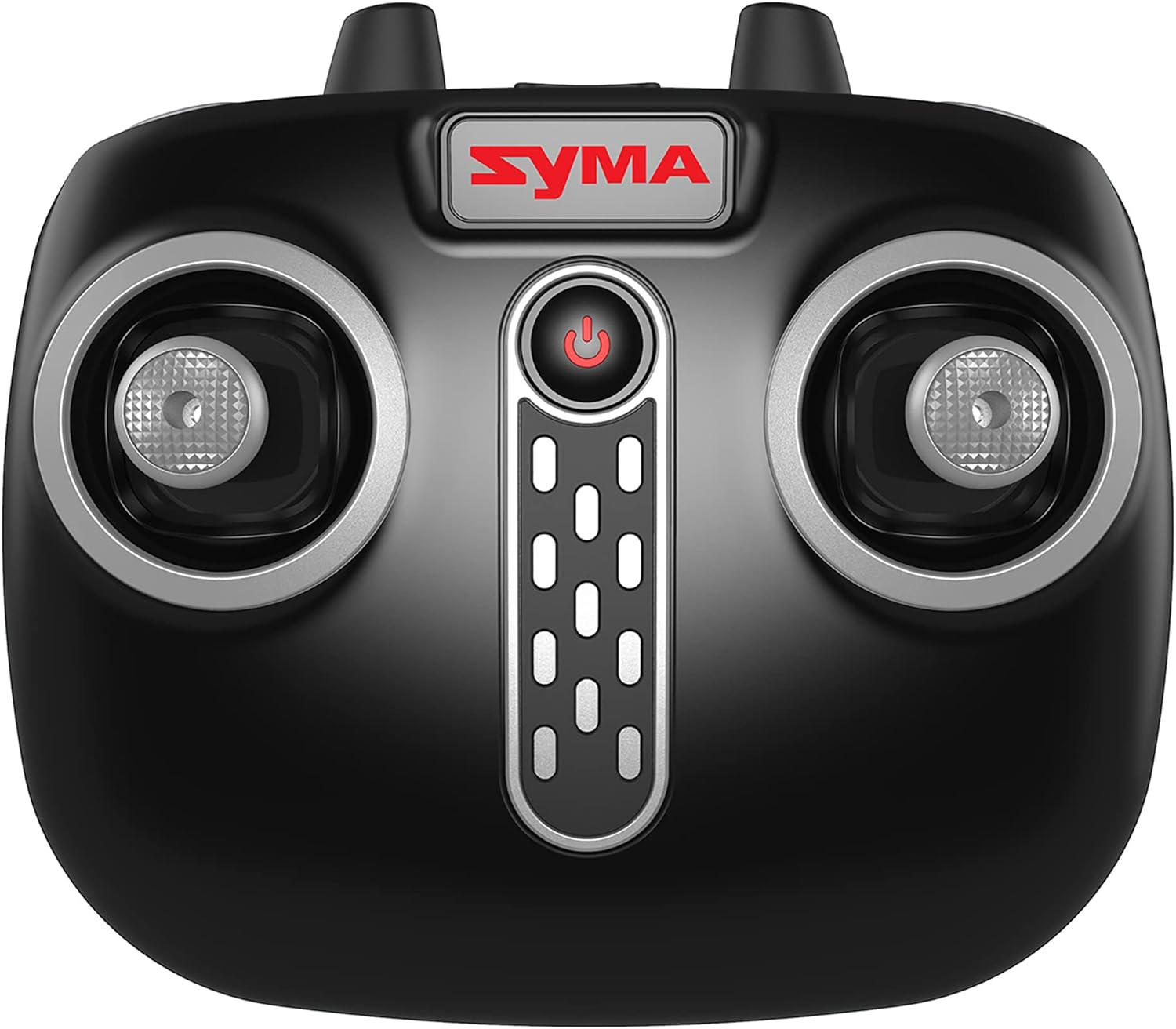
Image: Close-up of the SYMA Z3 remote control, highlighting the joysticks and control buttons. The power button is centrally located.
2. Pairing the Drone with the Remote Control
- Padėkite droną ant lygaus, lygaus paviršiaus.
- Turn on the drone by pressing the power button. The drone's indicator lights will flash.
- Įjunkite nuotolinio valdymo pultą.
- Paspauskite kairįjį valdymo svirtį (droselį) iki galo aukštyn, tada iki galo žemyn. Drono indikatoriaus lemputės nustos mirksėti ir liks šviesti nuolat, rodydamos sėkmingą susiejimą.
3. Pagrindiniai skrydžio valdymo įtaisai
- Kilimas / nusileidimas vienu klavišu: Press the dedicated One-Key Take-Off/Landing button on the remote or in the app. The drone will automatically ascend to a stable hover or descend and land.
- Droselis (kairioji valdymo svirtis aukštyn/žemyn): Controls altitude. Push up to ascend, pull down to descend.
- Kairysis valdymo svirtis (kairė/dešinė): Controls rotation. Push left to rotate counter-clockwise, right to rotate clockwise.
- Pirmyn/atgal (dešinė valdymo svirtis aukštyn/žemyn): Valdo judėjimą pirmyn ir atgal.
- Skrydis į kairę/dešinę šoną (dešinė valdymo svirtis į kairę/dešinę): Controls sideways movement.
- Automatinis užvedimas: The drone will automatically maintain its altitude when the throttle joystick is released.
4. Išplėstinės funkcijos
- Optinio srauto padėties nustatymas: This feature uses a downward-facing camera to help the drone maintain its position stably, reducing unwanted drift, especially indoors or in low wind conditions.
- Dvigubos 720P kameros: The Z3 features two 720P cameras (forward and vertical facing). Use the SYMA app to switch between cameras and capture photos or videos.
- Greičio režimai: The drone offers multiple speed settings (e.g., 2 speeds) for different skill levels. Refer to the remote control diagram for the speed switch button.
- App Control (Gravity App & Flight Plan): When connected to the SYMA app via Wi-Fi, you can control the drone using your mobile phone's gyroscope (Gravity App) or draw a flight path on the screen for the drone to follow (Flight Plan).
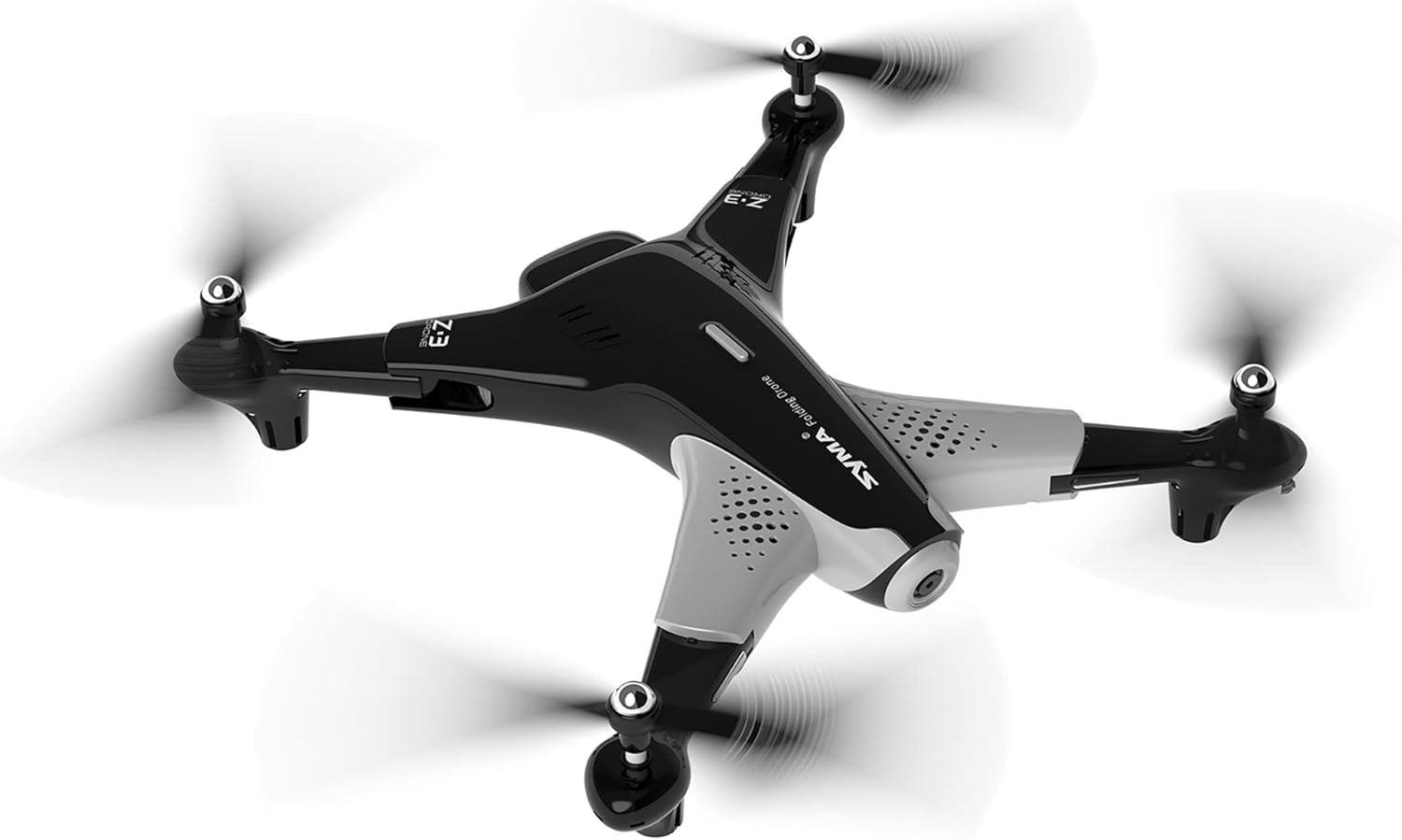
Image: The SYMA Z3 drone in stable flight. Its design allows for both indoor and outdoor operation.
Priežiūra ir priežiūra
- Valymas: Droną ir nuotolinio valdymo pultą valykite minkšta, sausa šluoste. Venkite vandens ar tirpiklių.
- Propelerio keitimas: If propellers are damaged, replace them immediately with genuine SYMA Z3 spare parts. Ensure correct A/B propeller placement.
- Akumuliatoriaus priežiūra: Baterijas laikykite vėsioje, sausoje vietoje. Nelaikykite visiškai įkrautų arba visiškai iškrautų baterijų ilgą laiką. Ilgalaikiam laikymui įkraukite jas maždaug iki 50 %.
- Saugykla: When not in use, fold the drone for compact storage. Keep the drone and remote control away from direct sunlight and extreme temperatures.
Trikčių šalinimas
| Problema | Galima priežastis | Sprendimas |
|---|---|---|
| Dronas nereaguoja į nuotolinio valdymo pultą. | Not paired; low battery (drone/remote); remote out of range. | Re-pair drone and remote; charge drone battery, replace remote batteries; ensure drone is within operating range. |
| Dronas dreifuoja skrydžio metu. | Not calibrated; strong wind; uneven take-off surface. | Perform gyroscope calibration on a flat surface; fly in calm conditions; ensure take-off from a level surface. |
| Propeleriai nesisuka. | Propeller obstruction; motor damage; low battery. | Check for obstructions and clear them; contact support if motor is damaged; charge drone battery. |
| Camera not working or no live feed. | App not connected to drone Wi-Fi; camera malfunction. | Ensure your phone is connected to the drone's Wi-Fi network; restart drone and app; contact support if issue persists. |
Specifikacijos
| Funkcija | Detalė |
|---|---|
| Modelio pavadinimas | SYMA FOLDABLE HD CAMERA DRONE Z3 |
| Prekės ženklas | SYMA |
| Ypatinga funkcija | Optical Flow Positioning, Dual 720P Cameras |
| Amžiaus diapazonas (aprašas) | Suaugusiesiems (gamintojo rekomenduojamas amžius: 5 metai ir vyresniems) |
| Vaizdo įrašymo raiška | 720p (1280x720 Pixels) |
| Ryšio technologija | Wi-Fi |
| Įgūdžių lygis | Pradedantysis |
| Skrydžio laikas | apytiksliai 16 minučių |
| Medžiaga | Plastikiniai |
| Baterijos elementų sudėtis | Ličio jonas |
| Palaikomas vaizdo formatas | JPEG |
| Gaminio matmenys | 19.42 x 3.12 x 12.87 colio |
| Prekės svoris | 1.94 svaro |
Pagalba klientams
For further assistance, troubleshooting not covered in this manual, or warranty inquiries, please contact SYMA customer support. Refer to the SYMA official webNaujausią kontaktinę informaciją rasite svetainėje arba produkto pakuotėje.
Internetiniai ištekliai: Visit the official SYMA website for FAQs, video tutorials, and updated support information.