
1. Įvadas
This manual provides comprehensive instructions for the Microsoft Surface Laptop 3, Model VGY-00001. Designed for productivity and portability, this device features a 13.5-inch touchscreen, Intel Core i5 processor, 8GB RAM, and a 128GB Solid State Drive. Please read this manual thoroughly to ensure proper setup, operation, and maintenance of your device.
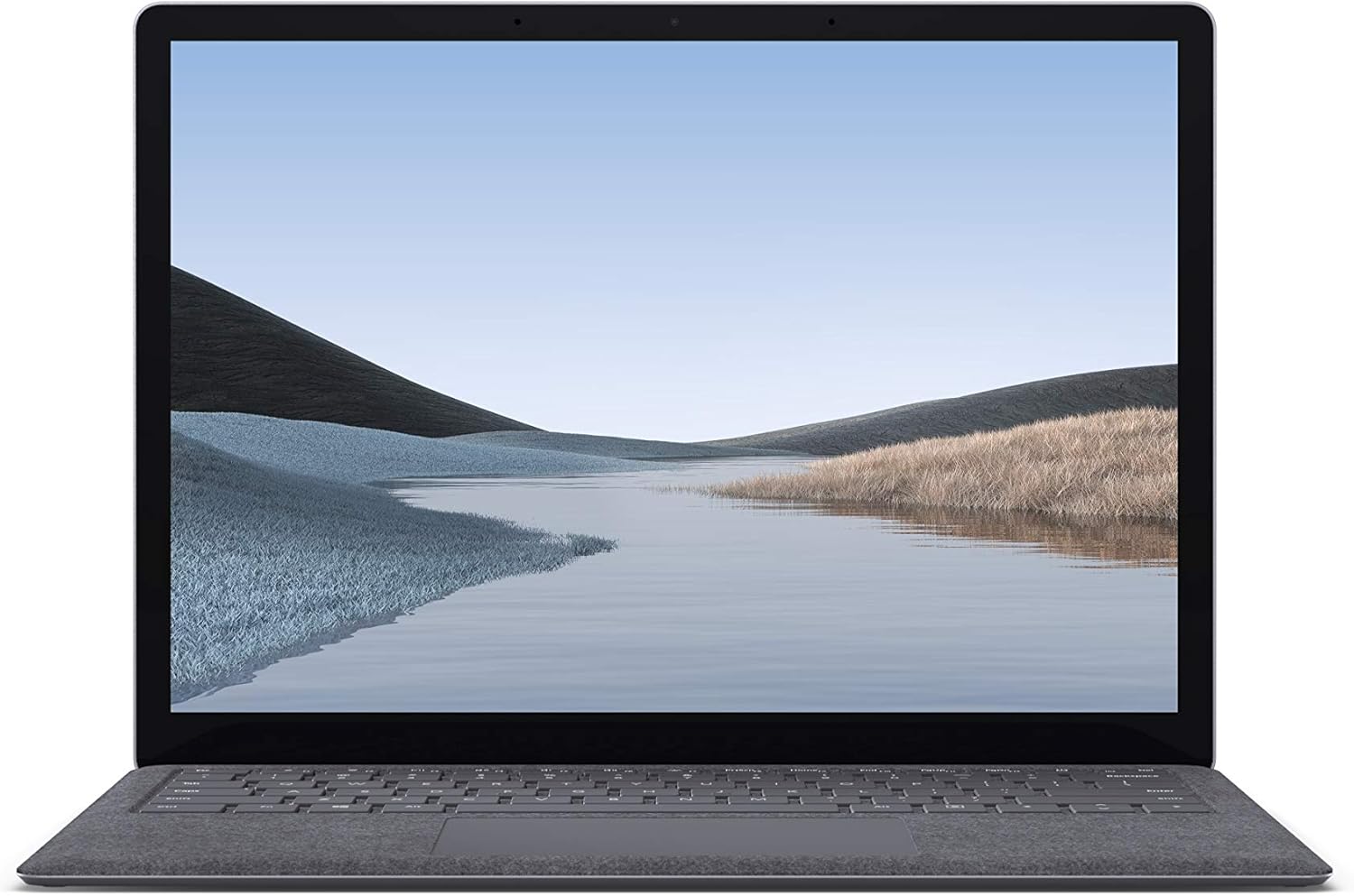
1.1 vaizdas: priekis view of the Microsoft Surface Laptop 3 with its display active.
The Surface Laptop 3 offers a clean, elegant design, weighing approximately 2.79 pounds, making it easy to carry. It features improved speed and performance with its 10th Gen Intel Core processors, offering up to two times faster performance than previous models. Connectivity options include USB-C and USB-A ports for connecting to displays, docking stations, and accessories. The device provides up to 11.5 hours of battery life and supports fast charging, reaching up to 80% in about one hour.
2. Kas yra dėžutėje
Upon unboxing your Microsoft Surface Laptop 3, verify that all the following items are present:
- Microsoft Surface Laptop 3 (Model VGY-00001)
- Greitos pradžios vadovas (QSG)
- Power Supply (AC adapter)
3. Sąranka
3.1 Pradinis įjungimas
- Prijunkite maitinimą: Plug the power supply into a wall outlet and connect the magnetic Surface Connect port to your laptop. The LED indicator on the connector will light up when properly connected.
- Maitinimas: Open the laptop lid or press the power button located on the keyboard.
- "Windows" sąranka: Follow the on-screen instructions to complete the Windows 10 Home setup. This includes selecting your region, connecting to a Wi-Fi network, and creating a user account.
- „Windows Hello“: Configure Windows Hello for secure and fast login using facial recognition.
3.2 Išorinių įrenginių prijungimas
Your Surface Laptop 3 includes various ports for connecting external devices:
- USB-C prievadas: For data transfer, video output, and charging compatible devices.
- USB-A prievadas: For connecting traditional USB devices like mice, keyboards, and external storage.
- 3.5 mm ausinių lizdas: Garso išvesčiai į ausines arba išorinius garsiakalbius.
- „Surface Connect“ prievadas: For the power supply and compatible Surface docking stations.

3.1 paveikslėlis: Šonas view illustrating the available ports on the Surface Laptop 3.
4. „Surface“ nešiojamojo kompiuterio valdymas 3
4.1 Ekranas ir jutiklinis ekranas
The 13.5-inch PixelSense touchscreen display offers a resolution of 2256 x 1504 pixels. It supports multi-touch gestures and is compatible with the Surface Pen (sold separately) for writing and drawing directly on the screen.
4.2 Klaviatūra ir jutiklinė planšetė
The full-size ergonomic keyboard features backlighting for comfortable typing in various lighting conditions. The large precision touchpad supports multi-finger gestures for navigation and control.
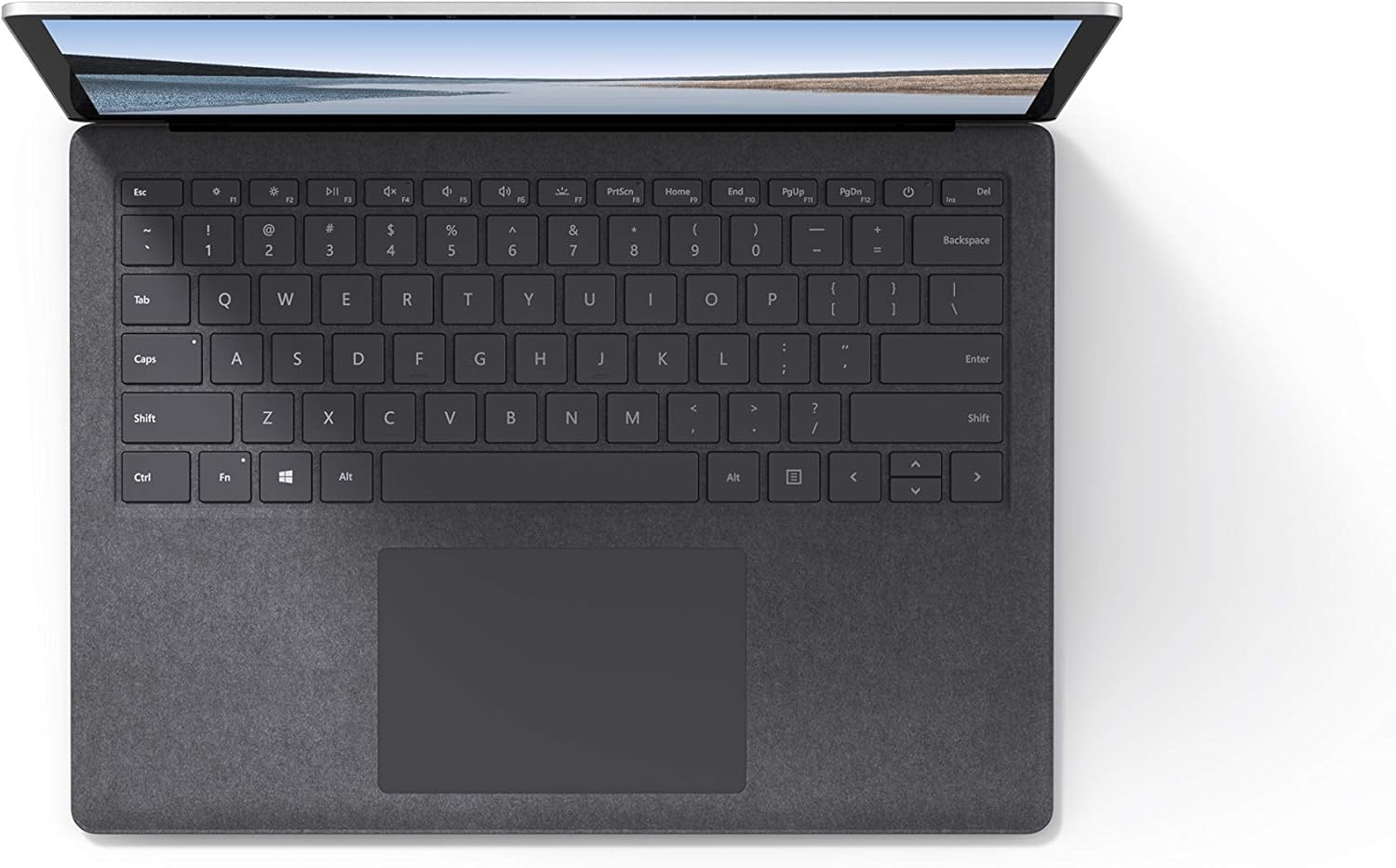
4.1 paveikslėlis: Iš viršaus į apačią view klaviatūros ir jutiklinės planšetės srities.
4.3 Garsas ir kamera
The laptop is equipped with Omnisonic Speakers with Dolby Audio Premium for clear sound. Dual far-field Studio Mics enhance voice clarity for calls and recordings. A front-facing 720p HD camera supports video conferencing and Windows Hello facial authentication.
4.4 Belaidis ryšys
The Surface Laptop 3 supports Wi-Fi 6 (802.11ax) for fast and reliable internet access, and Bluetooth 5.0 for connecting wireless accessories.
Video 4.1: Official Microsoft video showcasing the Surface Laptop 3's features and design.
5. Priežiūra
5.1 Įrenginio valymas
- Naudokite minkštą, nepūkuotą audinį dampened with water or an approved screen cleaner to clean the display.
- Klaviatūrai ir korpusui valyti naudokite minkštą, sausą šluostę. Venkite stiprių cheminių medžiagų ar abrazyvinių medžiagų.
- Laikykite prievadus švarius nuo dulkių ir šiukšlių.
5.2 Programinės įrangos naujiniai
Regularly check for and install Windows updates to ensure optimal performance, security, and access to the latest features. Go to Nustatymai > Naujinimas ir sauga > „Windows“ naujinimas.
5.3 Akumuliatoriaus priežiūra
- Venkite ekstremalių temperatūrų.
- Norėdami užtikrinti optimalų akumuliatoriaus tarnavimo laiką, venkite nuolatinio akumuliatoriaus iškrovimo iki 0 % arba ilgo laikymo ties 100 %.
- Naudokite tik pateiktą maitinimo šaltinį.
6. Problemų sprendimas
6.1 Maitinimo problemos
- Įrenginys neįsijungia: Ensure the power supply is securely connected and the outlet is functional. Try a forced shutdown by holding the power button for 30 seconds, then release and press again briefly to restart.
- Baterija nekraunama: Verify the Surface Connect cable is properly attached. Check for any damage to the cable or port.
6.2 Našumo problemos
- Lėtas veikimas: Close unnecessary applications. Check Task Manager for resource-intensive processes. Ensure Windows is up to date.
- Perkaitimas: Ensure ventilation vents are not blocked. Avoid using the laptop on soft surfaces that can obstruct airflow.
6.3 Ryšio problemos
- „Wi-Fi“ neprisijungia: Restart your router and the laptop. Check Wi-Fi settings and ensure the correct network is selected and password entered.
- „Bluetooth“ įrenginys nesusijungia: Įsitikinkite, kad „Bluetooth“ įrenginys veikia susiejimo režimu ir yra diapazone. Patikrinkite nešiojamojo kompiuterio „Bluetooth“ nustatymus.
7. Specifikacijos
| Funkcija | Detalė |
|---|---|
| Prekės ženklas | Microsoft |
| Modelio pavadinimas | „Surface Laptop 3“. |
| Modelio numeris | VGY-00001 |
| Ekrano dydis | 13.5 colių |
| Rezoliucija | 2256 x 1504 pikselių |
| CPU modelis | „Intel Core i5“ (10-os kartos) |
| Procesoriaus greitis | 1.2 GHz (iki 3.7 GHz su „Turbo Boost“) |
| Įdiegtos RAM atminties dydis | 8 GB LPDDR4 |
| Kietojo disko dydis | 128 GB SSD |
| Operacinė sistema | Windows 10 Home (Free Upgrade to Windows 11 when available) |
| Grafikos koprocesorius | Intel Iris Plus |
| Ryšio technologija | 1 x USB-C, 1 x USB-A, 3.5 mm headphone jack, 1 x Surface Connect port |
| Belaidė technologija | „Wi-Fi 6“ (802.11ax), „Bluetooth 5.0“ |
| Baterijos veikimo laikas | Iki 11.5 valandų |
| Prekės svoris | 2.79 svaro |
| Dimensions (L x W x Thickness) | 8.8 cm ilgio x 12.1 cm pločio x 0.57 cm storio |
| Fotoaparatas | Front-facing 720p HD camera with Windows Hello face authentication |
| Garsas | Omnisonic Speakers with Dolby Audio Premium, Dual far-field Studio Mics |
8. Garantija ir palaikymas
8.1 Gaminio garantija
The Microsoft Surface Laptop 3 (Model VGY-00001) comes with a 1 metų gamintojo ribota garantija. This warranty covers defects in materials and workmanship under normal use. For specific terms and conditions, please refer to the warranty documentation included with your product or visit the official Microsoft support websvetainę.
8.2 Pagalba klientams
For technical assistance, troubleshooting, or warranty claims, please contact Microsoft Support. You can find contact information and additional resources on the official Microsoft Surface support websvetainę. Kreipdamiesi į palaikymo tarnybą, turėkite po ranka pirkimo įrodymą ir produkto serijos numerį.
Palaikymas internetu: Apsilankykite support.microsoft.com/surface DUK, tvarkyklių ir programinės įrangos atsisiuntimų paieška.