
Įvadas
The M-Audio Keystation 49 MK3 is a full-featured, powerful MIDI keyboard controller designed for computer-based music creation and performance. It features 49 full-size, velocity-sensitive keys that provide a natural and responsive playing experience. This manual provides essential information for setting up, operating, and maintaining your Keystation 49 MK3.

Figure 1: M-Audio Keystation 49 MK3 MIDI Keyboard Controller
Kas yra dėžutėje
Upon unpacking your M-Audio Keystation 49 MK3, please ensure all the following items are present:
- Keystation 49 MK3 MIDI klaviatūros valdiklis
- USB A į USB B laidas
- Vartotojo vadovas
- Saugos ir garantijos vadovas
- Software Download Cards (Ableton, AIR Xpand!2, Mini Grand, Velvet, PT First)
Sąranka
The Keystation 49 MK3 offers easy plug-and-play connectivity, requiring no drivers or external power supply for most setups. It is USB-powered, drawing power directly from your computer.
Connecting to a Computer (Mac/PC)
- Connect the USB A end of the included USB cable to an available USB port on your computer.
- Connect the USB B end of the cable to the USB port on the Keystation 49 MK3.
- Your computer should automatically recognize the device. No additional drivers are typically required.
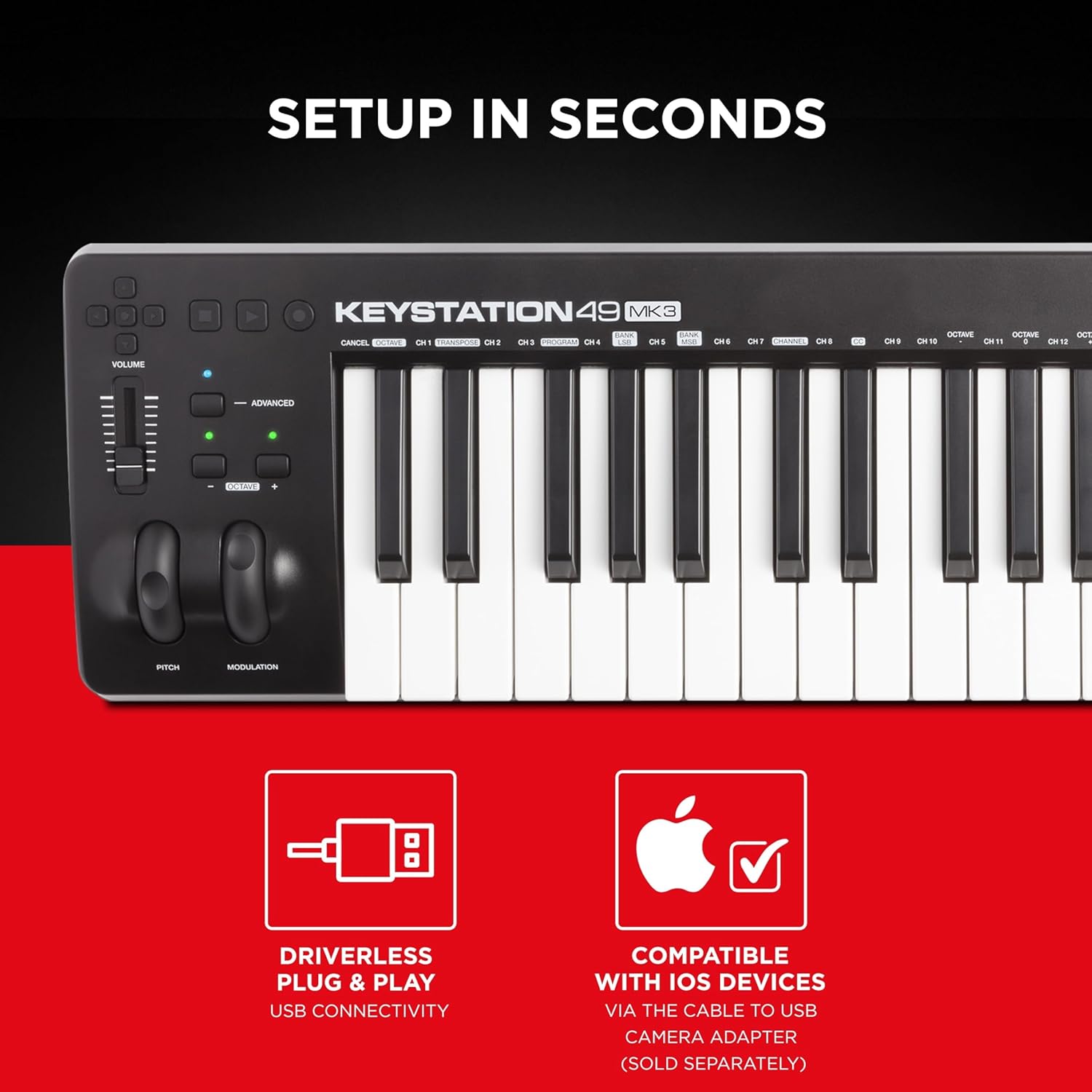
Figure 2: USB Port on Keystation 49 MK3
Prisijungimas prie „iOS“ įrenginių
For use with iOS devices, an Apple to USB Camera Adapter (sold separately) is required. Connect the Keystation 49 MK3 to the adapter, and then connect the adapter to your iOS device.
Operating the Keystation 49 MK3
The Keystation 49 MK3 provides essential controls for expressive performances and seamless integration with your digital audio workstation (DAW).
Pagrindinės funkcijos:
- 49 pilno dydžio greičiui jautrūs klavišai: Provide a natural feel that captures every subtle nuance of your performance.
- Tono aukščio ir moduliacijos ratukai: Ergonomically designed for expressive control over your sounds.
- Garsumo reguliatorius: For easy control of your software's output volume.
- Transport and Directional Buttons: Allow for convenient control of your DAW's playback, recording, and navigation functions.
- Oktavos didinimo/mažinimo mygtukai: Extend the keyboard's range to access the full spectrum of notes.
- Išlaikyti pedalo įvestį: For connecting an optional sustain pedal (sold separately) to enhance your playing.
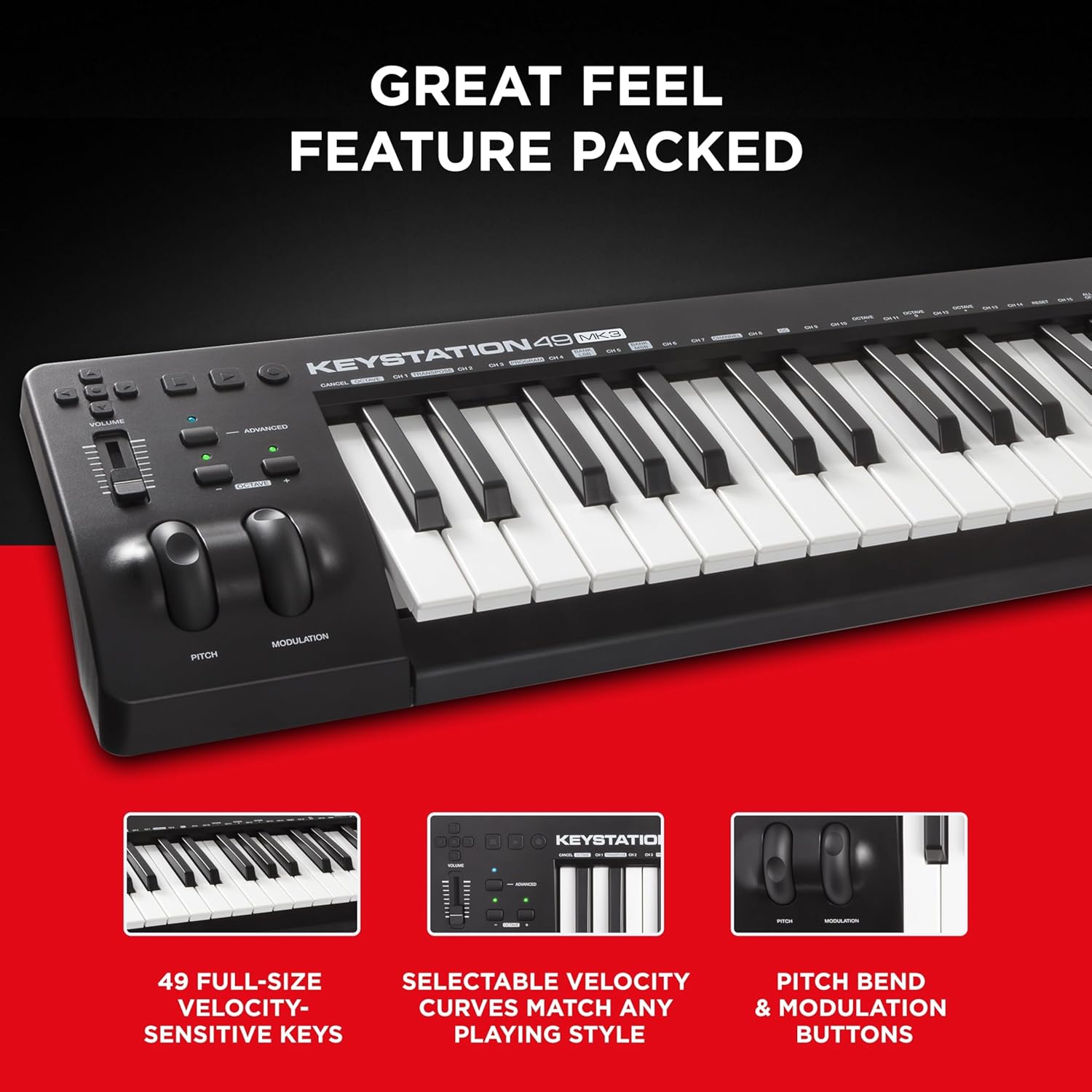
Figure 3: Key Features of Keystation 49 MK3
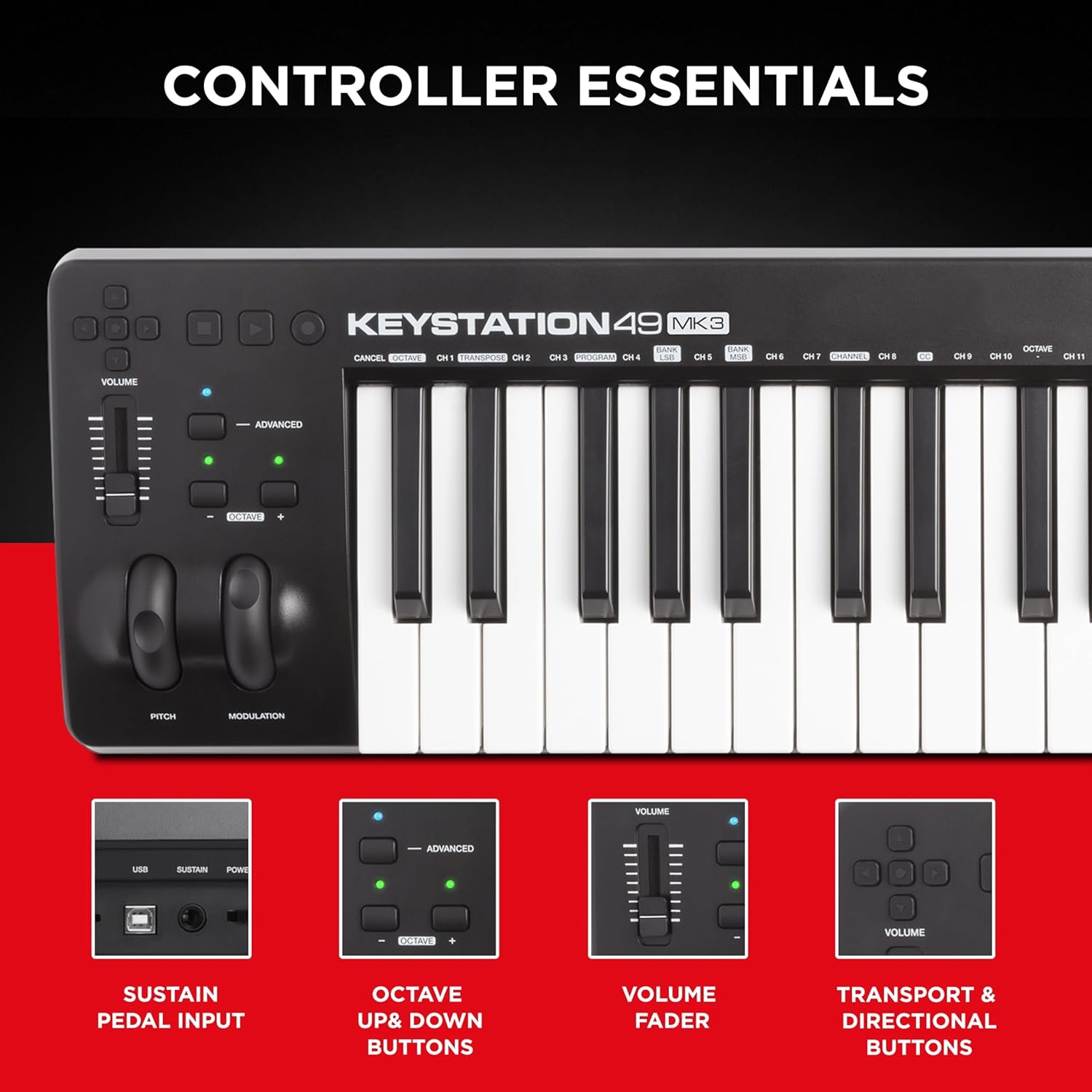
Figure 4: Keystation 49 MK3 Controller Essentials
Included Software Suite
The Keystation 49 MK3 comes with a premium software suite to get you started with music production immediately. This includes:
- MPC Beats: A premium DAW (Digital Audio Workstation) for beat-making and music production.
- Ableton Live Lite: A lightweight version of the popular Ableton Live DAW, perfect for live performance and production.
- Virtualūs instrumentai: Includes Velvet (electric piano), Mini Grand (acoustic piano), and Xpand!2 (multi-timbral workstation).
- Touch Loops: Sample packs to inspire your creations.

5 pav. Baigtaview of Included Software

Figure 6: Software Details
Priežiūra
To ensure the longevity and optimal performance of your Keystation 49 MK3, follow these maintenance guidelines:
- Valymas: Klaviatūros paviršių nuvalykite minkšta, sausa šluoste. Įsisenėjusius nešvarumus lengvai nuvalykite.amp cloth can be used, but ensure no moisture enters the keys or controls. Avoid abrasive cleaners.
- Saugykla: Store the keyboard in a cool, dry place away from direct sunlight, extreme temperatures, and high humidity. If transporting, use a padded case to protect it from physical damage.
- Apsauga nuo dulkių: When not in use, cover the keyboard with a dust cover to prevent dust and debris from accumulating between the keys and controls.
Trikčių šalinimas
If you encounter issues with your Keystation 49 MK3, try the following steps:
- Nėra maitinimo / Neatpažinta: Ensure the USB cable is securely connected to both the keyboard and your computer. Try a different USB port or a different USB cable. If using a USB hub, try connecting directly to the computer.
- Nėra garso: Verify that your DAW or software instrument is correctly configured to receive MIDI input from the Keystation 49 MK3. Check the volume fader on the keyboard and within your software. Ensure your audio output is properly set up and speakers/headphones are connected and powered.
- Klavišai nereaguoja: Check if the octave buttons have shifted the keyboard to an unexpected range. Ensure no software settings are filtering out MIDI notes.
- Programinės įrangos problemos: If the included software is not working, ensure you have registered your product and followed the installation instructions provided with the download cards. Check for software updates from M-Audio or the respective software developers.
Specifikacijos
| Funkcija | Detalė |
|---|---|
| Modelio pavadinimas | Keystation 49 MK3 |
| Raktų skaičius | 49 |
| Rakto tipas | Synth Action, Velocity-Sensitive |
| Ryšio technologija | USB |
| Techninės įrangos sąsaja | USB |
| Suderinami įrenginiai | Laptop, PC, iOS Devices (with adapter) |
| Palaikoma programinė įranga | Bet kuri skaitmeninė garso darbo stotis, suderinama su „Windows“ / „Mac OS“ |
| Prekės svoris | 4.8 svaro |
| Gaminio matmenys | 7.44 x 32.26 x 2.68 colio |
| Medžiagos tipas | Plastikiniai |
Garantija ir palaikymas
M-Audio products are designed for reliability and performance. For detailed warranty information, please refer to the Safety and Warranty Manual included in your product packaging. You can also find support resources, FAQs, and contact information on the official M-Audio websvetainėje arba per jų „Amazon“ prekės ženklo parduotuvę.
For additional assistance, you may refer to the official user guides available online:
Aplankykite M-Audio Store on Amazon daugiau produktų ir pagalbos.