
Panasonic SD-MDX100-K
Panasonic SD-MDX100-K Home Bakery Instruction Manual
Modelis: SD-MDX100-K
1. Įvadas
Ačiū, kad pirkoteasing the Panasonic SD-MDX100-K Home Bakery. This manual provides essential information for the safe and efficient operation, maintenance, and troubleshooting of your new appliance. Please read these instructions thoroughly before use and keep them for future reference.
2. Svarbi saugos informacija
To prevent personal injury and property damage, always follow basic safety precautions when using electrical appliances. This includes, but is not limited to:
- Prieš pradėdami naudoti prietaisą, perskaitykite visas instrukcijas.
- Nelieskite karštų paviršių. Liesdami karštas dalis, mūvėkite orkaitės pirštines arba pirštines.
- Kad apsisaugotumėte nuo elektros smūgio, nemerkite laido, kištukų ar prietaiso į vandenį ar kitą skystį.
- Atidžiai prižiūrėti būtina, kai bet kurį prietaisą naudoja vaikai arba jį naudoja šalia vaikų.
- Ištraukite kištuką iš elektros lizdo, kai nenaudojate ir prieš valydami. Prieš uždėdami arba nuimdami dalis, leiskite atvėsti.
- Nenaudokite prietaiso, kurio laidas ar kištukas pažeistas, arba po to, kai prietaisas neveikia arba buvo kaip nors sugadintas.
- Nenaudoti lauke.
- Neleiskite laidui kaboti virš stalo ar prekystalio krašto ir neliesti karštų paviršių.
- Nedėkite ant įkaitusios dujinės ar elektrinės viryklės ar šalia jos, taip pat į įkaitintą orkaitę.
- Perkeliant prietaisą, kuriame yra karšto aliejaus ar kitų karštų skysčių, reikia būti ypač atsargiems.
- Nenaudokite prietaiso ne pagal paskirtį.
- Šis prietaisas skirtas tik buitiniam naudojimui.
3. Pakuotės turinys
Prašome patikrinti, ar visi daiktai yra ir yra geros būklės:
- Panasonic SD-MDX100-K Home Bakery Unit
- Duonos keptuvė
- Minkymo peiliukas
- Matavimo taurė
- Matavimo šaukštas
- Instrukcijų vadovas (šis dokumentas)
- Receptų knyga
4. Produktas baigtasview
Familiarize yourself with the components of your Panasonic Home Bakery.

4.1 paveikslas: viršuje View of the Home Bakery. This image shows the top lid of the Panasonic SD-MDX100-K Home Bakery, highlighting the sleek black finish and the control panel area.
4.2 pav.: Valdymo skydas. This image displays the detailed control panel with buttons for menu selection, crust color, dough type, program, level, timer settings (hour/minute), start, and cancel functions.

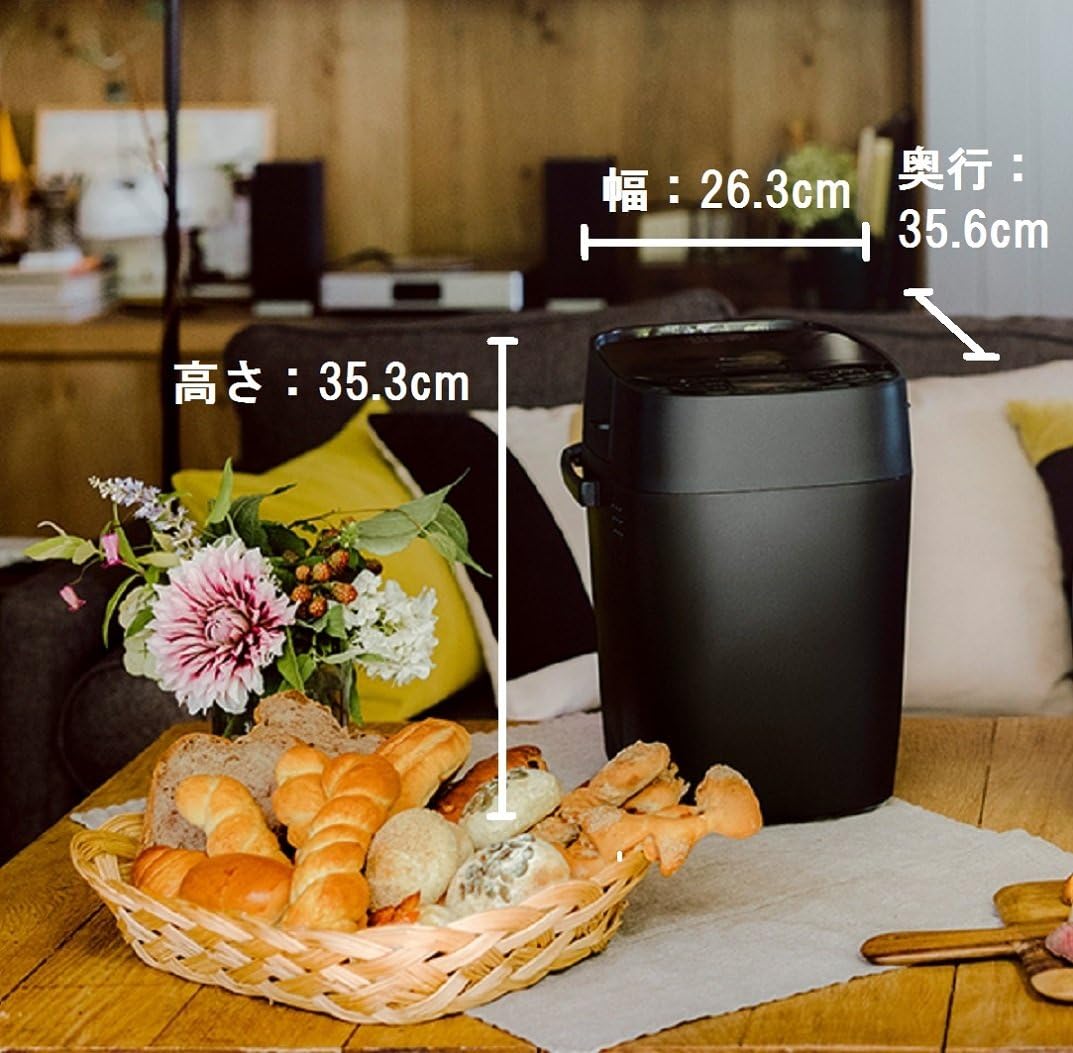
4.3 pav.: Gaminio matmenys. This image illustrates the dimensions of the Panasonic Home Bakery: Width 26.3cm, Depth 35.6cm, Height 35.3cm, shown in a home setting next to a basket of bread.
5. Sąranka
- Išpakavimas: Carefully remove the home bakery and all accessories from the packaging. Retain packaging for future transport or storage.
- Vieta: Place the appliance on a stable, flat, heat-resistant surface, away from direct sunlight and heat sources. Ensure adequate ventilation around the unit.
- Valymas: Prieš pirmą kartą naudodami, nuvalykite įrenginio išorę drėgnu skudurėliuamp cloth. Wash the bread pan and kneading blade with warm, soapy water, rinse thoroughly, and dry completely.
- Minkymo mentės montavimas: Įstatykite minkymo mentę į duonos keptuvės viduje esantį veleną. Įsitikinkite, kad ji tvirtai pritvirtinta.
- Įdėkite duonos kepimo formą: Place the bread pan into the baking chamber of the home bakery. Press down firmly until it clicks into place.
- Maitinimo jungtis: Plug the power cord into a grounded 100V AC electrical outlet. The appliance is designed for 100 Volts (AC) operation.
6. Naudojimo instrukcijos
This section outlines the general steps for baking bread using your Panasonic Home Bakery.
6.1 Pagrindinis duonos kepimo procesas
- Pridėti ingredientų: Add liquid ingredients first, followed by dry ingredients, and finally yeast. Refer to your recipe book for precise measurements and order. Ensure the kneading blade is in place.
- Pasirinkite meniu: Close the lid. Press the "Menu" button to select your desired program (e.g., Basic Bread, Whole Wheat, Dough).
- Nustatykite nustatymus: Use the "Crust Color" button to choose light, medium, or dark crust. If applicable, select dough type or other specific settings.
- Pradėkite kepti: Press the "Start" button. The machine will begin the kneading process.
- Automatic Ingredient Dispenser (if applicable): If your recipe includes nuts, fruits, or other additions, the machine will automatically dispense them at the appropriate time.
- Užbaigimas: Once baking is complete, the machine will beep. Press "Cancel" and unplug the unit.
- Pašalinti duoną: Using oven mitts, carefully remove the bread pan from the machine. Invert the pan to release the bread onto a wire rack to cool. Remove the kneading blade from the bread if it remains embedded.
6.2 Dough Making Stages
The Panasonic SD-MDX100-K features advanced control over the kneading, fermentation, and baking stages, allowing for precise results. The machine can automatically handle various dough types.
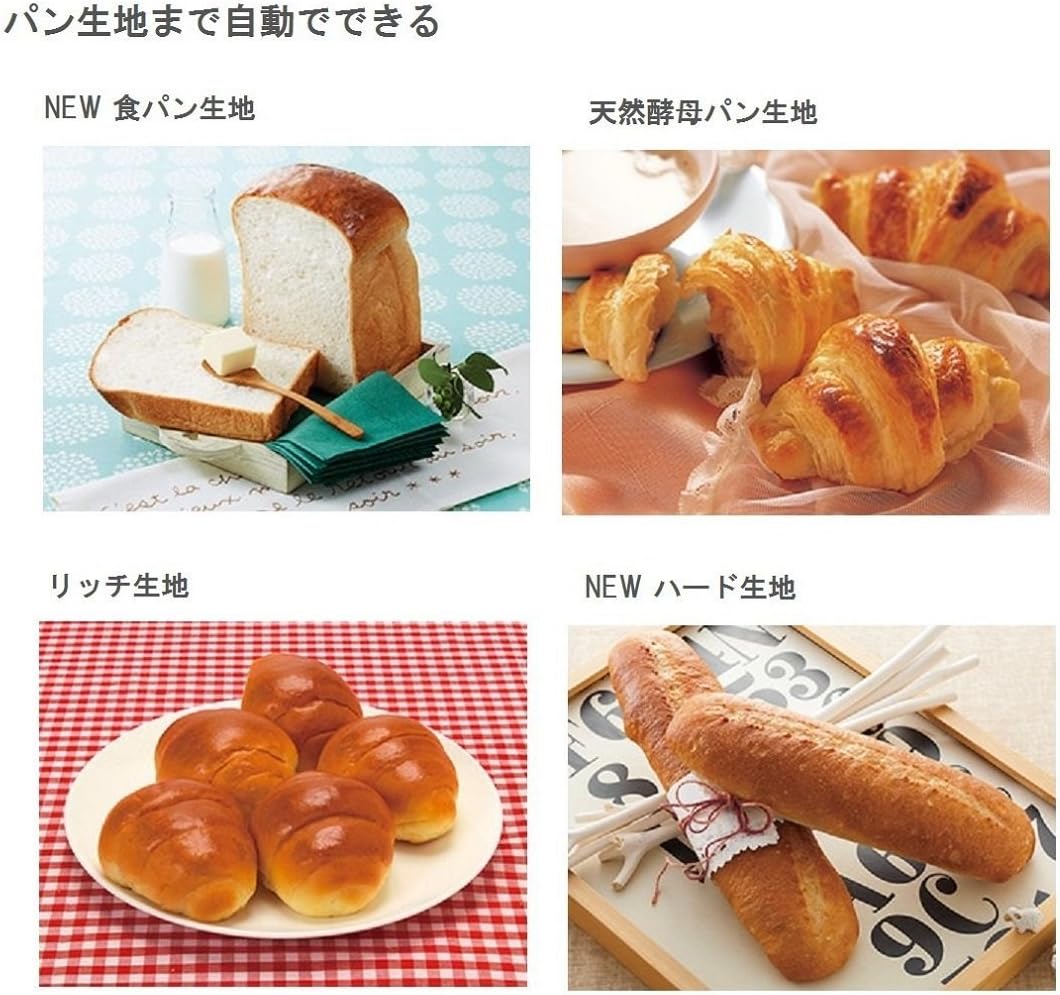
Figure 6.1: Dough Processing Stages. This image illustrates the three key stages within the bread pan: Minkymas (top, showing raw dough), Fermentacija (bottom left, showing risen dough), and Kepimas (bottom right, showing a golden-brown baked loaf).
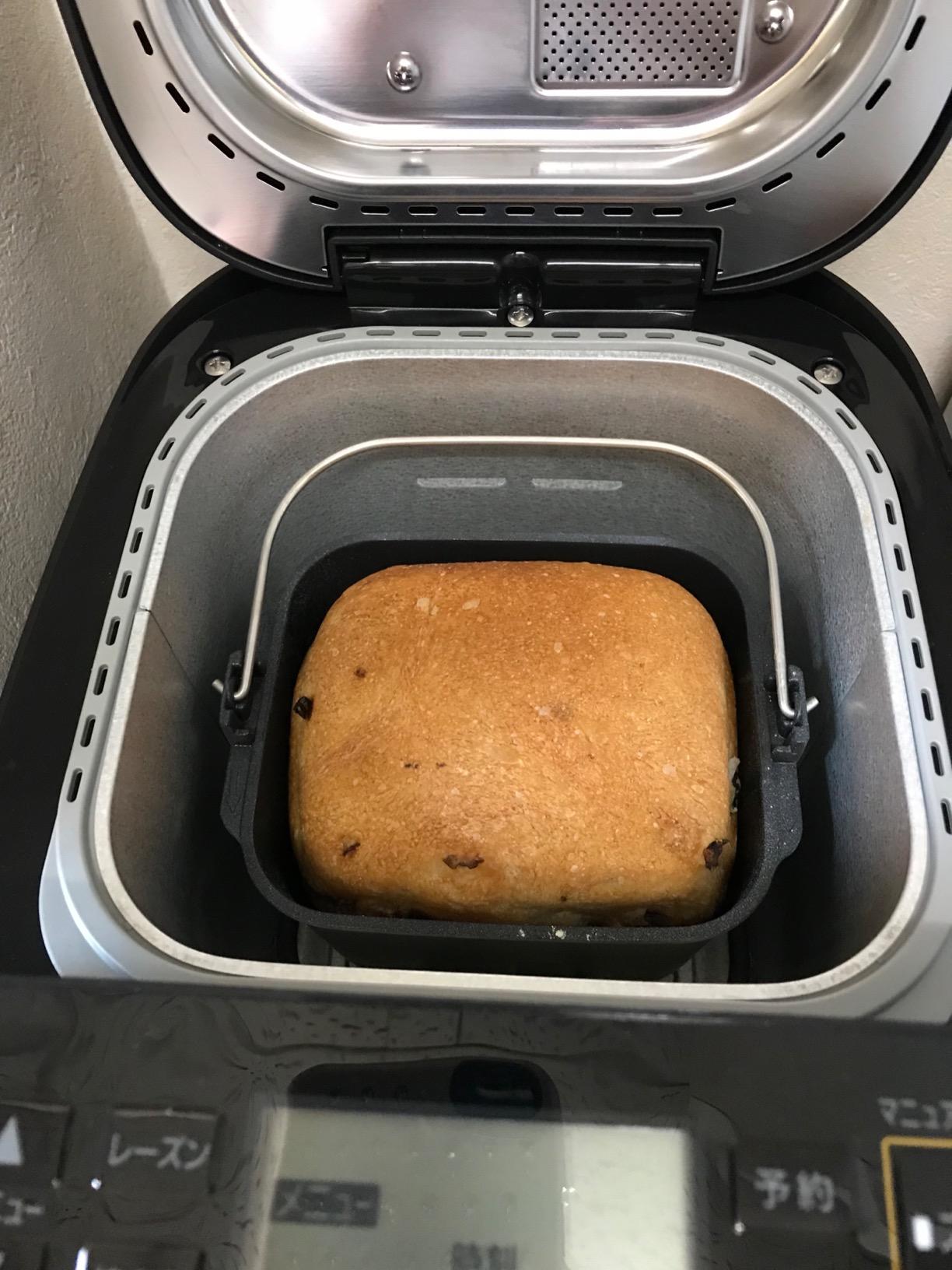
Figure 6.2: Various Bread Dough Types. This image showcases different types of bread that can be made, including standard bread dough, natural yeast bread dough, rich dough, and hard dough, demonstrating the versatility of the machine.
7. Priežiūra ir valymas
Regular cleaning ensures optimal performance and extends the life of your home bakery. Always unplug the appliance and allow it to cool completely before cleaning.
- Duonos kepimo forma ir minkymo peilis: Wash with warm, soapy water. Do not use abrasive cleaners or scouring pads. Rinse and dry thoroughly. The product care instructions specify "Hand Wash Only".
- Interior of Baking Chamber: Nuvalykite su skelbimuamp cloth. Remove any crumbs or residue. Do not immerse the unit in water.
- Išorė: Nuvalykite minkšta, damp audinys. Nenaudokite stiprių cheminių medžiagų ar abrazyvinių medžiagų.
- Dangtis: Išvalykite dangtelio vidų reklaminiu valikliuamp cloth. Ensure the automatic dispenser (if present) is free of residue.
8. Problemų sprendimas
If you encounter issues with your home bakery, refer to the table below for common problems and solutions.
| Problema | Galima priežastis | Sprendimas |
|---|---|---|
| Duona nepakyla. | Pasibaigusio galiojimo mielės, neteisinga vandens temperatūra, per daug druskos arba neteisingi ingredientų matavimai. | Check yeast expiration date. Use lukewarm water (around 105-115°F / 40-46°C). Ensure accurate measurements of all ingredients. |
| Duona per tiršta. | Too much flour, not enough liquid, or insufficient kneading. | Measure ingredients precisely. Ensure the kneading blade is properly installed. |
| Duonos kepimo lazdelės. | Residue buildup or pan not properly seated. | Clean the bread pan thoroughly. Ensure the pan is correctly inserted and locked into place. |
| Mašina neužsiveda. | Neįjungtas, maitinimas išjungtastage, or lid not closed properly. | Check power connection. Ensure the lid is securely closed. |
Dėl čia nepaminėtų problemų kreipkitės į klientų aptarnavimo tarnybą.
9. Specifikacijos
- Modelio numeris: SD-MDX100-K
- Prekinis ženklas: Panasonic
- ttage: 100 voltai (kintamoji srovė)
- Vattage: 430 vatų
- Prekės svoris: 6.1 kilogramų (13.42 svarai)
- Pakuotės matmenys: 15.67 x 15.35 x 11.73 colio
- Produkto priežiūra: Hand Wash Only (for bread pan and kneading blade)
- Pirmą kartą pasiekiama data: 3 m. rugpjūčio 2017 d
10. Garantija ir klientų aptarnavimas
For warranty information and details on how to obtain service, please refer to the warranty card included with your product or visit the official Panasonic websavo regiono svetainę. Išsaugokite pirkimo kvitą kaip pirkimo įrodymą.
If you require further assistance or have questions not covered in this manual, please contact Panasonic customer support.
„Panasonic“ oficialus Websvetainė: Www.panasonic.com
Ask a question about this manual
Ask about setup, troubleshooting, compatibility, parts, safety, or missing instructions. Manuals+ will review the question and use this page’s manual context to help answer it.