
1. Įvadas
Ačiū, kad pirkoteasing the WOFI 992910060000 LED RGB Ceiling Light. This modern ceiling fixture combines nine G4 halogen bulbs with integrated RGB LEDs, offering both functional illumination and atmospheric color-changing effects. This manual provides essential information for safe installation, operation, and maintenance of your new lighting product. Please read it thoroughly before use and retain it for future reference.
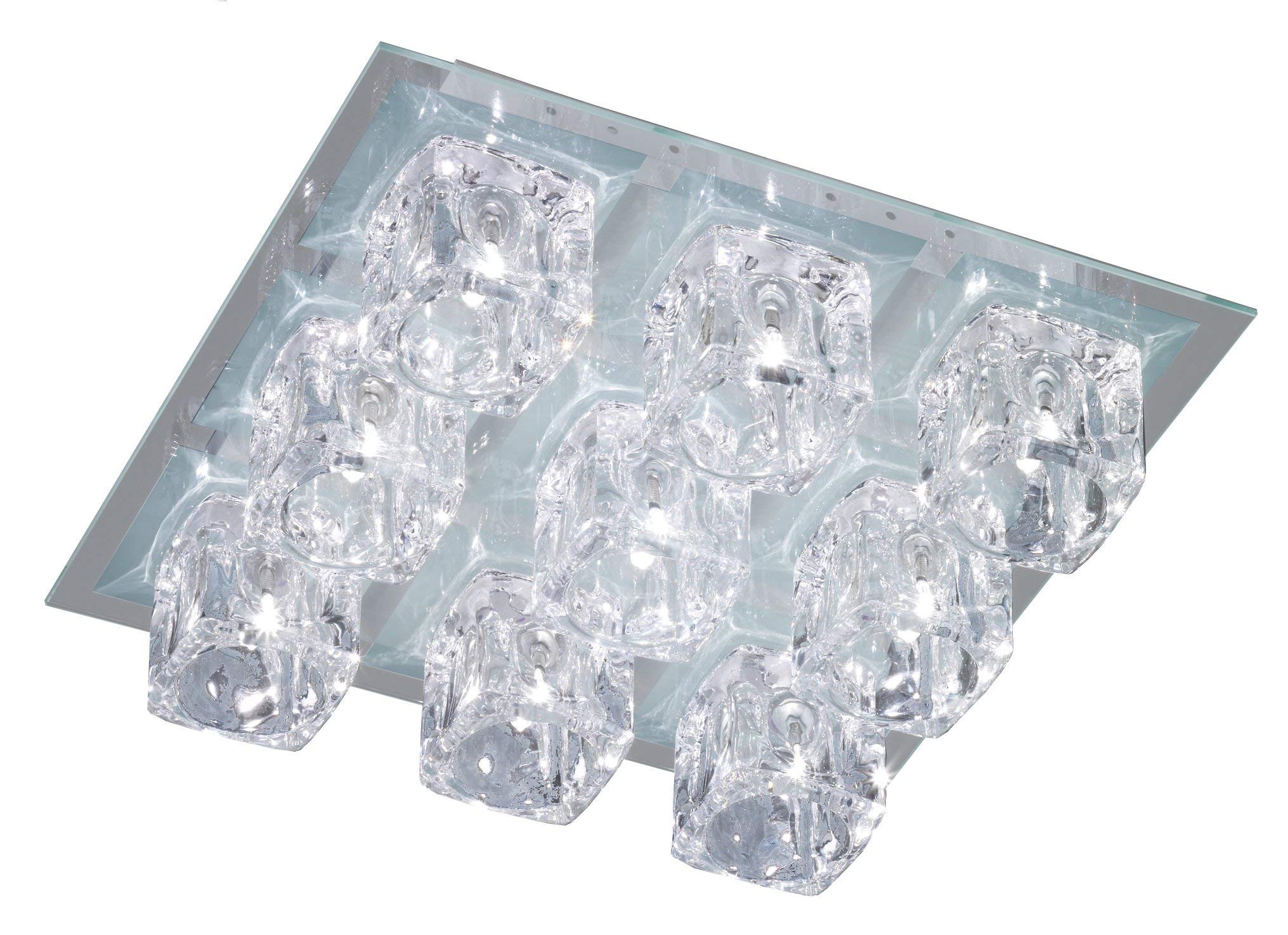
Figure 1: WOFI 992910060000 LED RGB Ceiling Light showcasing its color-changing capabilities. The fixture features a square glass base with nine crystal-like light elements.
2. Saugos instrukcijos
Visada laikykitės šių saugos priemonių, kad išvengtumėte sužalojimų ar gaminio sugadinimo:
- Elektros sauga: Installation must be performed by a qualified electrician in accordance with local wiring regulations. Ensure the main power supply is switched off at the circuit breaker before installation, maintenance, or bulb replacement.
- Tvarkymas: Handle the product with care. The glass components are fragile.
- Aplinka: Šis gaminys skirtas naudoti tik patalpose (IP20 apsaugos klasė). Saugokite jį nuo drėgmės, tiesioginio vandens purslų ar ekstremalių temperatūrų.
- Lemputės tipas: Use only G4 halogen bulbs as specified. Do not exceed the maximum wattage.
- Valymas: Disconnect power before cleaning. Use a soft, dry cloth. Avoid abrasive cleaners or solvents.
3. Pakuotės turinys
Prieš pradėdami diegti, patikrinkite, ar yra visi komponentai:
- WOFI 992910060000 Ceiling Light Fixture (Metal base, glass plate, 9 light elements)
- 9 x G4 Halogen Bulbs
- Nuotolinio valdymo pultas (su baterijomis)
- Tvirtinimo detalės (varžtai, sieniniai kaiščiai)
- Instrukcijų vadovas (šis dokumentas)
4. Sąranka ir diegimas
Norėdami tinkamai įdiegti, atlikite šiuos veiksmus:
- Pasiruoškite montavimui:
- Switch off the main power supply at the circuit breaker to the room where the light will be installed.
- Ensure the mounting surface is suitable to support the weight of the fixture (approximately 4.97 kg).
- Sumontuokite tvirtinimo pagrindą:
- Carefully remove the glass plate from the metal base if it's pre-assembled.
- Position the metal base against the ceiling at the desired location. Mark the drilling points for the mounting screws.
- Pažymėtose vietose išgręžkite skyles ir įstatykite atitinkamus sieninius kaiščius.
- Secure the metal base to the ceiling using the provided screws.
- Elektros jungtis:
- Connect the household electrical wires to the terminal block on the fixture base. Ensure correct polarity (Live, Neutral, Earth). If unsure, consult a qualified electrician.
- Double-check all connections for security.
- Install Bulbs and Glass Elements:
- Insert the 9 G4 halogen bulbs into their respective sockets on the fixture. Avoid touching the glass of the bulbs directly with bare hands; use a clean cloth or gloves.
- Carefully attach the crystal-like light elements over each bulb.
- Reattach the glass plate to the metal base, securing it firmly but gently.
- Galutinis patikrinimas:
- Įsitikinkite, kad visi komponentai yra tvirtai pritvirtinti.
- Atkurkite maitinimą prie grandinės pertraukiklio.
- Išbandykite šviestuvą.
2 pav. Detalė view of the individual light elements and their arrangement on the glass plate.
5. Operacija
The WOFI 992910060000 ceiling light can be operated using the included remote control.
5.1. Nuotolinio valdymo funkcijos
The remote control allows you to switch the light on/off, adjust the halogen brightness, and control the RGB LED color-changing features.
- ĮJUNGTA/IŠJUNGTA: Press the power button to turn the light fixture on or off.
- Halogeninė lemputė: Dedicated buttons may control the G4 halogen bulbs, typically for standard white illumination.
- RGB LED valdymas:
- Spalvos pasirinkimas: Buttons for specific colors (e.g., Red, Green, Blue) or a color wheel/cycle button to change the LED color.
- Režimo pasirinkimas: Buttons for different lighting modes (e.g., static color, fade, flash).
- Ryškumo reguliavimas: Buttons to increase or decrease the intensity of the RGB LEDs.
Refer to the remote control's specific button layout for detailed functions. Ensure the remote control batteries are correctly inserted.
6. Priežiūra
Reguliarus valymas užtikrina jūsų lubų šviestuvo ilgaamžiškumą ir optimalų veikimą.
6.1. Valymas
- Always switch off the power supply at the circuit breaker before cleaning.
- Use a soft, dry, lint-free cloth to wipe the metal and glass surfaces.
- For stubborn marks on glass, a slightly damp cloth with mild glass cleaner can be used, followed by a dry wipe. Avoid spraying cleaner directly onto the fixture.
- Do not use abrasive cleaners, scouring pads, or chemical solvents, as these can damage the finish.
6.2. Lemputės keitimas
- Ensure the power is off and the bulbs have cooled down completely before attempting replacement.
- Carefully remove the glass light element covering the bulb.
- Gently pull out the old G4 halogen bulb.
- Insert a new G4 halogen bulb of the same wattage. Avoid touching the new bulb's glass with bare hands.
- Reattach the glass light element.
7. Problemų sprendimas
If you encounter issues with your WOFI ceiling light, refer to the following common problems and solutions:
| Problema | Galima priežastis | Sprendimas |
|---|---|---|
| Šviesa neįsijungia. | Nėra maitinimo. Perdegusi(-ios) lemputė(-ės). Atsipalaidavusi laidų jungtis. | Patikrinkite grandinės pertraukiklį. Replace faulty G4 bulbs. Dėl laidų patikrinimo kreipkitės į elektriką. |
| Nuotolinio valdymo pultas neveikia. | Išsikrovusios baterijos. Remote not aimed correctly. Kliūtis tarp nuotolinio valdymo pulto ir imtuvo. | Pakeiskite nuotolinio valdymo pulto baterijas. Aim remote directly at the light fixture. Pašalinkite visas kliūtis. |
| RGB LEDs not changing color. | Incorrect remote command. Vidinio šviesos diodo gedimas. | Ensure correct buttons are pressed. Jei problema išlieka, susisiekite su klientų aptarnavimo tarnyba. |
| Šviesos mirgėjimas. | Atsipalaidavusi lemputė. Nestabilus maitinimo šaltinis. Faulty dimmer switch (if applicable). | Įsitikinkite, kad lemputės yra tvirtai įstatytos. Kreipkitės į elektriką. Ensure dimmer is compatible or remove it. |
8. Specifikacijos
| Funkcija | Detalė |
|---|---|
| Modelio numeris | 992910060000 |
| Prekės ženklas | WOFI |
| Gamintojas | ACTION by WOFI |
| Matmenys (I x P x A) | 35.99 x 35.99 x 10.01 cm |
| Svoris | 4.97 kg |
| Medžiaga | Metalas, Stiklas |
| Spalva | White (fixture base), RGB (LEDs) |
| Lempučių skaičius | 9 |
| Lemputės tipas | G4 Halogen (included) |
| Integruotas apšvietimas | RGB šviesos diodai |
| ttage | 1 voltai (Note: This value appears to be an error in the source data. Standard mains voltage for ceiling lights in Europe is typically 220-240V.) |
| Total Electrical Power | 189 Watts (Includes 9 x G4 Halogen bulbs and integrated LEDs) |
| Halogen Bulb Power | 9 x 20W G4 (180 Watts total) |
| IP reitingas | IP20 (naudoti tik patalpose) |
| Baterijos įtrauktos | Taip (nuotolinio valdymo pultui) |
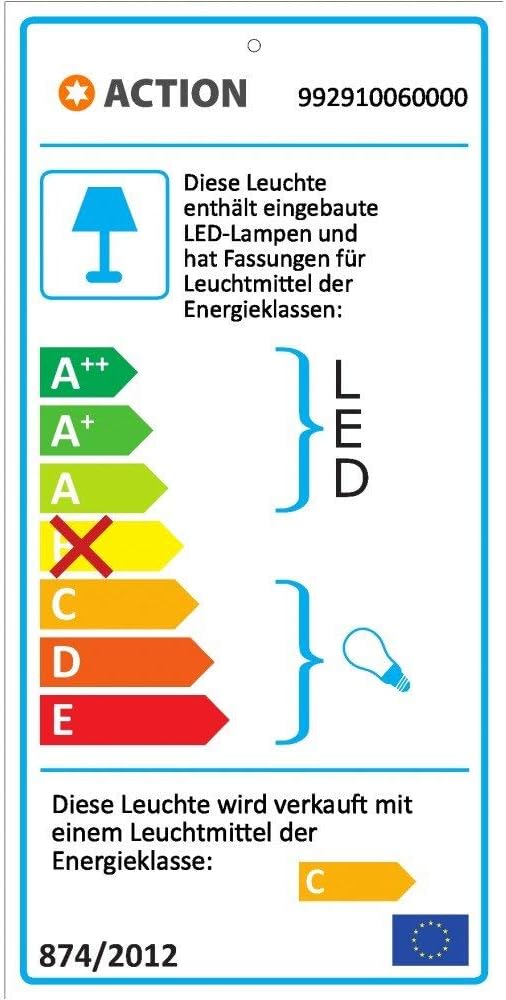
| Energijos vartojimo efektyvumo klasė | C (for included light source) |

Figure 3: Energy efficiency label for the WOFI 992910060000 ceiling light, indicating built-in LED lamps and an included light source of energy class C.
9. Garantija ir palaikymas
For warranty information and customer support, please refer to the documentation provided with your purchase or contact WOFI customer service directly. Keep your proof of purchase for any warranty claims.
WOFI Customer Service:
- Websvetainė: www.wofi.de (Please check for local contact information)
- Contact details may vary by region.