Nintendo Switch Manuals & User Guides
The Nintendo Switch is a hybrid video game console family developed by Nintendo, featuring the original Switch, Switch Lite, and OLED Model for home and portable gaming.
About Nintendo Switch manuals on Manuals.plus
Nintendo Switch is a line of video game consoles developed by Nintendo, recognized for its hybrid design that allows users to switch seamlessy between home console and portable handheld modes. The family includes the original Nintendo Switch, the handheld-only Nintendo Switch Lite, and the Nintendo Switch – OLED Model featuring a vibrant display.
Known for versatile gameplay with detachable Joy-Con controllers and a vast library of games, the system supports single-player and multiplayer experiences. Nintendo of America Inc. provides comprehensive support, warranties, and user manuals for the console and its accessories, including controllers and charging docks.
Nintendo Switch manuals
ຄູ່ມືຫຼ້າສຸດຈາກ manuals+ curated ສໍາລັບຍີ່ຫໍ້ນີ້.
NSHEHWNIN45370 ຄູ່ມືຜູ້ໃຊ້ Nintendo Switch Lite
NINTENDO SWITCH 500-221 Optimus Prime City Battle ຄູ່ມືຜູ້ໃຊ້ REALMz Wired Controller
ຄູ່ມືຜູ້ໃຊ້ NINTENDO SWITCH PowerA Wireless Controller
ຄູ່ມືຜູ້ໃຊ້ NINTENDO SWITCH 0822 Pro Controller
ຄູ່ມືຜູ້ໃຊ້ NINTENDO SWITCH 0722 Joy-Con Switch
ຄູ່ມືການແນະນໍາ Nintendo 64 Controller NINTENDO SWITCH
NINTENDO SWITCH 0522 ຄູ່ມືຜູ້ໃຊ້ຄວບຄຸມ
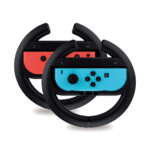
ຄູ່ມືຜູ້ໃຊ້ NINTENDO SWITCH 0522 Joy-Con Wheel
NINTENDO SWITCH 0822 Dock Set ຄູ່ມືຜູ້ໃຊ້
Nintendo Switch Right Joy Con Sensor Rail Replacement Guide
ຄູ່ມືຜູ້ໃຊ້ Nintendo Switch Wireless Controller - ການຕິດຕັ້ງ, ການເຊື່ອມຕໍ່, ແລະຄູ່ມືຄຸນນະສົມບັດ
ຄູ່ມືຜູ້ໃຊ້ Nintendo Switch Pro Bluetooth Game Controller
ຄູ່ມືຜູ້ໃຊ້ສໍາລັບ Bluetooth Pro Controller ສໍາລັບ Nintendo Switch
Nintendo Switch manuals from online retailers
Donkey Kong Country Returns HD Nintendo Switch World Edition User Manual
Nintendo Switch support FAQ
ຄໍາຖາມທົ່ວໄປກ່ຽວກັບຄູ່ມື, ການລົງທະບຽນ, ແລະການສະຫນັບສະຫນູນສໍາລັບຍີ່ຫໍ້ນີ້.
-
How do I pair a wireless controller to the Nintendo Switch?
From the HOME Menu, select 'Controllers', then 'Change Grip/Order'. While on this screen, press and hold the SYNC Button on the controller for at least three seconds until the LEDs flash.
-
How do I charge the Joy-Con controllers?
You can charge Joy-Con controllers by attaching them directly to the Nintendo Switch console while it is charging, or by using the Joy-Con Charging Grip accessory (available separately).
-
Does the Nintendo Switch Lite support TV mode?
No, the Nintendo Switch Lite is designed specifically for handheld play and does not support output to a TV.
-
What should I do if my controller battery is leaking?
Stop using the product immediately. If fluid comes into contact with your skin or eyes, rinse thoroughly with water and consult a doctor. Do not touch the leaking fluid with bare hands.
-
ຂ້ອຍສາມາດຊອກຫາຂໍ້ມູນຄວາມປອດໄພທີ່ສໍາຄັນໄດ້ຢູ່ໃສ?
Safety information is available in the system settings under 'Support' or online at the official Nintendo documentation webເວັບໄຊ.