
xTool IF2 2.0
xTool SafetyPro IF2 2.0 Hyper Flow Inline Duct Fan User Manual
Model: MXA-K013-001
1. ຂໍ້ມູນຄວາມປອດໄພ
Please read all safety instructions carefully before operating the xTool SafetyPro IF2 2.0. Failure to follow these instructions may result in electric shock, fire, or serious injury.
- ຄວາມປອດໄພທາງໄຟຟ້າ: Ensure the power supply matches the fan's requirements. Do not operate with damaged cords or plugs.
- ການລະບາຍອາກາດ: Always ensure proper ventilation when using the fan, especially when connected to a laser engraver. Exhaust fumes must be directed outdoors or into an appropriate filtration system.
- ການເປີດເຜີຍນ້ໍາ: The main unit is not waterproof. While the fan components are washable, ensure the main electrical connections and motor housing remain dry.
- ເດັກນ້ອຍແລະສັດລ້ຽງ: ຮັກສາອຸປະກອນໃຫ້ໄກຈາກເດັກນ້ອຍ ແລະສັດລ້ຽງ.
- ບໍາລຸງຮັກສາ: ຕັດການເຊື່ອມຕໍ່ໄຟຟ້າກ່ອນທີ່ຈະດໍາເນີນການບໍາລຸງຮັກສາຫຼືທໍາຄວາມສະອາດ.
2. ຜະລິດຕະພັນເກີນview
The xTool SafetyPro IF2 2.0 is a high-performance inline duct fan designed for efficient smoke and fume extraction, particularly for laser cutting and engraving applications. It features dual high-speed fans and intelligent control for optimal performance.
2.1 ລັກສະນະທີ່ສໍາຄັນ
- Unmatched Smoke Extraction Efficiency: Two ultra-speed 14,000 RPM fans generate 135 CFM airflow with up to 1300 Pa pressure.
- ການອອກແບບກະທັດຮັດ: Integrated smart EC motor design in a compact 5-inch body.
- Auto-Sync Control: Wirelessly connects with xTool laser engravers for hands-free operation and intelligent power/airflow adjustment.
- ການບໍາລຸງຮັກສາງ່າຍດາຍ: IP55 rated for easy disassembly and cleaning of fan components.
- ການດໍາເນີນງານງຽບ: Built-in sound-absorbing cotton reduces operating noise.
- ການຕິດຕັ້ງແບບຍືດຫຍຸ່ນ: Retractable 2.3-meter durable PP tube.
2.2 ອົງປະກອບ
- SafetyPro IF2 2.0 Unit
- dongle Bluetooth
- ປຸ່ມ Hex
- ທໍ່ເຊື່ອມ 1
- ທໍ່ເຊື່ອມ 2
- ທໍ່ clamp
- Ribbed plastic anchors (8x)
- ສະກູ (8 ເທົ່າ)
- Wall-mounting fixture
- Smoke exhaust pipe (2.3m)
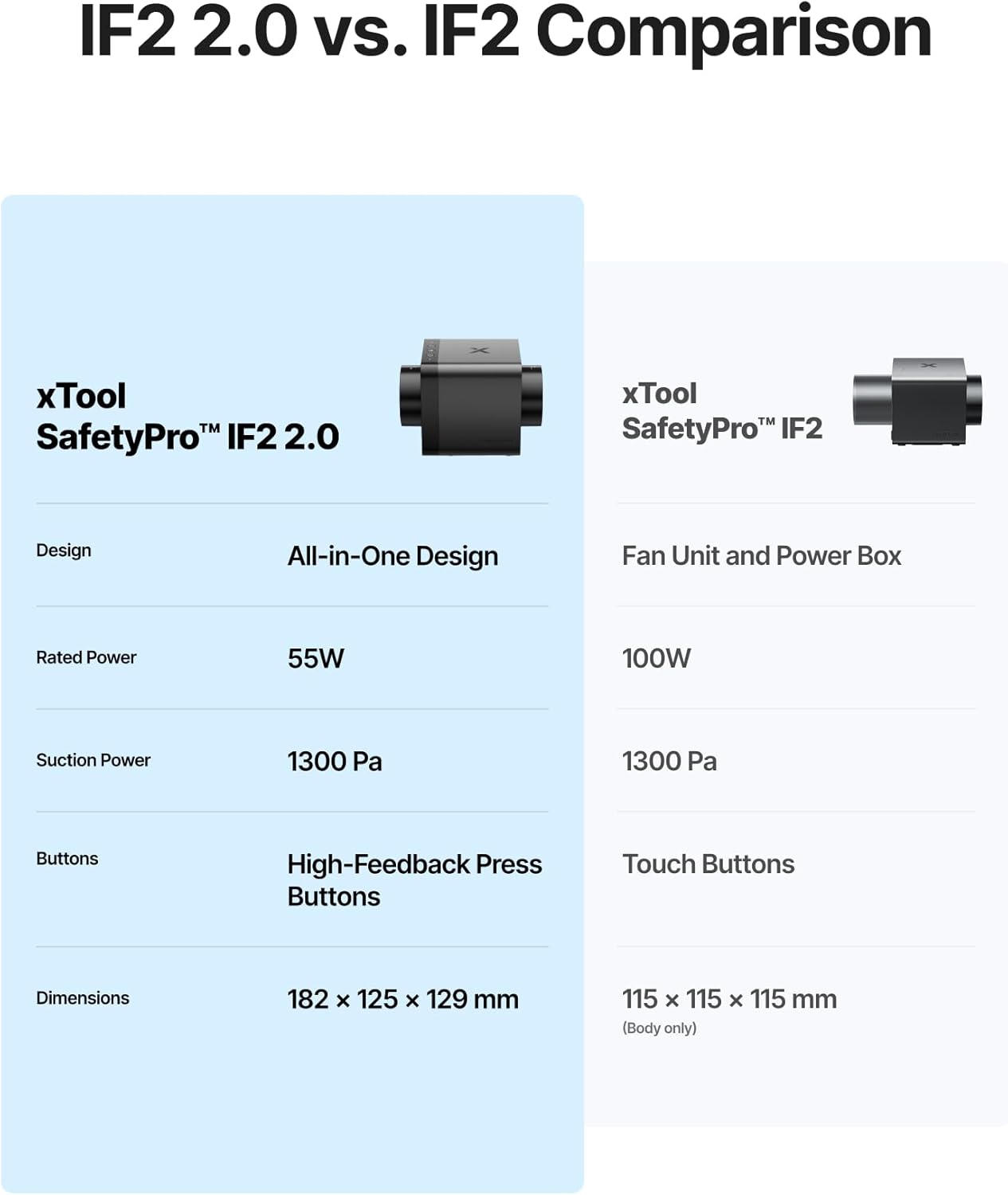
Image: The xTool SafetyPro IF2 2.0 main unit, showcasing ການອອກແບບຫນາແຫນ້ນຂອງມັນ.

Image: The xTool SafetyPro IF2 2.0 connected to its flexible smoke exhaust pipe.
3. ການຕິດຕັ້ງແລະການຕິດຕັ້ງ
Follow these steps to properly set up your xTool SafetyPro IF2 2.0.
3.1 ການຕິດຕັ້ງພັດລົມ
- Choose a suitable location near your laser engraver, ensuring access to an exhaust point (window, vent, or filtration system).
- Use the provided wall-mounting fixture, screws, and ribbed plastic anchors to securely attach the fan to a wall. Alternatively, the compact design allows for placement on a stable surface.
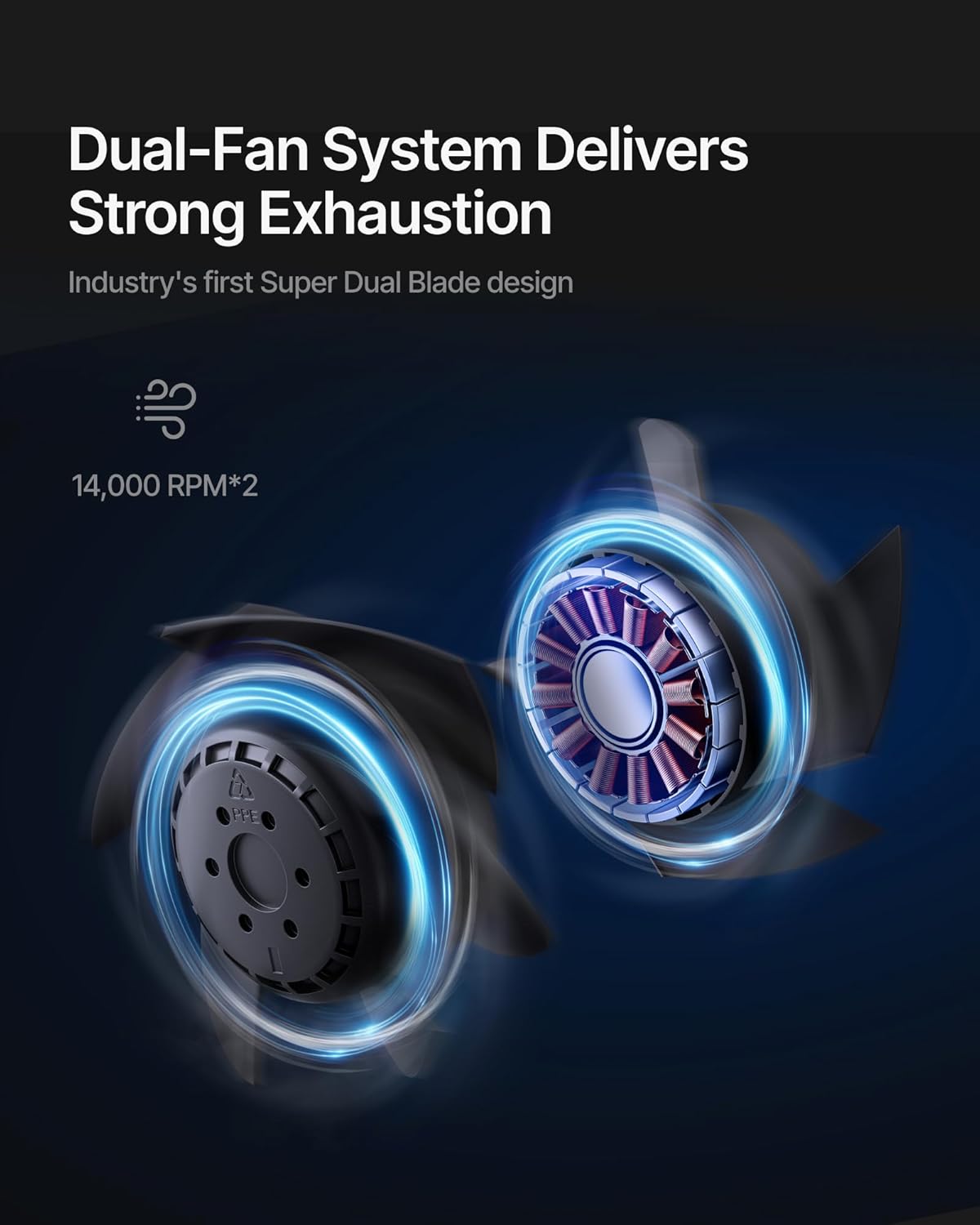
Image: The xTool SafetyPro IF2 2.0 installed using the wall-mounting fixture, with the exhaust pipe connected.
3.2 Connecting the Exhaust Pipe
- Attach one end of the smoke exhaust pipe to the fan unit using the appropriate pipe connector and pipe clamp.
- Connect the other end of the smoke exhaust pipe to your laser engraver's exhaust port or direct it to a safe outdoor venting location. Ensure all connections are secure to prevent smoke leakage.

Image: Illustration of the easy detachable pipe connection for simplified maintenance and the washable fan components.
3.3 ພະລັງງານ ແລະ ການເຊື່ອມຕໍ່
- Plug the power adapter into the fan unit and then into a suitable power outlet.
- Insert the Bluetooth dongle into your xTool laser engraver (if applicable) to enable auto-sync functionality.
4. ການດໍາເນີນງານ
The xTool SafetyPro IF2 2.0 is designed for seamless integration and efficient operation.
4.1 Auto-Sync Control
- When connected to a compatible xTool laser engraver via Bluetooth, the IF2 2.0 will automatically turn on/off with the laser engraver.
- The fan intelligently adjusts its power and airflow based on the material being processed, optimizing smoke extraction.
4.2 Manual Control and Quiet Mode
- The fan features high-feedback press buttons for manual control of power and fan speed.
- Activate Quiet Mode for operations that produce less smoke or when a lower noise level is desired.
4.3 Smart Connect via xTool Creative Space
- For enhanced control and monitoring, connect the IF2 2.0 through the xTool Creative Space software. This allows for fine-tuning settings and provides a comprehensive user experience.

Image: The xTool SafetyPro IF2 2.0 demonstrating intelligent control, connected to an xTool laser engraver and a laptop running xTool Creative Space software.
5. ບໍາລຸງຮັກສາ
Regular maintenance ensures optimal performance and longevity of your SafetyPro IF2 2.0.
5.1 Cleaning the Fan Components
- The fan components are designed for easy disassembly and are washable.
- Before cleaning, always disconnect the power supply.
- Carefully disassemble the fan unit as per the instructions in the full manual (not provided here).
- Rinse the fan blades and housing components with water. Ensure they are completely dry before reassembly.
- ສຳຄັນ: The exposed wires and main electrical unit are not waterproof. Do not submerge or expose these parts to water.
5.2 Exhaust Pipe Maintenance
- Periodically inspect the smoke exhaust pipe for any blockages, kinks, or damage.
- Clean the interior of the pipe if excessive residue builds up, which can reduce airflow efficiency.
6. ການແກ້ໄຂບັນຫາ
If you encounter issues with your xTool SafetyPro IF2 2.0, refer to the following common solutions:
- ພັດລົມບໍ່ເປີດ: Check power connection, ensure the power outlet is functional, and verify the fan is properly connected to the laser engraver if using auto-sync.
- ການດູດຊຶມອ່ອນ: Inspect the exhaust pipe for blockages or kinks. Ensure all pipe connections are sealed. Clean fan components if they are dirty.
- ສິ່ງລົບກວນຫຼາຍເກີນໄປ: Check for any foreign objects in the fan blades. Ensure the fan is securely mounted and not vibrating against other surfaces.
- Auto-Sync Not Working: Ensure the Bluetooth dongle is correctly inserted and your xTool laser engraver is compatible and properly configured in xTool Creative Space.
- Smoke Leakage: Verify all pipe connections are tight and sealed. Check the exhaust pipe for any tears or holes.
For persistent issues, please contact xTool customer support.
7. ຂໍ້ມູນຈໍາເພາະ
| ຄຸນສົມບັດ | ລາຍລະອຽດ |
|---|---|
| ໝາຍເລກຕົວແບບ | MXA-K013-001 |
| ຍີ່ຫໍ້ | xTool |
| ຜູ້ຜະລິດ | ບໍລິສັດ Makeblock ຈໍາກັດ. |
| ນ້ໍາຫນັກລາຍການ | 6.29 ປອນ |
| ຂະໜາດສິນຄ້າ | 7.19 x 4.92 x 4.92 ນິ້ວ |
| ສີ | ດຳ |
| ວັດສະດຸ | Acrylonitrile Butadiene Styrene, PC |
| ຄວາມໄວພັດລົມ | Up to 14,000 RPM (Dual Fans) |
| ກະແສລົມ | 135 CFM |
| ຄວາມກົດດັນຄົງທີ່ | ເຖິງ 1300 Pa |
| ຄວາມຍາວຂອງທໍ່ໄອເສຍ | 2.3 meters (retractable) |
| ການຈັດອັນດັບຄວາມຕ້ານທານນ້ໍາ | IP55 (for fan components, not main unit) |
| ຕ້ອງໃຊ້ແບັດເຕີຣີ | ບໍ່ |
8. ການຮັບປະກັນແລະການສະຫນັບສະຫນູນ
8.1 ຂໍ້ມູນການຮັບປະກັນ
For detailed warranty information, please refer to the official xTool webເວັບໄຊ ຫຼືບັດຮັບປະກັນລວມຢູ່ໃນຜະລິດຕະພັນຂອງທ່ານ. ຮັກສາຫຼັກຖານການຊື້ຂອງທ່ານສໍາລັບການຮ້ອງຂໍການຮັບປະກັນ.
8.2 ສະຫນັບສະຫນູນລູກຄ້າ
If you require assistance, have questions, or need technical support, please contact xTool through the following channels:
- ສະຫນັບສະຫນູນອີເມວ: For general inquiries and technical assistance.
- ສົນທະນາສົດ: Available on the official xTool website for real-time support.
- ສະຫນັບສະຫນູນໂທລະສັບ: Contact numbers may be available on the xTool webເວັບໄຊ.
- ກຸ່ມເຟສບຸກ: Join the official xTool community for peer support and updates.

ຮູບພາບ: ຫຼາຍກວ່າview of xTool's multi-channel customer service options.
Ask a question about this manual
Ask about setup, troubleshooting, compatibility, parts, safety, or missing instructions. Manuals+ will review the question and use this page’s manual context to help answer it.