
1. ຄໍາແນະນໍາຄວາມປອດໄພທີ່ສໍາຄັນ
Always follow basic safety precautions when using this electric router to reduce the risk of fire, electric shock, and personal injury.
- ອ່ານຄໍາແນະນໍາທັງຫມົດ: ເຮັດຄວາມຄຸ້ນເຄີຍກັບການປະຕິບັດຂອງເຄື່ອງມືແລະຄໍາແນະນໍາດ້ານຄວາມປອດໄພກ່ອນທີ່ຈະໃຊ້.
- ໃສ່ເຄື່ອງມືຄວາມປອດໄພທີ່ເຫມາະສົມ: Always use eye protection, hearing protection, and a dust mask.
- ຮັບປະກັນ workpiece ໄດ້: ຮັບປະກັນວ່າວັດສະດຸທີ່ກຳລັງຖືກສົ່ງໄປນັ້ນຖືກຍຶດຕິດຢ່າງແໜ້ນໜາamped ເພື່ອປ້ອງກັນການເຄື່ອນໄຫວໃນລະຫວ່າງການປະຕິບັດງານ.
- ຮັກສາຄວາມສະອາດພື້ນທີ່ເຮັດວຽກ: ພື້ນທີ່ທີ່ມີຄວາມແອອັດແລະຕັ່ງນັ່ງເຮັດໃຫ້ເກີດອຸບັດຕິເຫດ.
- ຫຼີກເວັ້ນການເລີ່ມຕົ້ນໂດຍບັງເອີນ: ໃຫ້ແນ່ໃຈວ່າສະວິດຢູ່ໃນຕໍາແຫນ່ງປິດກ່ອນທີ່ຈະສຽບໃນເຄື່ອງມື.
- ບໍ່ເກີນ: ຮັກສາຄວາມດຸ່ນດ່ຽງແລະຕີນທີ່ຖືກຕ້ອງຕະຫຼອດເວລາ.
- ຕັດການເຊື່ອມຕໍ່ພະລັງງານ: Unplug the router from the power source before making any adjustments, changing accessories, or storing the tool.
- ໃຊ້ເຄື່ອງມືທີ່ຖືກຕ້ອງ: ຢ່າບັງຄັບເຄື່ອງມືຂະຫນາດນ້ອຍຫຼືສິ່ງຕິດຄັດເພື່ອເຮັດວຽກຂອງເຄື່ອງມືທີ່ຫນັກແຫນ້ນ.
- ກວດສອບການເສຍຫາຍ: Before each use, check for damaged parts and ensure all guards are in place and functioning correctly.
2. ເນື້ອໃນຊຸດ
ແກະກ່ອງອອກຢ່າງລະມັດລະວັງ ແລະ ຮັບປະກັນວ່າສິນຄ້າທຸກຢ່າງມີຢູ່ ແລະ ບໍ່ເສຍຫາຍ. ຖ້າມີສິນຄ້າໃດຂາດຫາຍໄປ ຫຼື ເສຍຫາຍ, ໃຫ້ຕິດຕໍ່ຮ້ານຄ້າປີກຂອງທ່ານ.
- Generic RT160028 Electric Wood Router (1600W, 12mm)
- Aluminum Guide Fence
- Carbon Brushes (1 set)
- Collet (12mm)
- Wrenches for bit changes
- Dust collection adapter (if included)
- ຄູ່ມືການສອນ
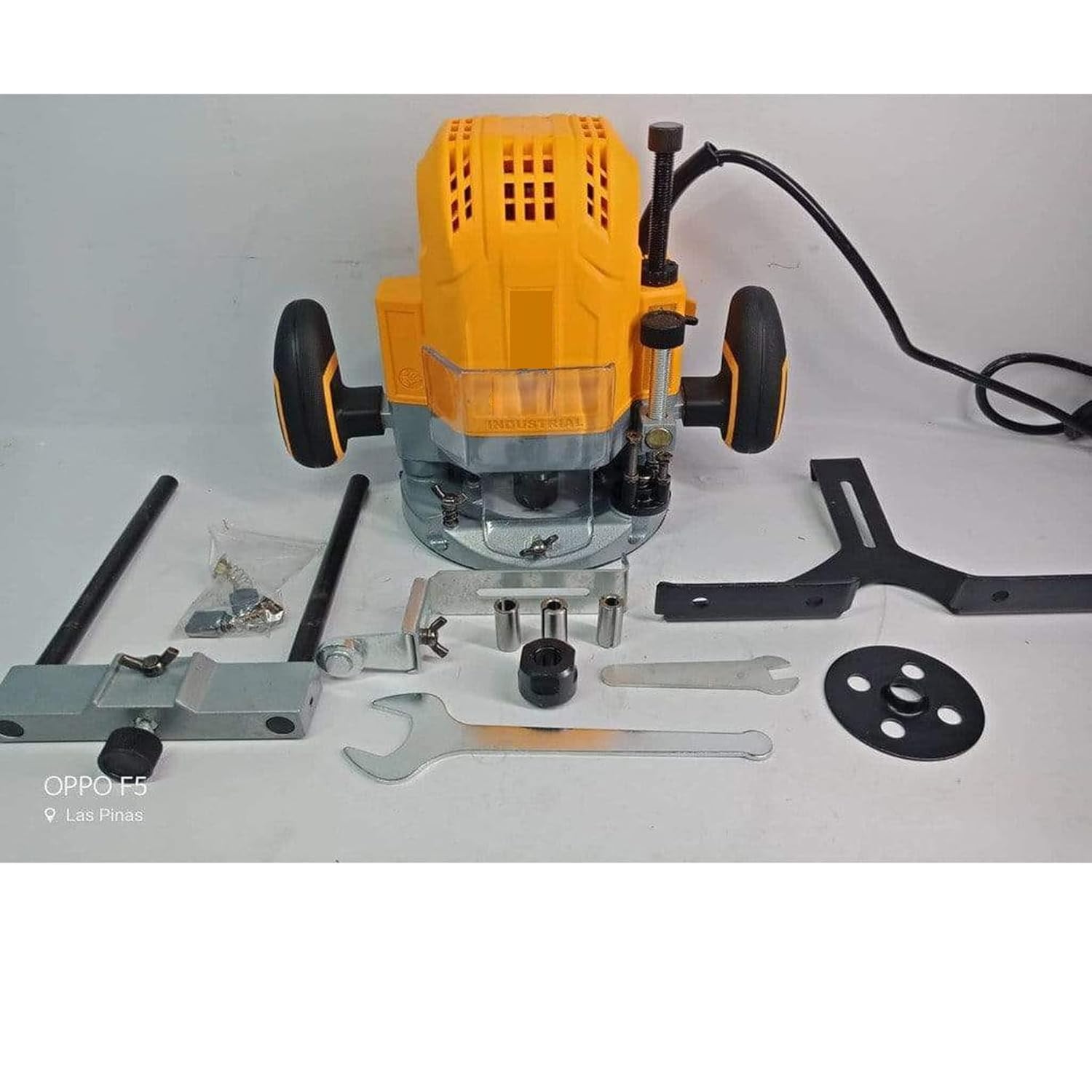
Image: The Generic RT160028 Electric Wood Router with its complete set of accessories, including the aluminum guide fence, wrenches, and carbon brushes.
3. ຜະລິດຕະພັນເກີນview
The Generic RT160028 is a powerful 1600W electric wood router designed for various woodworking tasks. It features a 12mm collet size, variable speed control, and a depth adjustment mechanism for precise routing. The ergonomic design and compatibility with dust collection systems enhance user comfort and maintain a cleaner workspace.
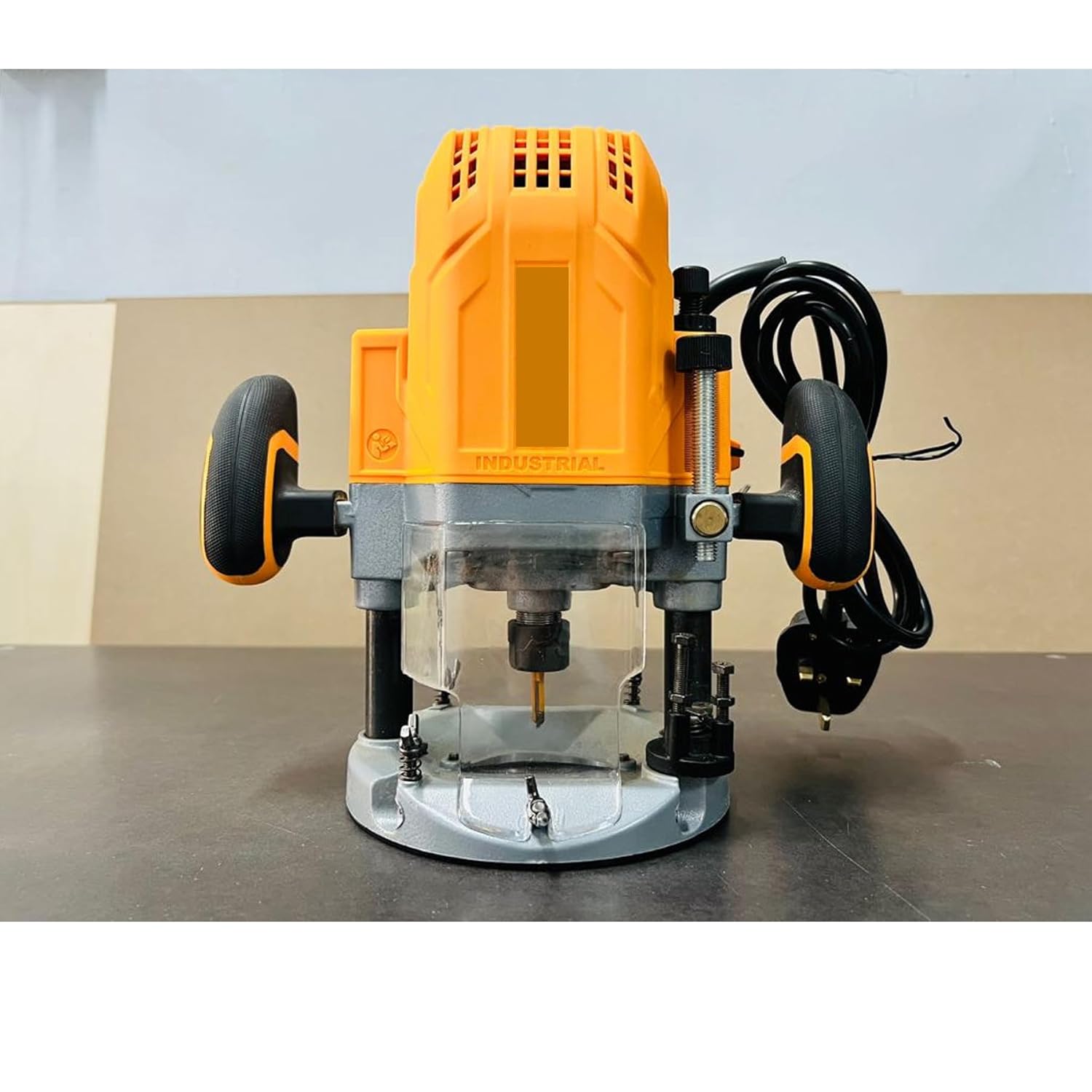
ຮູບພາບ: ທາງຫນ້າ view of the Generic RT160028 Electric Wood Router, showing the plunge base, collet, and handles.
4. ຕັ້ງຄ່າ
4.1 Attaching Router Bits
- ກວດໃຫ້ແນ່ໃຈວ່າໄດ້ຖອດປລັກເຣົາເຕີອອກຈາກແຫຼ່ງພະລັງງານ.
- Loosen the collet nut using the provided wrenches.
- Insert the shank of the router bit into the collet, ensuring it is inserted at least two-thirds of the way. Do not bottom out the bit.
- Tighten the collet nut firmly with the wrenches.
4.2 ການປັບຄວາມເລິກ
- ວາງ router ເທິງ workpiece ໄດ້.
- ປົດລ໋ອກຕົວລ໋ອກອອກ.
- Lower the router until the bit touches the workpiece surface.
- Lock the plunge lever.
- ປັບກົນໄກການຢຸດຄວາມເລິກໃຫ້ໄດ້ຄວາມເລິກຕັດທີ່ຕ້ອງການ.
- Perform a test cut on scrap material to verify the depth.
4.3 ການເຊື່ອມຕໍ່ການເກັບຂີ້ຝຸ່ນ
For a cleaner work environment and improved visibility, connect a dust extraction system to the router's dust port (if applicable). Ensure the connection is secure.

ຮູບພາບ: ດ້ານຫລັງ view of the Generic RT160028 Electric Wood Router, highlighting the power cord connection and ergonomic handles for control during setup and operation.
5. ຄໍາແນະນໍາການດໍາເນີນງານ
5.1 ການເປີດ/ປິດ
- To turn on the router, press the power switch to the 'ON' position.
- To turn off the router, press the power switch to the 'OFF' position.
- Always ensure the router is off before plugging or unplugging it.
5.2 ການຄວບຄຸມຄວາມໄວຕົວປ່ຽນແປງ
The router features variable speed control, allowing you to adjust the rotational speed based on the material and router bit. Use lower speeds for larger diameter bits, harder materials, or when more control is needed. Higher speeds are suitable for smaller bits and softer materials.
- Rotate the speed control dial to select the desired RPM.
- Refer to the bit manufacturer's recommendations for optimal speed settings.
5.3 ເຕັກນິກການກໍານົດເສັ້ນທາງ
- ທິດທາງຂອງການຕັດ: Always feed the router against the rotation of the bit to maintain control and prevent kickback.
- Shallow Passes: For deeper cuts, make multiple shallow passes instead of one deep pass to reduce strain on the tool and improve cut quality.
- ຮັກສາການຄວບຄຸມ: ຖື router ໃຫ້ແຫນ້ນດ້ວຍມືທັງສອງ.
- Use Guide Fence: For straight cuts, attach and adjust the aluminum guide fence.
6. ບໍາລຸງຮັກສາ
ການບໍາລຸງຮັກສາເປັນປົກກະຕິຮັບປະກັນອາຍຸຍືນແລະການປະຕິບັດທີ່ດີທີ່ສຸດຂອງ router ຂອງທ່ານ.
6.1 ການທໍາຄວາມສະອາດ
- Disconnect the router from the power supply before cleaning.
- Use a soft brush or compressed air to remove dust and debris from the motor vents and collet area.
- ເຊັດພາຍນອກດ້ວຍຜ້າສະອາດ, ເຊັດອອກamp ຜ້າ. ຢ່າໃຊ້ສານເຄມີທີ່ຮຸນແຮງຫຼືສານລະລາຍ.
6.2 ການປ່ຽນແປງກາກບອນ
The carbon brushes are wear items and will need replacement over time. Worn brushes can lead to reduced power or intermittent operation.
- ກວດໃຫ້ແນ່ໃຈວ່າໄດ້ຖອດປລັກເຣົາເຕີແລ້ວ.
- ວາງຝາປິດແປງຢູ່ເທິງເຮືອນມໍເຕີ.
- ໝຸນຝາປິດແປງອອກ ແລະ ຖອດແປງຄາບອນເກົ່າອອກຢ່າງລະມັດລະວັງ.
- ໃສ່ແປງກາກບອນໃຫມ່, ໃຫ້ແນ່ໃຈວ່າພວກເຂົາຖືກຮັດກຸມຢ່າງຖືກຕ້ອງ.
- Securely screw the brush caps back into place.
6.3 ການເກັບຮັກສາ
Store the router in a clean, dry place, away from moisture and direct sunlight. Keep it out of reach of children.
7. ການແກ້ໄຂບັນຫາ
ອ້າງອີງໃສ່ພາກນີ້ສໍາລັບບັນຫາທົ່ວໄປແລະການແກ້ໄຂຂອງພວກເຂົາ.
| ບັນຫາ | ສາເຫດທີ່ເປັນໄປໄດ້ | ການແກ້ໄຂ |
|---|---|---|
| ເຣົາເຕີບໍ່ເລີ່ມຕົ້ນ | ບໍ່ມີການສະຫນອງພະລັງງານ; ສະຫຼັບຜິດພາດ; ແປງກາກບອນໃສ່ | Check power connection; Test switch; Replace carbon brushes |
| ການປະກາຍໄຟຫຼາຍເກີນໄປຈາກມໍເຕີ | ແປງກາກບອນ worn; ຕົວປ່ຽນເປື້ອນ | Replace carbon brushes; Clean commutator (professional service recommended) |
| ໄມ້ຕັດຄຸນນະພາບບໍ່ດີ / ໄມ້ໄໝ້ | Dull router bit; Incorrect speed setting; Too deep a cut | Replace or sharpen bit; Adjust speed; Make shallower passes |
| ເຣົາເຕີສັ່ນແຮງເກີນໄປ | Loose bit; Damaged bit; Bent shaft | Ensure bit is tight; Replace damaged bit; Seek professional repair |
8. ຂໍ້ມູນຈໍາເພາະ
Detailed technical specifications for the Generic RT160028 Electric Wood Router.
| ຄຸນສົມບັດ | ຂໍ້ມູນຈໍາເພາະ |
|---|---|
| ໝາຍເລກຕົວແບບ | RT160028 |
| ຍີ່ຫໍ້ | ທົ່ວໄປ |
| ການປະເມີນພະລັງງານ | 1600 ວັດ |
| ຂະຫນາດຄໍ | 12ມມ |
| ຄວາມໄວການຫມຸນສູງສຸດ | 22,000 RPM |
| ແຫຼ່ງພະລັງງານ | ໄຟຟ້າສາຍ |
| ປະເພດພື້ນຖານ | ໂດດລົງ |
| ວັດສະດຸ | ອາລູມີນຽມ |
| ຂະໜາດສິນຄ້າ (W x H) | 28W x 38H ຊັງຕີແມັດ |
9. ການຮັບປະກັນແລະການສະຫນັບສະຫນູນ
ສໍາລັບຂໍ້ມູນການຮັບປະກັນ, ການສະຫນັບສະຫນູນດ້ານວິຊາການ, ຫຼືການສອບຖາມການບໍລິການ, ກະລຸນາເບິ່ງເອກະສານທີ່ສະຫນອງໃຫ້ໃນເວລາຊື້ຫຼືຕິດຕໍ່ຮ້ານຂາຍຍ່ອຍຂອງທ່ານ. ຮັກສາຫຼັກຖານການຊື້ຂອງທ່ານສໍາລັບການຮ້ອງຂໍການຮັບປະກັນ.