
RECCAZR 7db0509d-6c84-42db-8f45-28efbeb33d5f
RECCAZR Ergonomic Wired USB Keyboard User Manual
Model: 7db0509d-6c84-42db-8f45-28efbeb33d5f
Introduction
Thank you for choosing the RECCAZR Ergonomic Wired USB Keyboard. This manual provides essential information for setting up, operating, and maintaining your new keyboard. Designed for comfort and efficiency, this keyboard features an ergonomic layout, a comfortable wrist rest, and a spill-resistant design, making it ideal for extended use.
Негизги өзгөчөлүктөрү
- Эргономикалык дизайн: Scientific stepped keycap design and curved surface layout for natural typing posture and hand comfort.
- Ыңгайлуу билек таянычы: Integrated wrist rest and foldable stands reduce pressure on hands and wrists during prolonged typing.
- Мембраналык ачкычтар: Equipped with high-quality rubber dome keys for responsive and comfortable typing.
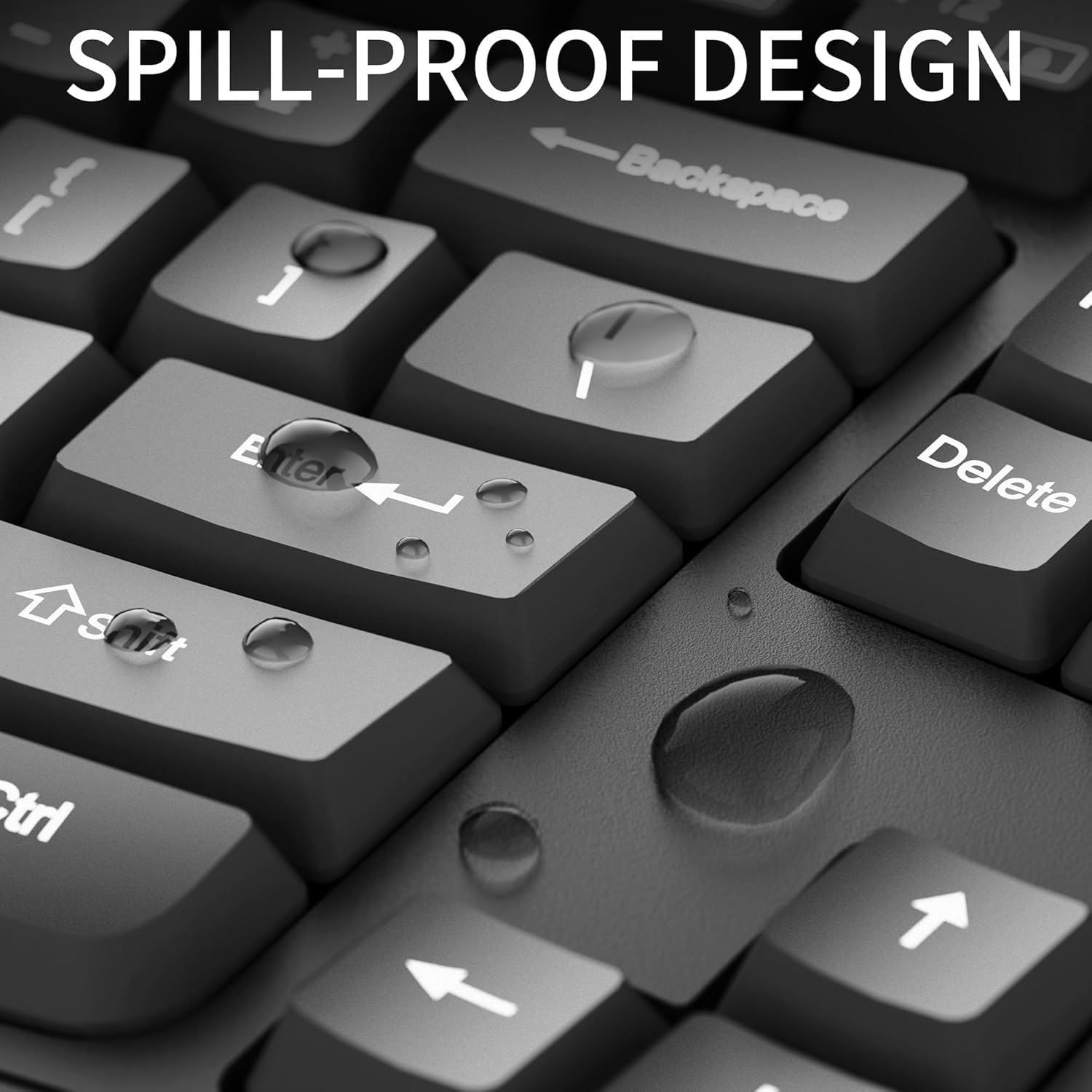
- Төгүлүүгө туруктуу дизайн: Built to withstand minor spills with bottom drain holes for drainage.
- Plug and Play: No additional drivers or software required for immediate use.
- Кеңири шайкештик: Compatible with Windows XP/Vista/7/8/10/X, Chrome-book, PC, and Laptops.
Орнотуу нускамалары
Setting up your RECCAZR Ergonomic Keyboard is straightforward due to its plug-and-play functionality.
- Баскычтопту таңгактан чыгаруу: Баскычтопту таңгагынан кылдаттык менен чыгарып алыңыз.
- Компьютерге туташуу: Locate an available USB-A port on your computer (desktop, laptop, or Chrome-book). Insert the USB connector of the keyboard firmly into the USB port.
- Системаны таануу: Your operating system (Windows XP/Vista/7/8/10/X) will automatically detect and install the necessary drivers. This process usually takes a few seconds.
- Терүүнү баштоо: Once recognized, the keyboard is ready for immediate use.
Иштөө нускамалары
The RECCAZR Ergonomic Keyboard is designed for intuitive and comfortable typing.
- Терүү абалы: Position your hands naturally on the keyboard, allowing your wrists to rest comfortably on the integrated wrist rest. The wave key design and curved surface promote a natural typing posture, reducing strain.
- Ачкычтын жайгашуусу: This is a full-size 104-key keyboard, including a standard alphanumeric section, function keys (F1-F12), and a numeric keypad.
- Жөнгө салынуучу кыйшаюусу: Utilize the foldable stands on the underside of the keyboard to adjust the tilt angle for your preferred comfort level.

Техникалык тейлөө
Proper care will ensure the longevity of your RECCAZR Ergonomic Keyboard.
- Тазалоо: Клавиатуранын бетин үзгүлтүксүз сүртүү үчүн жумшак, кургак чүпүрөктү колдонуңуз. Тереңирээк тазалоо үчүн, бир азamp cloth with mild soap can be used, ensuring no liquid enters the key mechanisms.
- төгүлүүчү башкаруу: While the keyboard is spill-resistant, it is not waterproof. In case of accidental spills, immediately disconnect the keyboard from your computer. Turn the keyboard upside down to drain any liquid. Allow the keyboard to dry completely before reconnecting and resuming use. Do not use a hairdryer or other heat sources to dry the keyboard, as this may damage internal components.
- Сактагыч: Клавиатураны узак убакыт бою колдонбогондо, күндүн тике тийген нурунан жана экстремалдык температурадан алыс, салкын, кургак жерде сактаңыз.

Проблемаларды чечүү
Эгер клавиатураңызда көйгөйлөргө туш болсоңуз, төмөнкү жалпы чечимдерди караңыз:
- Баскычтоп жооп бербейт:
- USB кабели компьютериңиздеги иштеген USB портуна бекем сайылганын текшериңиз.
- Баскычтопту башка USB портуна сайып көрүңүз.
- Компьютериңизди өчүрүп күйгүзүңүз.
- Ачкычтар туура иштебейт:
- Check for any debris or foreign objects lodged under the keys.
- If a spill occurred, ensure the keyboard is completely dry before use.
- Күтүлбөгөн жүрүм-турум:
- Иштөө тутумуңуз жаңыртылганын текшериңиз.
- If issues persist, try connecting the keyboard to another computer to determine if the problem is with the keyboard or the computer.
For further assistance, please contact RECCAZR customer support.
Техникалык шарттар
| Өзгөчөлүк | Деталь |
|---|---|
| Бренд | RECCAZR |
| Модель номери | 7db0509d-6c84-42db-8f45-28efbeb33d5f |
| Байланыш технологиясы | USB-A (Зымдуу) |
| Keyboard Description | Мембрана |
| Ачкычтардын саны | 104 |
| Түс | Deep Black |
| Материал | Пластмасса, резина |
| Элемент Салмагы | 2.05 фунт |
| Пакеттин өлчөмдөрү | 17.8 x 8.9 x 1.5 дюйм |
| Шайкеш түзмөктөр | Ноутбук, компьютер |
| Өзгөчө өзгөчөлүк | Эргономикалык |
Кепилдик жана колдоо
RECCAZR is committed to providing excellent customer service. If you encounter any problems during the use of your keyboard, please do not hesitate to contact us.
- Сатуудан кийинки тейлөө: For any issues or inquiries, please contact us via Amazon email. We are dedicated to providing a satisfactory solution.
- Колдоонун жеткиликтүүлүгү: Our RECCAZR Service Team offers 24 hours, 365 days support to address your concerns and suggestions.

Ask a question about this manual
Ask about setup, troubleshooting, compatibility, parts, safety, or missing instructions. Manuals+ will review the question and use this page’s manual context to help answer it.