
Попглори P22
Popglory P22 Smartwatch Колдонуучунун колдонмосу
Модел: P22
1. Киришүү
This manual provides detailed instructions for the setup, operation, and maintenance of your Popglory P22 Smartwatch. Please read this manual thoroughly before using the device to ensure proper function and to maximize your user experience.
The Popglory P22 Smartwatch is designed to assist you in monitoring your daily activities and health metrics, including heart rate, blood pressure, blood oxygen, and sleep patterns. It also offers various sports modes and smart notifications when connected to your smartphone.

Image 1.1: Popglory P22 Smartwatch (Rose)
2. Орнотуу
2.1. Аппаратты заряддоо
Before first use, fully charge your smartwatch. Connect the magnetic charging cable to the charging contacts on the back of the watch and plug the USB end into a standard USB power adapter (not included) or a computer USB port. The watch display will indicate charging status.
2.2. Колдонмону орнотуу
The Popglory P22 Smartwatch requires the HeroBandIII application for full functionality. Scan the QR code provided in the watch packaging or search for "HeroBandIII" in your smartphone's app store (Google Play Store for Android, Apple App Store for iOS).
2.3. Түзмөктү жупташтыруу
- Смартфонуңуздун Bluetooth иштетилгенин текшериңиз.
- Open the HeroBandIII app on your smartphone.
- Follow the in-app instructions to add a new device. Select "P22" from the list of available devices.
- Смартфонуңузда да, акылдуу саатыңызда да жупташтыруу өтүнүчүн ырастаңыз.
Жупташтырылгандан кийин, саат дайындарды колдонмо менен синхрондошот.
3. Иштөө нускамалары
3.1. Негизги навигация
- Өйдө серпүү: Эскертмелерге кирүү.
- Төмөн сүрүү: Access quick settings (brightness, mute, battery, weather).
- Солго/Оңго сүрүү: Navigate through main features (activity data, heart rate, sports modes, weather, music control, etc.).
- Каптал баскычын басыңыз: Return to the main watch face or wake the screen.
3.2. Сааттын жекече жасалгалары
The smartwatch supports custom watch faces. You can select from over 200 integrated watch faces via the HeroBandIII app or upload a personal photo to personalize your display.

Image 3.1: Custom Watch Faces
3.3. Ден соолуктун мониторинги
The P22 Smartwatch monitors several health metrics. Please note that these measurements are for reference only and should not be used for medical diagnosis.
- Жүрөктүн кагышы: Access the heart rate interface on the watch to measure your current heart rate. Continuous monitoring can be enabled via the app.
- Кан басымы: Navigate to the blood pressure interface to initiate a measurement.
- Кандагы кычкылтек (SpO2): Select the SpO2 function to measure your blood oxygen saturation.
- Уйкуга көз салуу: The watch automatically tracks your sleep patterns (deep sleep, light sleep, awake time) when worn during sleep. View detailed sleep data in the HeroBandIII app.
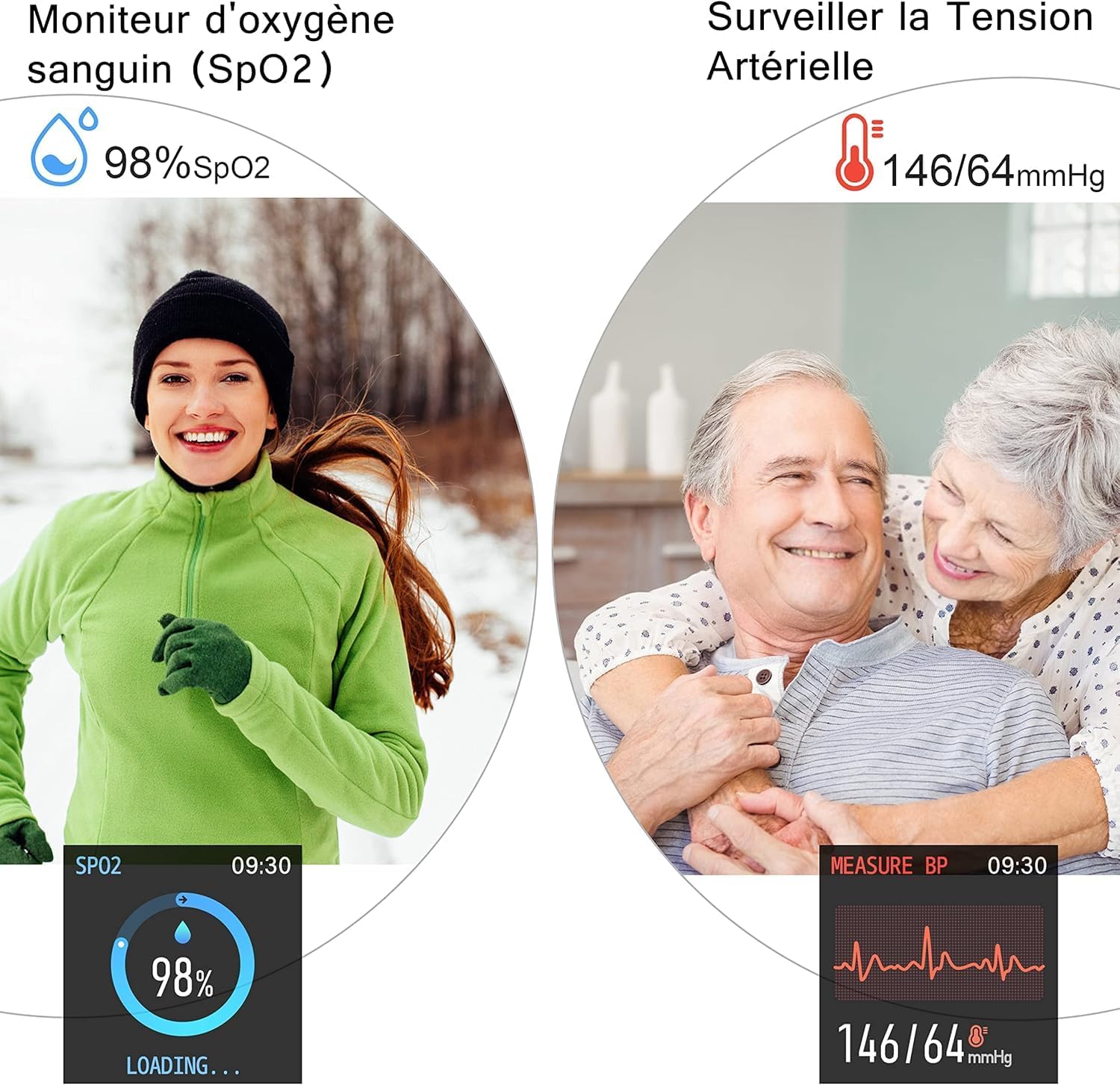
Image 3.2: SpO2 and Blood Pressure Monitoring
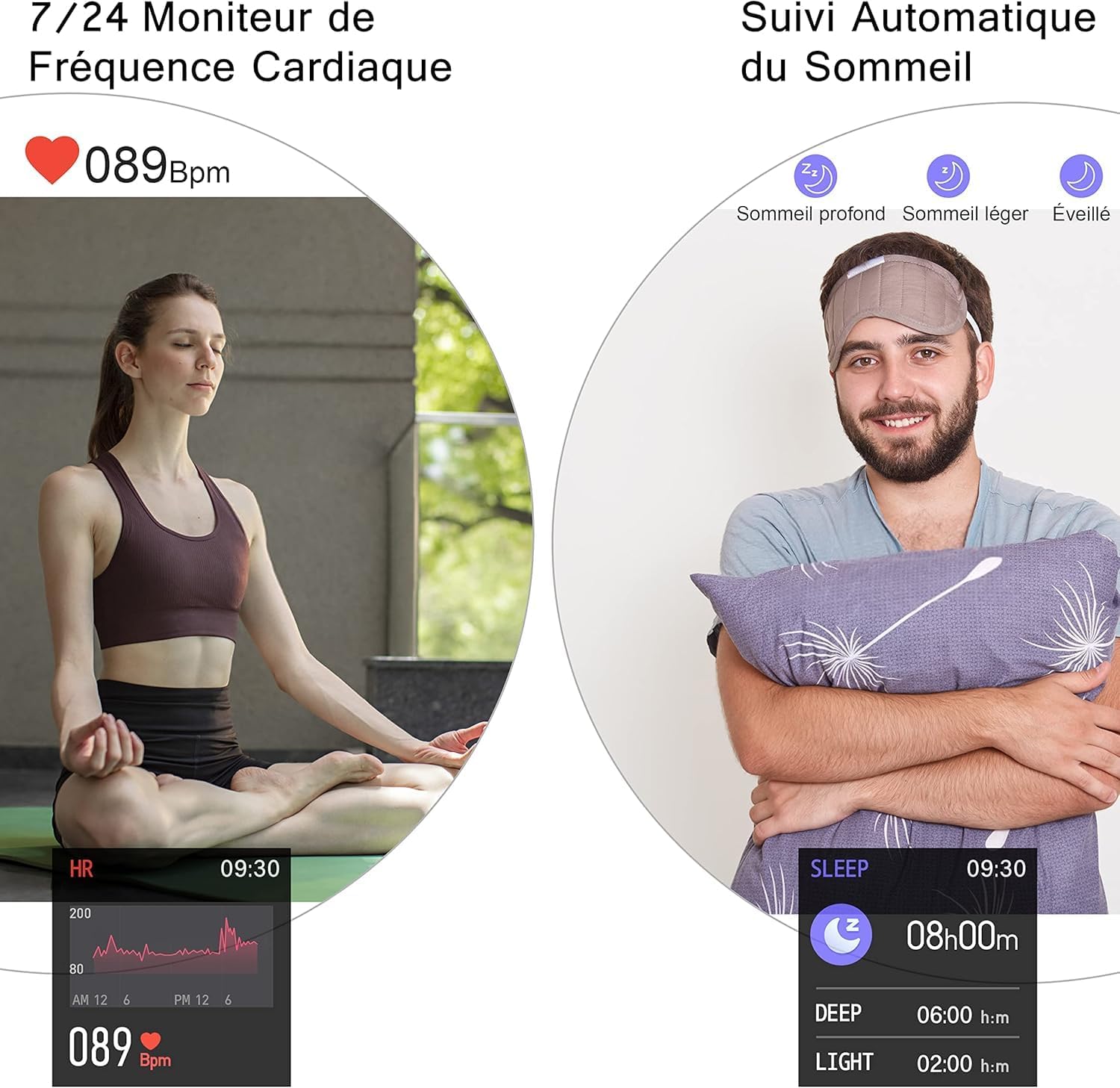
Image 3.3: Heart Rate and Sleep Monitoring
3.4. Спорт режимдери
The smartwatch features multiple sports modes to track your workouts. Select a mode to record data such as steps, calories burned, distance, and active minutes.
- Available modes include: Walking, Running, Cycling, Jump Rope, Badminton, Basketball, Football.

Image 3.4: Multi-Sport Mode Tracking
3.5. Акылдуу эскертмелер
Receive notifications for incoming calls, SMS messages, and social media alerts directly on your watch when connected to your smartphone. Lift your wrist to automatically illuminate the screen and view билдирүүлөр.
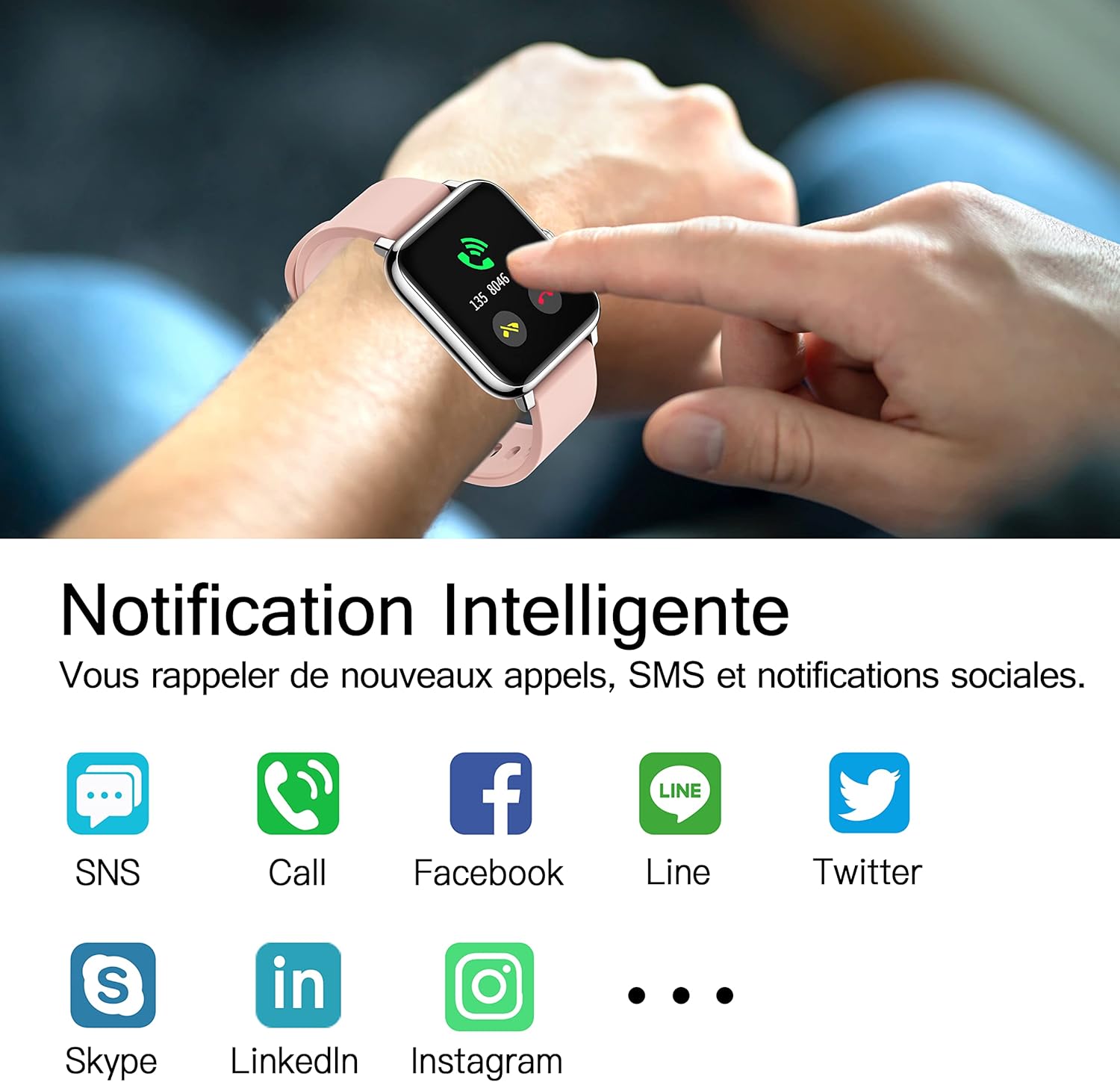
Image 3.5: Smart Notifications
3.6. Кошумча функциялар
- Музыкалык башкаруу: Смартфонуңузда музыканы ойнотууну түз сааттан башкарыңыз.
- Аба ырайы: View current weather conditions and forecasts after setting your location in the HeroBandIII app.
- Ойготкуч: Set alarms via the app, and the watch will vibrate to alert you.
- Секундомер жана таймер: Utilize the stopwatch and timer functions for various activities.
- Отуруучу эстеткич: Кыймылы жок убакыттан кийин жылдыруу үчүн эскертүүлөрдү алыңыз.
- Алыскы камера: Use the watch as a remote shutter for your smartphone's camera.
- Жарыктыкты жөндөө: Adjust screen brightness directly from the watch's quick settings.
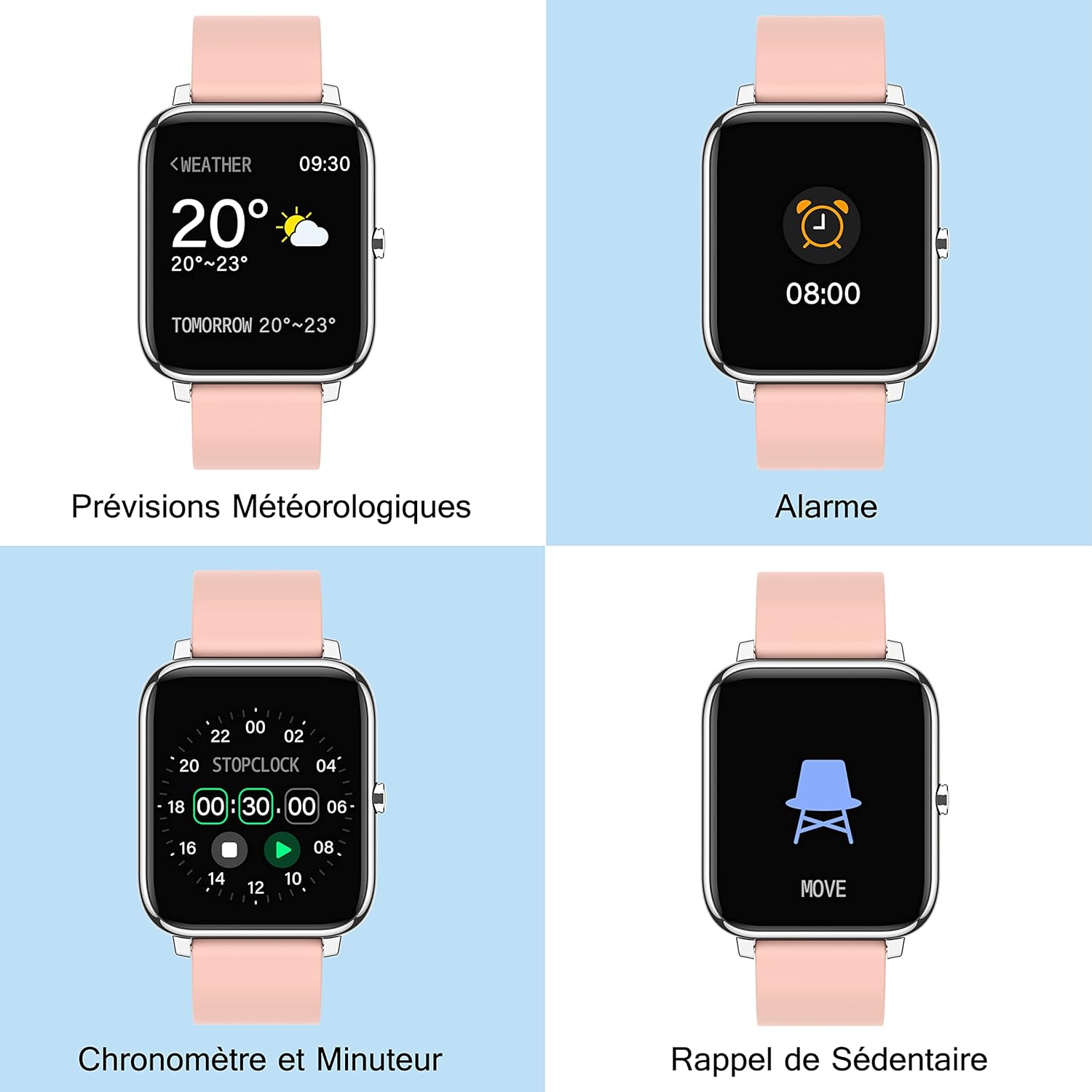
Image 3.6: Additional Smartwatch Functions
4. Техникалык тейлөө
4.1. Тазалоо
Regularly clean your smartwatch and strap to prevent skin irritation and maintain device performance. Use a soft, damp экранды жана боону сүртүү үчүн чүпүрөк колдонуңуз. Катуу химиялык заттарды же абразивдүү материалдарды колдонуудан алыс болуңуз.
4.2. Сууга туруктуулук
The Popglory P22 Smartwatch is designed to be resistant to splashes and sweat. It is not recommended for swimming, showering, or prolonged submersion in water. Avoid exposing the watch to hot water or steam.
4.3. Сактоо
Store the smartwatch in a cool, dry place when not in use. Avoid extreme temperatures and direct sunlight.
5. Кыйынчылыктарды
| Көйгөй | Мүмкүн себеп | Чечим |
|---|---|---|
| Саат күйбөйт | Батарея аз | Charge the watch for at least 10-15 minutes. |
| Смартфон менен жупташтыруу мүмкүн эмес | Bluetooth өчүк, колдонмодо көйгөй бар, саат табылбай жатат | Ensure Bluetooth is on. Restart watch and phone. Reinstall HeroBandIII app. Ensure watch is not paired to another device. |
| Билдирмелер алынган жок | App permissions, Bluetooth connection lost, DND mode | Check app notification permissions. Ensure watch is connected via Bluetooth. Disable Do Not Disturb mode on watch/app. |
| Туура эмес ден соолук маалыматы | Туура эмес туура эмес, өлчөө учурунда кыймыл | Ensure the watch is worn snugly on the wrist. Remain still during measurements. Remember data is for reference only. |
| Экран жооп бербейт | Software glitch, low battery | Restart the watch (if possible). Charge the watch. |
6. Техникалык шарттар
- Бренд: Popglory
- Модель аты: P22
- Экрандын өлчөмү: 1.4 дюйм
- Операциялык системанын шайкештиги: Android 4.4+ / iOS 9.0+
- Байланыш: Bluetooth
- Батарея түрү: Литий-полимер
- Өзгөчөлүктөр: Heart Rate Monitor, Blood Pressure Monitor, Blood Oxygen Monitor, Sleep Tracker, Pedometer, Calorie Tracker, Distance Tracker, Multi-Sport Modes, Notification Alerts, Music Control, Weather Forecast, Alarm, Stopwatch, Timer, Sedentary Reminder, Remote Camera Control, Brightness Adjustment.
- GPS: Интегралдык эмес
- Форма: Төрт бурчтуу
7. Кепилдик жана колдоо
For warranty information and customer support, please refer to the documentation included with your purchase or contact Popglory customer service through their official website or the HeroBandIII application. Please have your model number (P22) and purchase details ready when contacting support.
Ask a question about this manual
Ask about setup, troubleshooting, compatibility, parts, safety, or missing instructions. Manuals+ will review the question and use this page’s manual context to help answer it.