
1. Киришүү
The StarTech.com SV231DPU34K is a 2-Port DisplayPort KVM Switch designed to allow control of two DisplayPort-enabled computers from a single monitor, keyboard, and mouse. This device supports high-resolution video up to 4K at 60Hz and includes an integrated USB 3.0 hub for sharing additional USB peripherals between connected systems. It also features 3.5mm analog audio switching and offers flexible control via front-panel push buttons or hotkey commands.
2. Пакеттин мазмуну
- 1x KVM Switch (SV231DPU34K)
- 1x Universal Power Adapter (NA/JP, EU, UK, ANZ)
- 4x Rubber Foot Pads
3. Продукт бүтүп калдыview
3.1 алдыңкы панели
The front panel provides convenient access to a USB HID port, a USB 3.0 port, and selection buttons for switching between connected computers.

Сүрөт 1: Front Panel of the SV231DPU34K KVM Switch. Features include a USB HID port, a USB 3.0 port, and two computer selection buttons (1 and 2) with a 'SELECT' button.
3.2 Арткы панель
The rear panel houses the power input, console DisplayPort and USB HID ports, and dedicated DisplayPort, USB, and audio ports for each connected PC.
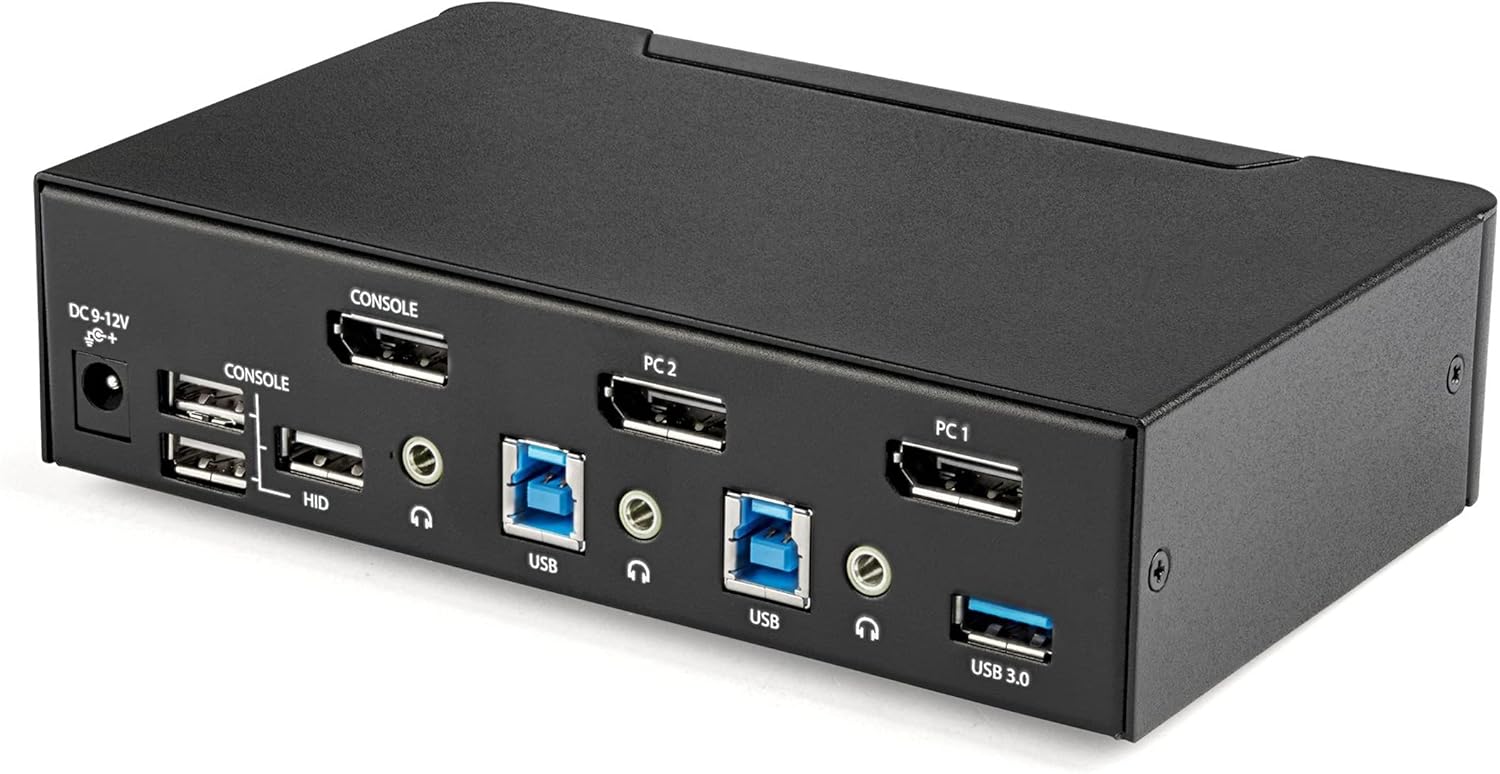
Сүрөт 2: Rear Panel of the SV231DPU34K KVM Switch. Connections include DC 9-12V power, Console DisplayPort, Console USB HID ports, and individual DisplayPort, USB 3.0 Type-B, and 3.5mm audio jacks for PC1 and PC2.
3.3 Labeled Diagram
Бул диаграмма кеңири маалымат берет view of all ports and their functions on both the front and rear panels.

Сүрөт 3: Labeled diagram illustrating all ports on the SV231DPU34K KVM Switch, including console connections for monitor, keyboard, and mouse, and PC connections for two computers.
4. Орнотуу нускамалары
Follow these steps to set up your StarTech.com SV231DPU34K KVM Switch:
- Өчүрүү түзмөктөрү: Ensure all computers, monitors, and peripherals are powered off before beginning the installation.
- Консоль түзмөктөрүн туташтыруу:
- DisplayPort мониторуңузду туташтырыңыз CONSOLE DisplayPort on the rear of the KVM switch.
- USB клавиатураңызды жана чычканыңызды туташтырыңыз CONSOLE HID USB Type-A ports on the rear of the KVM switch.
- If using external speakers or a microphone, connect them to the CONSOLE 3.5mm audio jacks артында.
- Connect Computers (PC1 and PC2): Ар бир компьютер үчүн:
- Connect a DisplayPort cable from your computer's DisplayPort output to the corresponding PC1 DisplayPort or PC2 DisplayPort input on the KVM switch.
- Connect a USB 3.0 Type-A to Type-B cable from your computer's USB 3.0 port to the corresponding PC1 USB 3.0 Type-B or PC2 USB 3.0 Type-B input on the KVM switch.
- If using audio, connect 3.5mm audio cables from your computer's audio output/input to the corresponding PC1/PC2 3.5mm audio jacks.
- USB перифериялык түзүлүштөрдү туташтыруу: Connect any additional USB 3.0 peripherals (e.g., USB hub, printer, flash drive) to the USB 3.0 Type-A порттору on the front or rear of the KVM switch.
- Туташуу кубаты: Connect the included universal power adapter to the DC 9-12V электр киргизүү on the rear of the KVM switch, then plug it into a power outlet.
- Күйгүзүү: Power on the KVM switch, then power on your monitor, and finally power on your connected computers.
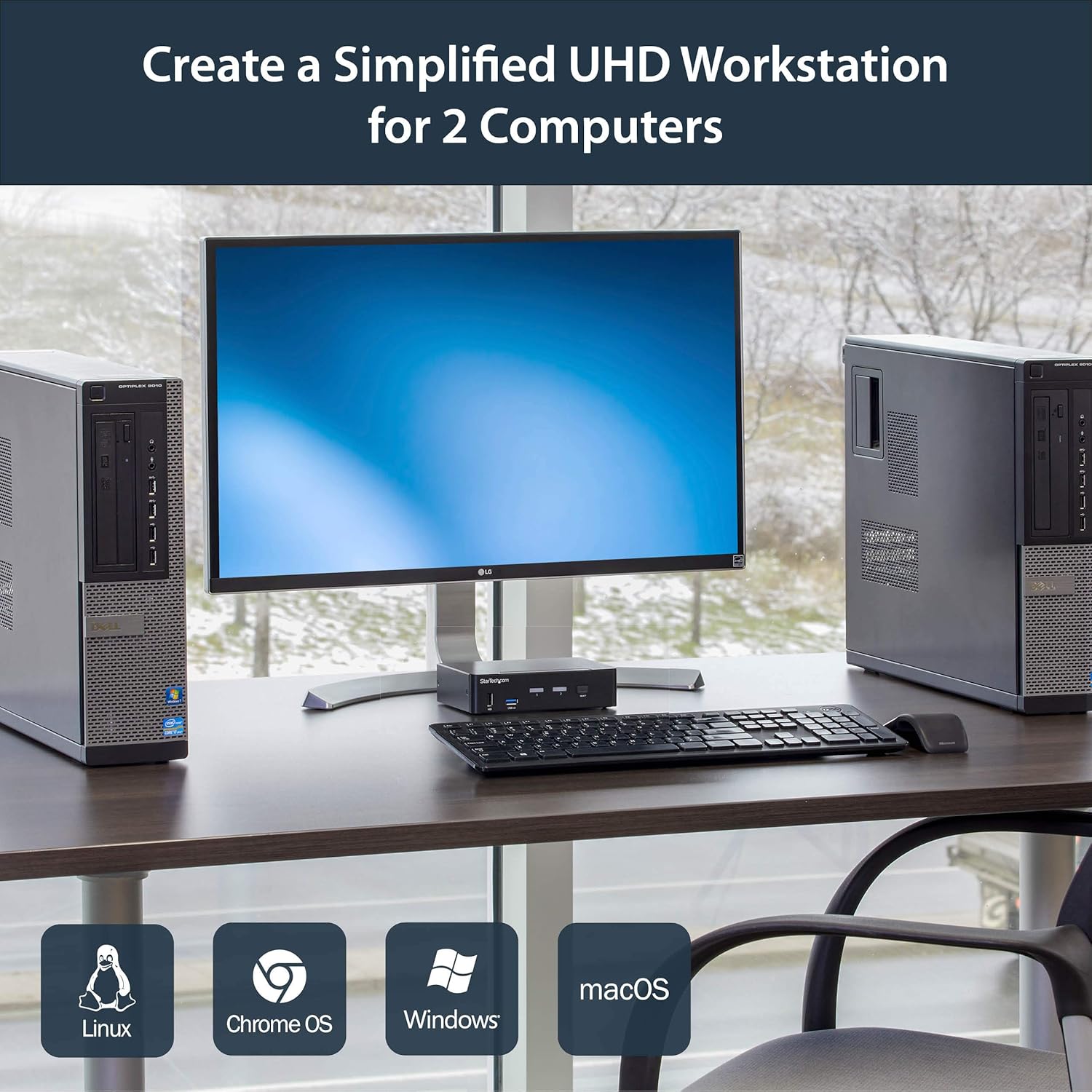
Сүрөт 4: Connection diagram for the SV231DPU34K KVM Switch, showing how two computers share one display and peripherals.
5. Иштөө нускамалары
The SV231DPU34K KVM Switch offers two methods for switching between connected computers:
5.1 Front Panel Push Buttons
Тийиштүү баскычты басыңыз ТАНДОО button on the front panel of the KVM switch to switch to the desired computer (PC1 or PC2). The LED indicator for the selected computer will illuminate.
Сүрөт 5: Front panel with computer selection buttons.
5.2 Ыкчам баскычтарды которуу
The KVM switch supports hotkey commands for switching between computers. Refer to the quick start guide or the official StarTech.com product page for specific hotkey sequences.
6. Техникалык тейлөө
To ensure optimal performance and longevity of your KVM switch, follow these maintenance guidelines:
- Тазалоо: Keep the device clean and free from dust. Use a soft, dry, lint-free cloth for cleaning. Avoid using liquid or aerosol cleaners.
- Вентиляция: Ensure adequate airflow around the KVM switch to prevent overheating. Do not block any ventilation openings.
- Кабелдик башкаруу: Портторго күч келүүнүн жана кокустан ажыратылып калуунун алдын алуу үчүн кабелдерди иретке келтириңиз.
- Экологиялык шарттар: Operate the device within its specified temperature and humidity ranges. Avoid extreme temperatures or moisture.
7. Кыйынчылыктарды
Эгерде сиз KVM коммутаторуңуз менен көйгөйлөргө туш болсоңуз, төмөнкү кеңири таралган көйгөйлөрдү жана чечимдерди караңыз:
| Көйгөй | Мүмкүн чечим |
|---|---|
| No display or flickering display after switching. |
|
| Баскычтоп же чычкан жооп бербей жатат. |
|
| USB 3.0 devices not detected or working intermittently. |
|
| Audio issues (static, no sound). |
|
| G-Sync or FreeSync not working. |
|
8. Техникалык шарттар
| Өзгөчөлүк | Деталь |
|---|---|
| Модел | SV231DPU34K |
| Бренд | StarTech.com |
| Видео интерфейси | DisplayPort 1.2 |
| Max чечим | 3840 x 2160 @ 60Hz (4K UHD) |
| MST Passthrough | Колдоого алынган |
| USB хабы | 2 порттук USB 3.0 Hub |
| USB HID порттору | 4x USB Type-A (for keyboard/mouse) |
| Аудио | 3.5mm Analog Audio Switching |
| Которуу ыкмалары | Push Button, Hotkey |
| Материал | Болот |
| Өлчөмдөрү (L x W x Y) | 3.9 x 6.3 x 1.6 дюйм (9.9 x 16.0 x 4.1 см) |
| Элемент Салмагы | 1.3 фунт (0.59 кг) |
| Power Input | DC 9-12V, 18 Watts |
| Түс | Кара |
| Иштөө температурасы | 0°Cден 40°Cге чейин (32°F—104°F) |
| Сактоо температурасы | -20°Cден 60°Cге чейин (-4°Fтен 140°Fге чейин) |
| Нымдуулук | 0-80% RH (конденсацияланбаган) |
9. Кепилдик жана колдоо
9.1 Кепилдик маалыматы
Бул StarTech.com продуктусу төмөнкүлөр тарабынан колдоого алынат: 2 жылдык кепилдик. For detailed warranty terms and conditions, please refer to the official StarTech.com webсайт.
9.2 Техникалык колдоо
For technical assistance, product documentation, or driver downloads, please visit the official StarTech.com support webсайт: