
Introduction
The StarTech.com SDOCKU33HB is a USB 3.0 SATA Hard Drive Docking Station designed for quick and easy access to 2.5-inch or 3.5-inch SATA solid-state drives (SSDs) and hard disk drives (HDDs). It features a built-in USB Fast Charge hub and supports UASP (USB Attached SCSI Protocol) for enhanced performance with SATA 6Gbps drives. This manual provides instructions for setup, operation, and maintenance of your docking station.
Продукт бүттүview
Familiarize yourself with the components and features of your docking station.
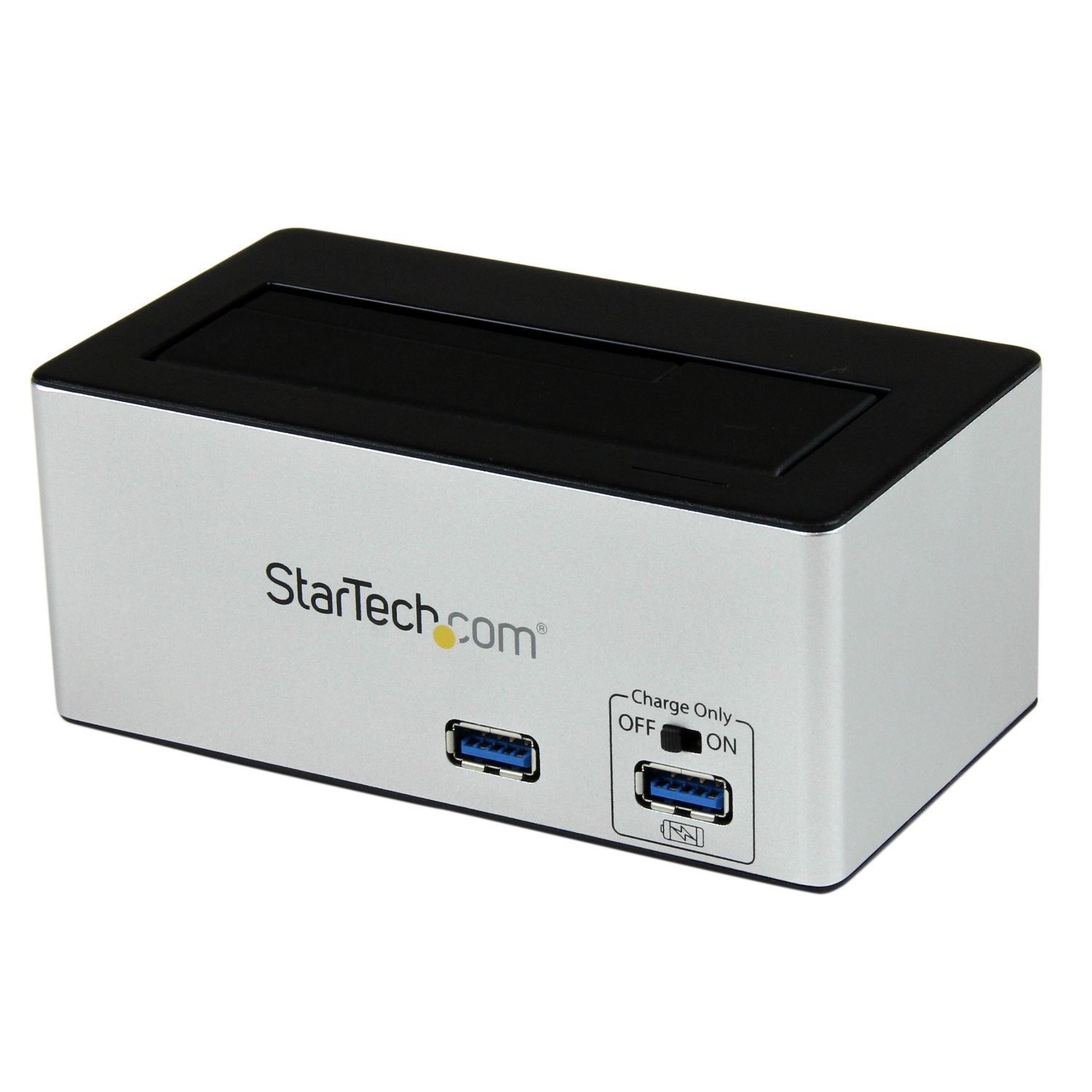
Сүрөт: The StarTech.com SDOCKU33HB docking station, showing the top-loading drive bay and front panel.
Алдыңкы панелдин өзгөчөлүктөрү
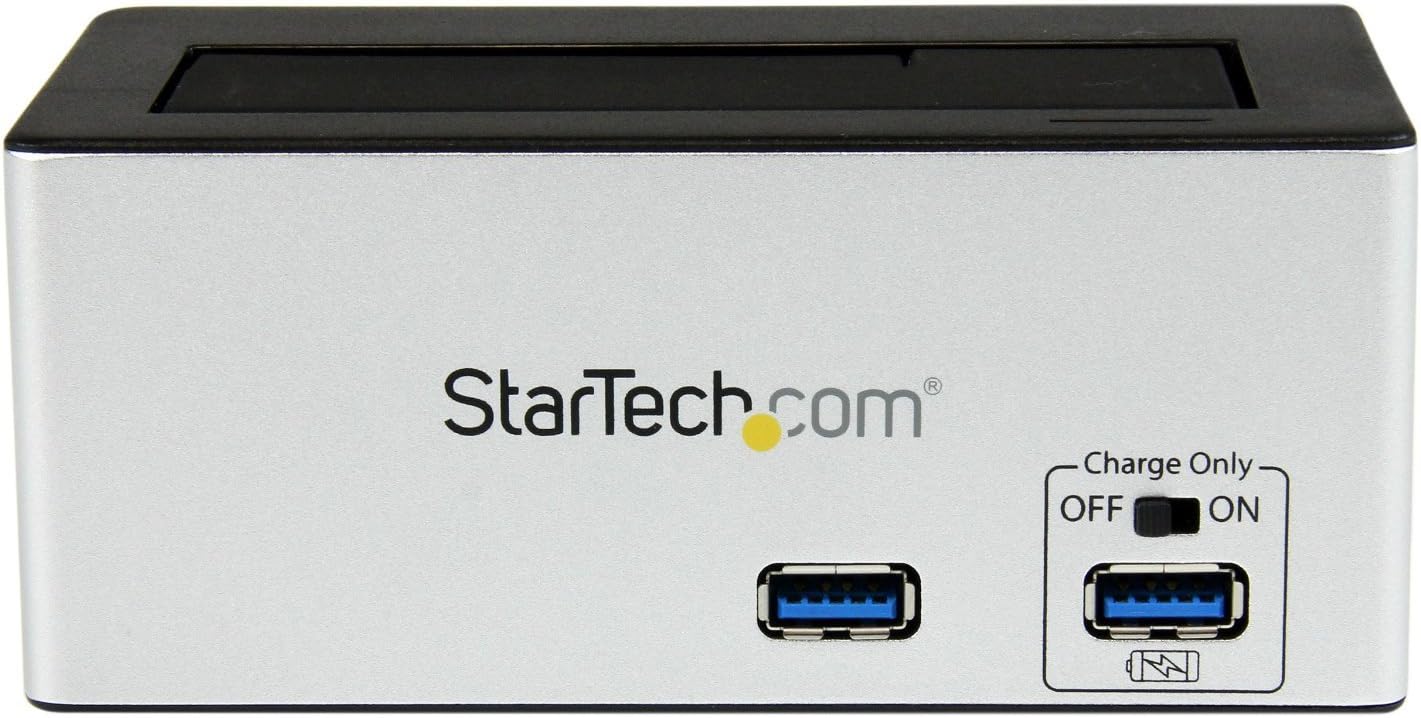
Сүрөт: Фронт view of the docking station, highlighting the USB 3.0 data port and the USB Fast Charge port with its ON/OFF switch.
- USB 3.0 Data Port: Connects to your computer for data transfer.
- USB Fast Charge Port: Provides accelerated charging for mobile devices. Features an ON/OFF switch for activation.
Арткы панелдин өзгөчөлүктөрү

Сүрөт: Арткы view of the docking station, showing the power switch, DC-IN port, USB 3.0 host connection, and the OFF/Sleep switch.
- Кубат которгучу: Turns the docking station ON or OFF.
- DC-IN порту: Камтылган кубат адаптерине туташат.
- USB 3.0 Хост порту: Connects the docking station to your computer's USB 3.0 port.
- OFF/Sleep Switch: Controls the sleep mode functionality of the docking station.
Пакеттин мазмуну
Verify that all components are present in your package.
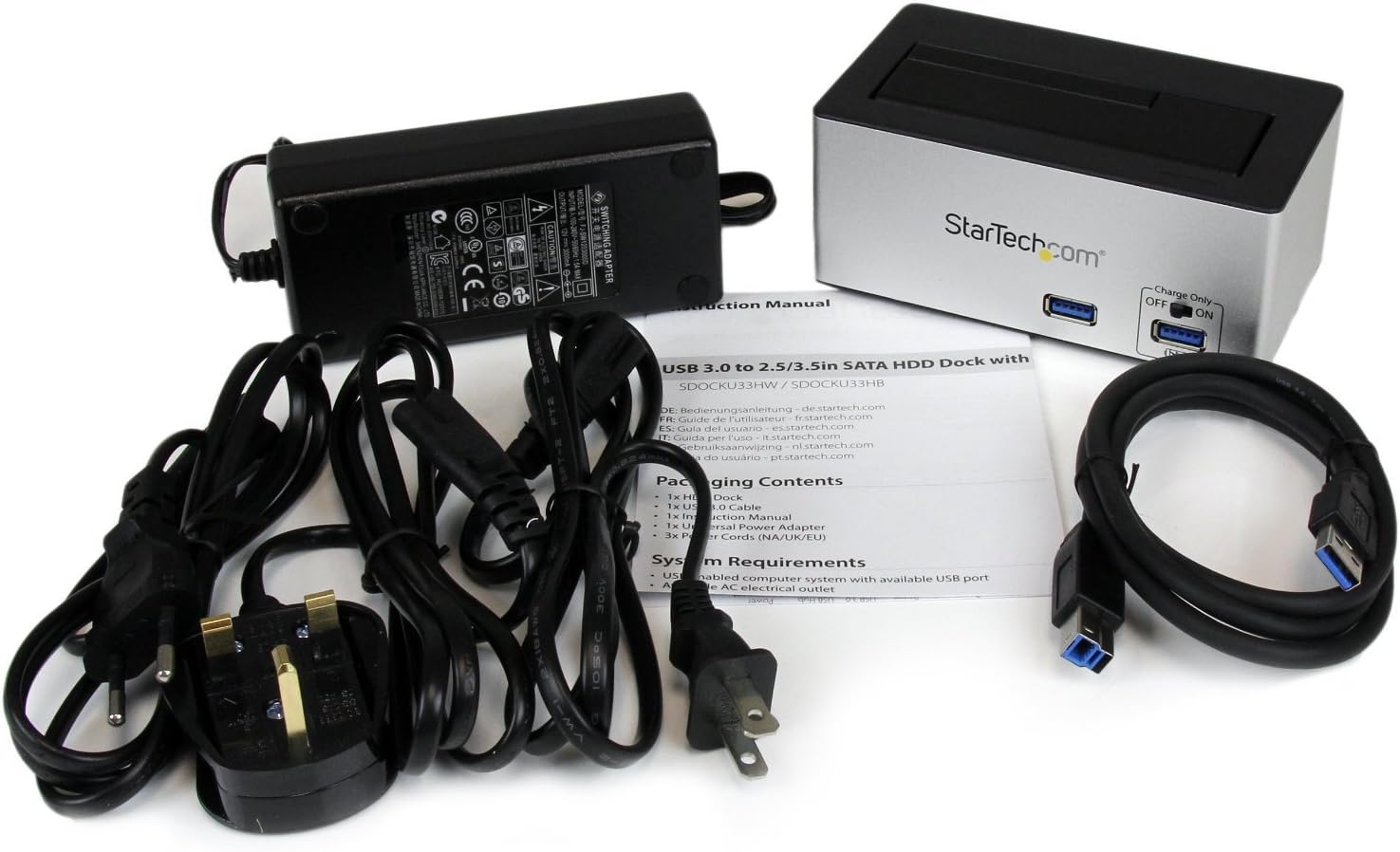
Сүрөт: The complete package contents, including the docking station, power adapter, USB 3.0 cable, and instruction manual.
- 1x USB 3.0 SATA Hard Drive Docking Station (SDOCKU33HB)
- 1x Универсалдуу кубат адаптери
- 1x USB 3.0 кабели
- 1x Instruction Manual
Системалык талаптар
Ensure your system meets the following requirements for optimal performance.
- Computer with an available USB 3.0 port (USB 2.0/1.1 backward compatible)
- 2.5-inch or 3.5-inch SATA I/II/III SSD/HDD
- Жеткиликтүү AC розетка
- Operating System: Windows XP/Vista/7/8/10/11, macOS 10.x and later, Linux
Орнотуу нускамалары
- Туташуу кубаты: Connect the universal power adapter to the DC-IN port on the rear of the docking station, then plug the adapter into an AC power outlet.
- Компьютерге туташуу: Connect one end of the included USB 3.0 cable to the USB 3.0 Host Port on the rear of the docking station, and the other end to an available USB 3.0 port on your computer.
- Дискти киргизүү: Gently slide your 2.5-inch or 3.5-inch SATA SSD/HDD into the top-loading drive bay until it is securely seated. Ensure the drive's SATA connector aligns with the docking station's connector.
- Күйгүзүү: Flip the Power Switch on the rear of the docking station to the 'ON' position. The power LED (if present) should illuminate.
- Драйверди орнотуу: Операциялык системаңыз керектүү драйверлерди автоматтык түрдө аныктап, орнотушу керек. Адатта, драйверди кол менен орнотуунун кажети жок.
- Дискке кирүү: Once detected, the drive will appear as a removable storage device in your operating system's file explorer or disk management utility. You may need to initialize and format new drives before use.
Иштөө нускамалары
Using the Hard Drive Dock
- Маалыматтарды өткөрүү: Once the drive is recognized by your computer, you can drag and drop files to and from the drive as you would with any other storage device.
- Ысык алмаштыруу: The docking station supports hot-swapping. To safely remove a drive, ensure all data transfer operations are complete, then use your operating system's "Safely Remove Hardware" or "Eject" function before pulling the drive out of the bay.
- UASP колдоо: For systems supporting UASP, the docking station will leverage this protocol to achieve faster data transfer speeds, especially with SATA 6Gbps drives.
Using the USB Fast Charge Port
- Activate Fast Charge: Flip the "Charge Only" switch on the front panel to the 'ON' position.
- Түзмөктү туташтыруу: Connect your mobile device (e.g., smartphone, tablet) to the USB Fast Charge port using its charging cable.
- Заряддоо: The port will provide enhanced power output for faster charging compared to standard USB ports.
Sleep Mode Functionality
- The "OFF/Sleep" switch on the rear panel controls the docking station's sleep mode behavior. Consult the full product manual for detailed information on sleep mode settings and compatibility.
Техникалык тейлөө
- Тазалоо: Use a soft, dry cloth to clean the exterior of the docking station. Do not use liquid cleaners or solvents.
- Сактагыч: Колдонулбай турган учурда, док-станцияны салкын, кургак жерде, күндүн түз нурунан жана өтө жогорку температурадан алыс сактаңыз.
- Drive Handling: Always handle hard drives with care. Avoid dropping or subjecting them to physical shock.
Проблемаларды чечүү
- Issue: Drive not detected by computer.
- Док-станциянын кубатталганын жана кубат адаптери бекем туташтырылганын текшериңиз.
- Verify the USB 3.0 cable is firmly connected to both the docking station and your computer.
- Компьютериңиздеги башка USB портун колдонуп көрүңүз.
- Ensure the SATA drive is correctly seated in the docking bay.
- Check your computer's Disk Management (Windows) or Disk Utility (macOS) to see if the drive is recognized but uninitialized or unformatted. New drives require initialization and formatting.
- Test with a different SATA drive to rule out a drive issue.
- Көйгөй: Маалыматтарды берүү ылдамдыгы жай.
- Компьютериңиздеги USB 3.0 портуна туташканыңызды текшериңиз. USB 2.0 порттору ылдамдыкты азайтат.
- Verify your operating system and drivers support UASP for optimal performance with SATA 6Gbps drives.
- The performance of the drive itself can affect transfer speeds.
- Issue: Fast Charge port not working.
- Ensure the "Charge Only" switch on the front panel is in the 'ON' position.
- Verify the docking station is powered on.
- Try a different charging cable or device to confirm the issue is not with the device or cable.
Техникалык шарттар
| Өзгөчөлүк | Спецификация |
|---|---|
| Модел | SDOCKU33HB |
| Интерфейс | USB 3.0 (USB 2.0/1.1 менен артка шайкеш келет) |
| Шайкеш диск түрлөрү | 2.5" and 3.5" SATA I/II/III HDDs/SSDs |
| Маалыматтарды өткөрүү ылдамдыгы | 5 Гбит/сек чейин (USB 3.0) |
| UASP колдоо | Ооба |
| Fast Charge Port | Ооба |
| Өлчөмдөрү (L x W x Y) | 3.6" x 3.6" x 6.8" (9.14см x 9.14см x 17.27см) |
| Салмагы | 1.4 фунт (0.64 кг) |
| Түс | Кара |
| Электр камсыздоо | Universal AC Adapter (Input: 100-240V AC, Output: 12V DC) |
Кепилдик жана техникалык колдоо
Бул StarTech.com продуктусу төмөнкүлөр тарабынан колдоого алынат: 2 жылдык кепилдик.
For the most up-to-date information on warranty, technical support, and product documentation, please visit the official StarTech.com website or the product page:
You can also find additional resources and contact information for technical assistance on the StarTech.com webсайт.