
1. 서론
This manual provides detailed instructions for setting up, operating, and maintaining your AOOSTAR MACO AMD Ryzen 7 H255 Mini PC. Please read this manual thoroughly before using the device to ensure proper functionality and safety. The AOOSTAR MACO Mini PC is designed for high performance, featuring an AMD Ryzen 7 H255 processor, Radeon 780M graphics, and extensive connectivity options.
2. 패키지 내용
아래 나열된 모든 품목이 패키지에 들어 있는지 확인하세요.
- 1 x AOOSTAR MACO AMD Ryzen 7 H255 Mini PC
- 1 x SSD Cooling Pad
- 1 x 120W 19V 6.32A Type-C Power Supply
3. 제품 오버view
The AOOSTAR MACO Mini PC is a compact yet powerful computing solution. Below are key features and an overview of its components and ports.
3.1 주요 특징
- 프로세서: AMD Ryzen 7 H255 (8-core, 16-thread, up to 4.9 GHz) with Zen 4 architecture and 4nm process.
- 제도법: Integrated Radeon 780M graphics (RDNA 3 architecture).
- 메모리: Dual-channel DDR5 5600MHz (expandable up to 128GB).
- 저장: Dual-channel M.2 2280 NVMe PCIe4.0x4 SSD (expandable up to 8TB).
- 보안: One-touch fingerprint unlock for secure access.
- 디스플레이 지원 : Supports up to four 4K displays simultaneously.
- 연결성: OCuLink, Dual USB4, USB 3.2 Gen2, USB 3.0, HDMI, DisplayPort, Dual 2.5G LAN, Wi-Fi 6.
3.2 외부 구성 요소 및 포트
Familiarize yourself with the various ports and components of your Mini PC.
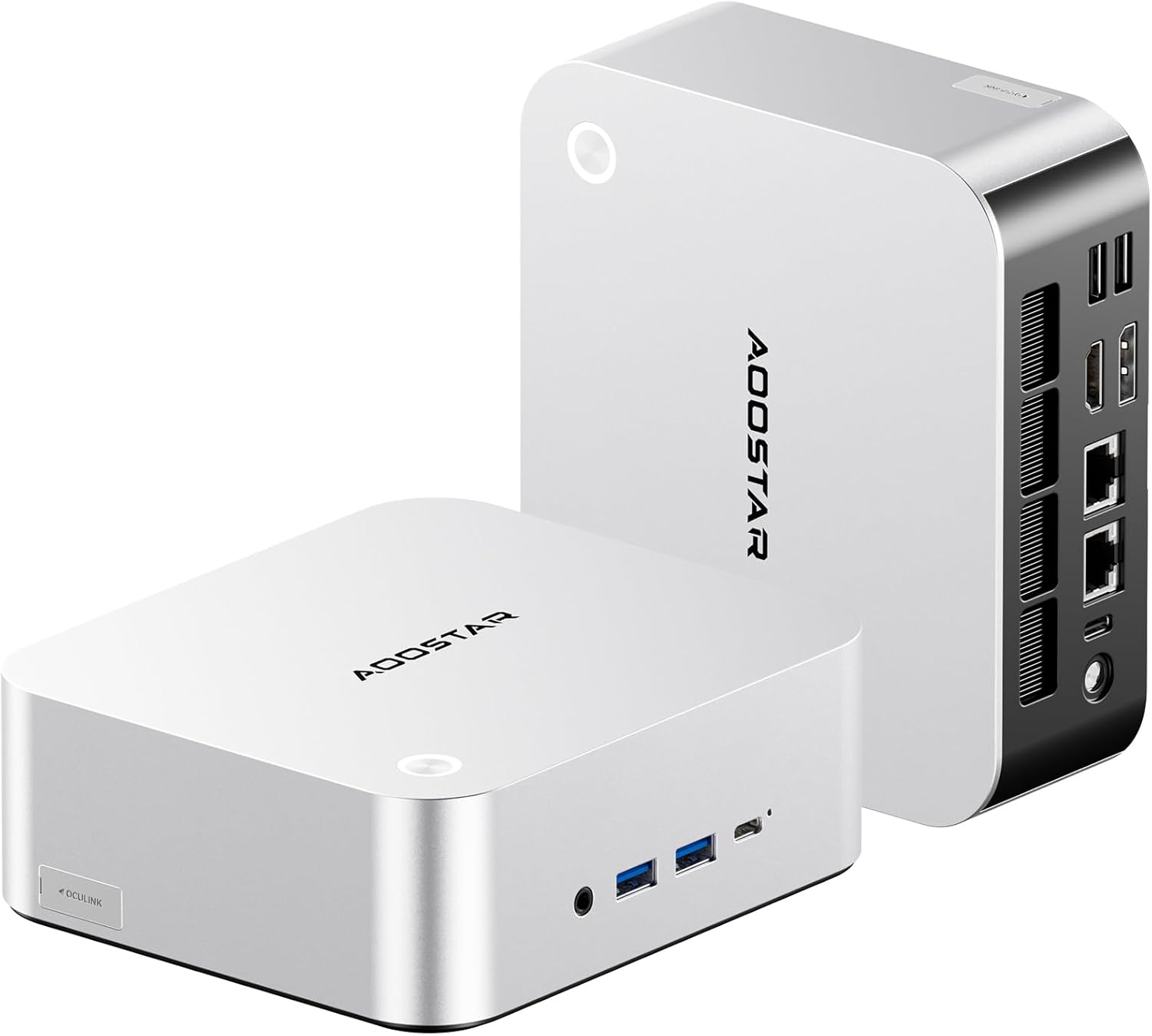
이미지: 앞면과 뒷면 view of the AOOSTAR MACO Mini PC, showcasin컴팩트한 디자인과 다양한 포트를 갖추고 있습니다.

이미지: 상세 view of the AOOSTAR MACO Mini PC's rear ports, including OCuLink, USB4, USB 3.2 Gen2, HDMI, DisplayPort, and Dual 2.5G LAN ports.
- 전면 패널: Power button with fingerprint sensor, USB ports.
- 후면 패널 : OCuLink port (1), USB4 ports (2), USB 3.2 Gen2 ports (2), USB 3.0 ports (2), HDMI port (1), DisplayPort (1), 2.5G LAN ports (2), DC power input (1), Audio Jack (1).

Image: Close-up of the one-touch fingerprint sensor on the AOOSTAR MACO Mini PC for secure login.

Image: Visual representation of the AMD Ryzen 7 H255 processor, highlighting its core count, turbo frequency, and architecture.

이미지: 내부 view showing the dual DDR5 memory slots and dual M.2 PCIe 4.0 SSD slots for high-speed storage and memory.

Image: The OCuLink port connected to an external GPU enclosure, demonstrating its use for enhanced graphics performance.

Image: Two AOOSTAR MACO Mini PCs side-by-side, highlighting the dual USB4 ports for high-speed data transfer and power delivery.
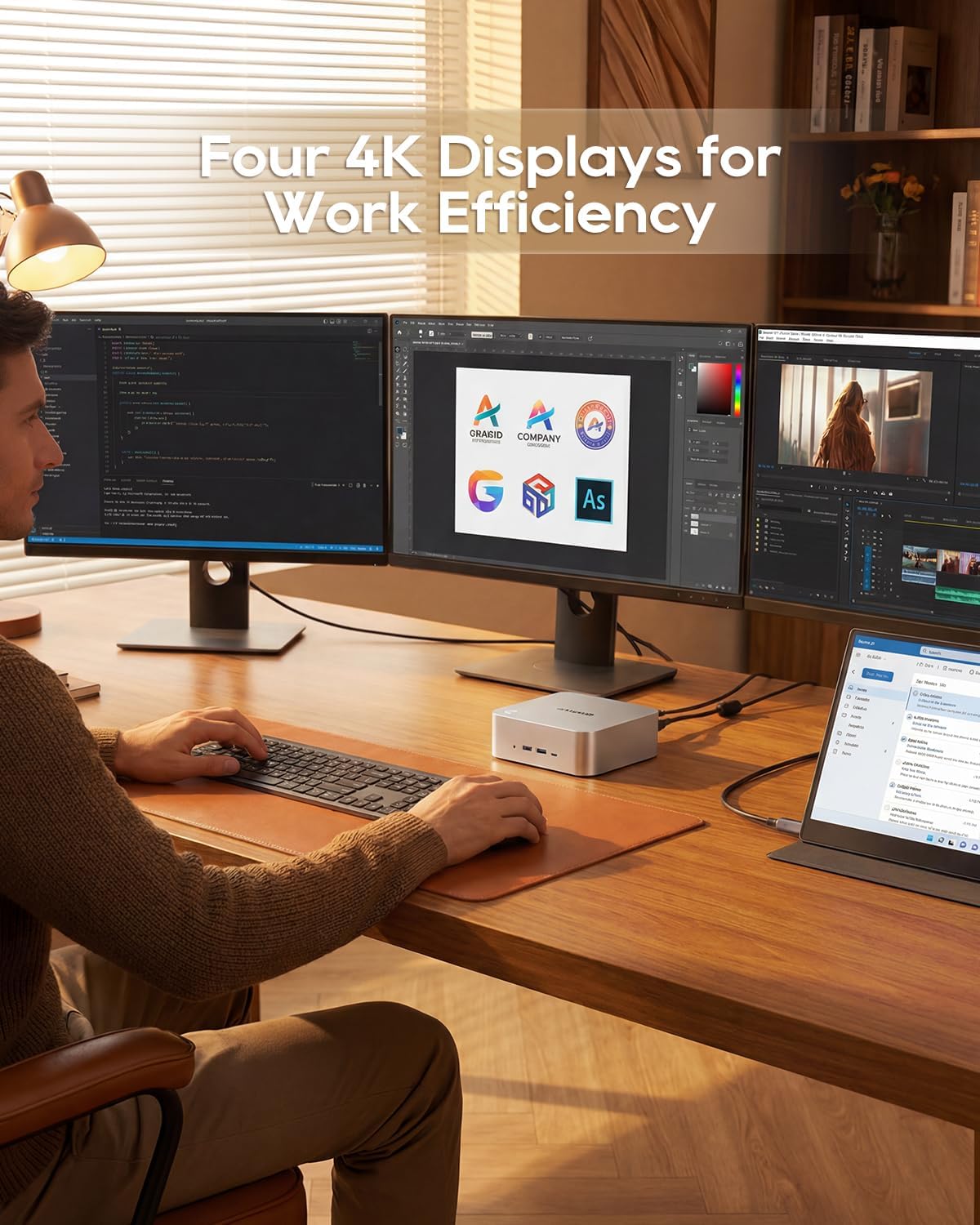
Image: A user working with the AOOSTAR MACO Mini PC connected to four 4K displays, illustrating its multi-display capability for productivity.
Image: The rear of the Mini PC showing the dual 2.5G LAN ports and an external WiFi antenna, emphasizing its high-speed networking capabilities.
비디오: 오버view of the AOOSTAR MACO Mini PC, demonstrating its features such as fingerprint unlock, business applications, gaming performance, and home theater use.
4. 설정 지침
Follow these steps to set up your AOOSTAR MACO Mini PC:
- 디스플레이 연결: Connect your monitor(s) to the Mini PC using an HDMI or DisplayPort cable. The Mini PC supports up to four 4K displays.
- 주변기기 연결: 키보드, 마우스 및 기타 USB 장치를 사용 가능한 USB 포트에 꽂습니다.
- 네트워크 연결 : For wired internet, connect an Ethernet cable to one of the 2.5G LAN ports. For wireless internet, ensure the Wi-Fi antenna is connected (if external) and the device is powered on to configure Wi-Fi settings.
- 전원 연결: Connect the 120W Type-C power supply to the DC input port on the Mini PC, then plug the power adapter into a wall outlet.
- 전원 켜기: 미니 PC 앞면에 있는 전원 버튼을 누르세요. 시스템이 부팅됩니다.
- 초기 설정 : 화면에 나타나는 지시에 따라 운영체제(예: Windows OS) 설치를 완료하십시오.
5. 사용 설명서
This section covers general operation and specific features of your Mini PC.
5.1 지문 잠금 해제
The Mini PC features a one-touch fingerprint unlock for enhanced security and quick access. During initial OS setup or via system settings, you can enroll your fingerprints. Once configured, simply touch the power button to wake and log in without needing a password.
5.2 다중 디스플레이 설정
The Mini PC supports connecting up to four 4K displays. Connect your monitors to the available HDMI and DisplayPort outputs. You can configure display settings (e.g., extend, duplicate) within your operating system's display settings.
5.3 OCuLink for External Graphics
The OCuLink port provides a high-bandwidth connection (64 Gbps) for external GPU solutions. This allows for significantly improved graphics performance for demanding applications or gaming. Note that OCuLink is not hot-swappable and does not occupy an M.2 2280 PCIe4.0 SSD slot.
5.4 USB4 Ports
The dual USB4 ports offer versatile connectivity with high data transfer speeds and power delivery capabilities (up to 100W). These ports can be used for external graphics card docks, NVMe SSD arrays, or other high-speed peripherals.
6. 유지관리
정기적인 유지 관리는 미니 PC의 수명과 최적의 성능을 보장하는 데 도움이 됩니다.
- 청소: 부드럽고 마른 천으로 미니 PC 외부를 닦으십시오. 통풍구에 먼지가 쌓인 경우 압축 공기를 사용하십시오. 청소하기 전에 기기의 전원을 끄고 전원 코드를 뽑으십시오.
- 통풍: 미니 PC는 통풍이 잘 되는 곳에 설치하십시오. 통풍구를 막지 마십시오.
- 소프트웨어 업데이트: Regularly update your operating system, drivers, and applications to maintain security and performance.
7. 문제 해결
미니 PC 사용 중 문제가 발생하면 다음의 일반적인 문제 해결 단계를 참조하십시오.
- 전원 없음:
- 전원 어댑터가 Mini PC와 작동하는 전원 콘센트에 모두 단단히 연결되어 있는지 확인하세요.
- 다른 장치를 연결하여 전원 콘센트가 작동하는지 확인하세요.
- 디스플레이 없음:
- Check that the display cable (HDMI/DisplayPort) is securely connected to both the Mini PC and the monitor.
- 모니터의 전원이 켜져 있고 올바른 입력 소스로 설정되어 있는지 확인하세요.
- 다른 디스플레이에 연결하거나 다른 케이블을 사용해 보세요.
- 인터넷에 연결되지 않음:
- 유선 연결의 경우 이더넷 케이블과 라우터의 상태를 확인하십시오.
- For Wi-Fi, ensure Wi-Fi is enabled in the operating system settings and you are connected to the correct network with the correct password.
- 라우터/모뎀과 미니 PC를 재시작하세요.
- 느린 성능:
- 백그라운드에서 실행 중인 불필요한 애플리케이션을 닫으세요.
- SSD에 충분한 여유 저장 공간이 있는지 확인하세요.
- Ensure the Mini PC is well-ventilated to prevent overheating.
8. 사양
Detailed technical specifications for the AOOSTAR MACO AMD Ryzen 7 H255 Mini PC:
| 특징 | 사양 |
|---|---|
| 상표 | 아우스타 |
| 모델 번호 | MACO AMD Ryzen 7 H255 |
| CPU 모델 | AMD Ryzen 7 H255 |
| CPU 속도 | 3.8 GHz (Base), up to 4.9 GHz (Max Boost) |
| 그래픽 코프로세서 | 라데온 780M |
| 설치된 RAM 메모리 크기 | 24GB (XNUMX기가바이트) |
| RAM 메모리 기술 | DDR5 |
| 메모리 속도 | 5600MHz |
| RAM 메모리 최대 크기 | 128GB (XNUMX기가바이트) |
| 메모리 저장 용량 | 1TB SSD |
| 하드 디스크 인터페이스 | PCIe x 4 |
| 운영 체제 | 운영체제 (사전 설치됨) |
| 연결 기술 | HDMI, USB, Wi-Fi 6, 2.5G LAN, OCuLink |
| 비디오 출력 인터페이스 | 디스플레이포트, HDMI |
| 해결 | 4K |
| 총 USB 포트 | 6 (2x USB4, 2x USB 3.2 Gen2, 2x USB 3.0) |
| 품목 치수 | 5.12 x 5.12 x 2.36 인치 |
| 품목 무게 | 660그램 |
| 색상 | 검은색 |
9. 보증 및 지원
The AOOSTAR MACO AMD Ryzen 7 H255 Mini PC comes with a 1-year warranty. For warranty claims, technical support, or service inquiries, please contact AOOSTAR customer support through their official channels or the retailer where the product was purchased. Keep your proof of purchase for warranty validation.