
소개
The MACAP MI40 Pro is a high-performance commercial espresso grinder designed for demanding environments such as cafés and coffee bars. It features 65 mm flat tempered steel burrs and a powerful 600 W high-torque motor, ensuring fast and consistent grinding for superior espresso extraction. The intuitive 3.5" touchscreen display simplifies dose programming and real-time adjustments. This manual provides essential information for the safe and efficient operation, setup, and maintenance of your grinder.
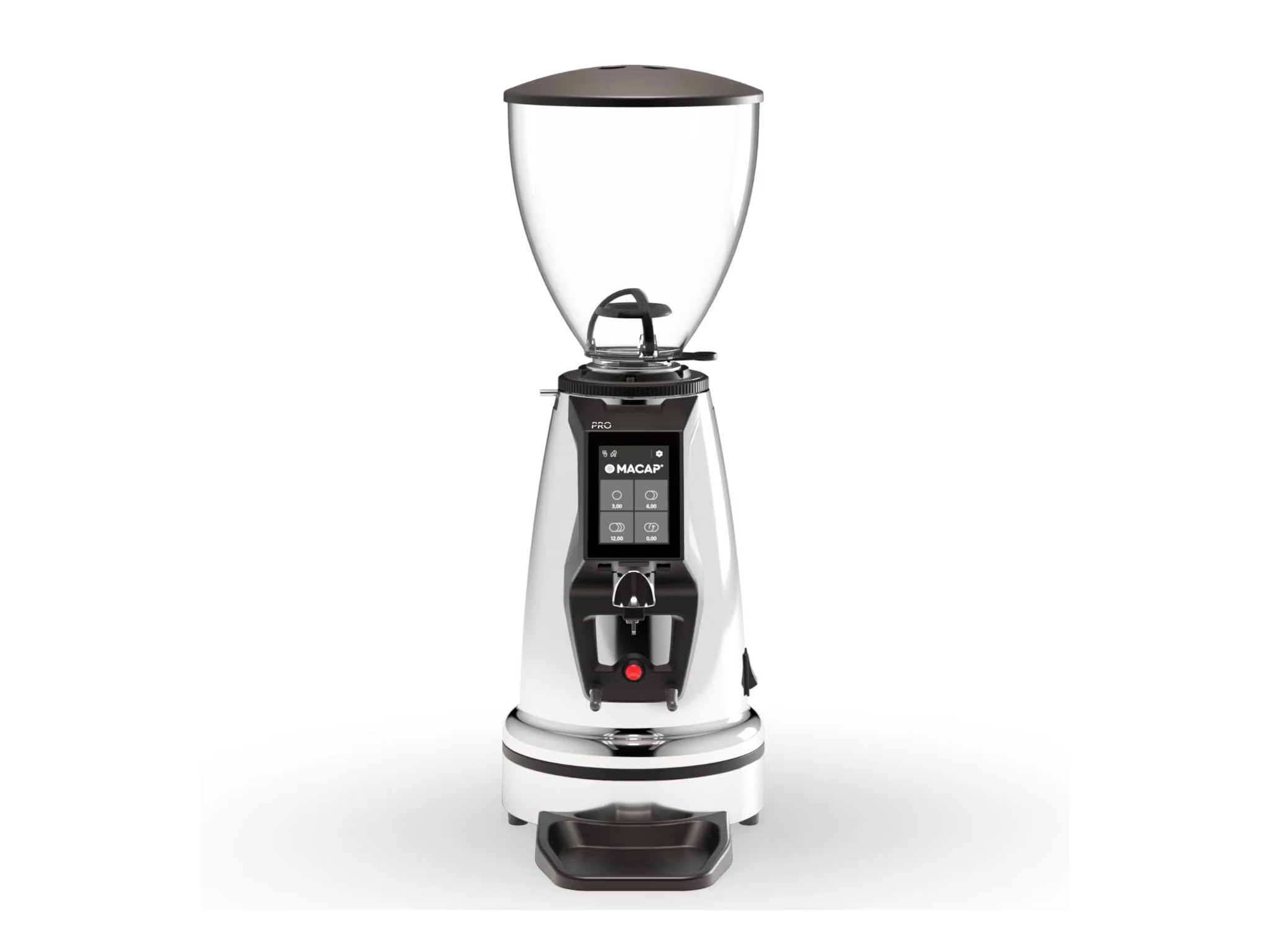
Image: MACAP MI40 Pro Commercial Espresso Grinder, showcasing its chrome exterior and overall design.
주요 특징:
- High-Performance Commercial Grinder: Built for cafés and coffee bars, the MI40 Pro delivers fast, consistent grinding with a powerful 600W motor.
- 65mm 플랫 버: Large flat steel burrs provide uniform grind particle size for exceptional espresso extraction.
- 직관적인 터치스크린 인터페이스: A 3.5" color touchscreen with Macap HMI streamlines dose programming and real-time control.
- 갈기 조정: Features a standard grind ring with zero-grind setting; optional stepless micrometric adjustment is available for ultra-fine control.
- Professional Workflow Features: Includes height-adjustable hands-free filter support, IP68 start button, anti-vibration metal fork, and a pull-out plate for improved workflow and cleanliness.
설치 지침
- 짐 풀기: Carefully remove the grinder from its packaging. Retain all packaging materials for future transport or service.
- 놓기: Position the grinder on a stable, level, and dry surface. Ensure adequate ventilation around the unit. Avoid placing it near heat sources or in direct sunlight.
- 호퍼 조립: Place the bean hopper onto the grinder body, ensuring it is securely seated. The hopper should lock into place to prevent accidental removal during operation.
- 초기 청소: 처음 사용하기 전에 그라인더 외부를 깨끗한 천으로 닦아주세요.amp cloth. Ensure the burr chamber and coffee chute are free of any packing debris.
- 전원 연결: Connect the power cord to a grounded 110 Volt AC outlet. Ensure the power switch is in the "OFF" position before plugging in.
작동 지침
1. 전원 켜기 / 끄기
- To power on, flip the main power switch located on the grinder. The touchscreen display will illuminate.
- 전원을 끄려면 메인 전원 스위치를 "OFF" 위치로 돌리십시오.
2. 연삭 조정
The MI40 Pro features a grind adjustment ring. Rotate the ring to achieve the desired grind fineness. Finer grinds are typically required for espresso. The standard grind ring includes a zero-grind setting for calibration. If equipped with optional stepless micrometric adjustment, use the fine adjustment knob for precise control.
3. Dosing and Grinding
- 호퍼 채우기: Pour fresh, roasted coffee beans into the hopper.
- Program Dose: Use the 3.5" touchscreen display to program your desired single or double shot dose. The intuitive Macap HMI allows for easy adjustment of grinding time.
- 포타필터 위치: Place your portafilter onto the height-adjustable hands-free filter support.
- 연삭 시작: Press the IP68-rated activation button with the portafilter. The grinder will dispense the programmed dose.
- 감시 장치: Observe the grind consistency and adjust as necessary for optimal espresso extraction.
유지
Regular cleaning and maintenance ensure the longevity and optimal performance of your MACAP MI40 Pro grinder.
1. 매일 청소
- 홉 따는 기계: Empty any remaining beans from the hopper. Wipe the inside of the hopper with a dry cloth.
- 외부: Wipe down the exterior surfaces of the grinder with a soft, damp 천으로 닦으세요. 연마성 세제나 용제는 사용하지 마세요.
- Pull-out Plate: Remove and clean the pull-out plate located beneath the grinding area to collect any stray grounds.
2. Weekly / Bi-Weekly Cleaning (Burrs)
- 전원 끄기 : 분쇄기가 전원에서 분리되었는지 확인하세요.
- 호퍼를 제거하세요: 원두 호퍼를 제거하세요.
- Access Burrs: Follow the manufacturer's instructions to safely access the grinding burrs. This typically involves removing the top burr carrier.
- 깨끗한 버: Use a stiff brush or a vacuum cleaner to remove all coffee grounds and oils from the burrs and the burr chamber. Do not use water.
- 재조립: Carefully reassemble the burr carrier and hopper, ensuring all components are securely in place.
문제 해결
| 문제 | 가능한 원인 | 해결책 |
|---|---|---|
| 그라인더가 시작되지 않습니다. | No power; power switch off; safety interlock not engaged. | Check power cord connection. Ensure main power switch is ON. Verify hopper is correctly seated. |
| Inconsistent grind or no coffee dispensing. | Hopper empty; burrs clogged; grind setting too fine. | Refill hopper. Clean burrs and chute (refer to Maintenance). Adjust grind setting coarser. |
| Grinder is unusually loud or vibrating. | 버(burr)에 이물질이 끼어 있거나, 부품이 헐거워져 있습니다. | Immediately power off and unplug. Inspect burr chamber for foreign objects. If problem persists, contact support. |
If you encounter issues not listed here or if solutions do not resolve the problem, please contact Macap customer support.
명세서
| 모델 | MI40 프로 |
| 상표 | Macap |
| 색상 | 크롬 |
| 재료 | 스테인리스 스틸 |
| 버 타입 | 65mm Flat Tempered Steel Burrs |
| 모터 파워 | 600 와트 |
| 권tage | 110 볼트 |
| 품목 무게 | 19.6 파운드 |
| 치수(길이 x 너비 x 높이) | 12.1인치 x 7.7인치 x 22인치 |
| 호퍼 용량 | 2.65파운드(약 1.2kg) |
| 표시하다 | 3.5" Color Touchscreen with Macap HMI |
| 활성화 버튼 | IP68 등급 |
보증 및 지원
For warranty information and customer support, please refer to the documentation provided with your purchase or visit the official Macap web사이트. 보증 청구를 위해 구매 증빙 자료를 보관하세요.
If you require technical assistance or have questions regarding the operation or maintenance of your MI40 Pro grinder, please contact Macap customer service through their official channels.