
소개
This manual provides essential information for the safe and efficient operation of your CUKTECH 10 Ultra 120W Wall Charger. Please read it thoroughly before use and retain it for future reference. This charger features a smart control screen and multiple ports for versatile device charging.
안전 정보
- 충전기를 물, 비 또는 과도한 습기에 노출시키지 마십시오.
- 충전기를 떨어뜨리거나 강한 충격을 주지 마십시오.
- Do not disassemble, modify, or attempt to repair the charger yourself. Unauthorized repairs may void the warranty and pose safety risks.
- Ensure proper ventilation when in use to prevent overheating. Do not cover the charger.
- Use only compatible charging cables and devices. Incompatible accessories may cause damage or malfunction.
- 충전기를 어린이나 애완동물의 손이 닿지 않는 곳에 보관하세요.
- 사용하지 않을 때나 천둥번개가 칠 때는 충전기를 전원 콘센트에서 뽑아 두십시오.
- If the charger emits smoke, unusual odors, or excessive heat, immediately unplug it and discontinue use.
제품 끝view
The CUKTECH 10 Ultra 120W Wall Charger (Model AD1204US) is a high-performance charging device utilizing advanced GaN technology for efficient power delivery in a compact form factor. It is designed to charge multiple devices simultaneously.
- 다중 포트 디자인: Features three USB-C ports and one USB-A port, allowing up to four devices to be charged concurrently.
- 스마트 제어 화면: An integrated display provides real-time charging data, including total power output, individual port wattag전자, 권tage, current, and temperature status.
- 지능형 전력 분배: The charger automatically adjusts power output to optimize charging for all connected devices.
- 첨단 안전 기능: Equipped with multi-layered safety protections, including temperature control, overcurrent, overvoltage, 단락 보호.

Image: The CUKTECH 10 Ultra charger connected to a laptop, illustrating its capability for fast charging. The screen displays charging wattage, indicating efficient power delivery to the connected device.
설정
- 풀다: Carefully remove the CUKTECH 10 Ultra 120W Wall Charger and the included 240W USB-C cable from its packaging.
- 전원에 연결: Plug the charger into a standard 120V AC wall outlet. Note: This charger is designed with US-style foldable pins and operates on 120V input voltage. Ensure compatibility with your local power supply.
- 장치 연결: Use a compatible charging cable (such as the included 240W USB-C cable) to connect your device to one of the charger's available USB-C or USB-A ports.
- 연결 확인: The smart screen on the charger will activate, displaying real-time charging information for the connected device(s).
작동 지침
충전을 위한 기기 연결
- The charger is equipped with three USB-C ports and one USB-A port. Connect your devices using appropriate and certified charging cables.
- For optimal fast charging performance, ensure that your device and the charging cable support the required Power Delivery (PD) or other fast charging protocols.
- The charger can deliver up to 100W from a single USB-C port when used with a compatible device and cable. The total maximum output for all ports combined is 120W.
Using the Smart Display and Touch Control

Image: Close-up image of the CUKTECH 10 Ultra charger's smart display, highlighting its various information modes including total output power, power/current/voltage per port, and temperature status. A touch control area is also visible for interaction.
- 실시간 데이터: The display automatically shows current charging information, such as total wattage, 개별 항구tag전자, 권tage, 그리고 현재.
- 사이클 모드: Tap the touch-sensitive area located below the screen to cycle through different display modes and view 자세한 정보.
- 액세스 설정: Press and hold the touch area for approximately 2 seconds to enter the settings menu. Options may include screen lock, always-on display, or specific charging scenario settings.
지능형 배전

Image: The CUKTECH 10 Ultra charger simultaneously charging a laptop, tablet, smartphone, and smartwatch, demonstrating its capability to power multiple devices efficiently.
- When multiple devices are connected, the charger's intelligent system dynamically allocates the total 120W output across all active ports.
- This ensures that each connected device receives an optimized charge based on its power requirements and the overall load.
유지
- 청소: Clean the exterior of the charger with a dry, soft, lint-free cloth. Do not use liquid cleaners, abrasive materials, or aerosols.
- 저장: 사용하지 않을 때는 충전기를 직사광선과 극한의 온도를 피해 시원하고 건조한 곳에 보관하세요.
- 케이블 검사: Regularly inspect all charging cables for any signs of wear, fraying, or damage. Replace damaged cables immediately to prevent safety hazards.
문제 해결
| 문제 | 가능한 원인 / 해결책 |
|---|---|
| 기기가 충전되지 않음 |
|
| 느린 충전 |
|
| 화면이 작동하지 않거나 화면이 비어 있습니다. |
|
| 사용 중 충전기가 따뜻함을 느낀다 |
|

Image: The CUKTECH 10 Ultra charger illustrating its advanced intelligent temperature shield, which performs over 36,000 hour temperature checks to ensure safe operation.
명세서
| 상표 | 쿡텍 |
| 모델 번호 | AD1204US |
| 입력 Voltage | 120 Volts (US-style foldable pins) |
| 총 출력 와트tage | 120W(최대) |
| 출력 전류 | 6 Amps(최대) |
| 출력 볼륨tage | 20볼트(최대) |
| 포트 | 3개의 USB-C, 1개의 USB-A |
| 호환 장치 | Cellular Phones, Headphones, Laptops, Smartwatches, Tablets |
| 포함된 액세서리 | 1 x 240W USB-C to USB-C Cable (1 meter length) |

Image: The CUKTECH 10 Ultra charger demonstrating wide compatibility with a range of devices, including smartphones and tablets from different brands.
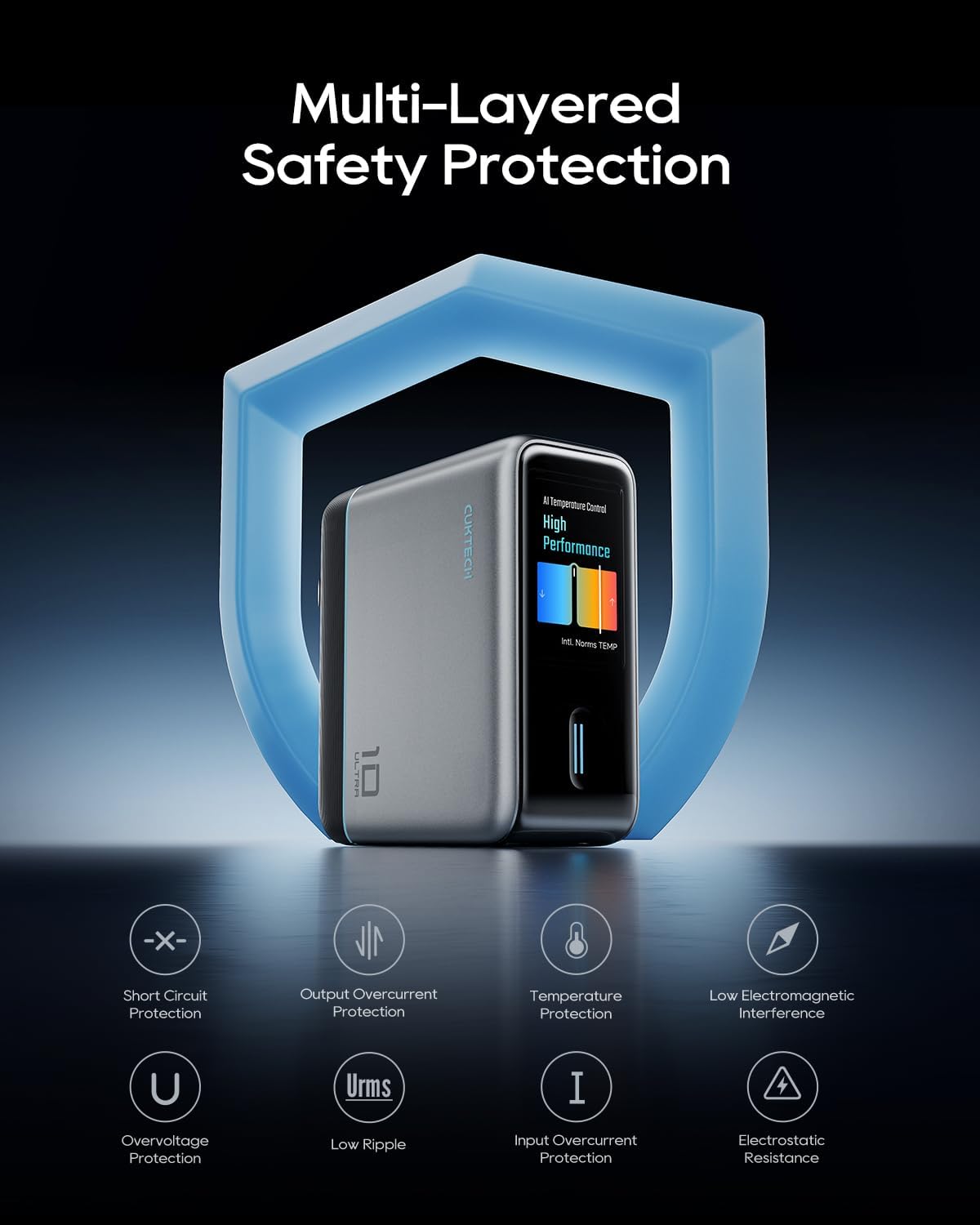
Image: The CUKTECH 10 Ultra charger highlighting its multi-layered safety protection features, including short circuit, overcurrent, temperature, and overvoltag전자 보호.
보증 및 지원
For detailed warranty information, technical support, or customer service inquiries, please visit the official CUKTECH website or contact their authorized support channels. It is recommended to retain your purchase receipt as proof of purchase for any warranty claims.
자세한 정보와 연락처는 다음에서 확인할 수 있습니다. CUKTECH Brand Store.