
1. 서론
This manual provides detailed instructions for the proper use and maintenance of your BAOFENG UV-32 10W Ham Radio. The UV-32 is a multi-band two-way radio featuring 10W selectable power, GPS navigation, a 2.0-inch color display, and multiple programming options including wireless app connectivity. Please read this manual thoroughly before operating the device to ensure safe and efficient communication.
2. 안전 정보
Observe the following safety precautions to prevent injury or damage to the radio:
- 폭발성 분위기(예: 가연성 가스, 먼지 입자, 금속 분말)에서는 라디오를 작동하지 마세요.
- 안테나가 연결되지 않은 상태에서 송신하지 마십시오.
- Keep the antenna at least 2.5 cm (1 inch) away from your body when transmitting.
- 바오펑(BAOFENG)에서 승인한 배터리와 충전기만 사용하십시오. 승인되지 않은 액세서리를 사용하면 제품 손상이나 화재가 발생할 수 있습니다.
- 라디오를 분해하거나 개조하지 마십시오. 수리는 자격을 갖춘 기술자만 수행해야 합니다.
- 직사광선이나 극한의 온도에 장시간 노출되지 않도록 하세요.
- Do not operate the radio while driving or performing other activities that require full attention.
3. 패키지 내용
패키지에 모든 품목이 들어 있는지 확인하세요.
- 1 x BAOFENG UV-32 Radio
- 1 x 2500mAh 배터리
- 1 x USB-C 충전기
- 데스크탑 충전기 받침대 1개
- 1 x Standard UV Antenna
- 1 x Long Airband Antenna
- 1의 X 헤드셋
- 1 x 벨트 클립
- 1 x Radio Case Holder

Image: The BAOFENG UV-32 radio shown with its complete set of accessories, including the battery, charger, antennas, headset, belt clip, and case holder.
4. 제품 오버view
Familiarize yourself with the main components of your UV-32 radio.

이미지: 앞면 view of the BAOFENG UV-32 radio, highlighting the 2.0-inch color display, alphanumeric keypad, and function buttons.
주요 구성 요소:
- 안테나 커넥터: For attaching the standard UV or airband antenna.
- 전원/볼륨 손잡이: 라디오를 켜거나 끄고 볼륨을 조절합니다.
- 표시하다: 2.0인치 컬러 화면에 주파수, 채널, 배터리 상태 및 기타 표시기가 나타납니다.
- PTT 버튼: 송신용 푸시투토크 버튼.
- Side Keys (P1, P2): 사용자 지정 가능한 기능 키.
- 키패드 : Alphanumeric input for frequencies, channels, and menu navigation.
- USB-C 충전 포트: 배터리를 직접 충전하는 데 사용합니다.
- 액세서리 잭: For connecting the headset or programming cable.
5. 설정
5.1 배터리 설치 및 충전
- Align the 2500mAh Li-ion battery with the grooves on the back of the radio.
- 배터리가 제자리에 고정될 때까지 위쪽으로 밀어 넣으세요.
- To charge, connect the USB-C charger directly to the battery's USB-C port or place the radio with the battery attached into the desktop charging base.
- The charging indicator on the desktop base will show red during charging and green when fully charged.

Image: A close-up of the 2500mAh Li-ion battery for the UV-32, highlighting its integrated USB-C charging port.
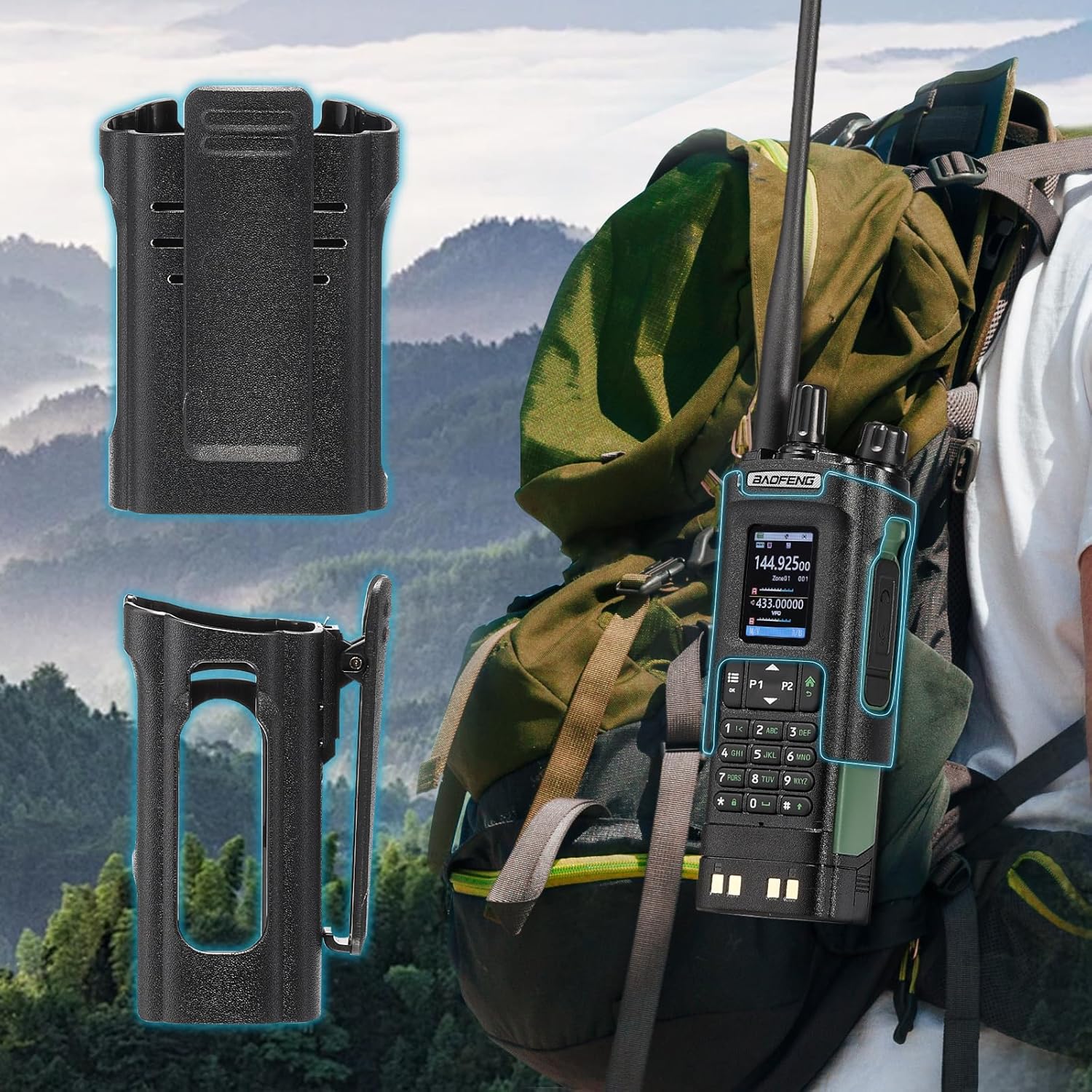
Image: The BAOFENG UV-32 radio demonstrating both direct USB-C charging and charging via its desktop cradle.
5.2 안테나 설치
- Select the appropriate antenna: the standard UV antenna for general VHF/UHF use or the long airband antenna for enhanced aviation signal reception.
- 선택한 안테나를 라디오 상단의 안테나 커넥터에 시계 방향으로 돌려 단단히 고정하세요. 너무 세게 조이지 마세요.

Image: The BAOFENG UV-32 radio illustrating the use of two different antennas: a standard antenna for UHF/VHF and a longer antenna specifically designed for airband reception.
5.3 벨트 클립 설치
- 벨트 클립을 라디오 뒷면의 나사 구멍에 맞춰 끼우세요.
- 제공된 나사를 사용하여 벨트 클립을 고정하세요.
- The radio case holder can be used to attach the radio to a backpack or belt for secure carrying.

Image: The BAOFENG UV-32 radio securely mounted to a backpack strap using its belt clip and an additional case holder, demonstrating portability.
6. 라디오 작동
6.1 전원 켜기/끄기 및 볼륨
전원/볼륨 노브를 시계 방향으로 돌리면 라디오가 켜지고 볼륨이 증가합니다. 시계 반대 방향으로 돌리면 볼륨이 감소하고 라디오가 꺼집니다.
6.2 디스플레이 오버view
The 2.0-inch color display provides essential information:
- 주파수/채널: Displays the current operating frequency or channel number.
- 배터리 수준: 배터리 잔량을 나타냅니다.
- 신호 강도: Shows the strength of received signals.
- 모드 표시기: Icons for various functions like GPS, Bluetooth, power level, etc.

Image: A close-up of the BAOFENG UV-32's 2-inch color display, showing detailed frequency, channel, and status information.
6.3 채널 모드 대 주파수 모드
The radio operates in two primary modes:
- 주파수 모드(VFO): Allows direct input of frequencies for scanning or temporary use.
- 채널 모드(MR): Uses pre-programmed channels for quick access to stored frequencies.
를 누르세요 메뉴 button and navigate to the mode setting to switch between VFO and MR modes.
6.4 주파수 선택
- 키패드 : In Frequency Mode, directly enter the desired frequency using the numeric keypad.
- Quick Channel Knob: Rotate the top knob to quickly scroll through frequencies or channels.
- 위/아래 화살표: Use the arrow keys (P1/P2) to fine-tune frequencies or navigate channels.
6.5 전송 및 수신
- Ensure an antenna is properly connected.
- 원하는 주파수나 채널을 선택하세요.
- 전송하려면 다음을 길게 누르세요. 피티티 라디오 측면에 있는 버튼을 누르세요. 마이크에 대고 또박또박 말하세요.
- 릴리스하다 피티티 전송을 멈추고 수신 모드로 돌아가려면 버튼을 누르세요.
- 전력 수준: The UV-32 offers High (H), Medium (M), and Low (L) power settings. Adjust this in the menu to balance range and battery life.
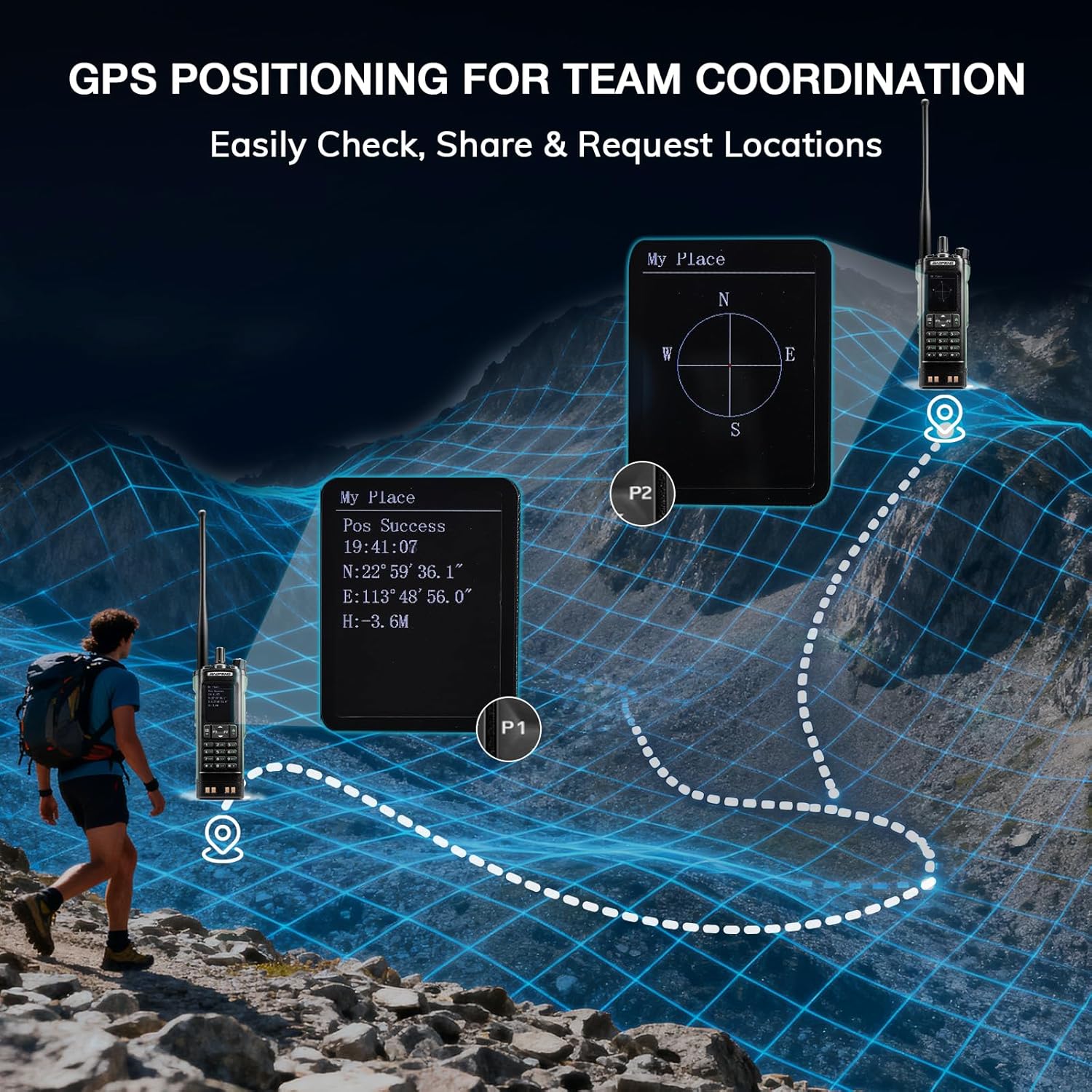
Image: The BAOFENG UV-32 radio's display showing different power output levels (High, Medium, Low) and an external SWR meter for measurement.
6.6 프로그래밍 옵션
The UV-32 offers several methods for programming frequencies and settings:
- 무선 앱 프로그래밍: Connect your radio to a smartphone (iOS/Android) via Bluetooth using the dedicated BT app for quick and wireless programming.
- CHIRP 소프트웨어: For advanced or bulk programming, use CHIRP software on a PC. Select "UV-17ProGPS" as the radio model in CHIRP.
- 키패드 프로그래밍: Basic programming can be done directly on the radio using the keypad and menu system.
- 원키 주파수 복사: This feature allows for easy cloning of frequencies from another radio. Refer to the radio's on-screen prompts or full manual for specific steps.

Image: An illustration depicting the various programming methods available for the BAOFENG UV-32, including mobile app (Bluetooth), CPS software, CHIRP software, and direct keypad input.

Image: Two BAOFENG radios illustrating the one-key frequency copy function, allowing for quick and easy channel cloning between devices.
6.7 GPS 내비게이션
The integrated GPS module provides real-time location data:
- Access the GPS function through the radio's menu.
- View your current latitude, longitude, and altitude.
- The radio supports sharing your location or requesting coordinates from other team members for improved coordination.

Image: A visual representation of the BAOFENG UV-32's GPS functionality, showing how it displays coordinates and facilitates location sharing for team coordination in outdoor environments.
6.8 Enhanced Airband Reception
For clearer reception of aviation signals, utilize the dedicated AM antenna included with your UV-32. This specialized antenna is designed to provide more accurate and stable airband listening compared to standard UV dual-band antennas.
6.9 NOAA 기상 라디오
The UV-32 can receive NOAA weather alerts. Consult the radio's menu for instructions on how to scan for and select NOAA channels in your area.
6.10 사용자 지정 가능한 측면 키
The radio features four customizable side keys (P1, P2, and two others). These can be programmed via the menu or programming software to quickly access frequently used functions such as scan, monitor, or power level adjustment.

Image: A close-up of the BAOFENG UV-32's side, highlighting the customizable P1 and P2 function keys.
7. 유지관리
7.1 라디오 청소
라디오 표면을 부드러운 천으로 닦으세요.amp 천으로 닦으세요. 강한 화학 물질이나 연마성 세제는 사용하지 마세요. 사용 전 모든 포트가 건조한지 확인하세요.
7.2 배터리 관리
- 처음 사용하기 전에 배터리를 완전히 충전하십시오.
- 배터리를 과충전하거나 완전히 방전시키지 마십시오.
- 장시간 사용하지 않을 때는 배터리를 서늘하고 건조한 곳에 보관하세요.
7.3 보관
라디오를 장기간 보관할 때는 배터리를 분리하여 별도로 보관하십시오. 라디오는 건조하고 먼지가 없는 곳에 직사광선과 극한 온도 변화를 피해 보관하십시오.
8. 문제 해결
| 문제 | 가능한 원인 | 해결책 |
|---|---|---|
| 라디오 전원이 켜지지 않습니다 | 배터리가 올바르게 설치되지 않았거나 방전되었습니다. | 배터리가 단단히 부착되었는지 확인하세요. 배터리를 완전히 충전하세요. |
| 전송할 수 없습니다 | Antenna not connected. Incorrect frequency/channel. Low power setting. | Attach antenna. Verify frequency/channel. Increase power level. |
| 수신/송신 범위가 좋지 않음 | Obstructions. Low power setting. Incorrect antenna. | Move to an open area. Increase power. Ensure correct antenna is used and properly connected. |
| Programming errors with CHIRP/APP | Incorrect radio model selected. Connection issues. Outdated software/firmware. | Ensure "UV-17ProGPS" is selected in CHIRP. Re-establish Bluetooth connection. Update software/firmware if available. |
9. 사양
| 특징 | 세부 사항 |
|---|---|
| 상표 | 바오펑 |
| 모델 번호 | 자외선-32 |
| 채널 수 | 1000 |
| 주파수 범위 | 초고주파, 초단파 |
| 전력 출력 | Up to 10W (selectable High, Medium, Low) |
| 표시하다 | 2.0인치 컬러 디스플레이 |
| 배터리 | 2500mAh 리튬이온(포함) |
| 충전 중 | USB-C, Desktop Charger Base |
| 특별 기능 | Digital Display, Dual Band, USB-C Rechargeable, Wireless APP Programming, Wireless Channel Clone, GPS, NOAA Reception |
| 연결 프로토콜 | 블루투스 |
| 제품 치수 | 1.2인치 깊이 x 2.2인치 너비 x 4인치 높이 |
| 방수 레벨 | 방수가 되지 않음 |
10. 보증 및 지원
Your BAOFENG UV-32 radio comes with an 18개월 보증. BAOFENG also provides 평생 지원 이 제품에 대해서.
For technical assistance, warranty claims, or further inquiries, please visit the official BAOFENG web해당 웹사이트를 방문하거나 고객 지원팀에 직접 문의하십시오. 보증 서비스를 받으려면 구매 영수증을 구매 증빙 자료로 보관하십시오.