
1. 서론
The Cherry KW 550 MX LP is a 96% mechanical low-profile keyboard designed for multi-device wireless connectivity. It features durable PBT keycaps and Cherry MX LP 2.0 Ivory switches, offering a smooth and direct typing experience. This manual provides essential information for setting up, operating, maintaining, and troubleshooting your keyboard.
동영상: Cherry KW 550 MX LP Mechanical Keyboard Overview이 영상은 시각적인 개요를 제공합니다.view of the Cherry KW 550 MX LP mechanical keyboard, demonstrating its slim design, low-profile MX 2.0 Ivory switches, PBT keycaps, and multi-device wireless capabilities. It shows the keyboard in use, highlighting its ergonomic features and backlighting.
2. 설정
2.1 패키지 내용
- Cherry KW 550 MX LP Keyboard
- USB-A to USB-C 충전 케이블
2.2 초기 충전
Before first use, connect the keyboard to a USB power source using the provided USB-A to USB-C cable. The RGB LED under the CHERRY key indicates the battery status during charging. The keyboard can be used while charging.

영상: Rechargeable Lithium Battery. This image focuses on the keyboard's rechargeable lithium battery, which allows for continued operation while charging. It also shows the sturdy, fold-out feet for height adjustment and the included USB-A to USB-C charging cable.
2.3 장치에 연결하기
The Cherry KW 550 MX LP supports wireless multi-device connectivity for up to 4 devices via Bluetooth or a wired USB-C connection.
- 블루투스 연결 : The keyboard has 3 Bluetooth channels. To pair, select a channel (F1, F2, or F3) by pressing the FN key simultaneously with the desired F-key. The corresponding LED will blink, indicating pairing mode. 검색 the keyboard on your device's Bluetooth settings and connect.
- 유선 연결: Connect the keyboard directly to your computer using the supplied USB-A to USB-C cable. The keyboard will automatically switch to wired mode.

영상: Mechanical Multi-Device Keyboard in 96% Layout. This image illustrates the compact 96% layout of the Cherry KW 550 MX LP keyboard, highlighting its dimensions (14.80 inches length, 4.92 inches width, 0.98 inches height) and weight (1.58 lbs). It also shows icons for Bluetooth and wired USB connectivity, indicating its multi-device capability for up to 4 devices.
2.4 키보드 높이 조정
The keyboard features sturdy, fold-out feet on the underside to adjust the typing angle for improved ergonomics.
3. 운영
3.1 Typing Experience with MX LP 2.0 Ivory Switches
The keyboard is equipped with Cherry MX Low Profile 2.0 Ivory switches. These switches provide a smooth and direct typing feel with linear switching characteristics, meaning there is no tactile bump or audible click. They are designed for durability with over 100 million actuations per key.

영상: Original Cherry MX Low Profile 2.0 Switches. This image provides a close-up view of the Cherry MX Low Profile 2.0 Ivory switches, emphasizing their linear switching characteristics without a click. It highlights the smooth typing feel and optimized acoustics, along with the "Made in Germany" origin.
3.2 Backlighting and Status LEDs
키보드는 10-s를 특징으로 합니다tage dimmable white illumination. Use the designated function keys (often combined with the FN key) to adjust the brightness. Additionally, red status LEDs are present for CAPS LOCK, NUM LOCK, WIN key, and F1 to F4 keys, providing visual feedback on their activation status.

영상: Elegant White Lighting. This image showcases the keyboard's 10-stage dimmable white backlighting, allowing for a customized setup. It also points out the additional red status LEDs for CAPS LOCK, NUM LOCK, WIN, and F1 to F4 keys, which indicate activated functions.
3.3 PBT Keycaps and Advanced Features
The keyboard is fitted with high-end PBT keycaps, known for their durability and abrasion resistance. It also incorporates N-Key rollover, ensuring all key presses are registered simultaneously, and anti-ghosting technology to prevent unintended inputs during fast typing.
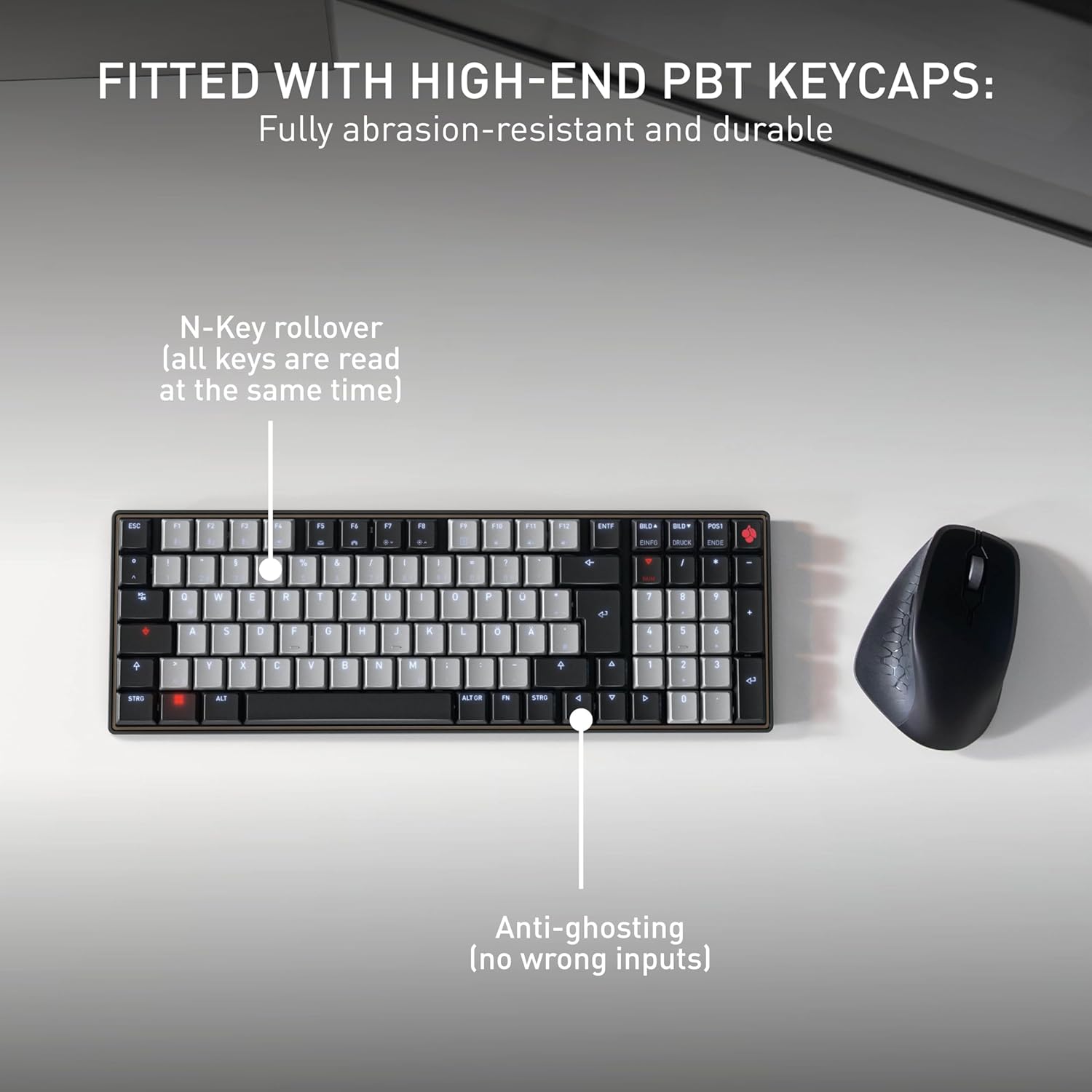
영상: Fitted with High-End PBT Keycaps. This image displays the keyboard's durable, abrasion-resistant PBT keycaps. It also illustrates key features like N-Key rollover, ensuring all keys are registered simultaneously, and anti-ghosting technology to prevent incorrect inputs during rapid typing.
4. 유지관리
4.1 키보드 청소
- 청소하기 전에 키보드를 모든 장치에서 분리하세요.
- 부드럽고 털이 없는 천을 살짝 사용하세요.amp물이나 순한 세척액을 사용하여 키캡과 표면을 닦으세요.
- 강한 화학 물질이나 연마성 세척제를 사용하거나 액체를 키보드에 직접 뿌리지 마세요.
- 키 사이의 이물질을 제거하려면 압축 공기를 사용하세요.
4.2 배터리 관리
- 배터리 수명을 최대한 늘리려면 키보드를 자주 완전히 방전시키지 마십시오.
- 배터리 부족 표시등이 켜지면 배터리를 충전하십시오.
- 장기간 사용하지 않을 경우 키보드를 서늘하고 건조한 곳에 보관하십시오.
5. 문제 해결
5.1 키보드가 응답하지 않음
- 배터리 확인: Ensure the keyboard is charged. Connect it via USB-C cable to see if it powers on.
- 유선 연결: If using wirelessly, try connecting directly with the USB-C cable to rule out Bluetooth issues.
- 블루투스 재페어링: If using Bluetooth, delete the keyboard from your device's Bluetooth list and attempt to re-pair it. Ensure the correct Bluetooth channel (F1, F2, or F3) is selected on the keyboard.
- 장치 재시작: Restart the connected computer or device.
5.2 백라이트 문제
- 밝기 조정: Ensure the backlighting is not set to the lowest brightness level. Adjust using the designated function keys.
- 절전: The backlighting may turn off after a period of inactivity to conserve battery. Press any key to reactivate.
5.3 키가 등록되지 않거나 두 번 입력됨
- 클린 키: Check for any debris under the affected keycaps.
- 펌웨어 업데이트 : Check the official Cherry web해당 키보드 모델에 사용 가능한 펌웨어 업데이트가 있는지 확인하려면 이 사이트를 방문하십시오.
6. 사양
| 특징 | 세부 사항 |
|---|---|
| 상표 | 벚나무 |
| 모델명 | Cherry MX KW 550 LP |
| 모델 번호 | G8A-25510HOAUS-2 |
| 연결 기술 | 블루투스 |
| 키보드 설명 | Compact Mechanical |
| 스위치 유형 | Linear (Cherry MX Low Profile 2.0 Ivory) |
| 키의 개수 | 99 |
| 키보드 레이아웃 | 쿼티 |
| 특별 기능 | Multi-Connection, PBT Keycaps, Slim Mechanical |
| 재료 | 금속 |
| 전원 | 배터리 구동 |
| 포함된 구성 요소 | USB 케이블 |
| 한국어: | 840183609207 |
7. 보증 및 지원
7.1 보증 정보
The Cherry KW 550 MX LP keyboard comes with a 2년 보증 구매일로부터. 본 보증은 정상적인 사용 중 발생한 제조상의 결함 및 고장에 적용됩니다. 보증 청구를 위해 구매 증빙 자료를 보관해 주십시오.
7.2 고객 지원
For technical assistance, troubleshooting, or warranty inquiries, please visit the official Cherry website or contact their customer support. You can find contact details and further resources at www.cherry.de/en/support.