
홀리View Lark A1 Combo
Hollyland Lark A1 Combo Wireless Microphone Instruction Manual
Model: Lark A1 Combo
1. 제품 오버view
The Hollyland Lark A1 Wireless Microphone is a compact and lightweight pin microphone system designed for smartphone content creators. It offers high-quality audio recording with versatile adjustment functions and intelligent noise cancellation. The combo package includes receivers for both USB-C and Lightning devices, along with a charging case for extended use.

Image 1: Hollyland Lark A1 Combo Wireless Microphone system, showing the charging case, two transmitters, and both USB-C and Lightning receivers.
2. 상자 안에 무엇이 들어있나요?
- 충전 케이스
- 마이크 x 2
- 1 x USB Type-C Receiver
- 1 x 번개 수신기
- 1 x USB-A-USB-C 케이블
- 2 x 자석
- 2 x Furwind Screen
- 1 x 운반 가방
- 1 x 퀵 가이드
- 1 x 보증 카드

Image 2: A flat lay of all items included in the Hollyland Lark A1 Combo package, including microphones, receivers, charging case, cables, wind screens, and carry bag.
3. 설정 지침
- Charge the Microphones and Case: Ensure the charging case and microphones are fully charged before first use. The charging case can provide up to 54 hours of extended battery life for the microphones.
- 수신기를 연결하십시오: Select the appropriate receiver (USB-C or Lightning) for your smartphone. Plug the receiver directly into your smartphone's charging port. The receiver is battery-free and operates via plug-and-play functionality.
- 마이크 전원 켜기: Remove the microphones from the charging case. They should automatically power on and attempt to pair with the connected receiver. A successful connection is typically indicated by a solid light on both the microphone and receiver.
- 마이크를 연결하세요: The microphones feature an ultra-lightweight design (8g) and can be discreetly attached to clothing using the innovative magnetic attachment system or the included clip. For outdoor use, attach the fur wind screens to minimize wind noise.

Image 3: A person wearing the Hollyland Lark A1 microphone discreetly attached to their shirt using the magnetic system, demonstrating its compact size.
4. 사용 설명서
- 소음 제거 : The Lark A1 features 3 levels of intelligent noise cancellation (low, medium, high) to effectively reduce ambient sounds like wind or traffic. This function can be adjusted via the dedicated LarkSound app.
- Audio Quality & Adjustment: The microphone provides 48kHz/24-bit studio-quality audio. Utilize the LarkSound app for EQ adjustment (balance/bass/bright mode) and reverb adjustment (small/medium/large) to customize your sound. An auto-limiter feature automatically compensates for sudden volume increases.
- 이득 조정: Adjust the audio gain across 6 levels using the LarkSound app to suit various voice environments, from subtle whispers to loud vocals.
- 녹음 제어: For iPhones, a triple press on the microphone button can start and stop recording. Consult your device's specific recording app for full compatibility.
- 무선 전송: The system offers a stable wireless transmission range of up to 200 meters (658.6 ft) with anti-interference technology.

이미지 4: 3초의 시각적 표현tage intelligent noise cancellation feature of the Hollyland Lark A1, showing different levels of background noise reduction.
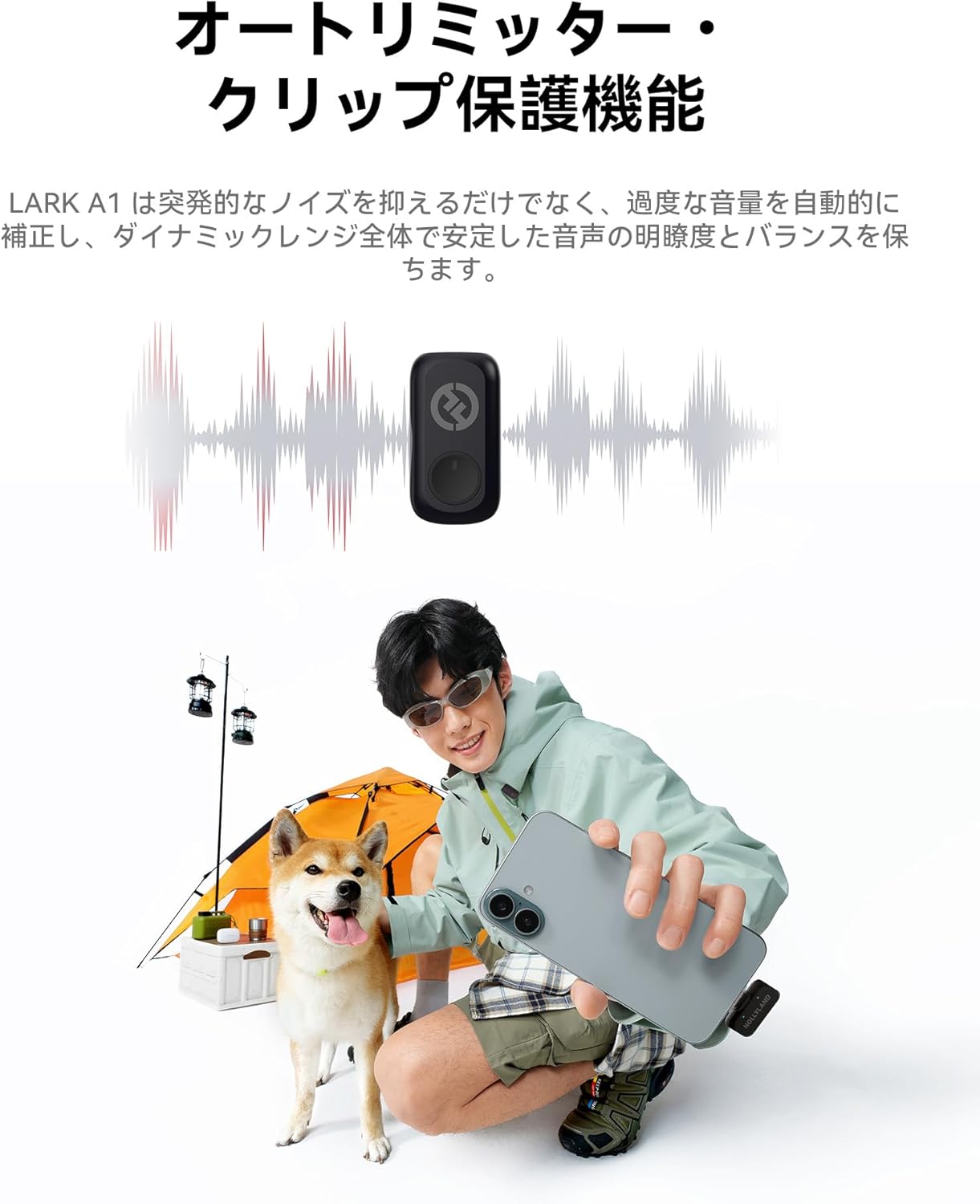
Image 5: An illustration highlighting the auto-limiter and clip protection function of the Lark A1, ensuring stable audio clarity across dynamic ranges.
5. 유지관리
- 청소: Use a soft, dry cloth to clean the microphones, receivers, and charging case. Avoid using liquids or abrasive cleaners.
- 저장: Store the device in its charging case when not in use to protect it and ensure it remains charged. Keep in a cool, dry place away from direct sunlight and extreme temperatures.
- 배터리 관리 : For optimal battery longevity, avoid fully discharging the device frequently. Charge regularly, even if not in constant use.
6. 문제 해결
- 소리가 나지 않음/오디오 품질이 좋지 않음:
- Ensure the receiver is securely plugged into your smartphone.
- Verify that the microphones are powered on and successfully paired (indicated by solid lights).
- Check microphone placement; ensure it's not obstructed and is close enough to the sound source.
- Adjust gain settings via the LarkSound app.
- If outdoors, ensure wind screens are properly attached.
- 마이크가 페어링되지 않음:
- 마이크와 수신기가 모두 충분히 충전되어 있는지 확인하세요.
- Power cycle the microphones by placing them back in the charging case and then removing them.
- 스마트폰을 다시 시작하세요.
- 배터리 수명이 짧음:
- 충전 케이스가 완전히 충전되었는지 확인하세요.
- Confirm microphones are properly seated in the charging case for charging.
- High noise cancellation levels or continuous recording may consume more power.
7. 사양
| 상표 | 홀리View |
| 모델 번호 | Lark A1 Combo |
| 품목 치수 L x W x H | 10 x 2 x 2.7 인치 |
| 품목 무게 | 7.4 온스 |
| 전원 | 배터리 구동 |
| 배터리 수 | AAA 배터리 4개 필요(포함) |
| 배터리 유형 | 리튬 이온 |
| 재료 | 플라스틱 |
| 채널 수 | 1 |
| 연결 기술 | Bluetooth, USB, ARKSOUND |
| 커넥터 유형 | 라이트닝, USB 타입-C |
| 특별 기능 | 3-level noise cancellation, 48kHz/24-bit High Fidelity, 54 hours battery operation, 200 meters viewing distance, 6-level gain adjustment, pin microphone, EQ & Reverb Adjustment |
| 호환 장치 | 스마트폰 |
| 극성 패턴 | 단방향 |
| 마이크 폼 팩터 | 라발리에 |
8. 보증 및 지원
The Hollyland Lark A1 Combo Wireless Microphone includes a Warranty Card. Please refer to the card for detailed warranty terms and conditions. For technical support or further inquiries, please visit the official HollyView web사이트를 방문하거나 고객 서비스에 문의하세요.
9. 공식 제품 영상
No official seller-created videos were found for this product that meet the embedding criteria.
Ask a question about this manual
Ask about setup, troubleshooting, compatibility, parts, safety, or missing instructions. Manuals+ will review the question and use this page’s manual context to help answer it.