
몬스터 E69
몬스터 오픈 이어 AC326 무선 이어버드 사용 설명서
모델: E69
1. 서론
Thank you for choosing the Monster Open Ear AC326 Wireless Earbuds. These earbuds are designed to provide a comfortable, open-ear listening experience, allowing you to enjoy high-quality audio while remaining aware of your surroundings. This manual will guide you through the setup, operation, and maintenance of your new earbuds.
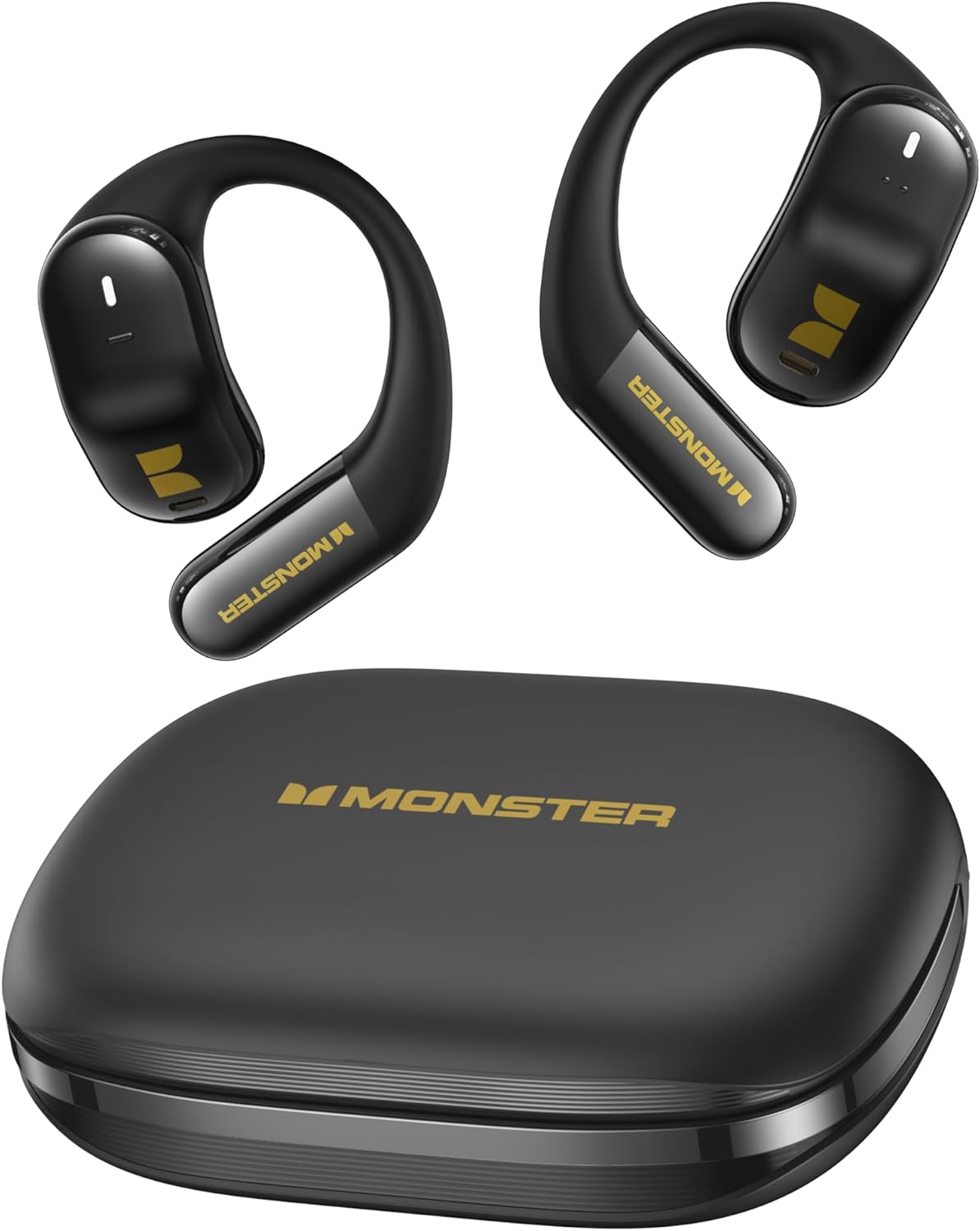
그림 1.1: Monster Open Ear AC326 Wireless Earbuds and Charging Case. This image displays the black earbuds with their unique clip-on design and the matching black charging case, showcasing the overall product.

그림 1.2: Open-Ear Design in Use. This image illustrates a person wearing the earbuds during a run, highlighting how the open-ear design allows for environmental awareness.
2. 시작하기: 설정
2.1 이어버드와 케이스 충전
Before first use, fully charge the earbuds and the charging case. Connect the provided USB-C cable to the charging port on the case and to a power source. The indicator lights on the case will show the charging status. A full charge provides up to 35 hours of total playtime with the charging case.
2.2 기기와 페어링
- 이어버드가 충전 케이스에 들어 있고 케이스 뚜껑이 열려 있는지 확인하세요.
- 기기(스마트폰, 태블릿 등)에서 Bluetooth를 활성화하세요.
- Select "Monster AC326" from the list of available Bluetooth devices.
- 연결되면 음성 안내로 페어링이 성공적으로 완료되었음을 확인할 수 있습니다.
2.3 이어버드 착용하기
The AC326 earbuds feature a comfort clip-on design for a secure and comfortable fit. Gently place the earbud over your ear, ensuring the speaker aligns with your ear canal. The liquid silicone airbag and approximate 135° comfortable angle ensure a snug fit without entering the ear canal.

그림 2.1: Snug-Fit Design. This diagram illustrates how the earbud fits snugly in the ear canal, highlighting the 135° comfortable angle and liquid silicone airbag for optimal comfort.

그림 2.2: Comfortable and Stable Wearing. This image shows a woman wearing one earbud, demonstrating the secure and comfortable fit of the open-ear design.
3. 이어버드 작동하기
3.1 기본 컨트롤
The AC326 earbuds feature touch controls for easy management of your audio and calls. Specific touch gestures for play/pause, track skipping, volume adjustment, and call handling will be detailed in the full product guide. Generally, a single tap on either earbud controls play/pause, while multiple taps or long presses manage other functions.
3.2 360° 공간 오디오
Experience immersive sound with 3D six-axis head tracking and spatial audio output. This feature creates a dynamic soundstage that adapts to your head movements, providing a more engaging listening experience for compatible content.

그림 3.1: 360° Spatial Audio. This graphic depicts sound waves emanating around a person wearing the earbuds, illustrating the immersive 3D audio experience with head tracking.
3.3 통화 관리
Equipped with dual-mic ENC (Environmental Noise Cancellation) technology, the AC326 earbuds ensure call clarity and effective noise reduction. Use the touch controls to answer, end, or reject calls. The ENC technology minimizes background noise, making your voice clearer to the person on the other end.

그림 3.2: Dual-Mic AI Call Noise Reduction. This image shows a woman smiling while talking on her phone with the earbuds, emphasizing the clear call quality provided by the dual-mic ENC technology.
4. 유지관리
4.1 청소
Regularly clean your earbuds and charging case to maintain optimal performance and hygiene. Use a soft, dry, lint-free cloth to wipe the surfaces. Do not use harsh chemicals or abrasive materials. For the charging contacts, use a dry cotton swab if necessary.
4.2 방수 등급(IPX5)
The AC326 earbuds are IPX5 water resistant, meaning they can withstand splashes of water from any direction. They are suitable for workouts and light rain. However, they are not designed for submersion in water or for use during swimming. Ensure the earbuds are dry before placing them back in the charging case to prevent damage.

그림 4.1: IPX5 Water Resistant and Bluetooth 6.0. This image highlights the IPX5 water resistance rating, showing earbuds being splashed with water, and also indicates Bluetooth 6.0 connectivity.
4.3 보관
사용하지 않을 때는 이어버드를 충전 케이스에 보관하여 보호하고 충전 상태를 유지하세요. 케이스는 서늘하고 건조한 곳에 보관하고, 극한의 온도와 직사광선을 피해 보관하세요.
5. 문제 해결
If you encounter any issues with your Monster Open Ear AC326 Wireless Earbuds, please refer to the following common solutions:
- 소리가 나지 않음/음질이 나쁨:
- 이어폰이 충전되어 있는지 확인하세요.
- Bluetooth 연결을 확인하고 필요한 경우 다시 페어링하세요.
- 이어버드와 연결된 기기의 볼륨을 조절하세요.
- 스피커 메시에서 이물질을 청소하세요.
- 이어버드가 페어링되지 않음:
- Ensure Bluetooth is enabled on your device and the earbuds are in pairing mode (usually by opening the case).
- 기기의 Bluetooth 설정에서 기기를 삭제하고 다시 페어링을 시도하세요.
- 이어버드가 충분히 충전되어 있는지 확인하세요.
- 충전 문제:
- 충전 케이블과 전원 어댑터가 제대로 작동하는지 확인하세요.
- Ensure charging contacts on both earbuds and case are clean and free of obstruction.
- 불편한 핏:
- Adjust the position of the earbud on your ear to find the most comfortable and secure fit.
- Ensure the liquid silicone airbag is properly positioned.
If the issue persists, please contact Monster customer support for further assistance.
6. 사양
| 특징 | 사양 |
|---|---|
| 모델명 | E69 (MH22219) |
| 상표 | 괴물 |
| 폼 팩터 | Open Ear, Clip-On |
| 연결 기술 | 무선(블루투스 6.0) |
| 드라이버 크기 | 14.2mm 다이나믹 드라이버 |
| 배터리 수명(이어버드) | 최대 10시간 |
| 총 재생 시간(케이스 포함) | 최대 35시간 |
| 배터리 셀 구성 | 리튬 이온 |
| 방수성 | IPX5 |
| 재료 | 실리콘 |
| 호환 장치 | Smartphones, Tablets, Laptops, Desktops, Gaming Consoles, Smart Speakers |
| 주요 특징 | 360° Spatial Audio, Dual-Mic AI Call Noise Reduction |
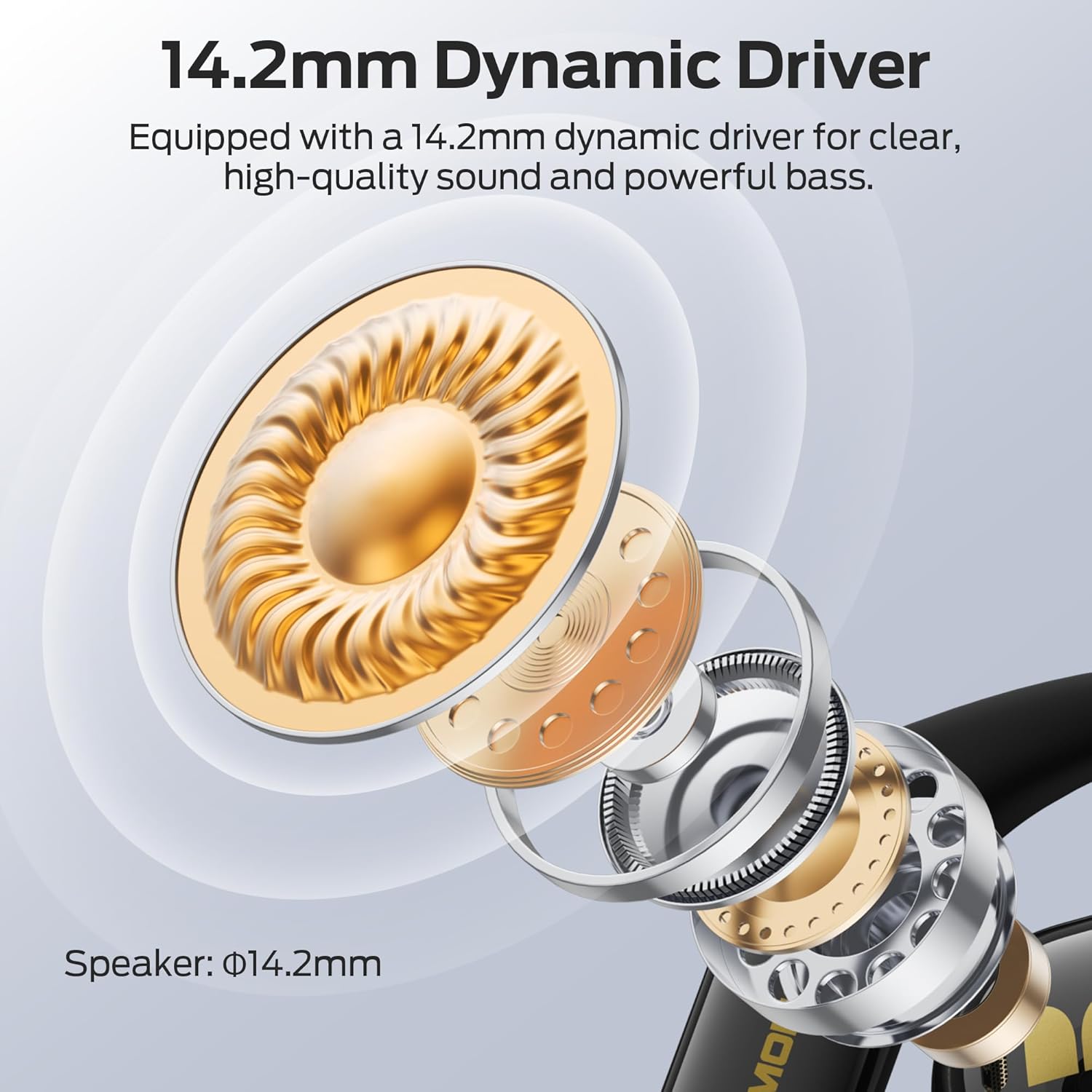
그림 6.1: 14.2mm Dynamic Driver. This cutaway diagram illustrates the internal components of the earbud, highlighting the 14.2mm dynamic driver responsible for clear, high-quality sound and powerful bass.
7. 보증 및 지원
For information regarding product warranty, please refer to the warranty card included with your purchase or visit the official Monster website. For technical support, troubleshooting beyond this manual, or service inquiries, please contact Monster customer support through their official channels.