
소개
This manual provides essential information for setting up, operating, maintaining, and troubleshooting your HP 14-cf2733wm laptop. Please read this manual thoroughly before using your device to ensure proper function and longevity.
The HP 14-cf2733wm is a 14-inch laptop designed for portability and everyday productivity. It features an Intel Celeron N4120 processor, 4GB of RAM, and 64GB eMMC storage, running on Windows 11 Home in S mode.
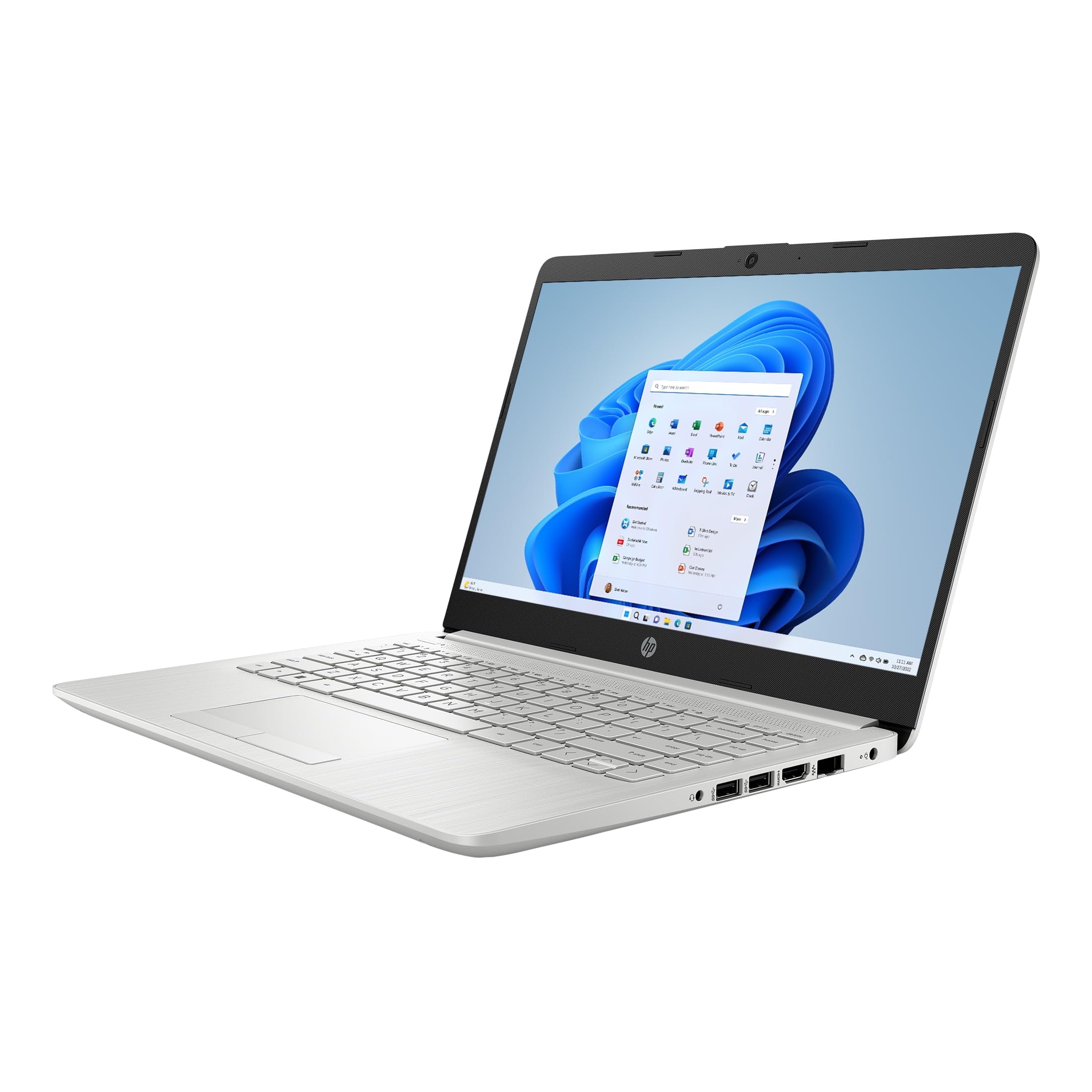
Figure 1: HP 14-cf2733wm Laptop. This image shows the silver HP laptop in a closed position, highlighting its slim design.
1. 설정
1.1 노트북 풀기
모든 구성품을 포장에서 조심스럽게 꺼내세요. 다음 품목이 모두 있는지 확인하세요.
- HP 14-cf2733wm Laptop
- 전원 어댑터 및 케이블
- 문서(빠른 시작 가이드, 안전 정보)
1.2 전원 어댑터 연결
- 전원 케이블을 전원 어댑터에 연결합니다.
- 전원 어댑터를 벽면 콘센트에 꽂으세요.
- Insert the adapter's connector into the power port on the side of your HP laptop.
노트북을 처음 사용하기 전에 완전히 충전하는 것이 좋습니다.
1.3 초기 전원 켜기 및 Windows 설치
- 노트북 덮개를 엽니다.
- 키보드 부분에 있는 전원 버튼을 누르세요.
- Follow the on-screen instructions to complete the Windows 11 Home in S mode setup. This includes selecting your region, language, connecting to a Wi-Fi network, and creating a user account.
- Activate the included 12-month Microsoft 365 Personal subscription as prompted during setup or later via the Microsoft Store.
2. 노트북 작동
2.1 터치패드 사용
The precision touchpad supports multi-touch gestures for navigation. Common gestures include:
- 수도꼭지: 한 번 탭하면 클릭, 두 번 탭하면 열립니다.
- 두 손가락 스크롤: 두 손가락을 위아래로 드래그하여 스크롤하세요.
- 핀치 투 줌: 두 손가락을 모으거나 벌려서 확대하거나 축소합니다.
- 두 손가락으로 탭하기: Acts as a right-click.
2.2 외부 장치 연결
Your laptop features various ports for connecting peripherals:
- USB 포트: Connect USB drives, external mice, keyboards, or other compatible USB devices.
- HDMI 포트 : 확장된 화면 표시를 위해 외부 모니터 또는 TV를 연결하세요.
- 오디오 잭 : 헤드폰 또는 외부 스피커를 연결합니다.
2.3 Wi-Fi 및 블루투스 연결
Wi-Fi 네트워크에 연결하려면:
- 작업 표시줄에서 Wi-Fi 아이콘을 클릭합니다.
- 목록에서 원하는 네트워크를 선택하세요.
- 메시지가 나타나면 네트워크 비밀번호를 입력하고 "연결"을 클릭하세요.
To enable or disable Bluetooth:
- 이동하다 설정 > 블루투스 및 장치.
- Toggle the Bluetooth switch On or Off.
2.4 Windows 11 Home in S mode
Windows 11 Home in S mode is a version of Windows optimized for security and performance. It exclusively runs apps from the Microsoft Store and uses Microsoft Edge for safe browsing. If you need to install apps outside the Microsoft Store, you can switch out of S mode. This is a one-way switch.
To switch out of S mode:
- Windows 11 S 모드를 실행하는 PC에서 다음을 엽니다. 설정 > 체계 > 활성화.
- In the "Switch to Windows 11 Home" section, select 스토어로 이동.
- Microsoft Store에 나타나는 "S 모드 해제"(또는 유사한) 페이지에서 다음을 클릭합니다. 얻다 단추.
- After you see a confirmation message on the page, you'll be able to install apps from outside the Microsoft Store.
3. 유지관리
3.1 노트북 청소
- 화면: 부드럽고 보풀이 없는 천을 살짝 사용하십시오. damp물이나 화면 세척제로 닦으세요. 강한 화학 물질은 피하세요.
- 키보드 및 섀시: 부드럽고 마른 천을 사용하세요. 잘 지워지지 않는 오염의 경우, 약간amp cloth can be used. Avoid getting moisture into openings.
- 포트: 압축 공기를 사용하여 포트에 쌓인 먼지를 조심스럽게 제거합니다.
청소하기 전에는 항상 노트북의 전원을 끄고 플러그를 뽑으세요.
3.2 배터리 관리
- 극한의 온도를 피하세요.
- 배터리를 정기적으로 완전히 방전하지 마십시오.
- 노트북을 장기간 보관할 경우 배터리를 50~70% 정도 충전해 두세요.
3.3 소프트웨어 업데이트
시스템 안정성, 보안 및 성능을 보장하기 위해 정기적으로 Windows 업데이트를 확인하고 설치하십시오. 다음 링크를 참조하십시오. 설정 > 윈도우 업데이트.
4. 문제 해결
4.1 노트북 전원이 켜지지 않습니다
- 전원 어댑터가 노트북과 작동하는 벽면 콘센트에 모두 단단히 연결되어 있는지 확인하세요.
- 다른 장치를 연결하여 벽면 콘센트가 작동하는지 확인하세요.
- 전원 버튼을 15~20초간 눌러 하드 리셋을 실행해 보세요.
4.2 느린 성능
- 백그라운드에서 실행 중인 불필요한 애플리케이션을 닫으세요.
- 보류 중인 Windows 업데이트를 확인하고 설치하세요.
- Ensure you have sufficient free storage space on the 64GB eMMC drive.
- 악성 소프트웨어나 바이러스에 대한 시스템 검사를 실행하세요.
4.3 Wi-Fi 연결 문제
- 노트북과 Wi-Fi 공유기를 재시작하세요.
- Windows 설정에서 Wi-Fi가 활성화되어 있는지 확인하세요.
- 네트워크를 삭제하고 다시 연결한 후 비밀번호를 다시 입력하세요.
- 다른 기기가 동일한 Wi-Fi 네트워크에 연결할 수 있는지 확인하세요.
5. 사양
| 특징 | 세부 사항 |
|---|---|
| 모델명 | HP 14-cf2733wm |
| 프로세서 | Intel Celeron N4120 (up to 2.6 GHz burst frequency) |
| 운영 체제 | S 모드의 Windows 11 Home |
| 표시하다 | 14-inch HD (1366 x 768) micro-edge anti-glare LED display |
| 제도법 | 통합 Intel UHD Graphics 600 |
| 숫양 | 4GB DDR4 |
| 저장 | 64GB 메모리 |
| 무선 연결 | 802.11n Wi-Fi, Bluetooth |
| 포트 | 2x USB, 1x HDMI, 1x Headphone/Microphone combo |
| 배터리 | 리튬 이온, 45와트시 |
| 치수(길이 x 너비 x 높이) | 12.82인치 x 8.42인치 x 0.65인치(32.56 x 21.39 x 1.65cm) |
| 무게 | 3.5파운드(1.59kg) |
| 색상 | 은 |
| Web캠 | 통합 Web캠 |
6. 보증 및 지원
6.1 제한 보증
Your HP 14-cf2733wm laptop comes with a 1-year limited hardware warranty. This warranty covers defects in materials and workmanship under normal use. For full terms and conditions, please refer to the warranty documentation included with your product or visit the official HP support web대지.
The warranty does not cover damage caused by accidents, misuse, unauthorized modifications, or external causes such as power fluctuations.
6.2 기술 지원
기술 지원, 드라이버 다운로드 또는 추가 지원이 필요한 경우 공식 HP 지원을 방문하세요. website. You will need your product's model number (14-cf2733wm) and serial number (found on the product label) when contacting support.
HP 지원 Web대지: https://support.hp.com