
소개
The powkey S99 Portable Power Station is a versatile and compact power solution designed to keep your electronic devices charged on the go. Featuring a high-capacity 96Wh LiFePO4 battery and multiple fast-charging ports, it is ideal for travel, camping, office use, and emergency backup. This manual provides essential information for safe and efficient operation of your device.

Image: The powkey S99 Portable Power Station is shown on an airplane tray table, charging a laptop and a phone, highlighting its flight-ready design and portability for long adventures.
패키지 내용
- 1 x powkey S99 Portable Power Station
- 1 x USB-C Charging Cable (with detachable lanyard)
- 1 x 사용자 설명서
제품 끝view
The powkey S99 is designed for convenience and efficiency. It features a compact and lightweight design, making it easy to carry. The device includes multiple output ports and a clear display to monitor its status.

이미지: 자세한 앞면 view of the powkey S99 Portable Power Station, highlighting its power button, digital display, LED light, and the USB-C (In/Out), USB-C (24W Max), and USB-A (18W Max) ports.
주요 특징:
- 대용량: 96Wh / 30000mAh LiFePO4 battery.
- 다중 출력: 1x USB-C1 (100W Max In/Out), 1x USB-C2 (24W Max Out), 1x USB-A (18W Max Out).
- 무선 충전: Integrated wireless charging pad on top.
- LED 조명: Built-in LED light with multiple modes (brightness, strobe, SOS).
- 스마트 디스플레이: LCD screen shows battery level, input, and total output wattage.
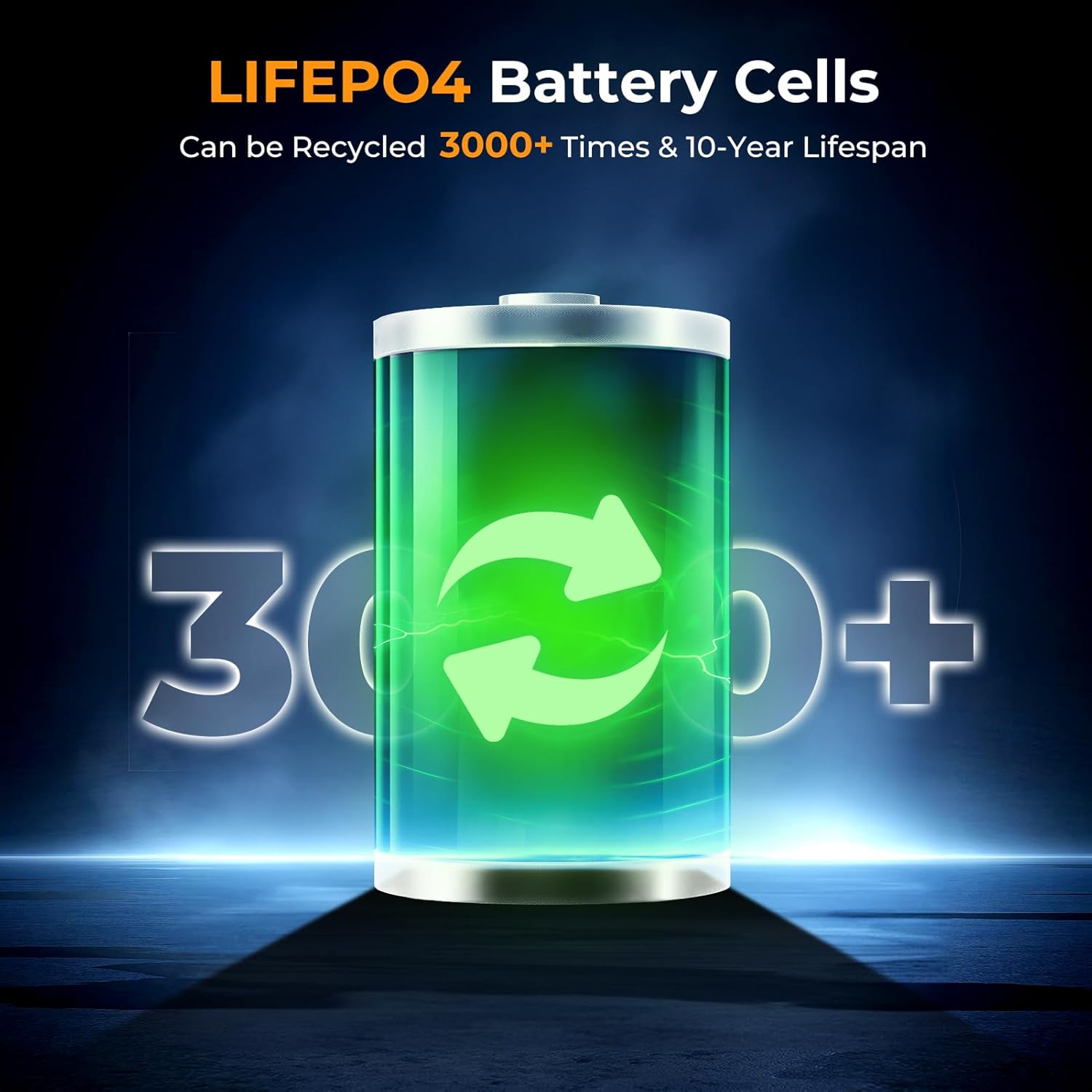
- 내구성 및 안전성: LiFePO4 battery cells offer over 3000 charge cycles and advanced BMS protection.
실시간 스마트 디스플레이:
The integrated LCD display provides real-time information about the power station's status. It shows the current battery percentage, 입력 와트tage (when recharging), and total output wattage (when charging devices.
이미지: 클로즈업 view of the powkey S99's smart display, indicating power input, battery level, and USB output, with a charging cable connected to a wall adapter.
설정
초기 충전:
- Before first use, fully charge the power station using a compatible USB-C PD charger (not included) connected to the USB-C1 (In/Out) port.
- LCD 디스플레이에는 입력 전력이 표시됩니다.tag전자 및 배터리 퍼센트tag충전하면서 사용합니다.
라니어드 부착:
The included USB-C cable doubles as a detachable lanyard for easy carrying. Connect the lanyard to the designated attachment point on the power station.

Image: The powkey S99 Portable Power Station is shown with its detachable USB-C lanyard, illustrating its lightweight and portable design for convenient transport.
작동 지침
전원 켜기/끄기:
- 전원을 켜려면 힘 button for a few seconds until the LCD display illuminates.
- 전원을 끄려면 힘 디스플레이가 꺼질 때까지 버튼을 다시 누르세요.
충전 장치 :
The power station supports charging up to four devices simultaneously using its various ports and wireless charging pad.
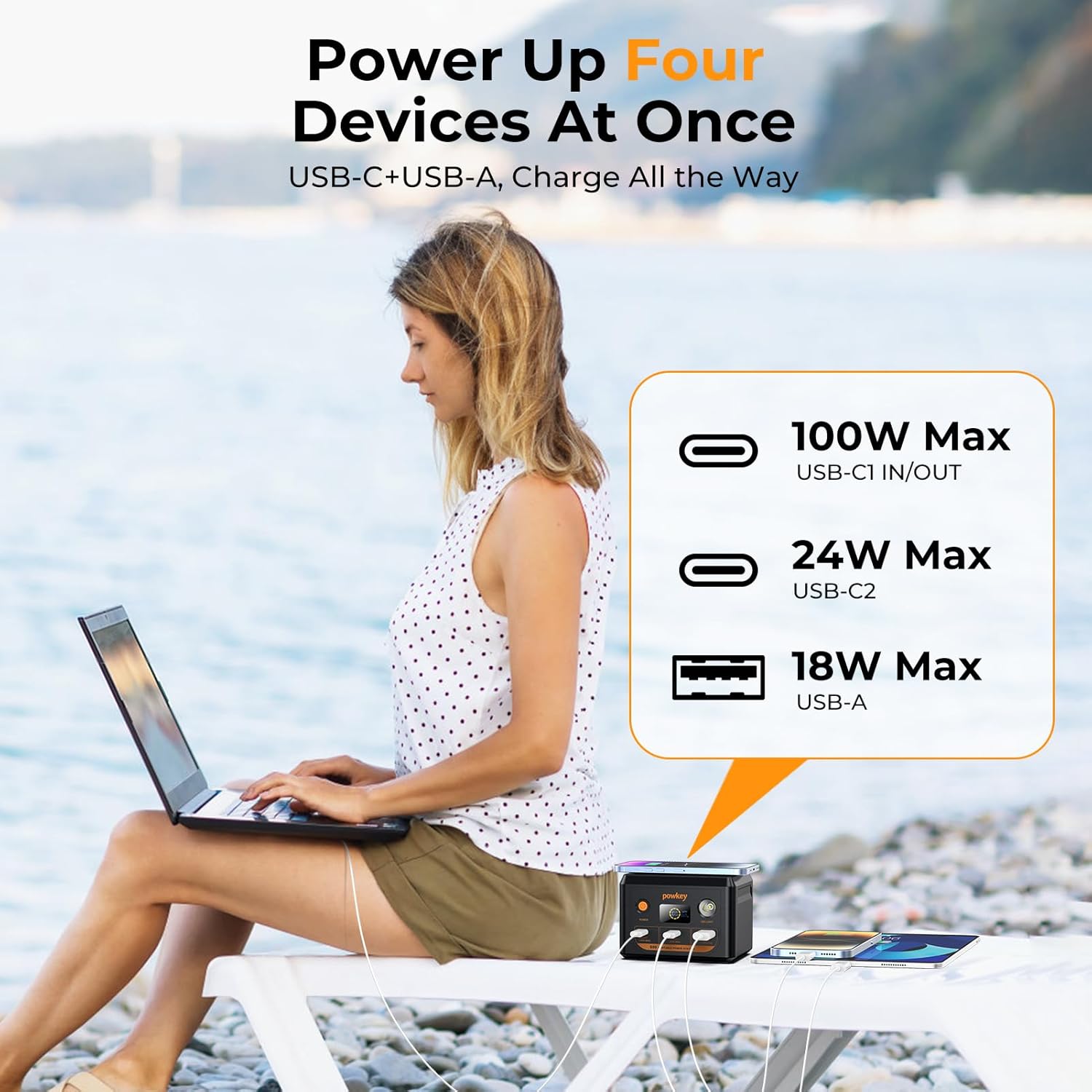
Image: The powkey S99 Portable Power Station is depicted charging four devices concurrently, including a laptop, two smartphones, and an earphone case, demonstrating its multi-device charging capability.
- USB-C1 (In/Out - 100W Max): Connect your laptop or other high-power devices for fast charging. This port also supports recharging the power station.
- USB-C2(최대 24W): Ideal for charging smartphones, tablets, and other USB-C compatible devices.
- USB-A(최대 18W): Use this port for devices requiring a standard USB-A connection.
- 무선 충전: Place your Qi-compatible smartphone on the top surface of the power station to initiate wireless charging. Ensure the phone is centered for optimal performance.
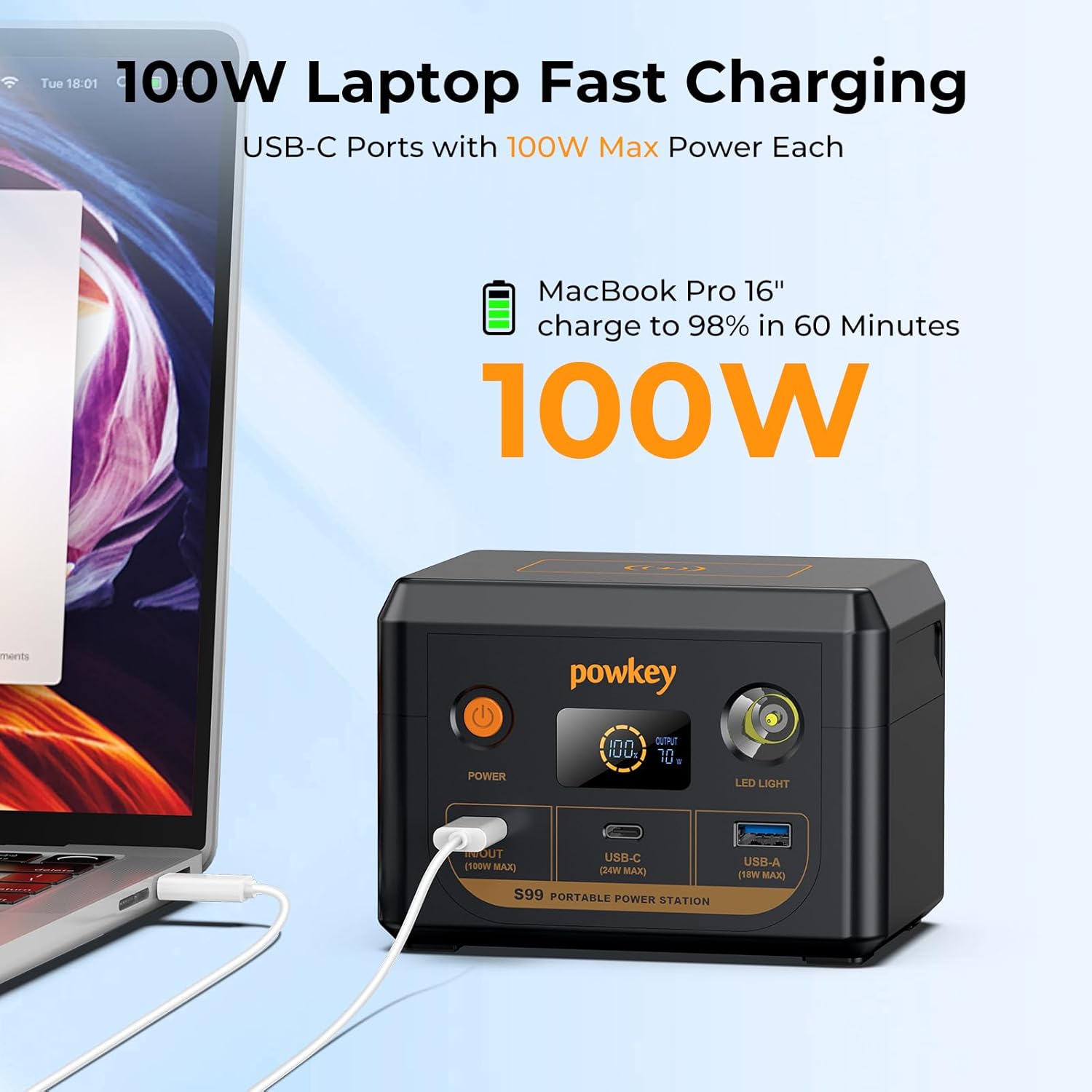
Image: The powkey S99 Portable Power Station is shown connected to a MacBook Pro 16-inch, illustrating its 100W fast charging capability for laptops.
발전소 재충전:
To recharge the powkey S99, connect a compatible PD 100W charger (not included) to the USB-C1 (In/Out) port. The power station can reach 90% charge in approximately 1 hour with a 100W charger.
LED 조명 기능:
The built-in LED light offers multiple modes for various situations:
- 활성화하려면: Press and hold the LED Light button for a few seconds.
- 모드를 전환하려면: Short press the LED Light button to switch between 50% brightness, 100% brightness, Strobe mode, and SOS mode.
- 끄려면: Press and hold the LED Light button again.

Image: The powkey S99 Portable Power Station is shown with its LED light activated, illustrating the four available lighting modes for different needs.
안전 정보
The powkey S99 is equipped with a LiFePO4 battery and an advanced Battery Management System (BMS) for enhanced safety and longevity. The BMS monitors voltage, current, and temperature to prevent overcharging, over-discharging, and overheating.
- 장치를 극한의 온도나 직사광선에 노출시키지 마십시오.
- 장치를 떨어뜨리거나 강한 충격을 가하지 마십시오.
- 물과 습기를 멀리하세요.
- 발전소를 분해하거나 개조하려고 하지 마십시오.
- 호환되는 충전 케이블과 어댑터만 사용하세요.
- This 96Wh portable laptop charger complies with airline regulations for carry-on batteries under 100Wh and must be placed in your carry-on luggage.

Image: An illustration highlighting the durability and safety of LiFePO4 battery cells, indicating a lifespan of over 3000 cycles.
유지
- 직사광선을 피해 서늘하고 건조한 곳에 발전소를 보관하십시오.
- If the portable charger is not used for an extended period, it is recommended to charge the battery every three months to help extend its lifespan.
- 부드럽고 마른 천으로 기기를 닦으세요. 강한 화학 물질이나 연마재를 사용하지 마세요.
문제 해결
- 장치가 충전되지 않음: Ensure the power station is turned on and has sufficient battery charge. Check that the charging cable is securely connected to both the power station and the device. Try a different cable or port.
- 발전소가 충전되지 않음: Verify that the charging adapter is functioning correctly and is connected to the USB-C1 (In/Out) port. Ensure the adapter meets the required power specifications (e.g., PD 100W).
- LED 디스플레이가 작동하지 않습니다: Press the power button to wake the display. If the issue persists, ensure the power station has charge.
명세서
| 모델 번호 | S99 |
| 배터리 용량 | 30000mAh / 96Wh |
| 배터리 셀 유형 | 인산철(LiFePO4) |
| USB-C1 (입력/출력) | 맥스 맥스 맥스 |
| USB-C2 (Output) | 맥스 맥스 맥스 |
| USB-A(출력) | 맥스 맥스 맥스 |
| 치수 | 3.62 x 3.58 x 5.03 인치 |
| 품목 무게 | 2.46파운드 |
| 전원 | 배터리 구동 |
보증 및 지원
The powkey S99 Portable Power Station comes with a 30-day free return policy and 1 year technical support. For any questions or assistance, please contact powkey customer service.
For further support, visit the official powkey store: powkey Store