
1. 서론
This document serves as a comprehensive user manual for the Western Digital WD Black 2TB Performance Internal Hard Drive, model WD2003FZEX. It provides essential information regarding the product's features, installation procedures, operational guidelines, maintenance tips, and troubleshooting steps to ensure optimal performance and longevity of your drive.
2. 제품 오버view
The WD Black 2TB Performance Internal Hard Drive is engineered for demanding applications such as gaming, video editing, and other intensive computing tasks. It features a 7200 RPM spindle speed, a SATA 6 Gb/s interface, and a 64 MB cache to deliver robust performance.
주요 특징:
- Desktop Performance: Designed for high-performance desktop computing.
- 용량: 2TB storage capacity for extensive data storage.
- 속도: 7200 RPM rotational speed for fast data access.
- 인터페이스: SATA 6 Gb/s for high-speed data transfer.
- 은닉처: 64 MB DRAM cache for optimized performance.
- 기술: Incorporates Western Digital’s StableTrac and Dynamic Cache Technology for enhanced reliability and performance.
- 보증: Backed by an industry-leading 5-year limited warranty.
제품 비주얼:
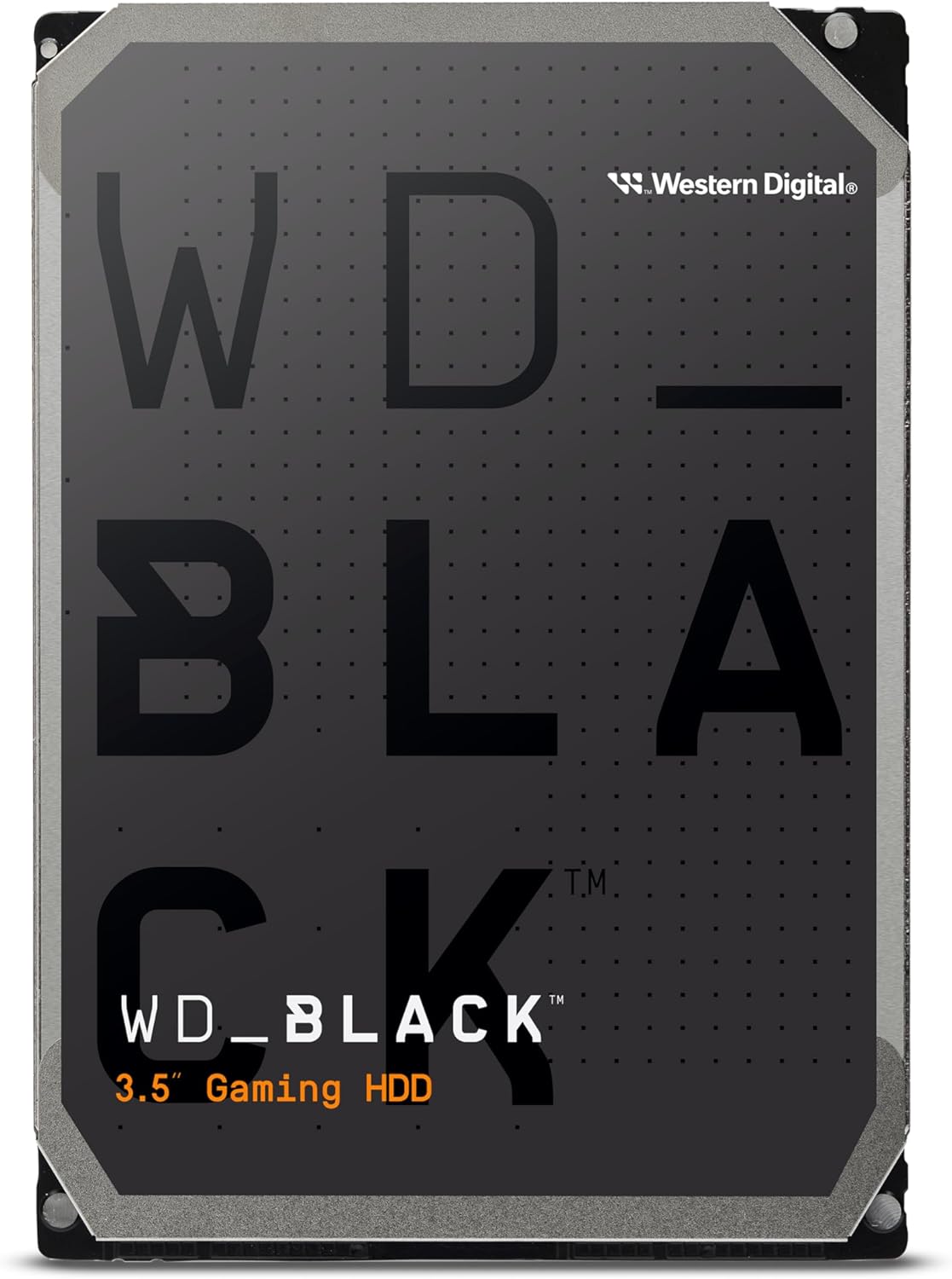
그림 2.1: 전면 view of the Western Digital WD Black 2TB Performance Internal Hard Drive.

Figure 2.2: Dimensions of the 3.5-inch form factor hard drive, showing approximate measurements of 5.79 inches (length), 4 inches (width), and 1.03 inches (height).

Figure 2.3: Illustration highlighting the increased reliability provided by StableTrac™ Technology in WD Black drives (2TB and larger models).

그림 2.4: 열린 view of a hard disk drive, showing the platters, read/write heads, and internal components.

Figure 2.5: Visual representation of the drive's commanding performance, featuring impressive cache sizes of up to 512 MB DRAM on high-capacity models.

Figure 2.6: Depiction of the WD Black Gaming Hard Drive's dual-core processor, offering enhanced processing capability.

Figure 2.7: Graphic illustrating the 7200 RPM disk speed of the WD Black hard drive.
3. 설정 및 설치
Proper installation is crucial for the functionality and longevity of your hard drive. Follow these steps carefully.
3.1 물리적 설치
- 준비: Ensure your computer is powered off and unplugged from the wall outlet. Open your computer case according to its manufacturer's instructions.
- 드라이브 베이 찾기: 컴퓨터 케이스에서 사용 가능한 3.5인치 드라이브 베이를 찾으십시오.
- 드라이브 마운트: Slide the WD Black hard drive into the drive bay. Secure it with screws on both sides of the drive, ensuring it is firmly in place.
- 케이블 연결:
- Connect a SATA data cable from the hard drive to an available SATA port on your motherboard.
- 파워서플라이(PSU)에서 하드 드라이브로 SATA 전원 케이블을 연결하십시오.
- 사건 종결: Once all connections are secure, close your computer case and reconnect the power cable.
3.2 드라이브 초기화 및 포맷
After physical installation, the drive needs to be initialized and formatted by your operating system.
- 전원 켜기: 컴퓨터를 켜세요.
- 디스크 관리(Windows)에 액세스하세요. Right-click on the Start button, then select 'Disk Management'.
- 디스크 초기화: Locate the newly installed WD Black drive (it will likely appear as 'Unallocated' or 'Not Initialized'). Right-click on the disk and select 'Initialize Disk'. Choose GPT (GUID Partition Table) for drives larger than 2TB, or MBR (Master Boot Record) for smaller drives or older systems.
- 새로운 단순 볼륨 만들기: Right-click on the 'Unallocated' space on the drive and select 'New Simple Volume'. Follow the wizard to assign a drive letter and format the drive (NTFS is recommended for Windows).
- 확인하다: The drive should now appear in 'This PC' or 'My Computer' and be ready for use.
3.3 Acronis True Image WD Edition Software
Acronis True Image WD Edition software is available as a free download from the Western Digital website. This software allows you to clone drives, back up your operating system, applications, settings, and all your data. Refer to the Western Digital support web다운로드 및 설치 지침 사이트입니다.
4. 드라이브 작동
The WD Black drive is designed for high-performance data storage and retrieval. Once installed and formatted, it operates like any other internal hard drive.
4.1 Data Storage and Access
- File 관리: 운영 체제를 사용하세요 file explorer to store, organize, and access file운전 중이에요.
- 애플리케이션 저장소: Install demanding applications, games, or creative software directly onto the WD Black drive for improved loading times and responsiveness.
- Dual Drive Configuration: For enhanced system performance, consider combining the WD Black drive with a Solid State Drive (SSD). Install your operating system and frequently used applications on the SSD, and use the WD Black drive for mass storage of large files, games, and media.
4.2 성능 고려 사항
The 7200 RPM spindle speed and 64 MB cache contribute to the drive's performance. Factors such as system configuration, file size, and concurrent operations can influence actual data transfer rates.
5. 유지관리
Regular maintenance helps preserve data integrity and extend the lifespan of your hard drive.
- 데이터 백업: Regularly back up important data to another storage device or cloud service. The Acronis True Image WD Edition software can assist with this.
- 디스크 조각 모음(HDD 전용): For optimal performance on traditional hard drives, periodically run disk defragmentation tools provided by your operating system.
- 시스템 모니터링: Utilize S.M.A.R.T. (Self-Monitoring, Analysis and Reporting Technology) tools to monitor the health status of your drive.
- 환경 조건: Ensure your computer case has adequate airflow to prevent overheating. Operate the drive within recommended temperature ranges. Avoid physical shocks or excessive vibrations.
6. 문제 해결
If you encounter issues with your WD Black hard drive, consider the following troubleshooting steps:
- 드라이브가 감지되지 않음:
- 모든 SATA 데이터 및 전원 케이블 연결이 안전한지 확인하세요.
- BIOS/UEFI 설정에서 마더보드의 SATA 포트가 활성화되어 있는지 확인하세요.
- Ensure the drive has been properly initialized and formatted in Disk Management (Windows) or Disk Utility (macOS).
- Test the drive with different SATA cables and ports, or in another computer if possible, to rule out cable or motherboard issues.
- 느린 성능:
- Check for excessive fragmentation (Windows).
- Ensure your system drivers, especially chipset and SATA controller drivers, are up to date.
- Monitor system resources to identify any background processes consuming significant disk I/O.
- Run a diagnostic tool (e.g., Western Digital Data Lifeguard Diagnostic) to check for drive health.
- 특이한 소음:
- Clicking, grinding, or repetitive noises can indicate a potential hardware failure. Immediately back up any accessible data and contact Western Digital support.
For further assistance, refer to the Western Digital support web사이트를 방문하거나 고객 서비스에 문의하세요.
7. 사양
Detailed technical specifications for the WD Black 2TB Performance Internal Hard Drive (WD2003FZEX).
| 특징 | 사양 |
|---|---|
| 디지털 저장 용량 | 2테라바이트 |
| 하드 디스크 인터페이스 | 직렬 ATA-600 |
| 연결 기술 | SATA |
| 상표 | WD |
| 하드 디스크 폼 팩터 | 3.5 인치 |
| 하드 디스크 설명 | 직렬 ATA-600 |
| 호환 장치 | 데스크탑 |
| 설치 유형 | 내장 하드 드라이브 |
| 색상 | 검은색 |
| 품목 모델 번호 | WD2003FZEX-SPSRLA0 |
| 하드웨어 플랫폼 | PC; 맥 |
| 품목 무게 | 1.32파운드 |
| 제품 크기(LxWxH) | 5.8 x 4 x 1 인치 |
| 하드 드라이브 회전 속도 | 7200 RPM |
| 캐시 크기 | 64메가바이트 |
8. 보증 정보
The Western Digital WD Black 2TB Performance Internal Hard Drive (WD2003FZEX) comes with an industry-leading 5년 한정 보증.
For complete details regarding warranty terms, conditions, and how to make a claim, please visit the official Western Digital web사이트. 보증 확인을 위해 구매 증빙 자료를 보관하세요.
9. 지원
For technical support, product registration, driver downloads, and additional resources, please visit the Western Digital support web대지:
You can also find information about the Acronis True Image WD Edition software and other utilities on their support pages.