
1. 서론
The SYNLETT Companion Pager SP30 is a wireless call system designed to provide reliable communication between caregivers and individuals requiring assistance, such as elderly adults, patients, or seniors. This system ensures that help can be summoned quickly and efficiently, offering peace of mind for both the user and the caregiver. The pager features an LCD display, adjustable volume, multiple alert tones, and a silent vibration mode. The accompanying wireless call buttons are easy to use and offer various mounting options.
2. 패키지 내용
설치하기 전에 패키지에 모든 구성품이 포함되어 있는지 확인하십시오.
- 1 x SYNLETT Companion Pager SP30
- 4 x Wireless Call Buttons
- 4 x Call Button Mounting Brackets
- All necessary Batteries (for pager and call buttons)
- Wall Mount Accessories (adhesives and screws)
- 4 x Breakaway Lanyards
- 1 x 사용자 설명서

This image displays all the components included in the SYNLETT Companion Pager SP30 package. It features the main pager unit, four wireless call buttons with their respective mounting brackets, all necessary batteries, wall mounting accessories (adhesives and screws), four breakaway lanyards, and the user manual. An additional AC adapter is shown but is noted as sold separately.
3. 설정 지침
3.1 Powering the Pager
The Companion Pager SP30 can be powered by two AA batteries (included) for portability or by an AC power adapter (purchased separately) for continuous operation.
- 배터리 설치: Open the battery compartment on the back of the pager. Insert two AA batteries, ensuring correct polarity (+/-). Close the compartment securely.
- AC 어댑터 연결: If using the AC adapter, plug the adapter into the DC5V power input port on the side of the pager. Then, plug the adapter into a standard wall outlet.

This image highlights the versatility of the SYNLETT Companion Pager. It features two alert modes: 'Alert Continuously' for persistent notification and 'Alert Once ONLY' for less disturbance. The pager offers adjustable volume levels and a silent vibration mode. It can be powered by two AA batteries (included) for portability or via a DC5V power input with an AC adapter (purchased separately) for fixed installations. The image also shows the pager being carried and wall-mounted.
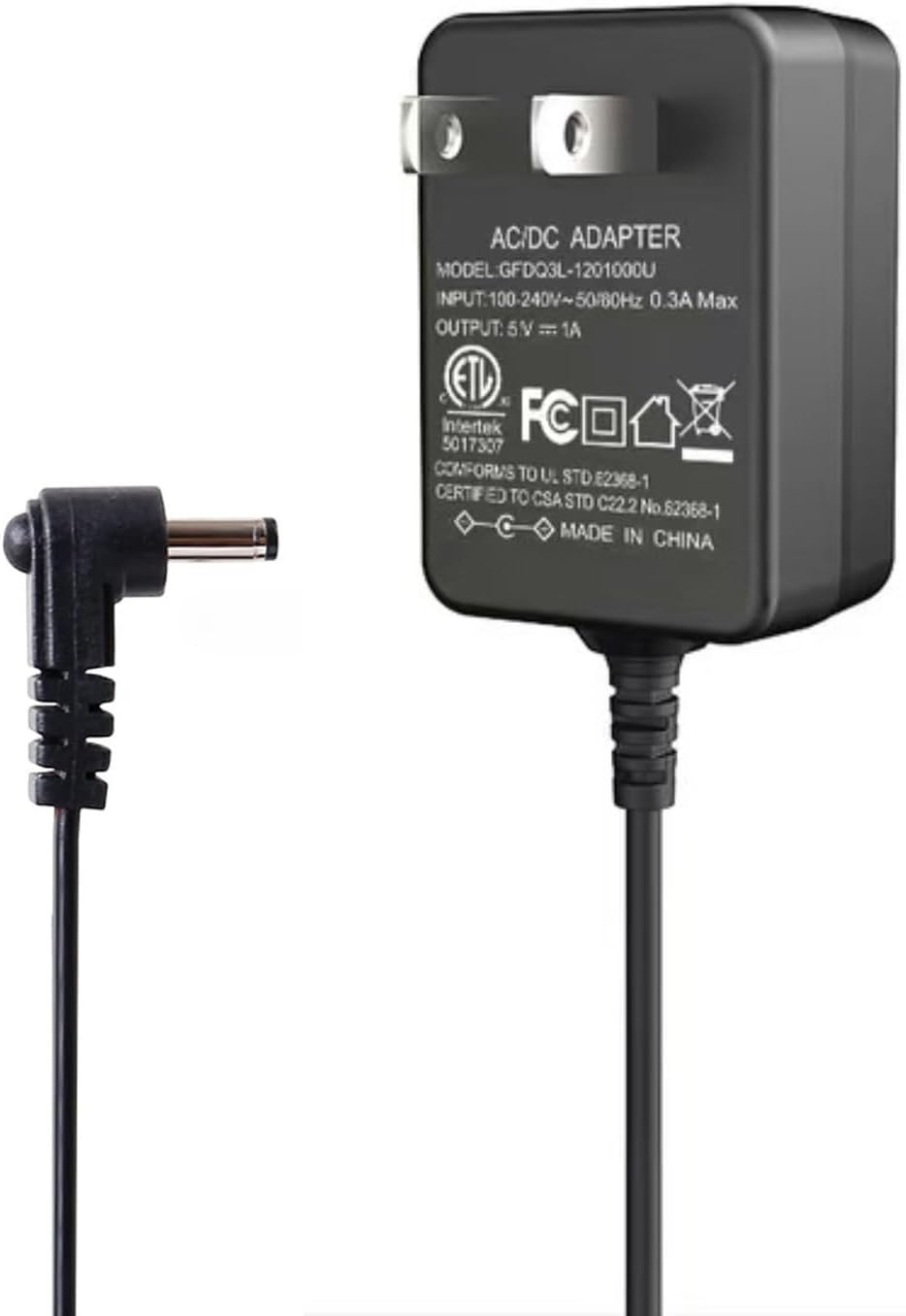
This image displays the 5V AC/DC power adapter (model GFDQ3L-120100U) compatible with the SYNLETT Companion Pager SP30. This adapter provides an alternative power source to batteries, allowing for continuous operation when plugged into a wall outlet. Note that this adapter is sold separately.

This image shows the SYNLETT Companion Pager SP30 powered by the 5V AC adapter, plugged into a standard wall outlet. This setup provides a continuous power supply, ideal for stationary use, and ensures the pager remains operational without relying on battery power.
3.2 Attaching Call Buttons
The wireless call buttons offer multiple attachment methods for various settings:
- 나사 장착: Use the provided screws to securely attach the call button bracket to a wall or other surface. Once the bracket is in place, snap the call button into the bracket.
- Adhesive Patch Mounting: Peel the backing from the adhesive patch and firmly press the call button bracket onto a clean, dry surface. Then, snap the call button into the bracket.
- 끈 사용: Thread the breakaway lanyard through the designated loop on the call button. This allows the user to wear the call button around their neck for easy access.

This image details the features of the wireless call button. It includes a blinking LED light that indicates a low battery, ensuring timely replacement. The call button offers flexible mounting options: it can be securely attached with screws, adhered using an adhesive patch, or worn around the neck with the provided breakaway lanyard for easy access.
4. 사용 설명서
4.1 전화 받기
When a call button is pressed, it sends a wireless signal to the Companion Pager SP30. The pager will then:
- Display the corresponding call button number on its LCD screen.
- Emit an audible alert tone or vibrate, depending on your selected settings.

This image illustrates the primary function of the system: a user pressing the 'Push for Help' button, which sends a wireless signal to the Companion Pager. The pager then displays the corresponding call number, in this case, '002'. The call button is also shown mounted on a nightstand, demonstrating a common placement.
4.2 경보 모드
The pager offers two alert modes:
- REPEAT Mode: The alert tone will continue to sound periodically until all calls are manually cleared. This ensures no call is missed.
- ONE-OFF Mode: The pager alerts once only, and the call number remains displayed on the screen. This mode is suitable for environments where less disturbance is preferred.
To switch between modes, refer to the pager's controls (typically a dedicated button or a combination of buttons).
4.3 Adjusting Volume and Tones
The pager features 4 adjustable volume levels and 7 distinct alert tones/chimes, including an alarm siren. It also has a silent vibration mode.
- 사용하세요 용량 button on the pager to cycle through the different volume levels.
- 사용하세요 음정 button to select your preferred alert chime.
- To activate silent vibration mode, continue pressing the VOLUME button until the vibration icon appears or the sound is off.
4.4 Clearing Calls (Review 특징)
The SYNLETT Companion Pager SP30 includes a unique review feature. If multiple call buttons are pressed, the first called number remains displayed. To review and clear subsequent calls:
- 를 누르세요 분명한 button on the pager. This will clear the currently displayed call and show the next pending call, if any.
- 계속 누르기 분명한 until all calls have been reviewed and cleared from the system.
5. 유지관리
5.1 배터리 교체
The system is equipped with a low battery reminder for both the pager and the call buttons. When a low battery is detected:
- 휴대용 소형 무선 호출기: The LCD display may show a low battery indicator. Replace the two AA batteries promptly.
- 통화 버튼: A blinking LED light on the call button will indicate a low battery. Replace the internal battery (refer to the call button's specific battery type, usually a coin cell, not explicitly stated in product description but implied).
최적의 성능을 위해 항상 새롭고 품질 좋은 배터리를 사용하십시오.
5.2 청소
호출기와 통화 버튼을 청소할 때는 부드럽고 마른 천을 사용하십시오. 연마성 세제를 사용하거나 기기를 물에 담그지 마십시오.
6. 문제 해결
6.1 Pager Not Receiving Signals
- 전원 확인: Ensure the pager has fresh batteries or is properly connected to the AC adapter.
- Check Call Button Battery: Verify that the call button being used has sufficient battery power (check for blinking LED).
- 범위 문제: The maximum operating range is 500 ft without obstacles. Environmental factors such as concrete or brick walls and heavy electronic equipment can significantly reduce the signal range. Try moving the pager closer to the call button.
- 안테나: Fully extend the telescopic antenna on the pager for the most optimal signal range.

This diagram demonstrates the effective wireless range of the SYNLETT Companion Pager system, extending up to 500 feet without obstacles. It shows a call button placed in a bedroom and a bathroom, indicating that signals can reliably reach a caregiver who may be in another part of the building. Environmental factors like concrete walls may affect this range.
6.2 Pager Not Alerting
- 볼륨 설정 : Ensure the volume is not set to silent or too low. Adjust using the VOLUME button.
- 진동 모드: If in silent vibration mode, ensure you are aware of the vibration.
- 메모리 기능: The pager remembers your set volumes/chimes even after a power outage. If settings changed unexpectedly, re-adjust them.
7. 사양
| 특징 | 세부 사항 |
|---|---|
| 모델 | SP30 |
| 상표 | 신렛 |
| 장착 유형 | Tabletop Mount (Pager), Screw/Adhesive/Lanyard (Call Buttons) |
| Power Source (Pager) | 2 x AA Batteries (included) or DC 3V (AC Adapter sold separately) |
| 권tage | 3볼트(DC) |
| 제어 방법 | Touch (Call Buttons) |
| 작동 범위 | Up to 500 ft (without obstacle) |
| Programmable Capacity | Up to 30 wireless call buttons/motion sensors |
| 알림 음 | 7 options, including alarm siren |
| 볼륨 레벨 | 4 adjustable levels + Silent Vibration Mode |
| 메모리 기능 | Remembers set volumes/chimes after power outage |
8. 보증 정보
For warranty details, please refer to the documentation included with your purchase or contact SYNLETT customer support directly. Warranty terms typically cover manufacturing defects for a specified period from the date of purchase.
9. 지원
If you encounter any issues or have questions regarding your SYNLETT Companion Pager SP30, please contact SYNLETT customer support. Contact information can typically be found on the product packaging, the official SYNLETT web자세한 내용은 웹사이트 또는 동봉된 사용자 설명서를 참조하십시오.