
소개
This manual provides detailed instructions for the safe and efficient operation of your Longer Ray5 20000mW Laser Engraver with Air Assist Kit. Please read this manual thoroughly before using the device to ensure proper setup, operation, and maintenance. Retain this manual for future reference.
안전 정보
경고: Laser engravers are powerful tools that can cause serious injury if not used correctly. Always follow these safety guidelines:
- 기계를 작동할 때는 항상 적절한 레이저 안전 고글을 착용하십시오.
- 레이저 빔이나 그 반사면을 절대로 직접 쳐다보지 마십시오.
- 작업 공간의 환기가 잘 되어 연기와 유해 가스가 잘 빠져나가도록 하십시오.
- 레이저 경로에서 인화성 물질을 멀리하십시오.
- 작동 중에 기계를 무인 상태로 두지 마십시오.
- 기계가 안정적이고 평평한 표면에 놓여 있는지 확인하십시오.
- 어린이와 애완동물을 수술 구역에 접근하지 못하게 하세요.
- 유지관리나 조정을 하기 전에 전원을 분리하세요.
- 비상 정지 절차를 숙지하세요.
패키지 내용
패키지에 모든 구성 요소가 들어 있는지 확인하세요.
- Longer Ray5 20000mW Laser Engraver Unit
- 에어 어시스트 펌프
- Air Assist Nozzle and Tubing
- 전원 어댑터
- USB 케이블
- 안전 고글
- 사용 설명서 (본 문서)
- Material Samples (may vary)

Image: Air assist kit components including the pump, nozzle, and tubing.
설정
- 짐 풀기: 포장에서 모든 구성 요소를 조심스럽게 제거합니다.
- 집회: Follow the included quick start guide for assembling the main laser engraver frame and attaching the laser module.
- Air Assist Installation:
- Connect the air assist pump to the designated port on the laser module using the provided tubing.
- Ensure the air assist nozzle is securely attached to direct airflow to the engraving/cutting point.
- 전원 연결: 전원 어댑터를 조각기에 연결한 다음 적절한 전원 콘센트에 연결하십시오.
- 컴퓨터 연결: Connect the engraver to your computer via USB, or prepare for Wi-Fi/TF card connection.

Image: The Longer Ray5 laser engraver with the air assist pump connected and ready for operation.
작동 지침
1. 소프트웨어 및 연결성
The Longer Ray5 supports various software and connection methods:
- 호환되는 소프트웨어 : LaserGRBL and LightBurn.
- 운영 체제: Supports Windows 7+, MacOS, and Linux.
- 연결 방법 : Wi-Fi, USB, App, and TF card.
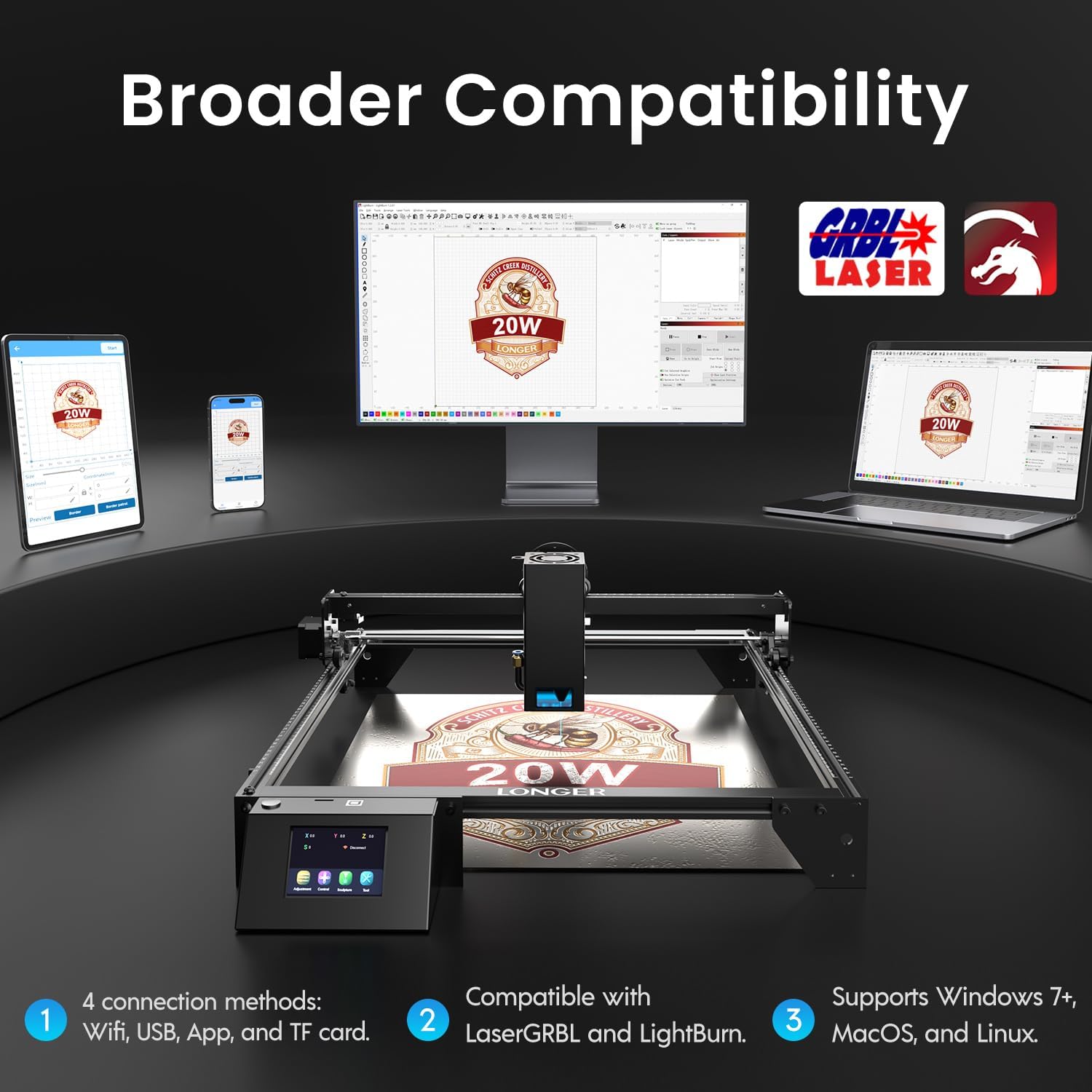
Image: Display showing the Longer Ray5's compatibility with LaserGRBL and LightBurn software, and various connection options including Wi-Fi, USB, App, and TF card across Windows, MacOS, and Linux operating systems.
2. 조각 및 절단 기능
The 20W diode laser offers high-efficiency performance for various materials.
- 절단: Capable of cutting up to 25mm of wood and 35mm of acrylic. It can also cut 0.05mm metal.
- 조각: Engrave hundreds of colors on metallic steel and a wide range of other materials.
- 재료: Acrylic, metal, wood, stainless steel, and more.
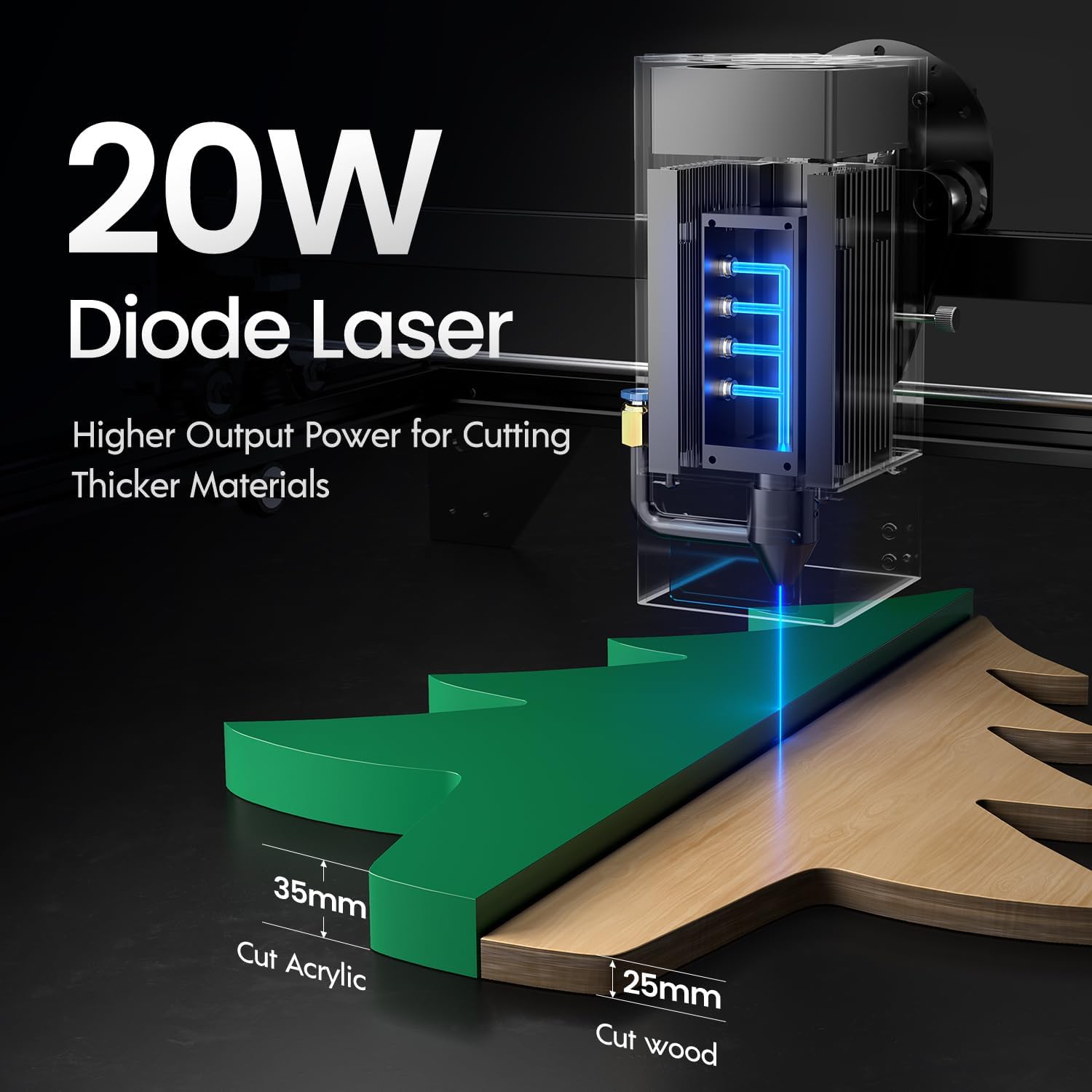
Image: Illustration demonstrating the 20W diode laser's capability to cut 25mm wood and 35mm acrylic.

이미지: 전amples of engraving capabilities, showcasing over 380 colors on metallic surfaces and other DIY artworks.

Image: A collection of various items demonstrating the versatile material selection for engraving and cutting, including wood, metal, and acrylic.
3. 공기 보조 기능
The integrated air assist kit significantly improves cutting and engraving quality.
- Enhanced Cutting: The adjustable airflow (10-30L/min) suppresses smoke and dust, preventing laser energy attenuation and ensuring cleaner, smoother edges.
- Reduced Yellowing: Air assist helps prevent charring and yellowing on materials during laser processing, especially for wood and acrylic.

Image: A visual comparison showing the benefits of air assist, resulting in cleaner cuts and reduced processing time (e.g., 12 minutes with air assist vs. 20 minutes without).
4. 연속 운전
The Longer Ray5 is designed for powerful continuous working capacity, supporting 24/7 continuous engraving. A single computer can control multiple machines.

Image: Depiction of multiple Longer Ray5 machines working simultaneously, illustrating continuous operation and the ability for one computer to control several units.
유지
정기적인 유지보수는 최적의 성능을 보장하고 레이저 조각기의 수명을 연장시켜 줍니다.
- 레이저 렌즈 청소: 레이저 렌즈의 품질을 유지하려면 주기적으로 부드럽고 보풀 없는 천과 렌즈 세척액을 사용하여 렌즈를 청소하십시오.
- 잔해물 청소: Remove any accumulated dust or debris from the work area and machine components.
- 벨트와 레일을 점검하십시오: Inspect drive belts for tension and wear. Keep linear rails clean and lubricated as per manufacturer recommendations.
- 공기 보조 필터: If your air assist pump has a filter, clean or replace it regularly to ensure efficient airflow.
- 펌웨어 업데이트: 제조사 확인해보세요 web성능 향상이나 기능 추가를 위한 펌웨어 업데이트가 있는지 확인하려면 해당 사이트를 방문하십시오.
문제 해결
이 섹션에서는 일반적으로 발생할 수 있는 문제에 대해 설명합니다.
| 문제 | 가능한 원인 | 해결책 |
|---|---|---|
| 레이저가 발사되지 않습니다 | Power not connected, software error, laser module fault. | Check power connections. Verify software settings. Contact support if laser module is suspected faulty. |
| 조각/절단 품질이 좋지 않음 | Incorrect focus, dirty lens, wrong power/speed settings, material issues, no air assist. | Adjust laser focus. Clean the laser lens. Optimize power/speed settings for the material. Ensure air assist is active. |
| 기기가 컴퓨터에 연결되지 않습니다 | USB cable issue, driver not installed, Wi-Fi configuration error. | Try a different USB port/cable. Install necessary drivers. Reconfigure Wi-Fi connection. |
| Excessive smoke/fumes | Insufficient ventilation, air assist not active or weak. | Ensure proper ventilation. Check air assist pump and tubing for blockages. Increase air assist flow. |
명세서
| 특징 | 세부 사항 |
|---|---|
| 모델 번호 | 레이5 |
| 레이저 출력 전력 | 20000mW (20W) |
| 레이저 타입 | 다이오드 레이저 |
| Cutting Depth (Wood) | 최대 25mm |
| Cutting Depth (Acrylic) | 최대 35mm |
| Metal Cutting Capability | 0.05mm |
| Air Assist Flow | 10-30 L/min (Adjustable) |
| 터치 스크린 | 3.5인치 |
| 연결성 | Wi-Fi, USB, App, TF Card |
| 호환 소프트웨어 | 레이저GRBL, 라이트번 |
| 지원되는 OS | Windows 7+, MacOS, Linux |
| 제조업체 | 더 길게 |
| 첫 번째 이용 가능 날짜 | 1년 2024월 XNUMX일 |
보증 및 지원
For warranty information and technical support, please refer to the official Longer web사이트를 방문하거나 고객 서비스에 직접 문의하세요. 보증 청구를 위해 구매 증빙 자료로 구매 영수증을 보관하세요.
온라인 리소스: 방문하세요 아마존에서 더 오래 판매 중 추가 제품 정보 및 지원은 여기를 참조하세요.