
AceGamer PS-P-White
AceGamer RGB 충전 독 (플레이스테이션 포털용) - 사용 설명서
Model: PS-P-White
1. 서론
구매해주셔서 감사합니다asing the AceGamer RGB Charging Dock for PlayStation Portal. This portable charging station is designed to provide a stable and efficient charging solution for your PlayStation Portal console, featuring customizable RGB lighting and essential protection features. Please read this manual carefully before use to ensure proper operation and maintenance.
2. 패키지 내용
- AceGamer RGB Charging Dock (1 unit)
- Type-C 충전 케이블(1개)
- 사용 설명서(본 문서)
3. 제품 특징
- 전용 충전: Specifically designed for the PlayStation Portal console.
- RGB 조명: Features 7 distinct lighting modes for personalized aesthetics.
- 빠른 충전: Efficient power delivery for fast charging.
- 안전 보호 : 내장 과전류, 과전압tage 및 under-voltag전자 보호.
- 인체공학적 디자인: 30-degree comfortable viewing angle for the PlayStation Portal.
- 안정된 기반: Equipped with anti-slip mats for secure placement.
- 연결성: USB Type-C input for power.
4. 설정 지침
- 전원 연결: Insert the provided Type-C charging cable into the charging dock's input port and connect the other end to a suitable USB power adapter (not included).

Figure 4.1: Connecting the Type-C power cable to the charging dock.
- Place PlayStation Portal: Carefully align your PlayStation Portal console with the charging connector on the dock and gently place it into position. Ensure a secure connection for charging. The dock is designed to hold the Portal at a 30-degree angle for optimal view주고받음.

Figure 4.2: PlayStation Portal placed on the charging dock at a 30-degree angle.
- Anti-slip Stability: The base of the charging dock is equipped with anti-slip mats to prevent accidental movement. Ensure the dock is placed on a flat, stable surface.
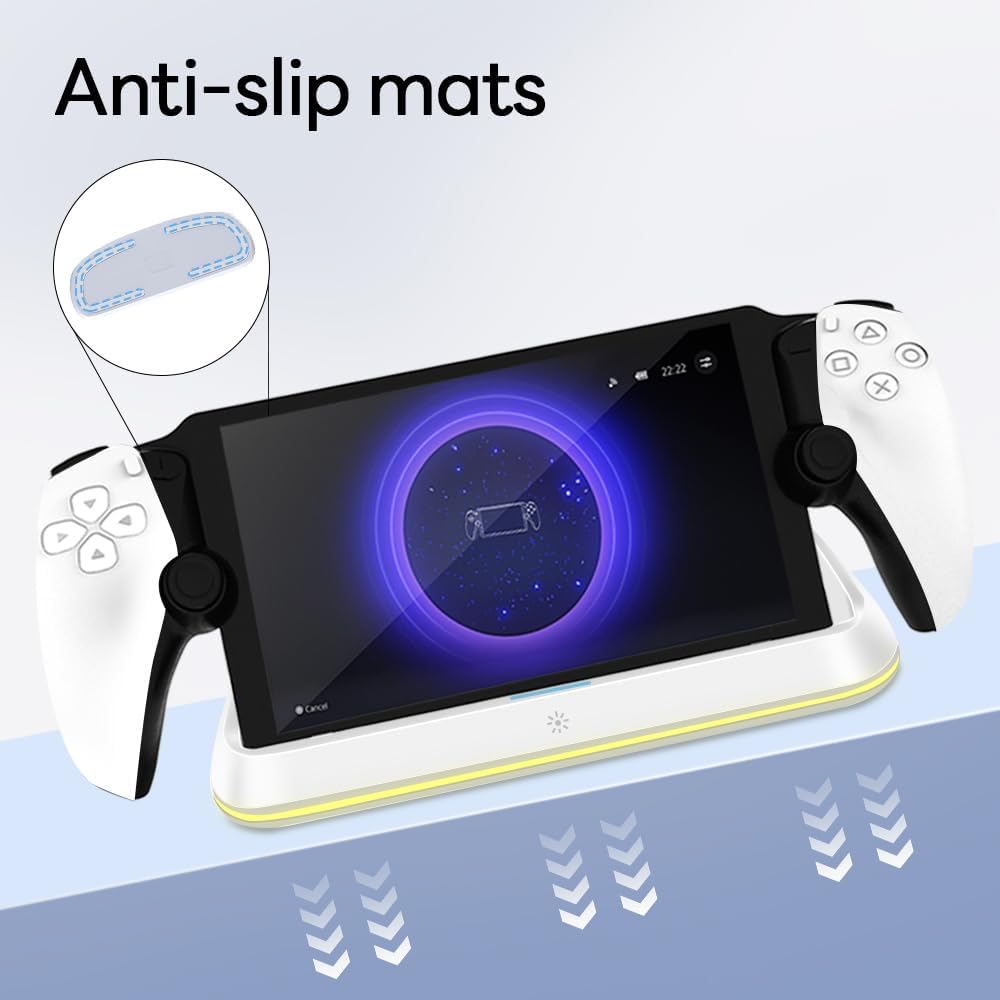
Figure 4.3: Anti-slip mats on the charging dock for enhanced stability.
- 시각적 가이드: For a visual demonstration of the setup process, please refer to the video below.
Video 4.1: Demonstration of connecting the power supply and placing the PlayStation Portal onto the charging dock.
5. 사용 설명서
- Charging the PlayStation Portal: Once the PlayStation Portal is correctly seated on the dock and the dock is powered, charging will begin automatically. A full charge typically takes approximately 3.5 hours. The dock includes protection against over-current, over-voltage 및 under-voltage to safeguard your device.

Figure 5.1: Charging indicators and safety protection features.
- RGB 조명 제어: The charging dock features a touch-sensitive button to control the RGB lighting. Press the button to cycle through 7 different lighting modes or to turn the lights off.

Figure 5.2: RGB lighting modes and touch control button.
6. 유지관리
- 충전 도크를 깨끗하게 유지하고 먼지가 쌓이지 않도록 하세요. 부드럽고 마른 천으로 닦아주세요.
- 극한의 온도, 습도 또는 직사광선에 장치를 노출하지 마십시오.
- 연마성 세척제나 용제는 표면을 손상시킬 수 있으므로 사용하지 마십시오.
- Ensure the charging port and connector are free of debris before placing the PlayStation Portal.
7. 문제 해결
- 장치가 충전되지 않음:
- Ensure the Type-C cable is securely connected to both the dock and the power adapter.
- 전원 어댑터가 제대로 작동하고 전원이 공급되는 콘센트에 꽂혀 있는지 확인하십시오.
- Check if the PlayStation Portal is properly seated on the charging connector.
- 다른 Type-C 케이블이나 전원 어댑터를 사용해 보세요.
- RGB 조명이 작동하지 않습니다:
- 충전 도크의 전원이 켜져 있는지 확인하십시오.
- Press the touch light button to cycle through modes or turn the lights on.
- Unstable placement:
- Ensure the dock is placed on a flat, level surface.
- Check if the anti-slip mats are clean and intact.
8. 사양
| 상표 | 에이스게이머 |
| 모델 번호 | PS-P-White |
| 호환 장치 | 플레이스테이션 포털 |
| 입력 Voltage | 5 볼트 |
| 왓tage | 7 와트 |
| 커넥터 유형 | USB Type-C(전원 입력용) |
| 특별 기능 | RGB Lighting, Fast Charging, Over-current Protection, Over-voltage 보호, 저용량tage 보호 |
| 치수 | 약 22.5×8.9×8.4 cm |
| 무게 | 약 290g |
9. 보증 및 지원
AceGamer products are designed and manufactured to the highest quality standards. For warranty information or technical support, please contact the retailer where you purchased the product or visit the official AceGamer website for customer service contact details. Please retain your proof of purchase for warranty claims.
Ask a question about this manual
Ask about setup, troubleshooting, compatibility, parts, safety, or missing instructions. Manuals+ will review the question and use this page’s manual context to help answer it.