소개
This manual provides detailed instructions for the KZZI K75 Lite Wireless Mechanical Keyboard. It covers setup, operation, maintenance, and troubleshooting to ensure optimal performance and user experience. Please read this manual thoroughly before using your new keyboard.
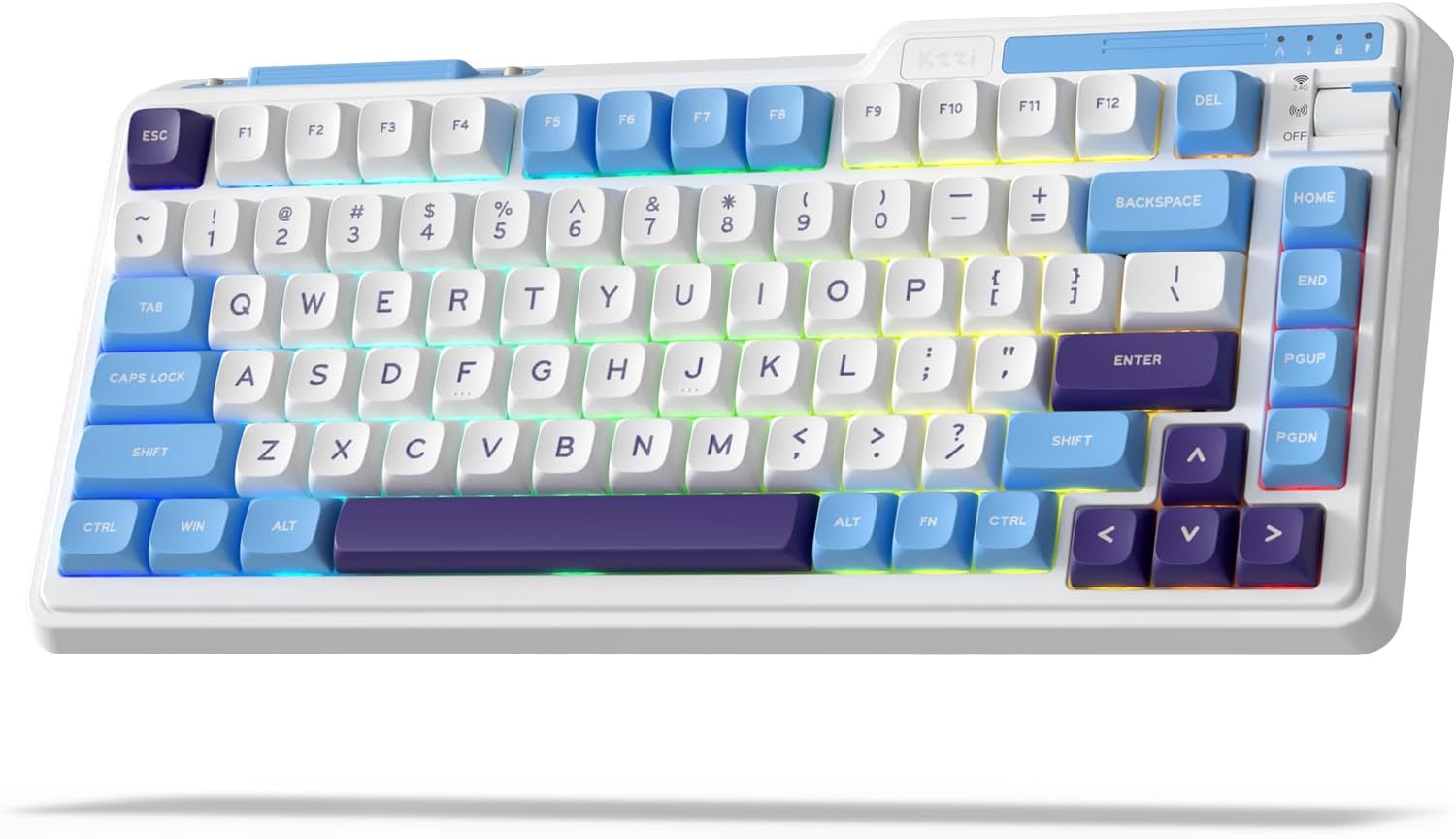
Image: The KZZI K75 Lite Wireless Mechanical Keyboard, showcasing its 75% layout and Grand Sea Blue color scheme with RGB backlighting.
패키지 내용
패키지에 모든 품목이 들어 있는지 확인하세요.
- 1 x KZZI K75 Lite Keyboard
- 1 x USB-C 케이블
- 1 x 2-in-1 키캡 및 스위치 풀러
- 4 x Backup Switches
- 1 x 사용자 매뉴얼(이 문서)

이미지: 오버헤드 view of the KZZI K75 Lite keyboard and its included accessories: USB-C cable, 2-in-1 keycap and switch puller, and four backup switches.
설정
1. 키보드 충전
Before first use, it is recommended to fully charge the keyboard. Connect the provided USB-C cable to the keyboard's Type-C charging port and the other end to a USB power source (e.g., computer USB port, wall adapter).
2. 연결 모드
The K75 Lite supports three connectivity modes: USB-C Wired, 2.4GHz Wireless, and Bluetooth 5.0. Use the toggle switch located on the top right of the keyboard to select your desired mode.

Image: An illustration demonstrating the 3-mode toggle switch on the K75 Lite keyboard, allowing users to easily switch between Bluetooth 5.0, 2.4GHz wireless, and USB-C wired modes for connecting to multiple devices like laptops, monitors, and tablets.
2.1. USB-C 유선 모드
- Set the toggle switch to the 'Wired' position.
- 제공된 USB-C 케이블을 사용하여 키보드를 장치에 연결하세요.
- 키보드가 자동으로 인식됩니다.
2.2. 2.4GHz 무선 모드
- Locate the 2.4G USB dongle, usually stored in a magnetic slot on the keyboard.
- Set the toggle switch to the '2.4G' position.
- 2.4G USB 동글을 컴퓨터의 사용 가능한 USB 포트에 꽂습니다.
- 키보드가 자동으로 연결되어야 합니다.
2.3. 블루투스 5.0 모드
- Set the toggle switch to the 'BT' position.
- 사용하시는 기기(PC, 노트북, 태블릿, 스마트폰)에서 블루투스를 활성화하고 새로운 기기를 검색하세요.
- 키보드에서 길게 누르세요 FN+Q, FN + 승, 또는 FN + 전자 for 3-5 seconds to enter pairing mode for BT1, BT2, or BT3 respectively. The corresponding key will flash rapidly.
- Select 'K75 Lite' from the list of available Bluetooth devices on your device to pair.
- 페어링이 완료되면 키의 불빛이 깜빡임을 멈추고 몇 초 동안 계속 켜져 있습니다.
- 블루투스 기기를 최대 3대까지 페어링하고 버튼을 눌러 기기 간 전환이 가능합니다. FN + Q/W/E.

Image: A composite image highlighting various physical features of the K75 Lite keyboard, including the Type-C charging port, the magnetic storage for the 2.4G dongle, and the two-level adjustable feet for ergonomic positioning.
작동 지침
1. 배터리 잔량 확인
현재 배터리 잔량을 확인하려면 누르세요. FN + 엔터. The number keys (1-0) will light up to indicate the approximate battery percentage.

Image: An illustration demonstrating the battery level check function (FN + ENTER) on the K75 Lite keyboard, indicating a 3750mAh battery capacity, with up to 200 hours of use with RGB off and 30 hours with RGB on.
2. RGB 백라이트 제어
The K75 Lite features dynamic RGB backlighting with 18 available modes. Use the following FN key combinations to control the lighting:
- FN + \|: Switch Backlight Mode
- 에프엔 +: Switch Backlight Color
- FN + ↑백라이트 밝기 증가
- FN + ↓백라이트 밝기 감소
- FN + >: Adjust Breathing Speed (Increase)
- 에프엔 +: Adjust Breathing Speed (Decrease)

이미지: 오버헤드 view of the K75 Lite keyboard illustrating the FN key combinations used to control the 18 brilliant RGB effects, including switching modes, colors, brightness, and adjusting breathing speed.
3. 소프트웨어 맞춤 설정
The KZZI K75 Lite keyboard supports powerful software for advanced customization. This software allows you to:
- Redefine keys and create custom keyboard shortcuts.
- 복잡한 명령 시퀀스를 위한 매크로를 설정하세요.
- Customize the full RGB backlight with dynamic effects.
Please visit the official KZZI website to download the latest software for your K75 Lite keyboard.

Image: Screenshots of the KZZI software, illustrating its capabilities for redefining keys, managing macros, and customizing the full RGB backlight settings for the keyboard.
유지
1. 핫 스와핑 스위치
The K75 Lite features a hot-swappable design, allowing you to change switches without soldering. It supports most 3-pin/5-pin mechanical switches.
- Using the provided 2-in-1 keycap & switch puller, carefully remove the keycap from the desired switch.
- Insert the switch puller's prongs into the two small tabs on the top and bottom of the switch.
- Gently squeeze the tabs and pull the switch straight up to remove it from the PCB.
- 새 스위치의 핀을 PCB의 구멍에 맞춰 정렬하세요. 핀이 일직선이 되도록 하세요.
- 새 스위치를 딸깍 소리가 날 때까지 제자리에 단단히 눌러 넣으십시오. 저항이 느껴지면 억지로 밀어 넣지 말고 핀 정렬 상태를 확인하십시오.
- 키캡을 교체하세요.
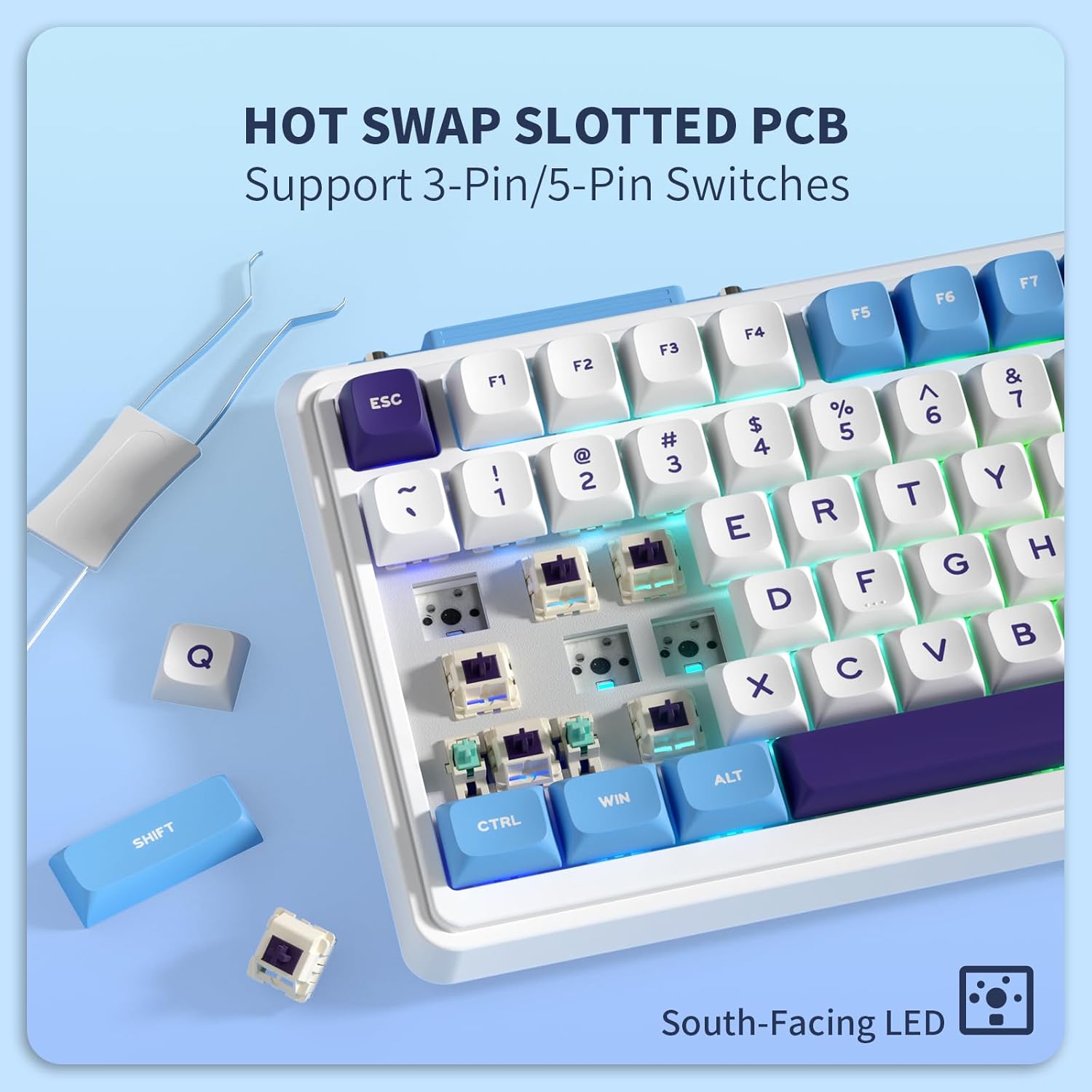
이미지: 클로즈업 view of the K75 Lite keyboard's hot-swappable PCB, illustrating how switches can be easily removed and replaced using a switch puller, supporting both 3-pin and 5-pin switches.
2. 키보드 청소
정기적으로 청소하면 키보드의 모양과 기능을 유지하는 데 도움이 됩니다.
- 청소하기 전에 키보드를 모든 장치에서 분리하세요.
- 부드럽고 보풀이 없는 천을 사용하십시오. dampened with a small amount of water or a mild cleaning solution to wipe down the keycaps and casing.
- 키캡 사이의 먼지와 이물질을 제거하려면 압축 공기나 작은 브러시를 사용하세요.
- 가혹한 화학물질이나 연마재의 사용은 피하세요.
문제 해결
If you encounter issues with your KZZI K75 Lite keyboard, please refer to the following common solutions:
- 키보드가 응답하지 않습니다:
- 키보드가 충전되어 있는지 확인하세요.
- Check the connectivity mode switch (Wired, 2.4G, BT) and ensure it matches your connection method.
- 2.4G를 사용하는 경우, 동글이 제대로 연결되어 있는지 확인하십시오.
- For Bluetooth, re-pair the device or try a different Bluetooth channel (FN+Q/W/E).
- 무선 문제를 배제하려면 USB-C 케이블을 통해 연결해보세요.
- 키가 등록되지 않거나 두 번 입력됨:
- This could indicate a faulty switch. Use the switch puller to replace the problematic switch with one of the backup switches provided.
- 스위치가 PCB에 완전히 고정되었는지 확인하세요.
- RGB 백라이트가 작동하지 않거나 불안정함:
- 배터리 잔량을 확인하십시오. 배터리 부족은 백라이트 성능에 영향을 줄 수 있습니다.
- Cycle through backlight modes (FN + \|) and brightness levels (FN + ↑/↓).
- If using software, ensure settings are correctly applied.
- Bluetooth 연결이 불안정합니다.
- 다른 장치가 Bluetooth 신호를 방해하지 않는지 확인하세요.
- 연결된 기기에 더 가까이 다가가세요.
- 키보드를 다시 페어링해 보세요.
명세서
Key technical specifications for the KZZI K75 Lite Wireless Mechanical Keyboard:
| 특징 | 세부 사항 |
|---|---|
| 모델 | K75 라이트 |
| 치수(길이 x 너비 x 높이) | 13.22 x 6.12 x 1.68인치(335.8 x 155.5 x 42.7mm) |
| 품목 무게 | 1.78파운드 |
| 연결성 | Bluetooth 5.0, 2.4GHz 무선, USB-C 유선 |
| 배터리 | 3750mAh 리튬 폴리머(포함) |
| 배터리 수명 | 최대 200시간(RGB 끔), 30시간(RGB 켬) |
| 키보드 유형 | 개스킷 장착형 기계식 키보드 |
| 스위치 | Custom POM Linear Switches (Pre-lubed, Hot-Swappable 3/5-pin) |
| 키캡 | MDA Double-Shot PBT |
| 특별 기능 | RGB Backlit, Hot-Swappable, Rechargeable, 5-Layer Sound Padding |
| 호환 장치 | 노트북, PC, 태블릿 |

Image: A comprehensive diagram detailing various features of the K75 Lite keyboard, such as its 2-stage adjustable feet, MDA Double-Shot PBT keycaps, hot-swappable slotted PCB, south-facing RGB LEDs, well-tuned stabilizers, and pre-lubed switches, alongside its precise dimensions.

Image: An exploded diagram illustrating the internal construction of the K75 Lite keyboard, highlighting its gasket-mounted structure and the five layers of sound-dampening materials (Poron foam, IXPE switch pad, PET film, sound dampening foam, silicone dampener pad) designed for a soft typing feel and HIFI sound.
보증 및 지원
보증 정보
KZZI products are typically covered by a limited warranty against manufacturing defects. Please refer to the warranty card included in your package or visit the official KZZI web해당 지역에 적용되는 구체적인 보증 약관 및 조건은 해당 사이트를 참조하세요.
고객 지원
For technical assistance, troubleshooting not covered in this manual, or warranty claims, please contact KZZI customer support through their official website or the contact information provided with your product. When contacting support, please have your product model (K75 Lite) and purchase details ready.