
SYNLETT QF29
SYNLETT QF29 Wireless Motion Sensor Instruction Manual
Model: QF29 | Brand: SYNLETT
소개
This instruction manual provides comprehensive guidance for the setup, operation, and maintenance of the SYNLETT QF29 Wireless Motion Sensor. This device is designed as an accessory for fall prevention and elderly monitoring, specifically intended to be paired with SYNLETT M091B or SP30 Pagers. It functions by detecting movement and sending a signal to the paired pager, alerting caregivers to activity.
제품 끝view
The SYNLETT QF29 Wireless Motion Sensor is a compact and versatile device for remote monitoring. It is designed to enhance caregiver freedom by providing silent alerts when movement is detected in a monitored area, such as by a bed or doorway. The sensor features a rotatable bracket for flexible installation and operates wirelessly, transmitting signals to a compatible SYNLETT pager.
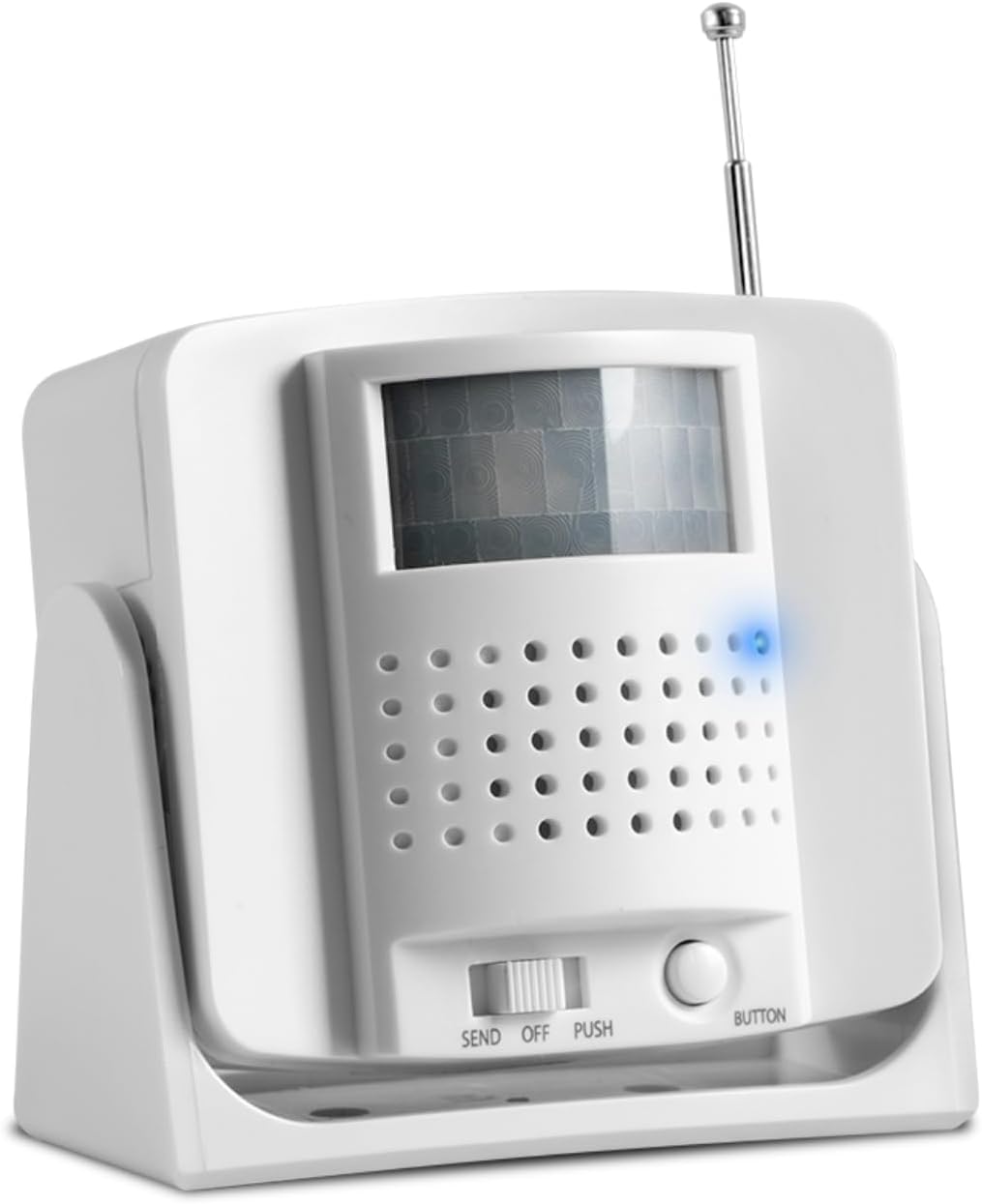
그림 1: 전면 view of the SYNLETT QF29 Wireless Motion Sensor, showing the motion detection window and control buttons.
주요 특징은 다음과 같습니다.
- 무선 작동: Transmits signals to compatible SYNLETT pagers (M091B or SP30).
- 유연한 배치: Can be wall-mounted with screws, attached with adhesive tape, or placed on a flat surface.
- 조정 가능한 감도: Allows for fine-tuning of motion detection.
- 장거리: Operates up to 300 feet in open areas, providing caregivers with freedom of movement.
- 배터리 구동: Uses 3 AA batteries (included).
안전 정보
Please read and understand all safety instructions before using the SYNLETT QF29 Wireless Motion Sensor. Failure to follow these instructions may result in injury or damage to the device.
- 기기를 물이나 과도한 습기에 노출시키지 마세요.
- 기기를 열거나 수리하려고 하지 마십시오. 모든 정비는 자격을 갖춘 기술자에게 맡기십시오.
- Use only the specified battery type (3 AA Alkaline batteries).
- 사용한 배터리는 현지 규정에 따라 폐기하십시오.
- 기기를 어린이와 애완동물이 닿지 않는 곳에 보관하세요.
- Ensure the device is placed in a stable location to prevent accidental falls.
- Environmental factors such as concrete or brick walls and heavy electronic equipment may affect the signal range.
패키지 내용
아래 나열된 모든 품목이 패키지에 들어 있는지 확인하세요.
- 1 x SYNLETT QF29 Wireless Motion Sensor
- AA 알칼리 배터리 3개 (사전 장착 또는 별도 구매)
- 2 x Screws for wall mounting
- 2 x Anchors for wall mounting
- 2 x Adhesive Tapes for surface attachment
- 1 x 사용자 매뉴얼(이 문서)

Figure 2: Contents of the SYNLETT QF29 Wireless Motion Sensor package, including the sensor, batteries, screws, anchors, and adhesive tape.
설정
Follow these steps to set up your SYNLETT QF29 Wireless Motion Sensor:
- 배터리 설치:
Locate the battery compartment on the back of the motion sensor. Insert 3 AA Alkaline batteries, ensuring correct polarity (+/-). The batteries are typically included.
- 장착 옵션:
The QF29 sensor offers flexible mounting options:
- 벽걸이 설치(나사): Use the provided screws and anchors to securely mount the sensor to a wall. The rotatable bracket allows for optimal positioning.
- 접착 테이프: For a less permanent solution, use the included adhesive tapes to attach the sensor to a clean, dry surface.
- 표면 배치: The sensor can also be placed directly on a flat surface, such as a bedside table or shelf.
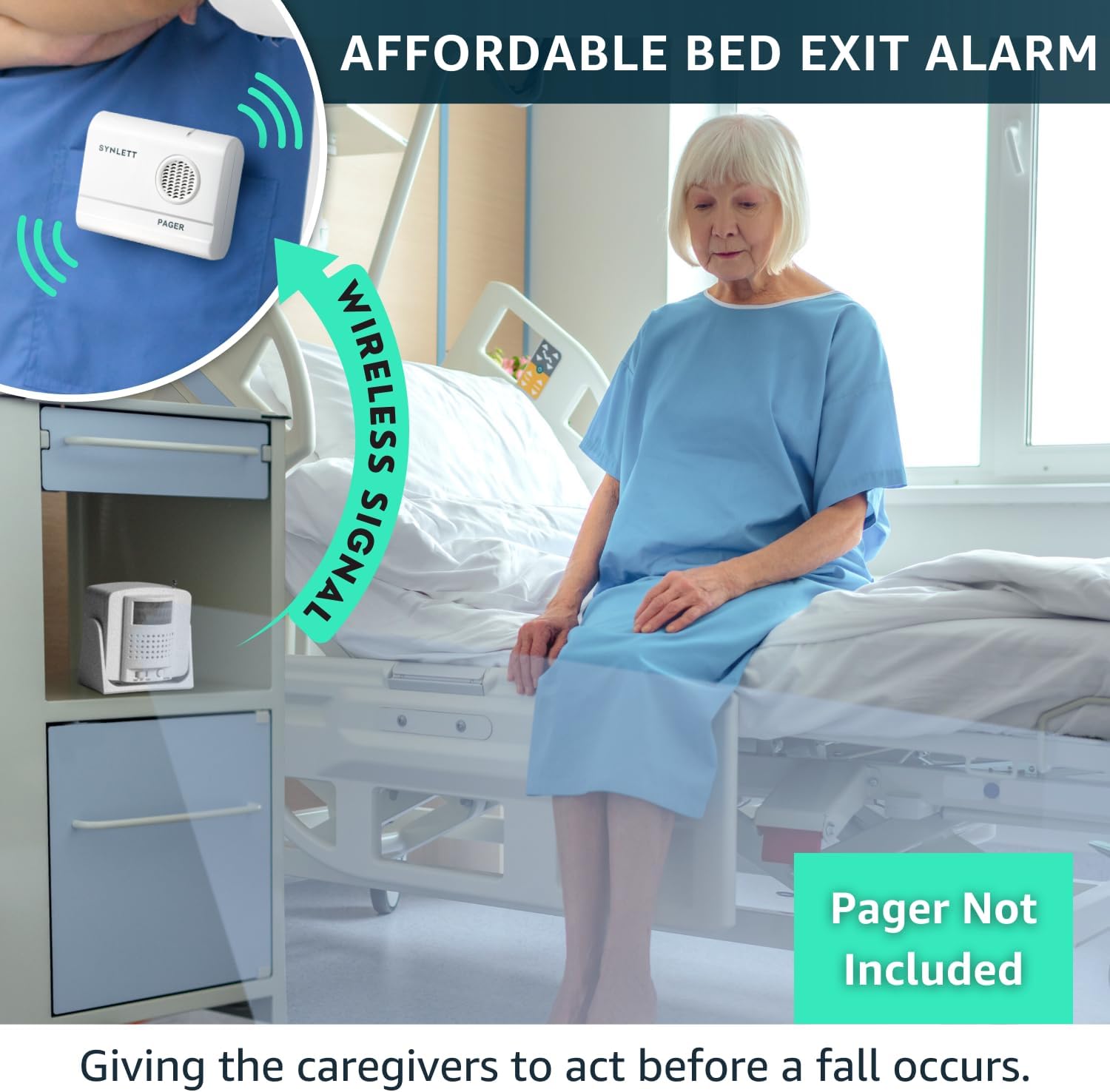
Figure 3: Diagram illustrating the various mounting options (screw mounting, adhesive patch, surface placement) and key features like the antenna and sensitivity adjustment.
- Pairing with Pager:
The SYNLETT QF29 Motion Sensor MUST be paired with a compatible SYNLETT M091B or SP30 Pager to function. It is NOT compatible with the SYNLETT wireless call system - CMU.
Refer to your M091B or SP30 Pager's instruction manual for specific pairing procedures. Generally, this involves setting the pager to a pairing mode and then activating the sensor's "SEND" function or button to transmit a pairing signal.

Figure 4: Visual representation of the SYNLETT QF29 Motion Sensor's compatibility, showing it pairs with SYNLETT M091B and SP30 pagers, but not with the CMU system.

Figure 5: Detailed compatibility chart showing the SYNLETT Caregiver Pager M091B and Companion Pager SP30 are compatible with Motion Sensor QF029 and Call Button F100.
- Positioning for Optimal Detection:
Place the motion sensor in an area where it can effectively detect movement, such as beside a bed to monitor bed exits or near a doorway. Ensure the detection field is clear of obstructions. The rotatable bracket allows for precise aiming of the sensor's field of view.

Figure 6: Illustration demonstrating the wireless range of the motion sensor and its typical placement near a bed to detect movement and alert a caregiver.
작동 지침
Once the motion sensor is set up and paired with your pager, it operates automatically to detect movement.
- 동작 감지: The sensor continuously monitors its detection field. When movement is detected within this field, it sends a wireless signal to the paired SYNLETT M091B or SP30 Pager.
- Pager Alert: Upon receiving a signal, the pager will activate its alert (audible alarm, vibration, or visual indicator, depending on the pager model and settings), notifying the caregiver of activity. The motion sensor itself is silent to avoid disturbing the resident.
- "SEND" and "PUSH" Functions:
- 전송 모드: This mode is typically used for transmitting a signal upon movement detection.
- 누름 단추: The "BUTTON" or "PUSH" function allows for manual transmission of a signal to the pager by pressing the button on the sensor. This can be used for testing or manual alerts.
- 감도 조정: The motion sensor may have an adjustment for sensitivity (refer to Figure 3). This allows you to fine-tune how easily the sensor triggers, reducing false alarms or ensuring detection of subtle movements.

Figure 7: The motion sensor positioned to detect a bed exit, sending a wireless signal to the caregiver's pager, enabling timely intervention.
유지
Proper maintenance ensures the longevity and reliable operation of your motion sensor.
- 배터리 교체: When the batteries are low, the sensor's indicator light (if present) may signal this, or the pager may stop receiving signals. Replace all 3 AA batteries with new alkaline batteries simultaneously.
- 청소: Wipe the exterior of the sensor with a soft, dry cloth. Do not use abrasive cleaners, solvents, or immerse the device in water. Ensure the motion detection window is clean and free of dust or smudges for optimal performance.
- 저장: 장기간 보관할 경우 누액을 방지하기 위해 배터리를 제거하십시오. 서늘하고 건조한 곳에 보관하십시오.
문제 해결
If you experience issues with your SYNLETT QF29 Wireless Motion Sensor, refer to the following common problems and solutions:
| 문제 | 가능한 원인 | 해결책 |
|---|---|---|
| Sensor not triggering pager. |
|
|
| 거짓 경보. |
|
|
| Pager not receiving signal. |
|
|
If the problem persists after attempting these solutions, please contact SYNLETT customer support.
명세서
| 상표 | 신렛 |
| 모델 번호 | QF29 |
| 색상 | 흰색 또는 회색 |
| 전원 | 배터리 구동 |
| 배터리 유형 | AA 알칼리 건전지 3개 (포함) |
| 최대 범위 | 300 Feet (in open areas) |
| 장착 유형 | Wall Mount, Surface Placement |
| 호환 장치 | SYNLETT simple caregiver pager M091B, SP30 Pager |
| 품목 무게 | 6.7 온스 |
| 제품 치수 | 3.25 x 1.78 x 3 인치 |
| 작동 온도 | 6E+1 Degrees Fahrenheit (approx. 61°F) |
| 한국어: | 768561405275 |
보증 정보
Specific warranty terms and conditions for the SYNLETT QF29 Wireless Motion Sensor are provided by the manufacturer. Please refer to the warranty card included with your product or visit the official SYNLETT web보증 범위, 기간, 청구 절차에 대한 자세한 내용은 해당 사이트를 참조하세요.
고객 지원
For technical assistance, troubleshooting, or any inquiries regarding your SYNLETT QF29 Wireless Motion Sensor, please contact SYNLETT customer support. You can find contact information on the official SYNLETT web사이트나 구매 플랫폼을 통해서도 구매하실 수 있습니다.
Visit the official SYNLETT Store for more products and information: SYNLETT Store on Amazon
Ask a question about this manual
Ask about setup, troubleshooting, compatibility, parts, safety, or missing instructions. Manuals+ will review the question and use this page’s manual context to help answer it.