
소개
The BSIDE S20 Digital Multimeter is a high-speed, automatic intelligent multimeter designed for precise electrical measurements. It features an integrated EMF detector, a large EBTN color LCD, and a rechargeable battery. This manual provides detailed instructions for safe and effective use of your device.
주요 특징
- High-Speed Digital Multimeter: Equipped with a powerful chip for rapid and accurate measurements, including capacitance.
- Large Color LCD Display: Features a 3.5-inch EBTN color screen showing test values, analog bars, and frequency/ambient temperature for enhanced readability.
- 자동 식별: Smart technology automatically identifies tested parameters and selects the appropriate range, making it user-friendly for beginners.
- 충전식 배터리: Includes a built-in 800mAh Li-ion rechargeable battery and charging cable for convenient power.
- Integrated EMF Detector: Detects electromagnetic fields from various electronic devices, providing an alarm and analog bar display.
- Versatile Measurements: 직류/교류 전압 측정 가능tage, resistance, capacitance, frequency, diode, and continuity.
- 추가 기능: Auto-ranging, auto power-off, data hold, and low battery indication.
패키지 내용
패키지에 모든 품목이 들어 있는지 확인하세요.
- BSIDE S20 Smart Multimeter EMF
- 테스트 리드
- 운반 케이스
- USB 충전 케이블
- 사용자 설명서(영어)

Image: The BSIDE S20 Multimeter shown with its included test leads, USB charging cable, and protective carrying case.
설정
1. 배터리 충전
The BSIDE S20 Multimeter is equipped with a built-in rechargeable Li-ion battery. Before first use, ensure the device is fully charged.
- 제공된 USB 충전 케이블을 멀티미터의 충전 포트에 연결하십시오.
- USB 케이블의 다른 쪽 끝을 표준 USB 전원 어댑터(별도 구매) 또는 컴퓨터의 USB 포트에 연결하십시오.
- The charging indicator on the display will show the charging status. A full charge typically takes a few hours.

Image: The BSIDE S20 Multimeter being charged via a USB cable connected to a laptop, illustrating the rechargeable battery feature.
2. 테스트 리드 연결
Properly connect the test leads for accurate measurements.
- 검은색 테스트 리드를 "COM"(공통) 입력 잭에 삽입합니다.
- Insert the red test lead into the "INPUT" input jack.
- Ensure connections are secure before performing any measurements.
작동 지침
The BSIDE S20 features an intelligent automatic mode for most measurements. It can also be manually switched to specific functions.
1. 전원 켜기/끄기
Press and hold the power button (usually located on the top right of the device) to turn the multimeter on or off. The device will automatically power off after a period of inactivity to conserve battery.
2. Automatic Mode Selection
In automatic mode, the multimeter intelligently identifies the type of measurement (AC/DC voltage, resistance, continuity) and displays the result. This is the default mode upon power-on.
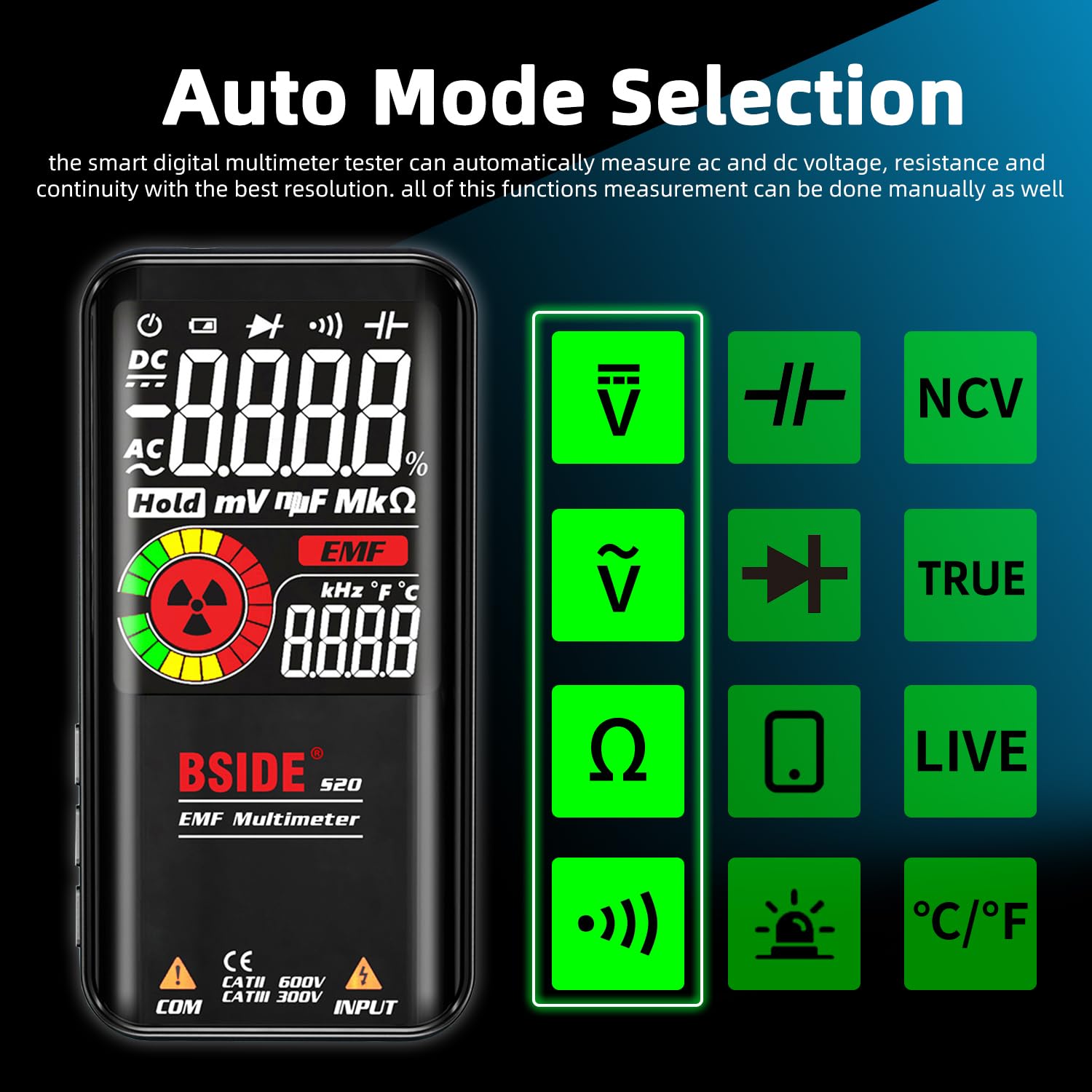
Image: The BSIDE S20 Multimeter display highlighting the automatic mode selection feature, with icons for different measurement types.
3. 디스플레이 이해하기
The 3.5-inch EBTN color LCD provides clear readings with three main results:
- 테스트 값: The primary numerical measurement.
- 아날로그 바: A graphical representation of the measurement, useful for quick trend observation.
- Frequency/Ambient Temperature: Additional contextual information displayed simultaneously.

Image: The BSIDE S20 Multimeter display showing a voltage reading of 110.0V AC, a frequency of 60.00 Hz, and an analog bar graph.
4. Performing Measurements (General Steps)
- Ensure the test leads are correctly connected to the multimeter.
- Turn on the multimeter. It will typically start in automatic mode.
- Select the desired measurement function if not using automatic mode (refer to the device's buttons for mode selection).
- Carefully connect the test probes to the circuit or component you wish to measure.
- 디스플레이에서 측정값을 읽습니다.
- Always disconnect the test probes from the circuit before changing functions or turning off the device.
5. 볼륨tage 측정(AC/DC)
볼륨을 측정하려면tage, connect the test probes in parallel with the circuit or component. The multimeter will automatically detect AC or DC voltage는 자동 모드입니다.
Video: Demonstration of the BSIDE S20 Multimeter measuring AC and DC voltage, resistance, continuity, capacitance, live wire detection, and EMF detection in an electrical setup.
6. 저항 측정
To measure resistance, ensure the circuit is de-energized. Connect the test probes across the component.
Note: The video above also shows a resistance measurement of 100.0 kΩ.
7. 연속성 테스트
For continuity, ensure the circuit is de-energized. Connect the test probes across the path to be tested. If the resistance is below 30Ω, an audible beep will sound, indicating continuity.
Note: The video above also shows a continuity test with an audible beep.
8. 정전 용량 측정
To measure capacitance, ensure the capacitor is discharged before connecting the test probes. The BSIDE S20 offers high-speed capacitance measurement.

Image: The BSIDE S20 Multimeter connected to a capacitor on a circuit board, displaying a capacitance reading of 68.00 uF.
Note: The video above also shows a capacitance measurement of 37.1 uF.
9. EMF 감지
The integrated EMF detector helps identify electromagnetic fields. Move the multimeter near potential sources of EMF radiation.
- The display will show an EMF reading and an analog bar.
- An audible alarm will sound if a significant EMF is detected.
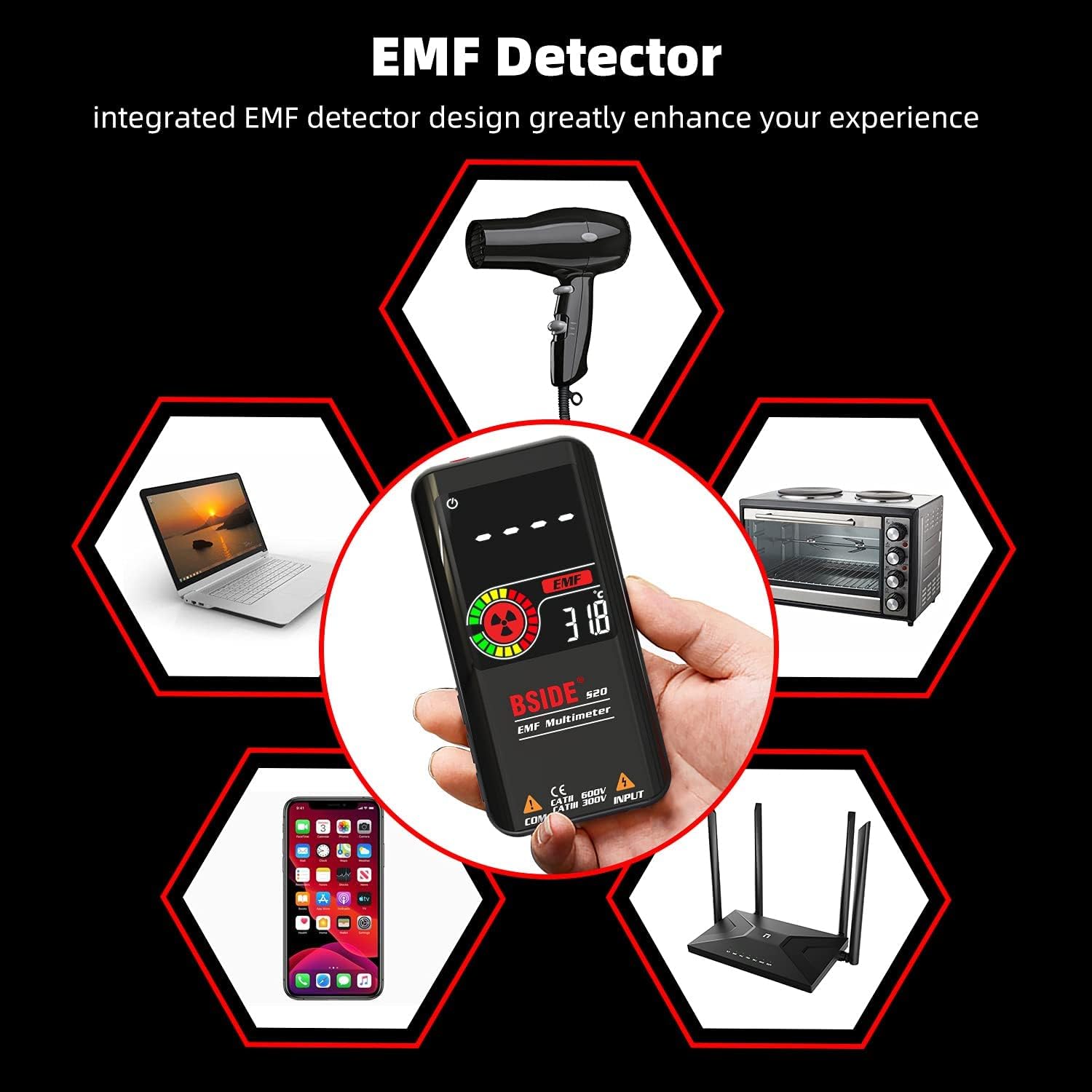
Image: The BSIDE S20 Multimeter displaying an EMF reading, surrounded by common household electronics that emit electromagnetic fields.
Note: The video above also shows the EMF detection feature with an audible alarm.
10. 활선 감지
To detect live wires, select the "LIVE" function. Use the red test probe to approach the wire. The multimeter will indicate the presence of live voltage with an alarm and display changes.
Note: The video above also shows the live wire detection feature.
유지
청소
마른 부드러운 천으로 기기를 닦으십시오. 연마성 세척제나 용제를 사용하지 마십시오. 청소하기 전에 기기의 전원을 끄고 모든 회로에서 분리하십시오.
저장
Store the multimeter in its protective carrying case in a cool, dry place, away from direct sunlight and extreme temperatures. If storing for extended periods, ensure the battery is partially charged (around 50%) to prolong its lifespan.

이미지: 클로즈업 view of the BSIDE S20 Multimeter, highlighting its durable protective case.
문제 해결
| 문제 | 가능한 원인 | 해결책 |
|---|---|---|
| 장치의 전원이 켜지지 않습니다. | 배터리가 부족하거나 방전되었습니다. | 제공된 USB 케이블을 사용하여 배터리를 충전하세요. |
| 부정확한 판독값. | Incorrect mode selection; poor test lead connection; external interference. | Ensure correct mode (Auto or specific function). Check test lead connections. Move away from strong electromagnetic fields. |
| 연속성 비프음이 나지 않습니다. | Resistance is too high; circuit is open. | Verify the circuit path. The beep activates for resistance below 30Ω. |
| EMF detector not responding. | No significant EMF source nearby; device not in EMF mode. | Ensure the device is in EMF detection mode. Move closer to known EMF sources. |
명세서
| 매개변수 | 값 |
|---|---|
| 최대 디스플레이 | 9999 카운트 |
| 디스플레이 유형 | Color LCD EBTN |
| 화면 크기 | 3.5인치 |
| DC 볼륨tage | 0.5V-620V ±(0.8%+3); 해상도: 0.001V |
| AC 볼륨tage | 1.0V-620V ±(1.2%+5); 해상도: 0.001V |
| 저항 | 1Ω-10.0MΩ ±(1.2%+3); Resolution: 0.1Ω |
| 정전 용량 | 0.5uF-1000uF ±(3.5%+8), 1000uF-6000uF ±(4.5%+10); Resolution: 0.1uF |
| 빈도 | 10Hz-1000Hz ±(2.0%+10); Resolution: 1Hz |
| 다이오드 테스트 | 1.0V 이내의 다이오드를 측정합니다. |
| EMF 감지 | Alarm beep, LCD with analog bars |
| 활선 점검 | Alarm beep, LCD with analog bars |
| 연속성 | Audible signal if resistance is less than 30Ω |
| 전원 공급 장치 | 3.7V Rechargeable Battery (included) |
| 치수 | 143 x 69 x 17mm(5.63 x 2.72 x 0.67인치) |
| 무게 | 143g(0.31파운드) |
| 안전 준수 | CE |
보증 및 지원
For warranty information and technical support, please refer to the official BSIDE web사이트를 방문하거나 판매점에 문의하세요. 보증 청구를 위해 구매 영수증을 보관하세요.