
FIFINE K688W
피파인 AmpliTank K688W Dynamic USB/XLR Microphone User Manual
Model: K688W | Brand: FIFINE
1. 서론
구매해주셔서 감사합니다asing the FIFINE AmpliTank K688W Dynamic USB/XLR Microphone. This microphone is designed for high-quality audio capture in various applications, including gaming, streaming, podcasting, and professional recording. Please read this manual carefully to ensure proper setup and operation.

이미지: 더 피파인 AmpliTank K688W microphone demonstrating its sound capture capabilities with a visual representation of sound waves.
2. 패키지 내용
아래 나열된 모든 품목이 패키지에 포함되어 있는지 확인하세요.
- 피파인 AmpliTank K688W Microphone Body
- USB-C-USB-A 케이블 (2.5m)
- 3/8인치에서 5/8인치 나사 어댑터
- 사용자 매뉴얼(일본어)
Note: A microphone stand and XLR cable are not included and must be purchased separately.

이미지: 더 피파인 AmpliTank K688W microphone and its included accessories: USB cable and screw adapter, alongside the user guide.
3. 제품 오버view (Components and Controls)
Familiarize yourself with the microphone's components and controls:

이미지: 후면 view FIFINE의 AmpliTank K688W microphone, highlighting the XLR output terminal and USB connection port.
- XLR Output Terminal: For connecting to audio interfaces, mixers, or other professional audio equipment.
- USB Connection Port (USB Type-C): For direct connection to computers or game consoles.
- 3.5mm 헤드폰 잭 : 실시간 오디오 모니터링용입니다.
- Microphone Volume Control (Gain Knob): Adjusts the microphone's input sensitivity. (USB mode only)
- Headphone Jack Volume Control: Adjusts the monitoring volume through the 3.5mm headphone jack. (USB mode only)
- LED 표시기가 있는 음소거 버튼: Toggles microphone mute. LED indicates mute status. (USB mode only)
4. 설정
4.1 USB 연결
For direct connection to a computer (Windows/Mac OS) or game console (PS4/PS5):
- Connect the USB-C end of the provided USB cable to the microphone's USB port.
- Connect the USB-A end of the cable to an available USB port on your computer or game console.
- The device will automatically recognize the microphone.
- Select "FIFINE K688W" as your input and output device in your system's sound settings or application settings.

이미지: 더 피파인 AmpliTank K688W microphone connected to a laptop via its USB-C port, illustrating plug-and-play functionality.
4.2 XLR Connection
For connecting to professional audio equipment (audio interfaces, mixers):
- Connect a standard XLR cable (not included) to the XLR output terminal on the microphone.
- XLR 케이블의 다른 쪽 끝을 오디오 인터페이스나 믹서의 XLR 입력에 연결합니다.
- 오디오 인터페이스 또는 믹서가 연결된 XLR 채널에서 입력을 받을 수 있도록 올바르게 구성되어 있는지 확인하십시오.
- Adjust gain levels on your audio interface/mixer as needed.

이미지: 자세한 view FIFINE의 AmpliTank K688W's connectivity panel, showing both USB and XLR ports for versatile audio setups.
5. 사용 설명서
5.1 Gain Control (USB Mode Only)
The gain knob on the microphone allows you to adjust the input sensitivity. Rotate the knob clockwise to increase gain and counter-clockwise to decrease it. Adjust this to achieve an optimal recording level without clipping or distortion.
5.2 Mute Function (USB Mode Only)
Press the touch-sensitive mute button on top of the microphone to instantly mute or unmute the audio input. The LED indicator will change color to show the microphone's status (e.g., green for active, red for muted).
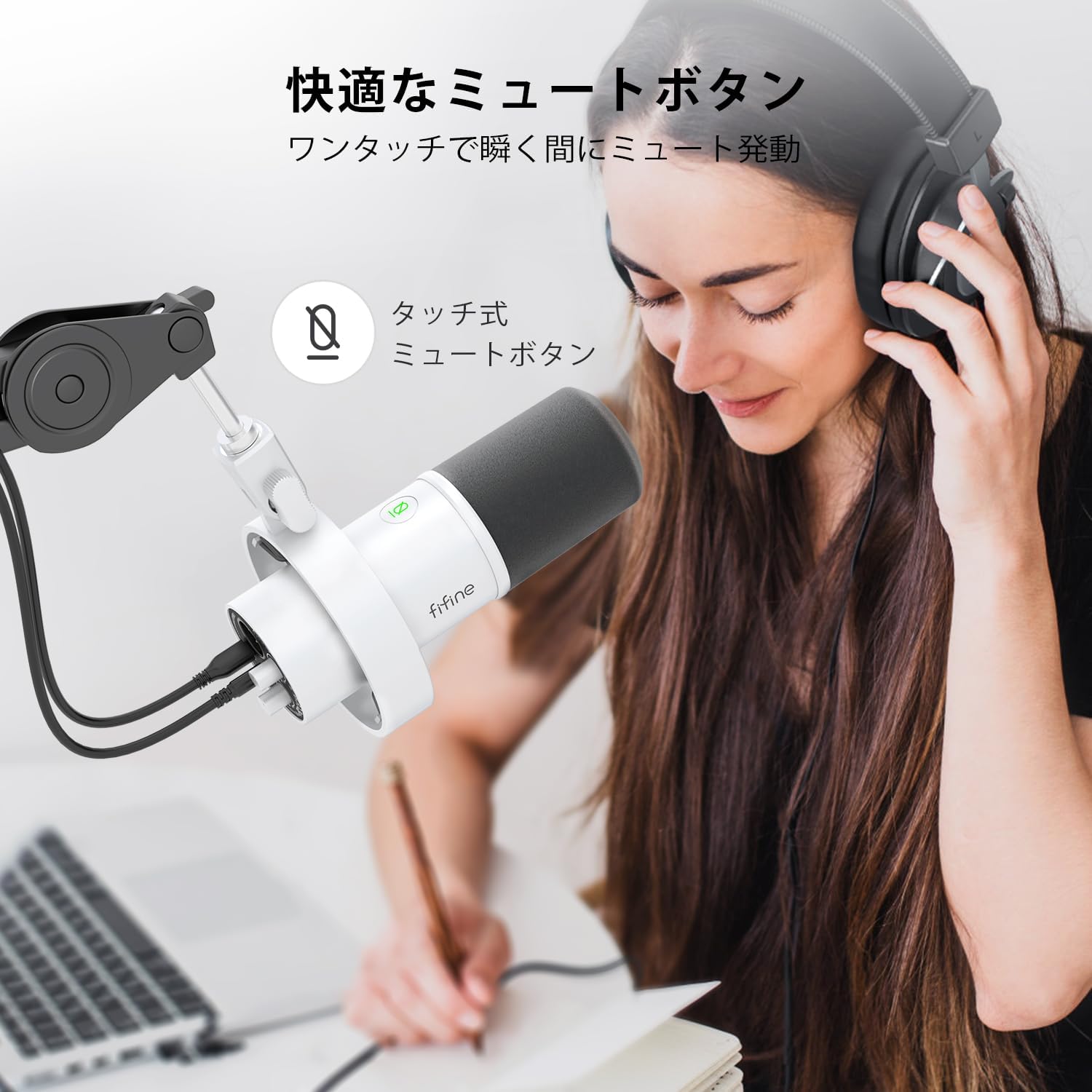
Image: A user interacting with the touch-sensitive mute button on the FIFINE AmpliTank K688W microphone, demonstrating its ease of use.
5.3 Headphone Monitoring (USB Mode Only)
Connect your headphones to the 3.5mm headphone jack on the microphone to monitor your audio in real-time with zero latency. Use the dedicated headphone volume knob to adjust the monitoring level to your preference.
6. 유지관리
- 부드럽고 마른 천으로 닦아 마이크를 깨끗하게 유지하세요.
- 마이크를 극한의 온도, 습도 또는 직사광선에 노출시키지 마세요.
- 먼지와 손상을 방지하기 위해 마이크를 사용하지 않을 때는 보호 케이스에 보관하십시오.
- 마이크를 분해하려고 시도하지 마십시오. 분해할 경우 보증이 무효화됩니다.

이미지: 더 피파인 AmpliTank K688W microphone mounted on a boom arm, showcasing its integrated metal body design suitable for various recording environments.
7. 문제 해결
| 문제 | 가능한 원인 | 해결책 |
|---|---|---|
| 사운드 출력 없음(USB) |
|
|
| 음성 출력 없음 (XLR) |
|
|
| 왜곡된 오디오 |
|
|
| 과도한 배경 소음 |
|
|
8. 사양
| 특징 | 세부 사항 |
|---|---|
| 모델 | K688W |
| 상표 | 피파인 |
| 마이크 유형 | 동적 |
| 극성 패턴 | 단방향 (카디오이드) |
| 연결성 | USB (Type-C), XLR |
| 주파수 응답 | 70Hz - 15KHz |
| 신호 대 잡음비(S/N) | 75데시벨 |
| 파워 타입 | 유선 전기 (USB 전원) |
| 호환 장치 | PC (Windows/Mac OS), Game Consoles (PS4/PS5), Audio Mixers, Audio Interfaces, Smartphones (with adapter, not included) |
| 특별 기능 | Volume Control, Mute Function, Headphone Monitoring |
| 색상 | 하얀색 |
| 재료 | 플라스틱, 금속 |
| 한국어: | 850052511821 |
9. 보증 및 지원
9.1 보증 정보
이 제품에는 다음이 포함되어 있습니다. 1년 제조사 보증 구매일로부터 적용됩니다. 보증은 정상적인 사용 조건에서 발생하는 재료 및 제조상의 결함에 대해 적용됩니다.
보증은 다음 사항을 포함하지 않습니다:
- 오용, 남용, 사고 또는 방치로 인해 발생한 손상.
- 승인되지 않은 수리나 개조로 인한 손상.
- 정상적인 마모 및 파손.
9.2 고객 지원
FIFINE 사용 중 문제가 발생하면 AmpliTank K688W microphone, such as packaging damage, color discrepancies, or product defects, please contact FIFINE Japan customer support immediately. Provide your purchase details and a description of the issue for prompt assistance.
For further support, please visit the official FIFINE web대지.

Image: Information regarding FIFINE's customer support process, including steps to contact them via Amazon and their operating hours.
Ask a question about this manual
Ask about setup, troubleshooting, compatibility, parts, safety, or missing instructions. Manuals+ will review the question and use this page’s manual context to help answer it.