
1. 소개 및 이상view
Welcome to the user manual for your Philips Senseo Original HD7806/53 Coffee Machine. This appliance is designed to provide you with delicious SENSEO coffee quickly and easily. Its unique brewing system ensures optimal taste and temperature, while Crema Plus technology delivers a finer and creamier foam layer. The machine has been tested over 10,000 times to guarantee consistent quality and features an automatic shut-off for safety and energy saving.
주요 특징은 다음과 같습니다.
- Unique coffee brewing system for optimal taste and temperature.
- Crema Plus technology for a finer and creamier foam layer.
- Simple and fast operation.
- Ability to prepare two cups of coffee simultaneously.
- Manually adjustable coffee volume.
- 30분 후 자동으로 꺼집니다.

이미지 1: 앞쪽 view of the Philips Senseo Original HD7806/53 Coffee Machine, showcasin세련된 디자인과 제어 버튼이 특징입니다.
2. 설정
2.1 풀기
Carefully remove all packaging materials from the coffee machine. Ensure all components are present: the coffee machine unit, water reservoir, drip tray, and pod holders.
2.2 초기 청소
Before first use, clean all removable parts (water reservoir, drip tray, pod holders) with warm water and a mild detergent. Rinse thoroughly and dry. Wipe the exterior of the machine with a damp 옷감.
2.3 물 저장고 채우기
Remove the water reservoir from the machine. Fill it with fresh, cold tap water up to the MAX indication. Do not exceed the maximum fill line. Place the water reservoir back onto the machine, ensuring it is securely seated.
2.4 첫 사용 / 프라이밍
- 기기를 접지된 벽면 콘센트에 꽂습니다.
- Place a bowl or container under the coffee spout.
- Press the ON/OFF button. The button will light up.
- Once the machine is ready (light stops flashing), press the 2-cup button to start a brewing cycle without a coffee pod. This will rinse the internal system.
- Repeat this process twice to ensure the machine is thoroughly rinsed and primed.
3. 사용 설명서
3.1 커피 준비하기
- 물통에 깨끗한 물이 채워져 있는지 확인하세요.
- 팟 홀더의 뚜껑을 여세요.
- Place one SENSEO coffee pod in the 1-cup pod holder for a single cup, or two SENSEO coffee pods in the 2-cup pod holder for two cups. Ensure the pod is centered and flat.
- 뚜껑이 딸깍 소리가 나면서 제자리에 고정될 때까지 꽉 닫으세요.
- 커피 주둥이 아래에 컵 1~2개를 놓으세요.
- Press the ON/OFF button to turn on the machine. Wait for the light to stop flashing, indicating the machine is ready.
- 한 잔을 원하시면 1컵 버튼을, 두 잔을 원하시면 2컵 버튼을 누르세요. 기기가 추출을 시작합니다.
- Once brewing is complete, the machine will automatically stop.
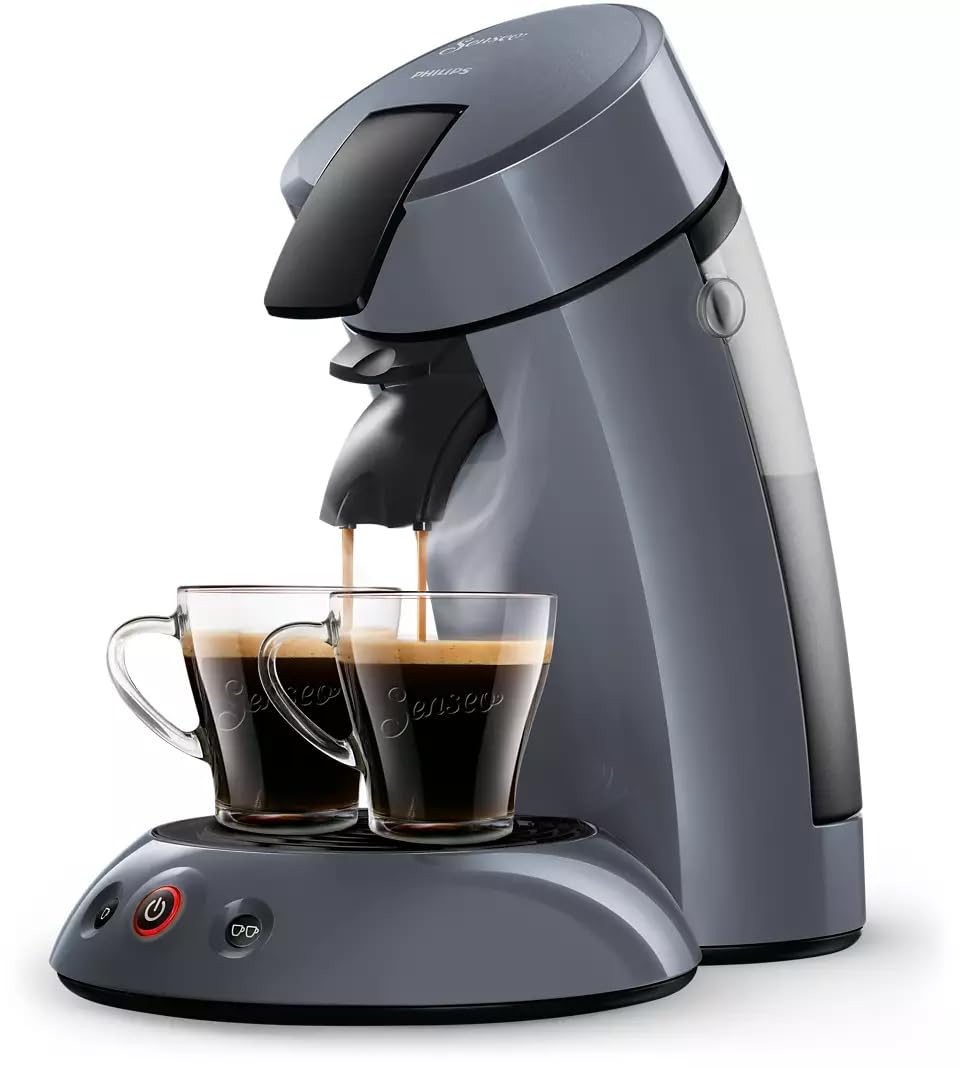
이미지 2: The Philips Senseo Original HD7806/53 Coffee Machine actively brewing two cups of coffee simultaneously, demonstrating its dual-cup feature.
3.2 커피 양 조절하기
The Philips Senseo Original HD7806/53 allows for manual adjustment of coffee volume. To do this, press and hold the 1-cup or 2-cup button during the brewing process. Release the button when your desired coffee volume is reached. The machine will remember this setting for future brews of that cup size.
3.3 자동 종료
For energy saving and safety, the coffee machine will automatically switch off after 30 minutes of inactivity.
4. 유지관리
4.1 일일 청소
- After each use, remove and empty the drip tray and pod holder(s).
- Wash the drip tray, pod holder(s), and water reservoir with warm water and a mild detergent. Rinse thoroughly.
- 커피 추출구와 머신 외부를 물로 닦아주세요.amp 옷감.
- 중요한: The item is ~ 아니다 dishwasher safe. Do not place any parts in a dishwasher.
4.2 석회질 제거
Regular descaling is crucial for maintaining the performance and lifespan of your coffee machine, and for ensuring optimal coffee taste. The frequency of descaling depends on the hardness of your tap water and how often you use the machine. Philips recommends descaling every 3 months or after 400 cups, whichever comes first.
Always use a descaling agent specifically designed for coffee machines. Follow the instructions provided with the descaling agent carefully. Typically, the process involves:
- Preparing the descaling solution according to the descaler's instructions.
- Filling the water reservoir with the descaling solution.
- Running several brewing cycles with the solution (without coffee pods).
- Rinsing the machine thoroughly by running several cycles with fresh water.
5. 문제 해결
If you encounter issues with your Philips Senseo Original HD7806/53, please refer to the common problems and solutions below:
| 문제 | 가능한 원인 | 해결책 |
|---|---|---|
| No coffee is dispensed or very little coffee. | Water reservoir empty; machine clogged with limescale; coffee pod not placed correctly. | Fill water reservoir; descale the machine; ensure coffee pod is centered and flat. |
| 커피가 밍밍하거나 물처럼 묽습니다. | Incorrect coffee pod size; machine needs descaling. | 적절한 SENSEO 포드를 사용하고, 기기의 석회질을 제거하십시오. |
| 기계에서 누출이 발생하고 있습니다. | Water reservoir not properly seated; drip tray full; internal seal issue. | Ensure water reservoir is correctly placed; empty drip tray; contact customer support if issue persists. |
| 기기가 켜지지 않습니다. | 플러그가 꽂혀 있지 않음; 전원이 꺼짐tag예: 전원 코드 불량. | Check power connection; verify power supply; contact customer support. |
위 해결 방법을 시도한 후에도 문제가 지속되면 필립스 고객 지원팀에 문의하여 추가 지원을 받으십시오.
6. 사양
| 사양 | 세부 사항 |
|---|---|
| 상표 | 필립스 |
| 모델 번호 | HD7806/53 |
| 색상 | 회색 |
| 특징 | 타이머(자동 꺼짐 기능) |
| 커피 머신 유형 | Pod Coffee Machine (Moka style) |
| 재료 | Plastic or combined materials including plastic |
| 작동 모드 | 반자동 |
| 왓tage | 1450 와트 |
| 권tage | 230볼트(AC) |
| User Interface Input | 버튼 |
| Coffee Type Used | 커피 캡슐 |
| 전원 | AC 어댑터 |
| 항목 수 | 1 |
| 커피 필터 크기 | #2 |
| 식기 세척기 사용 가능 | 아니요 |
| 포함된 구성 요소 | Carafe, Head, Measuring Spoon (Note: 'Carafe' and 'Measuring Spoon' might be generic translations, actual components are pod holders and drip tray) |
7. 보증 및 지원
Your Philips Senseo Original HD7806/53 Coffee Machine comes with a standard manufacturer's warranty. Please refer to the warranty card included in your product packaging for specific terms and conditions, including the warranty period and coverage details.
For technical support, spare parts, or any questions regarding your appliance, please visit the official Philips website or contact Philips customer service in your region. You can often find contact information and FAQs on the Philips support pages.
온라인 지원: www.philips.com/support