
소개
The zelotes T30 Wired Vertical Mouse is designed to enhance comfort and reduce wrist strain during prolonged computer use. Its ergonomic vertical design promotes a natural hand and wrist posture. This manual provides essential information for setting up, operating, maintaining, and troubleshooting your new mouse.

그림 1: 앞 왼쪽 view of the zelotes T30 Wired Vertical Mouse.

그림 2: 다양한 측면 views illustrating the vertical design of the mouse.
설정
The zelotes T30 Vertical Mouse is designed for simple plug-and-play operation, requiring no driver installation.
마우스 연결
- Locate an available USB port on your computer (Laptop, PC, Mac).
- Insert the USB connector of the zelotes T30 mouse into the USB port.
- The mouse will be automatically recognized by your operating system (Win11, Win10, Win8, Win7, Mac OS, Linux) and ready for use.
Attaching the Detachable Palm Rest
The mouse comes with a detachable palm rest for enhanced comfort. To attach it:
- Align the palm rest with the designated slots on the bottom of the mouse.
- Gently slide the palm rest into place until it clicks securely.
- Ensure the palm rest is firmly attached before use.

Figure 3: Illustration of the detachable palm rest and its attachment points.
작동 지침
인체공학적 디자인 및 그립
The vertical design of the T30 mouse positions your hand in a natural handshake posture, reducing pronation of the forearm and wrist. This design aims to alleviate discomfort associated with traditional mouse use.

Figure 4: Proper hand placement on the ergonomic vertical mouse.

그림 5: 상세 view of the humanized grip design, ensuring comfortable finger placement.
DPI 감도 조정
The mouse features 4 adjustable DPI settings: 1200, 1600, 2400, and 3200 DPI. To change the sensitivity:
- Locate the DPI button on the mouse. This button is typically positioned near the scroll wheel or thumb area.
- Press the DPI button to cycle through the available sensitivity settings. Each press will switch to the next DPI level.
- The LED illumination on the mouse may change color or pattern to indicate the current DPI setting.
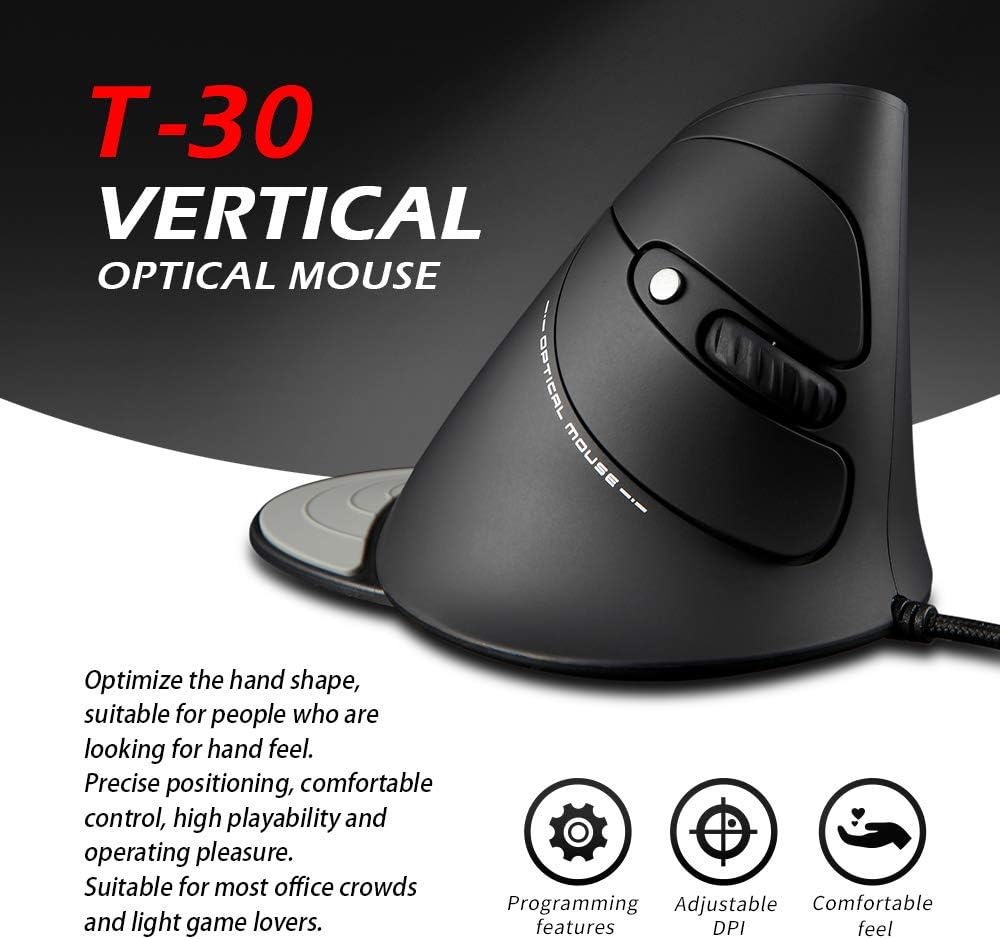
Figure 6: The T30 mouse with an emphasis on its adjustable DPI feature.
버튼 기능
The zelotes T30 mouse is equipped with 6 buttons for various functions:
- 왼쪽 클릭 버튼: 표준 기본 클릭 기능.
- 오른쪽 클릭 버튼: 표준 보조 클릭 기능.
- 스크롤 휠: 세로 스크롤용입니다. 마우스 가운데 버튼을 누르면 해당 기능이 실행됩니다.
- DPI 버튼: 마우스 감도(DPI)를 조정합니다.
- 앞으로 버튼: 앞으로 이동합니다 web 브라우저 또는 file 탐험가.
- 뒤로가기 버튼: 뒤로 탐색합니다 web 브라우저 또는 file 탐험가.
Video 1: Demonstration of the zelotes T30 Ergonomic Vertical Mouse features and usage.
유지
To ensure the longevity and optimal performance of your zelotes T30 mouse, follow these maintenance guidelines:
- 청소: 부드럽고 마른 천으로 마우스 표면을 닦으세요. 잘 지워지지 않는 얼룩은 약간 부드러운 천으로 닦아내세요.amp cloth can be used, but ensure no liquid enters the mouse. Avoid harsh chemicals or abrasive cleaners.
- 저장: 사용하지 않을 때는 마우스를 극한의 온도와 직사광선을 피해 깨끗하고 건조한 곳에 보관하세요.
- 케이블 관리: USB 케이블을 과도하게 구부리거나 비틀지 마세요. 내부 전선이 손상될 수 있습니다.
문제 해결
If you encounter issues with your zelotes T30 mouse, refer to the following common problems and solutions:
| 문제 | 가능한 원인 | 해결책 |
|---|---|---|
| 마우스가 응답하지 않음 | USB 연결이 헐거워졌거나, USB 포트가 불량이거나, 운영 체제 문제일 수 있습니다. |
|
| 커서 움직임이 불규칙하거나 갑작스럽습니다. | 더러운 광학 센서, 부적합한 마우스 패드 표면. |
|
| DPI 조정이 작동하지 않습니다 | Button malfunction, temporary software glitch. |
|
명세서
| 특징 | 세부 사항 |
|---|---|
| 상표 | 젤로테스 |
| 모델 번호 | 티-30 |
| 제품 치수 | 4.33 x 3.15 x 3.27 인치 |
| 품목 무게 | 4.2 온스 |
| 연결 기술 | USB 유선 |
| 움직임 감지 기술 | 광학 |
| DPI 설정 | 1200/1600/2400/3200DPI |
| 버튼의 수 | 6 |
| 특징 | Ergonomic Design, Detachable Wrist Rest, LED Illumination |
| 호환성 | 윈도우 11, 윈도우 10, 윈도우 8, 윈도우 7, 맥 OS, 리눅스 |

Figure 7: Detailed dimensions of the zelotes T30 Vertical Mouse.
보증 및 지원
For warranty information and technical support, please refer to the official zelotes web사이트를 방문하거나 고객 서비스에 직접 문의하세요. 보증 청구를 위해 구매 영수증을 보관하세요.
제조업체: 젤로테스