
소개
This manual provides detailed instructions for the safe and efficient use of your Jectse N509 2G Flip Phone. Please read this manual thoroughly before operating the device and keep it for future reference.

Image: The Jectse N509 flip phone in its closed state, featuring a pink and white gradient finish adorned with elegant butterfly patterns.
설정
1. 배터리 설치
- 휴대폰의 뒷면 커버를 조심스럽게 제거하세요.
- Insert the provided 6800 mAh lithium-ion battery into the battery compartment, ensuring the contacts align correctly.
- 뒤쪽 덮개를 제자리에 딸깍 소리가 날 때까지 다시 끼웁니다.
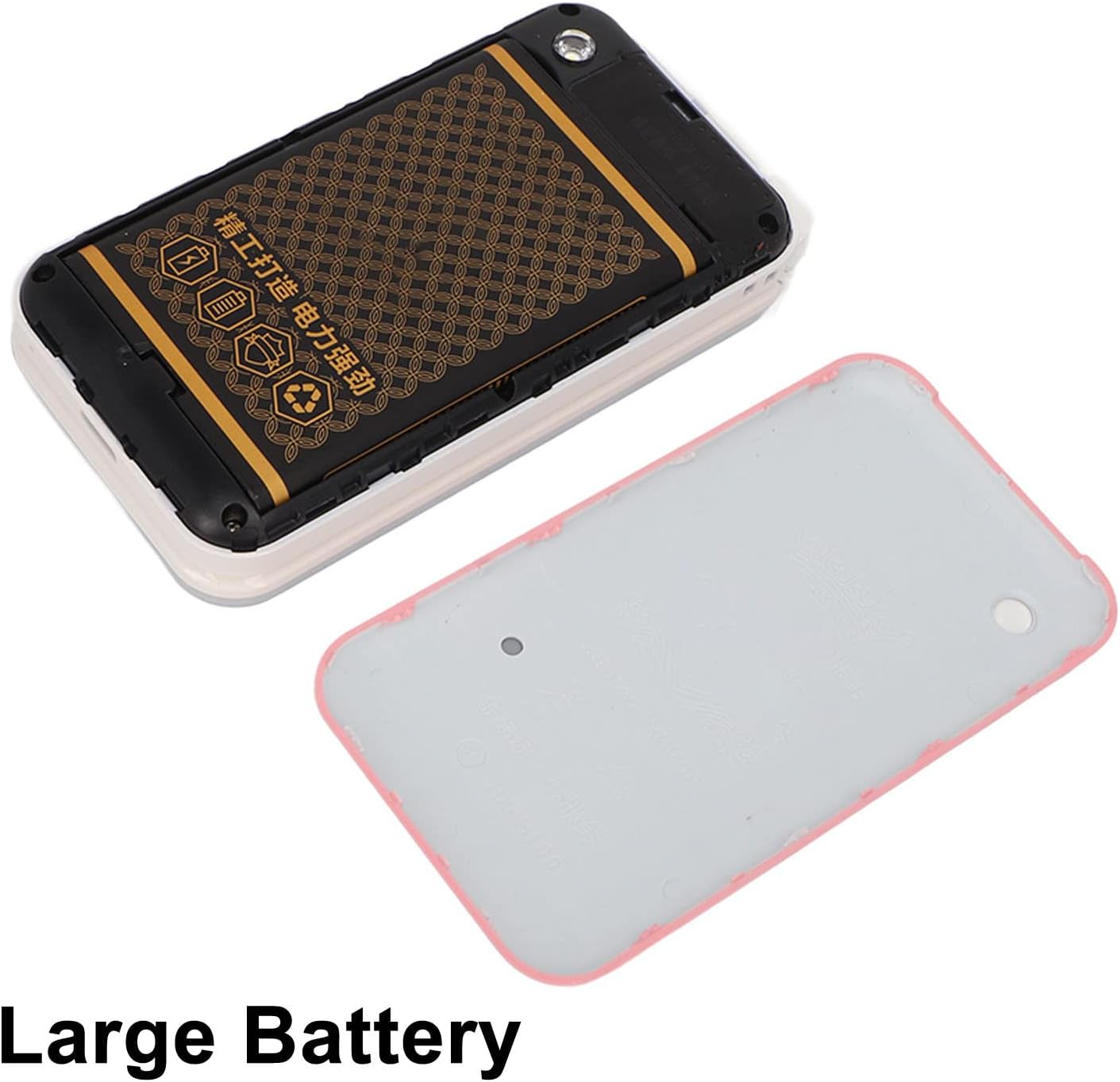
Image: The phone's back cover is removed, revealing the battery compartment and the large capacity battery ready for installation.
2. SIM 카드 및 메모리 카드 설치
The N509 supports dual SIM cards and one memory card (up to 16GB, not included).
- With the battery removed, locate the SIM card slots and memory card slot.
- 지정된 슬롯에 유심 카드를 삽입하세요.
- If desired, insert a memory card into its slot.
- 배터리와 뒷면 덮개를 다시 설치하십시오.
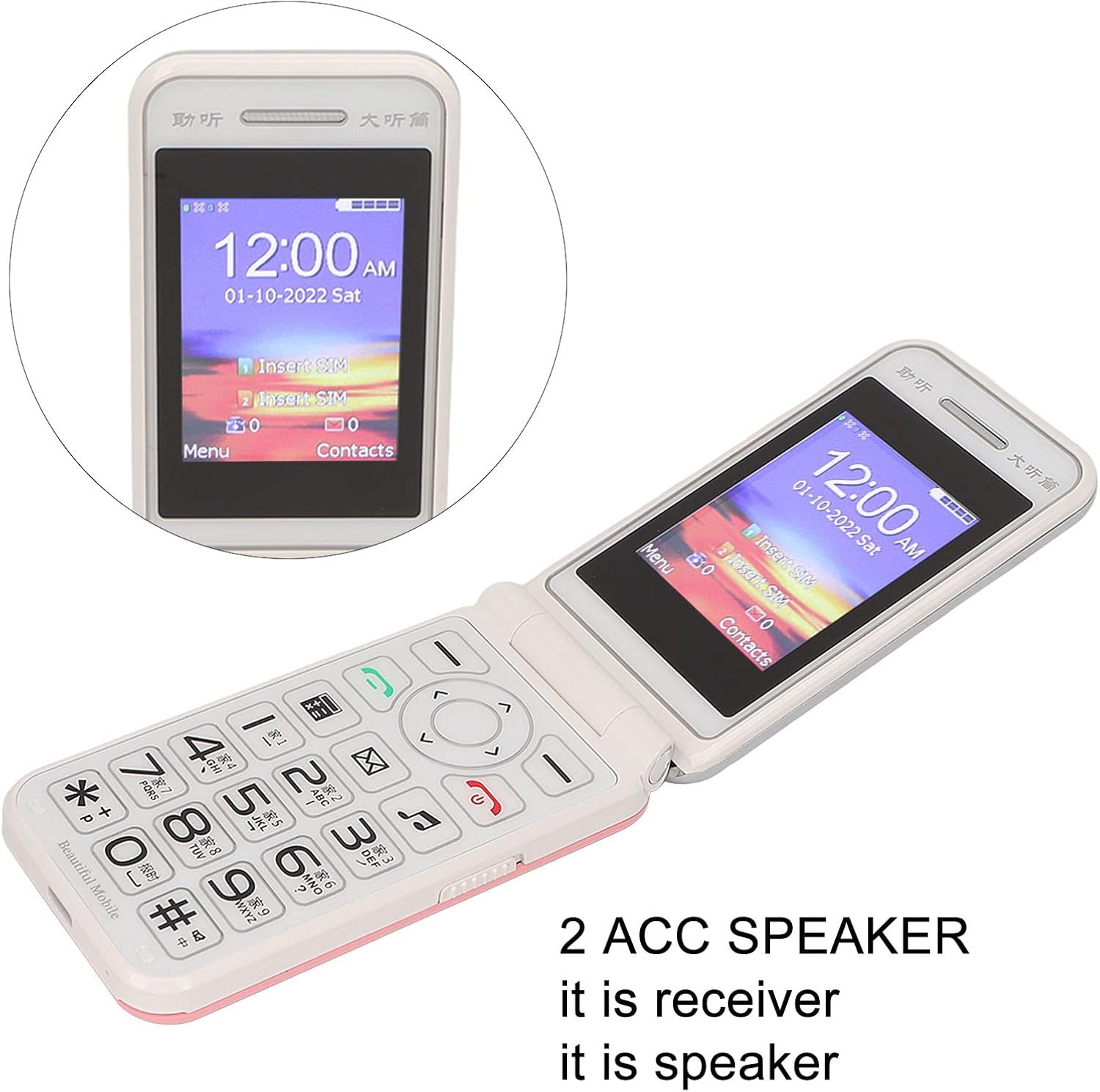
Image: The phone's screen prompts to "Insert SIM", indicating the need for SIM card installation before use.
3. 배터리 충전
처음 사용하기 전에 휴대폰 배터리를 완전히 충전하십시오.
- Connect the Type-C charger cable to the charging port on the phone.
- 충전기를 전원 콘센트에 꽂으세요.
- The charging indicator will show the charging status. Disconnect the charger once the battery is full.

이미지: 클로즈업 view of the Type-C charging port on the Jectse N509 flip phone, highlighting its modern connectivity.
4. 전원 켜기 / 끄기
- 전원을 켜려면: 화면이 켜질 때까지 전원 버튼을 길게 누르세요.
- 전원을 끄려면: Press and hold the Power button until the power-off options appear, then select 'Power Off'.
작동 지침
1. 기본 기능
- 전화 걸기: 키패드를 사용하여 전화번호를 입력하고 녹색 통화 버튼을 누르세요.
- 전화 받기: 전화가 울리면 녹색 통화버튼을 누르세요.
- 통화 종료: 빨간색 통화종료 버튼을 누르세요.
- 메시지 보내기: '메시지' 메뉴로 이동하여 '새 메시지'를 선택하고, 수신자의 전화번호와 메시지를 입력한 후 보내세요.

Image: The Jectse N509 flip phone is open, showcasing its vibrant 2.4-inch HD color display and the clearly visible, large keypad with LED backlighting.
2. 키패드 및 탐색
The phone features large, backlit buttons for easy operation, especially in low-light conditions.
- 탐색 키: Use the directional pad to navigate through menus and options. The center button typically acts as 'OK' or 'Select'.
- 소프트 키: The keys directly below the screen perform functions indicated by the text on the display above them.
- 숫자 키: Used for dialing numbers and text input.
- 백라이트: The keypad features a backlight for visibility in dark environments.

Image: This composite image highlights key features: the large battery for extended use, oversized buttons for ease of dialing, a convenient on/off switch, and the modern Type-C charging port.
3. SOS 기능
The N509 includes an SOS function for emergencies. Refer to the phone's settings to configure emergency contacts and messages.
- SOS 활성화: Typically, a dedicated SOS button or a long press of a specific key will activate this function, sending pre-set messages and dialing emergency contacts.
4. Extended Functions
The phone supports various additional features:
- Music and Video Player: Access multimedia file메모리 카드에 저장됩니다.
- 이미지 브라우저: View 사진.
- 리코더: 오디오를 녹음합니다.
- 달력: 날짜와 이벤트를 기록해 두세요.
- 알람 시계: 여러 개의 알람을 설정하세요.
- 계산자: 기본적인 계산을 수행합니다.
- 플래시: 내장된 손전등을 켜세요.
- 스톱워치: Use for timing events.
- Call Blacklist: 원치 않는 번호를 차단하세요.
- 통화 목록: View 통화 기록.
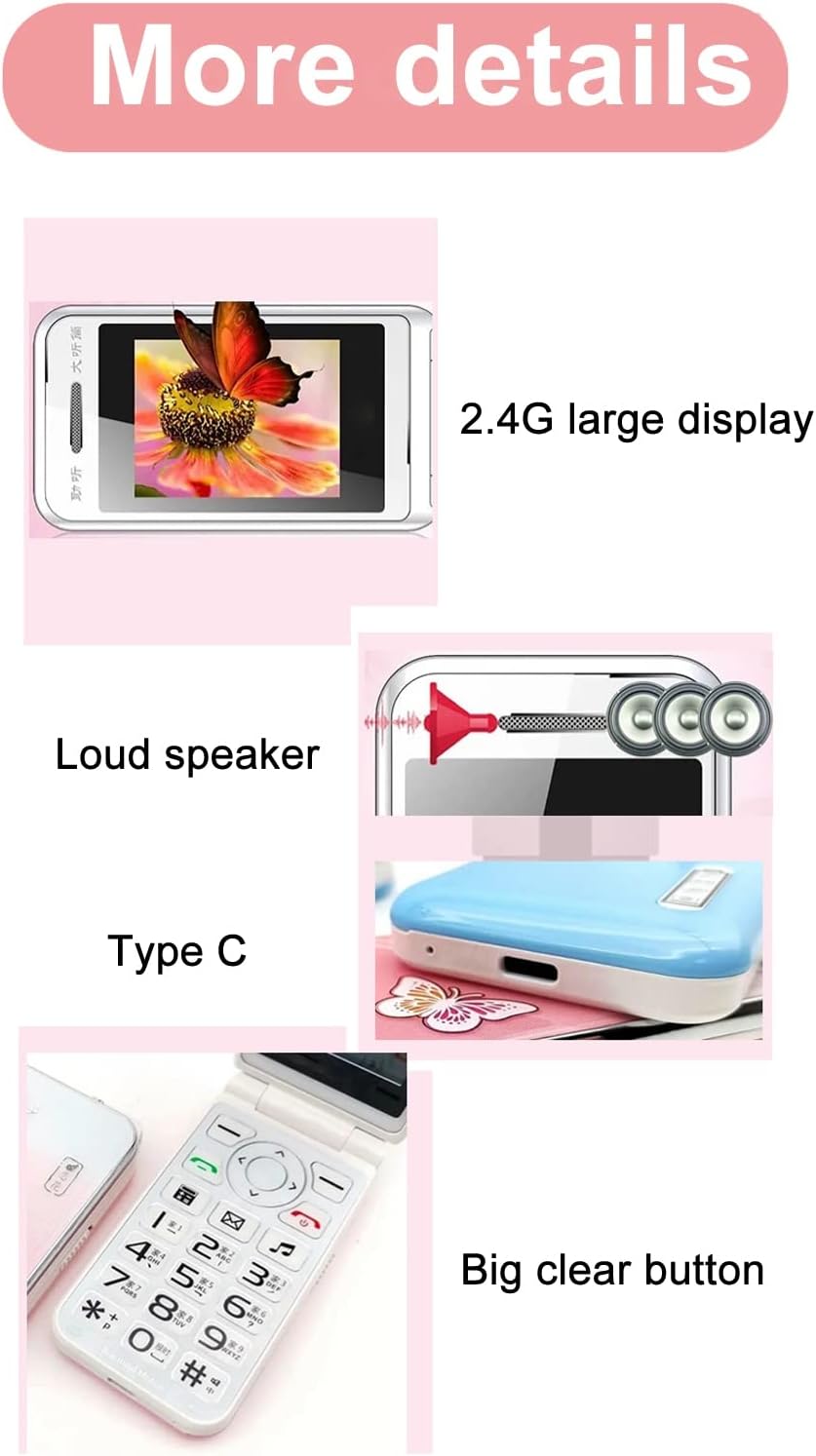
Image: This image details the phone's features, including its 2.4G large display, powerful loudspeaker, and convenient Type-C charging interface.
유지
1. 청소
부드럽고 마른 천으로 휴대폰 외부를 닦으세요. 액체 세척제나 연마성 재질은 사용하지 마세요.
2. 배터리 관리
- 배터리를 극한의 온도에 노출시키지 마십시오.
- 배터리를 뚫거나 손상시키지 마십시오.
- If the phone will not be used for an extended period, charge it periodically to maintain battery health.
문제 해결
| 문제 | 가능한 해결책 |
|---|---|
| 전화기 전원이 켜지지 않습니다 | 배터리가 올바르게 설치되고 충전되었는지 확인하십시오. 충전기를 연결하고 다시 시도하십시오. |
| 네트워크 신호 없음 | Check if the SIM card is properly inserted. Verify with your service provider that your SIM card supports 2G GSM 900/1800 networks. The N509 only supports 2G networks. |
| 전화를 걸거나 받을 수 없습니다 | Ensure you have network coverage. Check SIM card balance or plan. Verify that the number is not on the call blacklist. |
| 배터리가 충전되지 않음 | Check the charger cable and adapter for damage. Ensure the Type-C port is clean and free of debris. Try a different power outlet. |
네트워크 호환성에 대한 중요 참고 사항: The Jectse N509 phone exclusively supports 2G GSM 900/1800 networks. Before purchasing or using, please confirm with your local SIM card operator that they provide 2G network services in your area. Some operators, particularly in regions like the USA (e.g., AT&T, T-Mobile), may no longer support 2G networks.
명세서
| 특징 | 세부 사항 |
|---|---|
| 모델 | N509 (Jectseft5hwserna-12) |
| 재료 | ABS |
| 메인 화면 크기 | 2.4인치 HD 컬러 디스플레이 |
| SIM 카드 슬롯 | 2 (Dual SIM) |
| 메모리 카드 슬롯 | 1 (supports up to 16GB, not included) |
| 배터리 유형 | 리튬이온 |
| 배터리 용량 | 6800mAh |
| 주파수 대역 | 2G GSM 900/1800 |
| 네트워크 유형 | 2G GSM |
| 모습 | 플립폰 |
| 인터페이스 | C타입 |
| 지원 언어 | English, French, Portuguese, Malay, Indonesian, Vietnamese, Russian, Arabic, Hebrew, Thai |
| 특별 기능 | Large Buttons, LED Backlight, SOS Function, Music/Video Player, Image Browser, Recorder, Calendar, Alarm, Calculator, Flashlight, Stopwatch, Call Blacklist |
| 치수(패키지) | 15 x 9 x 6cm |
| 무게(대략) | 246g |
보증 및 지원
For warranty information and technical support, please refer to the documentation included with your purchase or contact Jectse customer service through their official channels. Keep your proof of purchase for warranty claims.
추가 지원이 필요하면 다음을 방문하세요. Jectse Brand Store.