
1. 서론
The Hollyland Solidcom C1 Pro is a full-duplex wireless intercom headset system designed for clear and efficient team communication. It features advanced Environmental Noise Cancellation (ENC) technology, ensuring high-definition audio even in challenging, noisy environments. This system operates on a reliable 1.9GHz frequency band, providing a stable and secure connection over an extended range. This manual provides detailed instructions for setting up, operating, maintaining, and troubleshooting your Solidcom C1 Pro system.

Image: Two users communicating with the Solidcom C1 Pro headsets in a production environment.
2. 상자 안에 무엇이 들어있나요?
The Solidcom C1 Pro system includes the following components:
- Master Headset (with Red Nameplate) x1
- Remote Headset (with Blue Nameplate) x5
- 충전 케이스 x1
- DC 어댑터 x1
- 배터리 x12
- 마이크 쿠션 x6
- 오버이어 가죽 쿠션 x6
- 온이어 폼 쿠션 x6
- USB-A-USB-C 케이블 x1
- 보관 케이스 x1
- 사용 설명서 x1
- 보증서 x1

Image: A visual representation of the Solidcom C1 Pro packing list, detailing each included item.
3. 설정 가이드
3.1. 배터리 충전
Each Solidcom C1 Pro headset is powered by two rechargeable lithium batteries. To ensure optimal performance and minimal downtime, fully charge all batteries before initial use.
- Insert the batteries into the provided charging case.
- Connect the DC adapter to the charging case and plug it into a power outlet.
- 케이스의 충전 표시등을 통해 충전 상태를 확인할 수 있습니다. 완전 충전에는 일반적으로 약 2.5시간이 소요됩니다.
- Once charged, remove the batteries and insert them into the headsets.

Image: Battery installation and charging information for the Solidcom C1 Pro headsets.
3.2. Pairing Headsets
The Solidcom C1 Pro headsets are typically pre-paired from the factory. If re-pairing is necessary or if you are integrating with an existing Solidcom C1 system, follow these steps:
- 모든 헤드셋의 전원이 꺼져 있는지 확인하십시오.
- Power on the Master Headset (with Red Nameplate).
- For each Remote Headset (with Blue Nameplate) you wish to pair, press and hold the 'A' button on both the Master and Remote headsets simultaneously.
- The indicator light will flash rapidly, and the pairing connection should be successful within approximately 10 seconds.
- The Solidcom C1 Pro system is backward compatible with the Solidcom C1 system, allowing flexible expansion. Up to 8 headsets can be paired without requiring a separate HUB.

Image: Compatibility and pairing diagram for Solidcom C1 Pro and C1 systems.
3.3. 헤드셋 착용하기
The headset is designed for comfort during extended use. Adjust the headband and microphone boom for a secure and comfortable fit.
- Position the over-ear cushion comfortably over your ear.
- Adjust the microphone boom so the microphone is approximately 1-2 inches from your mouth.
- The headset is lightweight (6 oz) and constructed with PC-ABS materials and stainless steel screws for durability and comfort.
4. 사용 설명서
4.1. 전원 켜기/끄기
To power on the headset, press and hold the power button until the indicator light illuminates. To power off, press and hold the power button again until the indicator light turns off.
4.2. Using the PTT (Push-To-Talk) Function
The Solidcom C1 Pro features a versatile PTT button for talk/mute control, offering flexibility in communication.
- 음소거 버튼: Press the PTT button once to toggle between talk and mute states. The indicator light will change accordingly.
- Push-To-Talk: Long press the PTT button to talk, and release it to mute, similar to a walkie-talkie function.
- Mic Boom Rotation: You can also rotate the microphone boom up to mute and down to talk.

이미지: 상세 view of the PTT button and its functionalities on the headset.
4.3. 주변 소음 제거(ENC)
The Solidcom C1 Pro utilizes dual-mic ENC technology to significantly reduce ambient noise, providing clear audio in loud environments.
- The system reduces ambient noise by up to 20 dB.
- It delivers clear HD audio within a 150Hz-7kHz frequency response range with a 16K samp르율.
- The system maintains a Signal-to-Noise Ratio (SNR) greater than 70dB and less than 1% distortion.

Image: Explanation of the dual-mic ENC technology for noise reduction.
4.4. Wind Noise Removal
For outdoor use, the headset is equipped with features to minimize wind noise.
- The microphone design incorporates Y5 felt paper and a microphone cushion to filter out wind noise effectively.

Image: Components for robust wind noise removal on the Solidcom C1 Pro microphone.
4.5. 통신 범위
The Solidcom C1 Pro provides a reliable and instant wireless audio transmission distance of up to 1,100 feet (350 meters) in open spaces (Line of Sight - LOS).
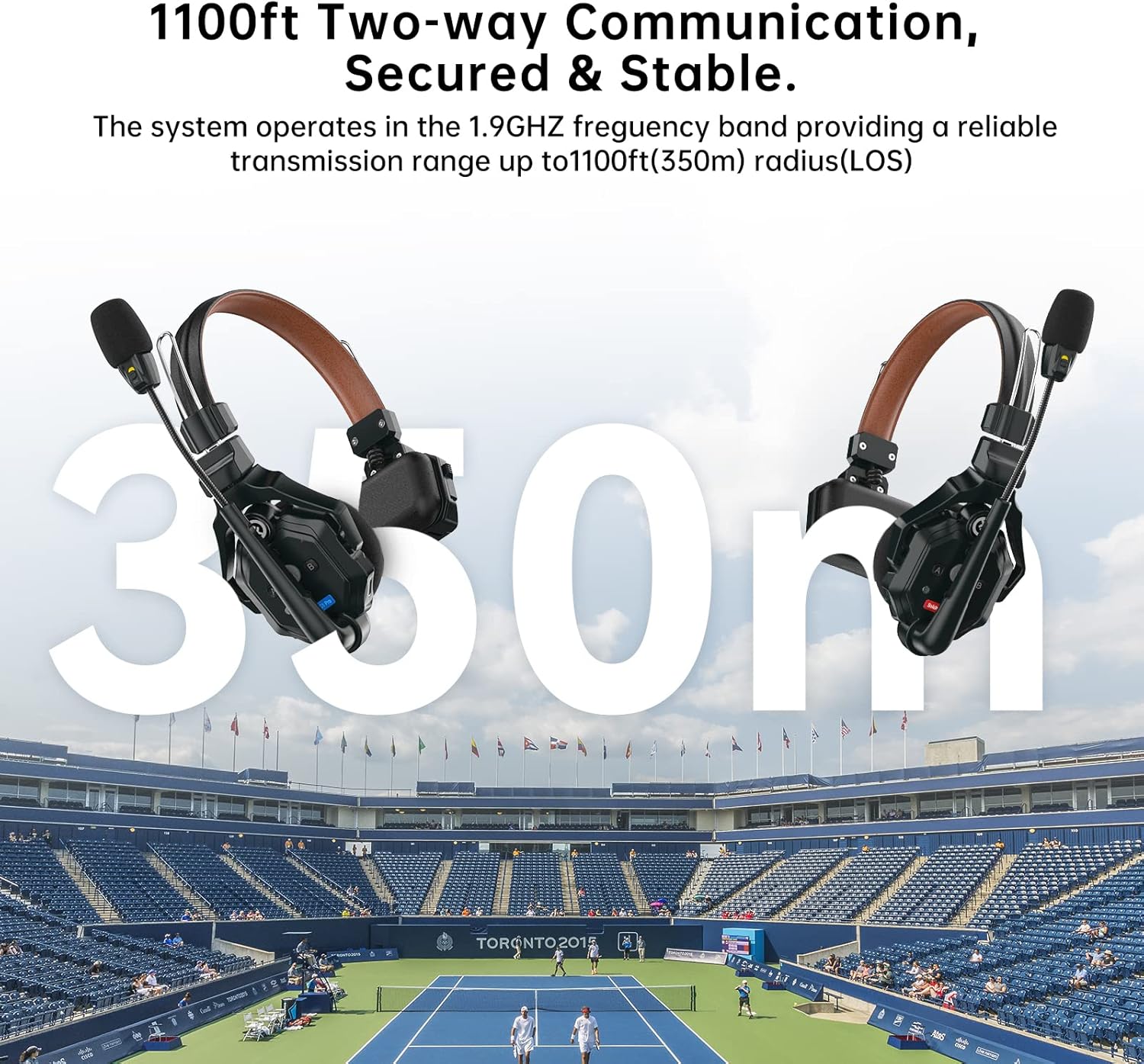
Image: Visual representation of the 1100ft (350m) communication range.
5. 유지관리
5.1. 청소
Regular cleaning helps maintain the headset's performance and longevity.
- Use a soft, dry cloth to wipe the exterior of the headsets and charging case.
- 완고한 먼지에는 약간 damp천에 물이나 순하고 연마성이 없는 세제를 묻혀 닦으세요. 강한 화학 물질은 피하세요.
- Clean the microphone cushions and ear cushions regularly. Replace them if they show signs of wear.
- Ensure no liquid enters the headset's ports or openings.
5.2. 배터리 관리
배터리를 적절하게 관리하면 배터리 수명이 늘어나고 안정적인 작동이 보장됩니다.
- Always use the provided charging case and DC adapter.
- 배터리를 자주 완전히 방전시키지 마십시오.
- If storing the system for an extended period, charge the batteries to approximately 50% before storage.
- 배터리를 서늘하고 건조한 곳에 보관하십시오.
5.3. 보관
When not in use, store the Solidcom C1 Pro system in its dedicated storage case to protect it from dust, moisture, and physical damage.
6. 문제 해결
If you encounter issues with your Solidcom C1 Pro system, refer to the following common troubleshooting steps:
- 소리가 안 나거나 간헐적으로 나옵니다:
- 모든 헤드셋의 전원이 켜져 있고 올바르게 페어링되었는지 확인하십시오.
- 배터리 잔량을 확인하고 필요하면 교체/충전하십시오.
- Verify that the microphone boom is rotated down to the 'talk' position and the PTT button is not in 'mute' mode.
- Move closer to other paired headsets to ensure you are within the operating range.
- Check for potential obstructions or strong interference sources in the environment.
- 음질 불량/과도한 노이즈:
- 마이크가 입 가까이에 올바르게 위치하도록 하십시오.
- Verify that the microphone cushion and Y5 felt paper are correctly installed to reduce wind noise.
- The ENC feature is always active to reduce ambient noise. If noise persists, try moving to a less noisy area.
- 헤드셋이 페어링되지 않습니다:
- Ensure both the Master and Remote headsets are powered off before attempting to pair.
- Follow the pairing instructions in Section 3.2 carefully, ensuring the 'A' button is pressed simultaneously on both headsets.
- Confirm that the headsets are within close proximity during the pairing process.
- 배터리 수명이 짧음:
- 사용하기 전에 배터리가 완전히 충전되었는지 확인하십시오.
- Check if the batteries are old or damaged and consider replacing them.
- 극도로 추운 환경에서 작동하면 배터리 성능이 저하될 수 있습니다.
7. 사양
| 특징 | 설명 |
|---|---|
| 상표 | 홀리View |
| 모델 번호 | Solidcom C1 Pro-6S |
| 소음 제어 | 능동형 소음 제거(ENC) |
| 귀 위치 | 귀 위 |
| 폼 팩터 | 귀 위 |
| 품목 무게 | 6온스(약 170g) |
| 주파수 범위 | 1.9GHz (Wireless) |
| 오디오 주파수 응답 | 150Hz-7kHz |
| Samp르 레이트 | 16K |
| 신호 대 잡음비 (SNR) | >70dB |
| 왜곡 | <1% |
| 주변 소음 감소 | 20데시벨 |
| 무선 범위 | 1100피트(350m) LOS |
| 배터리 평균 수명 | Master Headset: 6 Hours (connected with 3 remote headsets), Remote Headset: 10 Hours |
| 충전 시간 | 2.5시간 |
| 인클로저 재료 | PC-ABS materials |
| 호환 장치 | Solidcom C1 system |
| 방수 레벨 | 방수가 되지 않음 |
8. 보증 및 지원
8.1. 보증 정보
The Hollyland Solidcom C1 Pro Wireless Intercom Headset System comes with a 1년 한정 보증 구매일로부터 적용됩니다. 본 보증은 정상적인 사용 조건에서 발생하는 제조상의 결함 및 제작상의 하자에 적용됩니다. 보증 청구를 위해 구매 증빙 자료를 보관해 주십시오.
The warranty does not cover damage caused by misuse, accidents, unauthorized modifications, or improper maintenance. For detailed terms and conditions, please refer to the warranty card included in your package.
8.2. 고객 지원
For technical assistance, troubleshooting, or service inquiries, please contact Hollyland customer support. Contact information can typically be found on the official Hollyland web해당 사이트 또는 제품과 함께 제공된 보증 카드에서 확인하세요.
9. 제품 비디오 끝view
영상: 공식 발표view of the Hollyland Solidcom C1 Pro Wireless Intercom system, highlighting its key features and benefits for professional communication. This video demonstrates the product in various usage scenarios.