
ASUS AI2202
ASUS 젠폰 9 5G 사용자 설명서
모델: AI2202

이미지: 앞면과 뒷면 view of the ASUS Zenfone 9 5G in Midnight Black.
소개
The ASUS Zenfone 9 is a compact, high-performance 5G smartphone designed for ease of use and powerful capabilities. Featuring the Snapdragon 8+ Gen 1 Mobile Platform and a long-lasting 4300 mAh battery, it offers robust performance. Its advanced dual camera system includes a 6-Axis Hybrid Gimbal Stabilizer for exceptional photo and video stability. This manual provides essential information for setting up, operating, maintaining, and troubleshooting your Zenfone 9.
시작하기: 초기 설정
Follow these steps to set up your new ASUS Zenfone 9 5G.
1. 언박싱 및 기기 종료view
Carefully unbox your Zenfone 9. The package typically includes the Zenfone 9 device, a USB-C cable, and a power adapter. Familiarize yourself with the device's physical layout, including ports, buttons, and camera modules.
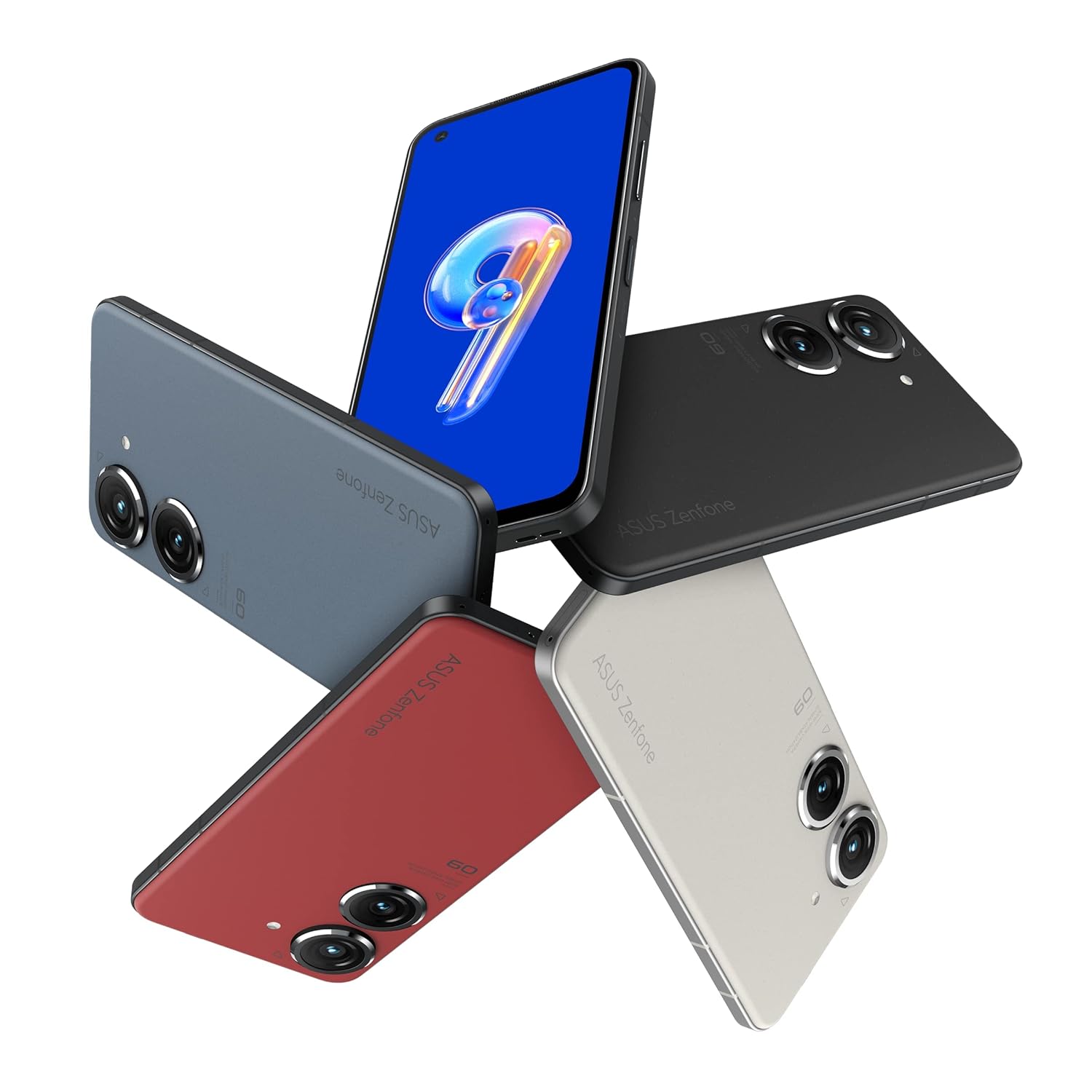
Image: ASUS Zenfone 9 5G in various color options, highlighting its compact design.
2. SIM 카드 설치
- Locate the SIM card tray on the side of your Zenfone 9.
- SIM 카드 트레이 옆의 작은 구멍에 SIM 카드 분리 도구(제공된 경우)를 넣고 트레이가 튀어나올 때까지 부드럽게 누르십시오.
- Place your Nano-SIM card(s) into the designated slots on the tray, ensuring proper orientation.
- SIM 트레이가 딸깍 소리가 나면서 제자리에 고정될 때까지 조심스럽게 휴대폰에 다시 삽입하십시오.
3. 초기 전원 켜기 및 설정 마법사
- Press and hold the power button (located on the right side) until the ASUS logo appears.
- Follow the on-screen instructions of the Android setup wizard. This will guide you through selecting your language, connecting to a Wi-Fi network, setting up your Google account, and configuring security options like fingerprint unlock.
- The Zenfone 9 features a conveniently located fingerprint sensor integrated into the power button for hassle-free unlocking.
장치 작동
Basic Navigation and ZenTouch Button
The Zenfone 9 operates on the Android platform, utilizing a touchscreen interface for navigation. Swipe, tap, and pinch gestures are standard. The unique ZenTouch multi-function button, integrated with the power button, enhances one-handed operation. You can customize its functions, including:
- 위/아래로 스와이프: Voice to text, open notifications, refresh web page, move to top/bottom of page.
- 더블 클릭: Media control, quick app launch.

이미지: 측면 view of the Zenfone 9, illustrating the position of the ZenTouch power button.
카메라 기능
The Zenfone 9 is equipped with a massively upgraded dual camera system. The primary camera features a 6-Axis Hybrid Gimbal Stabilizer, providing super steady photos and videos even in motion. Explore various camera modes for different shooting scenarios.
- 후방 카메라: Dual camera setup for high-quality photography and videography.
- 전면 카메라: 셀카와 화상 통화에 적합합니다.
- 6-Axis Hybrid Gimbal Stabilizer: Ensures smooth, blur-free content capture.
연결성
Your Zenfone 9 supports a range of connectivity options:
- 와이파이: 인터넷 접속을 위해 무선 네트워크에 연결하세요.
- 블루투스: 무선 헤드폰, 스피커 및 기타 Bluetooth 지원 장치와 페어링하세요.
- USB: Use the USB-C port for charging, data transfer, and connecting to a computer.
- GPS: Integrated GLONASS for accurate location services.
배터리 관리
The Zenfone 9 is powered by a 4300 mAh battery. To optimize battery life:
- 최적의 충전을 위해 제공된 충전기와 케이블을 사용하십시오.
- 화면 밝기를 조정합니다.
- 백그라운드에서 실행 중인 사용하지 않는 앱을 닫습니다.
- 필요할 때 배터리 절약 모드를 활성화하세요.
관리 및 유지 보수
Proper care ensures the longevity and optimal performance of your Zenfone 9.
- 청소: 부드럽고 보풀이 없는 천을 사용하여 화면과 본체를 닦으세요. 강한 화학 물질이나 연마재는 사용하지 마세요.
- 소프트웨어 업데이트: 장치에 최신 기능, 보안 패치, 성능 개선 사항이 적용되었는지 확인하려면 정기적으로 시스템 업데이트를 확인하고 설치하세요.
- 스토리지 관리: 주기적으로 다시view 그리고 불필요한 것을 삭제하세요 file저장 공간을 확보하고 기기 속도를 유지하기 위해 앱, 미디어를 삭제합니다.
- 환경 조건: Avoid exposing your phone to extreme temperatures, direct sunlight for prolonged periods, or excessive moisture.
일반적인 문제 해결
This section addresses common problems you might encounter with your Zenfone 9.
장치가 켜지지 않음
- 배터리가 충전되어 있는지 확인하세요. 충전기를 연결하고 몇 분 정도 기다린 후 전원을 켜보세요.
- 전원 버튼을 약 15~20초 동안 길게 눌러 강제로 재시작하십시오.
앱이 충돌하거나 멈춤
- 앱을 닫았다가 다시 엽니다.
- Clear the app's cache and data from the device settings (Settings > Apps > [App Name] > Storage).
- 앱과 기기의 운영체제가 최신 버전인지 확인하십시오.
연결 문제 (Wi-Fi/블루투스)
- Wi-Fi 또는 Bluetooth를 켜고 끕니다.
- 기기를 다시 시작하세요.
- Wi-Fi의 경우 라우터를 다시 시작하세요.
- 네트워크/장치를 삭제하고 다시 연결하세요.
공장 초기화(최후의 수단)
문제가 지속적으로 발생하는 경우, 공장 초기화를 통해 소프트웨어 관련 문제를 해결할 수 있습니다. 경고: 이 작업을 수행하면 휴대폰의 모든 데이터가 삭제됩니다. 진행하기 전에 중요한 데이터를 백업하세요.
- 설정 > 시스템 > 옵션 재설정으로 이동합니다.
- "모든 데이터 지우기(공장 초기화)"를 선택하세요.
- 결정을 확인하고 안내를 따르세요.
기술 사양
Key specifications for the ASUS Zenfone 9 5G (Model: AI2202).
| 특징 | 사양 |
|---|---|
| 운영 체제 | 기계적 인조 인간 |
| 숫양 | 8GB (XNUMX기가바이트) |
| 내부 저장소 | 128GB (XNUMX기가바이트) |
| 프로세서 | Snapdragon 8+ Gen 1 모바일 플랫폼 |
| 디스플레이 기술 | 아몰레드 |
| 디스플레이 해상도 | 1080p |
| 후방 카메라 | Dual Camera with 6-Axis Hybrid Gimbal Stabilizer |
| 전면 카메라 | 예 |
| 배터리 용량 | 4300mAh(리튬 이온) |
| 치수(길이x너비x높이) | 14.99 x 7.62 x 1.02cm |
| 무게 | 460g |
| 연결성 | Bluetooth, Wi-Fi, USB, GLONASS (GPS) |
| 색상 | 미드나잇 블랙 |
Note: Specifications are subject to change without notice. For the most up-to-date information, please refer to the official ASUS web대지.
보증 및 지원
자세한 보증 정보는 제품과 함께 제공된 보증 카드를 참조하거나 공식 ASUS 지원을 방문하세요. website. ASUS provides customer support for technical assistance, repairs, and service inquiries.
온라인 지원: 방문하세요 ASUS 지원 Web대지 FAQ, 드라이버 다운로드 및 서비스 요청은 여기를 참조하십시오.
지원팀에 문의: ASUS를 참조하세요 website for regional contact numbers and service center locations.
Ask a question about this manual
Ask about setup, troubleshooting, compatibility, parts, safety, or missing instructions. Manuals+ will review the question and use this page’s manual context to help answer it.