
소개
This manual provides essential information for the proper setup, operation, and maintenance of your ZEBRONICS K24 Wired USB Keyboard. Please read this manual thoroughly before using the product to ensure optimal performance and longevity.
패키지 내용
- 1 x ZEBRONICS K24 Wired USB Keyboard
설치 지침
- 키보드 풀기: 키보드를 포장에서 조심스럽게 꺼내세요.

Image: ZEBRONICS K24 Wired USB Keyboard, showing the keyboard and its USB cable.
- 기기에 연결하세요: Locate an available USB port on your computer or laptop. Insert the USB connector of the keyboard cable into the USB port.
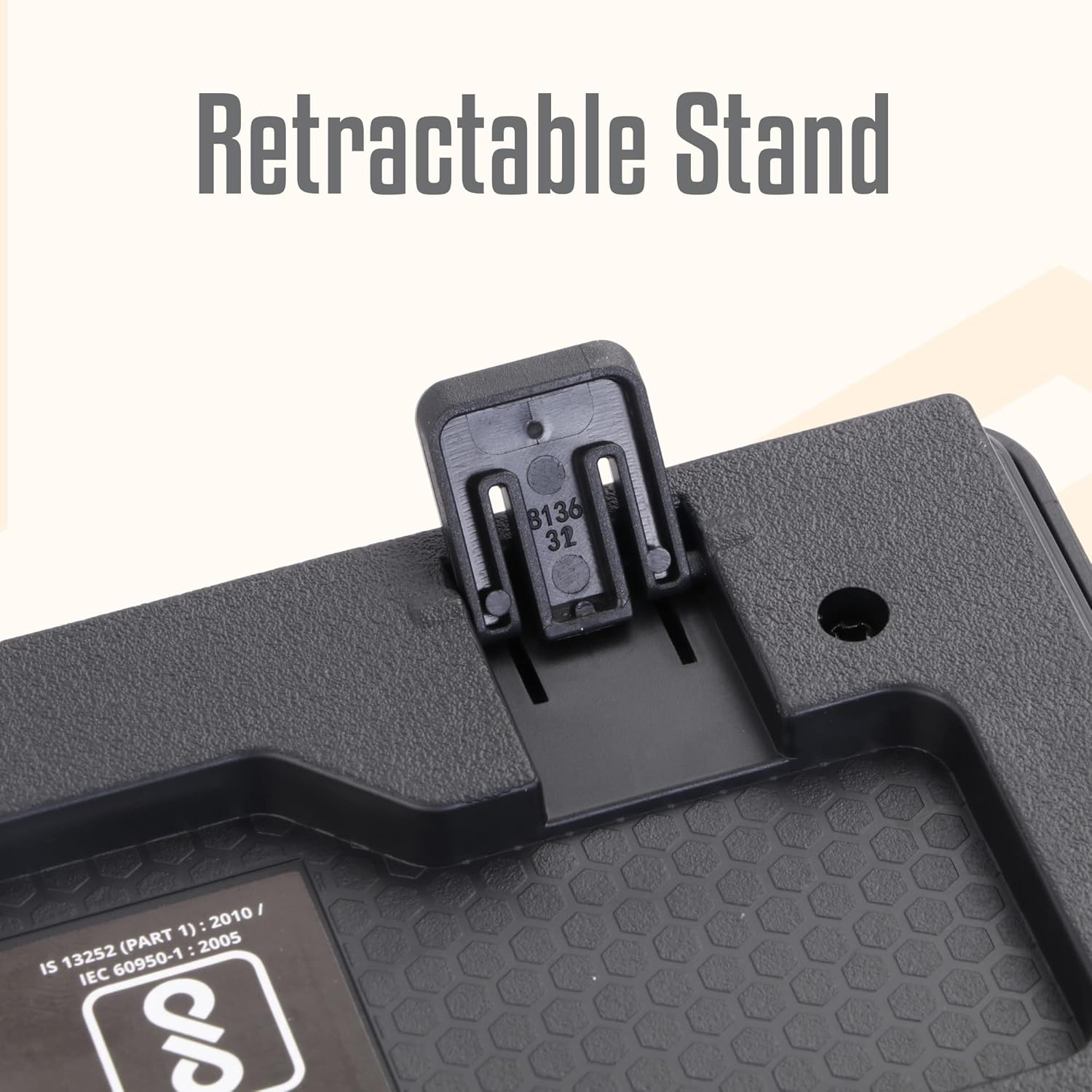
Image: A hand connecting the USB cable of the keyboard to a laptop's USB port.
- 드라이버 설치: The keyboard is plug-and-play. Your operating system (Windows, macOS, Linux) will automatically detect and install the necessary drivers. No manual driver installation is required.
- Adjust the Stand (Optional): For an ergonomic typing angle, extend the retractable stands located on the underside of the keyboard.

Image: Close-up of the retractable stand on the back of the keyboard, extended for ergonomic use.
작동 지침
The ZEBRONICS K24 keyboard operates like any standard 104-key keyboard. Simply connect it to your device, and it will be ready for use.
- 타자: Use the keys for text input, data entry, and command execution.
- 멀티미디어 키: The keyboard may feature integrated multimedia functions accessible via the 'Fn' key combined with function keys (F1-F12). Refer to your operating system's settings for specific key assignments if needed.
- Rupee Key: The keyboard includes a dedicated Rupee key for convenient currency input.

Image: Close-up of the keyboard highlighting the Rupee symbol on a key.
특징
- Standard Layout with 104 Keys: 다양한 기능을 활용할 수 있는 풀사이즈 키보드.
- UV Coated Keycaps: Ensures durability and prevents legend fading over time.
- Long Life 8 Million Keystrokes: Designed for extended usage and reliability.
- Silent and Comfortable Use: Provides a quiet typing experience suitable for various environments.
- 슬림한 디자인: 공간 절약형이며 미적으로도 만족스럽습니다.asing for any desk setup.
- 개폐식 스탠드: Offers adjustable ergonomic typing angles.
- 1.5 Meter Textured Cable: 제공합니다 ample length and durability for flexible placement.
- USB 연결: Ensures broad compatibility with PCs and laptops.

Image: Close-up of the keyboard keys, showing their round, chiclet style and UV coating.

Image: The keyboard with its 1.5-meter textured USB cable coiled next to it.
유지
- 청소: 부드럽고 마른 천으로 키보드 표면을 닦으십시오. 더욱 깨끗하게 청소하려면 압축 공기 캔을 사용하여 키 사이의 먼지와 이물질을 제거하십시오. 강한 화학 약품이나 연마재는 사용하지 마십시오.
- 저장: 사용하지 않을 때는 키보드를 직사광선과 극한 온도 변화를 피해 깨끗하고 건조한 곳에 보관하십시오.
- 케이블 관리: 손상을 방지하려면 USB 케이블을 과도하게 구부리거나 비틀지 마세요.
문제 해결
| 문제 | 가능한 원인 | 해결책 |
|---|---|---|
| 키보드가 응답하지 않습니다 | USB 연결이 느슨하거나, USB 포트에 결함이 있거나, 드라이버에 문제가 있습니다. | USB 케이블이 제대로 연결되어 있는지 확인하십시오. 다른 USB 포트를 사용해 보십시오. 컴퓨터를 재시작하십시오. |
| 키가 작동하지 않음 | Debris under keys, software conflict. | Clean the keys with compressed air. Check for any software conflicts or update keyboard drivers. |
| 잘못된 문자가 나타납니다 | Incorrect keyboard layout setting. | Check your operating system's keyboard language and layout settings. |
If you encounter issues not listed here, please contact ZEBRONICS customer support.
명세서
| 특징 | 세부 사항 |
|---|---|
| 상표 | 제 브로 닉스 |
| 모델 번호 | Zeb-k24 |
| 연결 기술 | 유선 (USB) |
| 키의 개수 | 104 |
| 키캡 종류 | UV Coated Chiclet Keys |
| 키스트로크 수명 | 8만 |
| 케이블 길이 | 1.5 미터 |
| 호환 장치 | 노트북, PC |
| 키보드 레이아웃 | QWERTY, includes Rupee key |
| 설계 | Slim, Ergonomic with Retractable Stand |
| 색상 | 검은색 |
| 재료 | 플라스틱 |
| 품목 치수 L x W x H | 약 435mm x 133mm x 20mm |
| 품목 무게 | 510그램 |
Note: Keyboard dimensions are approximate.
보증 및 지원
보증: The ZEBRONICS K24 Wired USB Keyboard comes with a 1-year carry-in warranty to the service center from the date of purchase.
고객 지원: For any product-related queries, technical assistance, or warranty claims, please contact ZEBRONICS customer support. Refer to the official ZEBRONICS web최신 연락처 정보는 사이트에서 확인하세요.