
1. 서론
The iFLYTEK A.I.Note X2 XF-DX-T210E is an advanced E-ink smart notebook designed for reading, note-taking, drawing, and on-the-go use. It features a 10.3-inch HD Carta flexible E-ink screen, a powerful 2.3GHz 8-Core CPU, and runs on Android 9.0. This manual provides essential information for setting up, operating, and maintaining your device.
2. 패키지 내용
Please verify that all items listed below are present in your product package.
- iFLYTEK A.I.Note X2 Device
- Electromagnetic Pen (No battery required)
- USB Type-C 케이블
- Protective Cover (may vary by package)
- 빠른 시작 가이드
- 보증 카드

Image: Contents of the iFLYTEK A.I.Note X2 retail package, showing the device, stylus, charging cable, and documentation laid out.
3. 디바이스 오버view
3.1 물리적 치수
The iFLYTEK A.I.Note X2 measures 243mm in length, 173mm in width, and has a thickness of 5.8mm. Its lightweight design makes it suitable for portability.
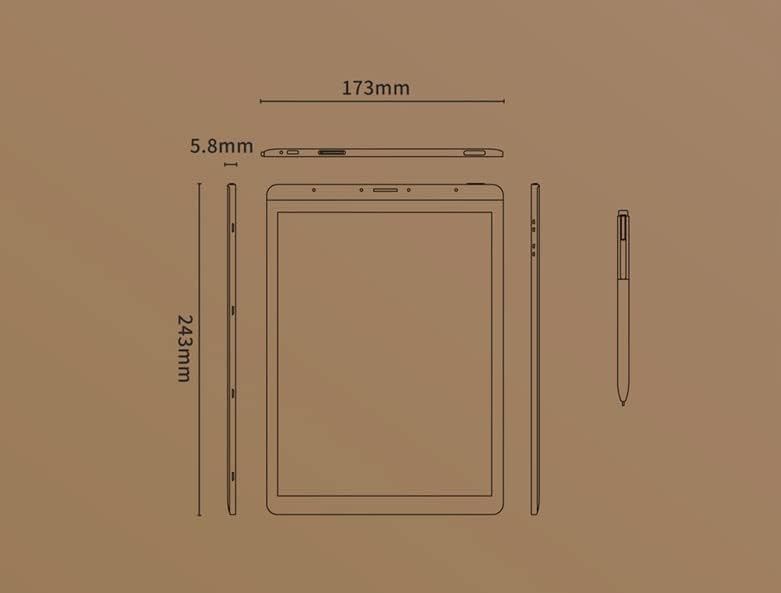
Image: Diagram illustrating the precise dimensions of the iFLYTEK A.I.Note X2 device and its accompanying stylus.
3.2 구성 요소 및 포트
Familiarize yourself with the device's external features:
- 10.3" HD Carta Flexible E-ink Screen: Main display for reading and interaction.
- USB 타입-C 포트: 충전 및 데이터 전송용입니다.
- 전원 버튼: 기기를 켜거나 끄거나 절전 모드로 전환합니다.
- 마이크 어레이: Four-microphone array for audio input.
- 3.5 mm Headphones Jack: 오디오 출력용.
- Electromagnetic Pen: For precise input, note-taking, and drawing.
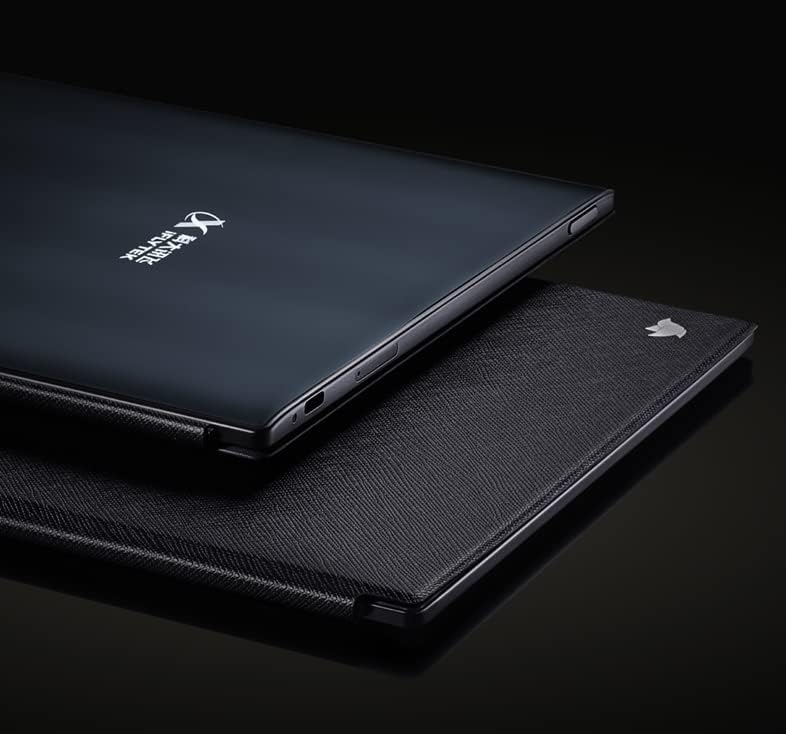
이미지: 클로즈업 view of the iFLYTEK A.I.Note X2's side profile, highlighting the slim design and the location of the USB-C port and other physical controls.
4. 설정
4.1 초기 충전
Before first use, fully charge your iFLYTEK A.I.Note X2. Connect the provided USB Type-C cable to the device's charging port and a compatible USB power adapter (not included) or a computer's USB port. The charging indicator will show the charging status.
4.2 전원 켜기/끄기
- 전원을 켜려면: 화면이 켜질 때까지 전원 버튼을 길게 누르세요.
- 전원을 끄려면: 전원 버튼을 길게 누른 다음 화면에 나타나는 옵션에서 "전원 끄기"를 선택하세요.
- 잠들기/깨어나기: 전원 버튼을 짧게 누릅니다.
4.3 초기 구성
Upon first power-on, follow the on-screen prompts to complete the initial setup, which may include:
- 언어 선택
- Wi-Fi 네트워크 연결
- 시간 및 날짜 설정
- User account setup (if applicable)
5. 사용 설명서
5.1 인터페이스 탐색
The device uses a capacitive touch screen for navigation. Swipe, tap, and pinch gestures are supported. The electromagnetic pen provides precise input for writing and drawing.
5.2 필기 및 그림 그리기
Access the note-taking application to create new notes or drawings. The electromagnetic pen offers 4096 levels of pressure sensitivity for a natural writing experience. Various pen types, line thicknesses, and colors (simulated grayscale) are available within the application.

Image: The iFLYTEK A.I.Note X2 screen displaying detailed handwritten notes, demonstrating its digital ink capabilities.
5.3 문서 읽기
The E-ink screen is designed for comfortable reading. Transfer documents (e.g., PDF, EPUB) to the device via USB or cloud services. Open the reading application to browse and read your files. You can annotate documents directly with the pen.

Image: The iFLYTEK A.I.Note X2 displaying a document with text, alongside its stylus, illustrating its use for reading and interaction.
5.4 연결성
The device supports Wi-Fi for internet access and content synchronization. It also features cellular connectivity (4G) for broader network access. Bluetooth may be available for connecting accessories.
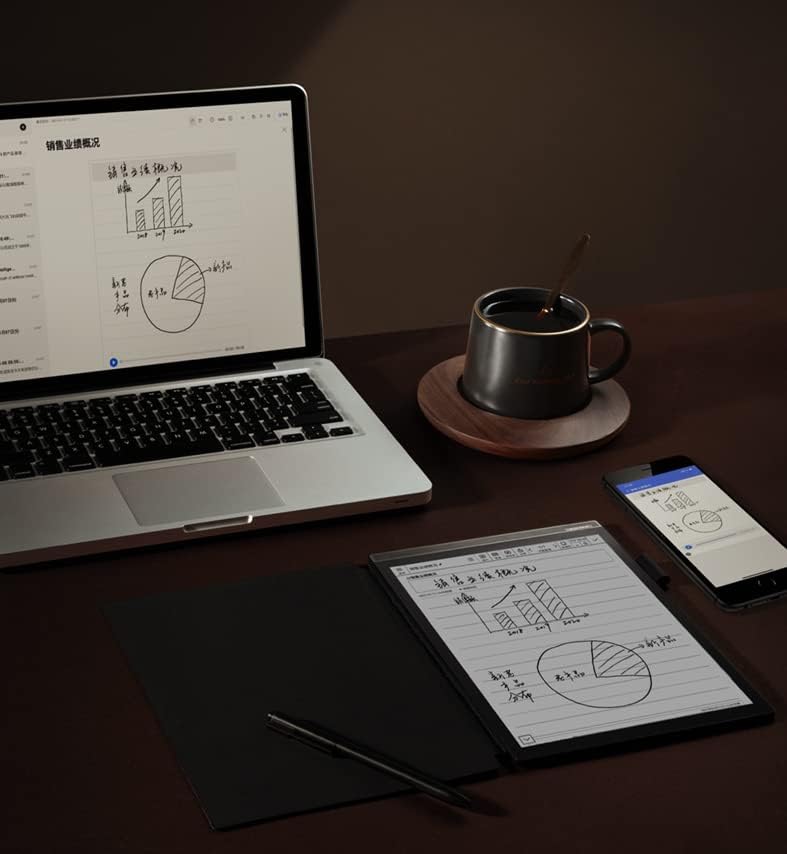
Image: The iFLYTEK A.I.Note X2 on a desk, demonstrating its integration with a laptop and smartphone for a connected workflow.
6. 유지관리
6.1 장치 청소
Use a soft, lint-free cloth to gently wipe the screen and body of the device. Do not use abrasive cleaners, alcohol, or solvents, as these can damage the screen and finish. Avoid getting moisture into ports.
6.2 배터리 관리
The device is equipped with a 4200mAh Polymer Li-ion battery. For optimal battery life, avoid exposing the device to extreme temperatures. Charge the device regularly, but avoid leaving it fully discharged for extended periods.
7. 문제 해결
If you encounter issues with your iFLYTEK A.I.Note X2, refer to the following common solutions:
- 장치가 켜지지 않음: 기기가 충전되어 있는지 확인하십시오. 전원에 연결한 후 다시 시도하십시오.
- 화면이 응답하지 않습니다: 전원 버튼을 10~15초 동안 길게 눌러 소프트 리셋을 실행해 보세요. 문제가 지속되면 화면에 먼지나 이물질이 없는지 확인하십시오.
- 펜이 작동하지 않음: Check if the pen tip is worn or damaged. Ensure the pen is within the screen's active area. The pen does not require batteries.
- Wi-Fi 연결 문제: Verify your Wi-Fi password and ensure the device is within range of the router. Try restarting both the device and the router.
- 느린 성능: Close unused applications and clear cache if available in settings. Consider a factory reset as a last resort (this will erase all data).
8. 사양
Detailed technical specifications for the iFLYTEK A.I.Note X2 XF-DX-T210E:
| 특징 | 사양 |
|---|---|
| 모델 번호 | XF-DX-T210E |
| 치수 | 243mm x 173mm x 5.8mm |
| 표시하다 | 10.3" HD Carta flexible E-ink screen, 1872 x 1404 (227DPI), 16 level grayscale |
| 만지다 | Capacitive touch + Electromagnetic pen |
| 펜 | No battery, 4096 levels of pressure sensitivity |
| CPU | 2.3GHz 8코어 |
| 숫양 | 2GB |
| 내부 저장소 | 64GB |
| 운영 체제 | Android 9.0 (Android 9 Pie) |
| 배터리 | 4200mAh Polymer Li-ion |
| 연결성 | USB Type-C, Wi-Fi, 4G Cellular |
| 오디오 | Four-Microphone array, 3.5 mm Headphones Jack |
| 생체 인식 보안 | 지문 인식 |
9. 보증 및 지원
For warranty information and customer support, please refer to the warranty card included in your package or visit the official iFLYTEK web사이트. 보증 청구를 위해 구매 증빙 자료를 보관하세요.
제조업체: 아이플라이텍
ASIN: B09VXKMMJS