
tectake Zola
tectake Zola Electric Height-Adjustable Desk
모델: 404316
1. 제품 오버view
The tectake Zola Electric Height-Adjustable Desk is designed to provide a dynamic and ergonomic workspace. Featuring continuous electric height adjustment, a robust particle board tabletop, and a solid steel frame, this desk offers stability and comfort. Its powerful motor ensures smooth transitions between sitting and standing positions, while the flexible frame design maximizes legroom. The integrated touchpad allows for easy height adjustments and memory function for preferred settings. An anti-collision system enhances safety during operation.

Image 1.1: The tectake Zola Electric Height-Adjustable Desk, showcasing its sleek black design and sturdy construction.
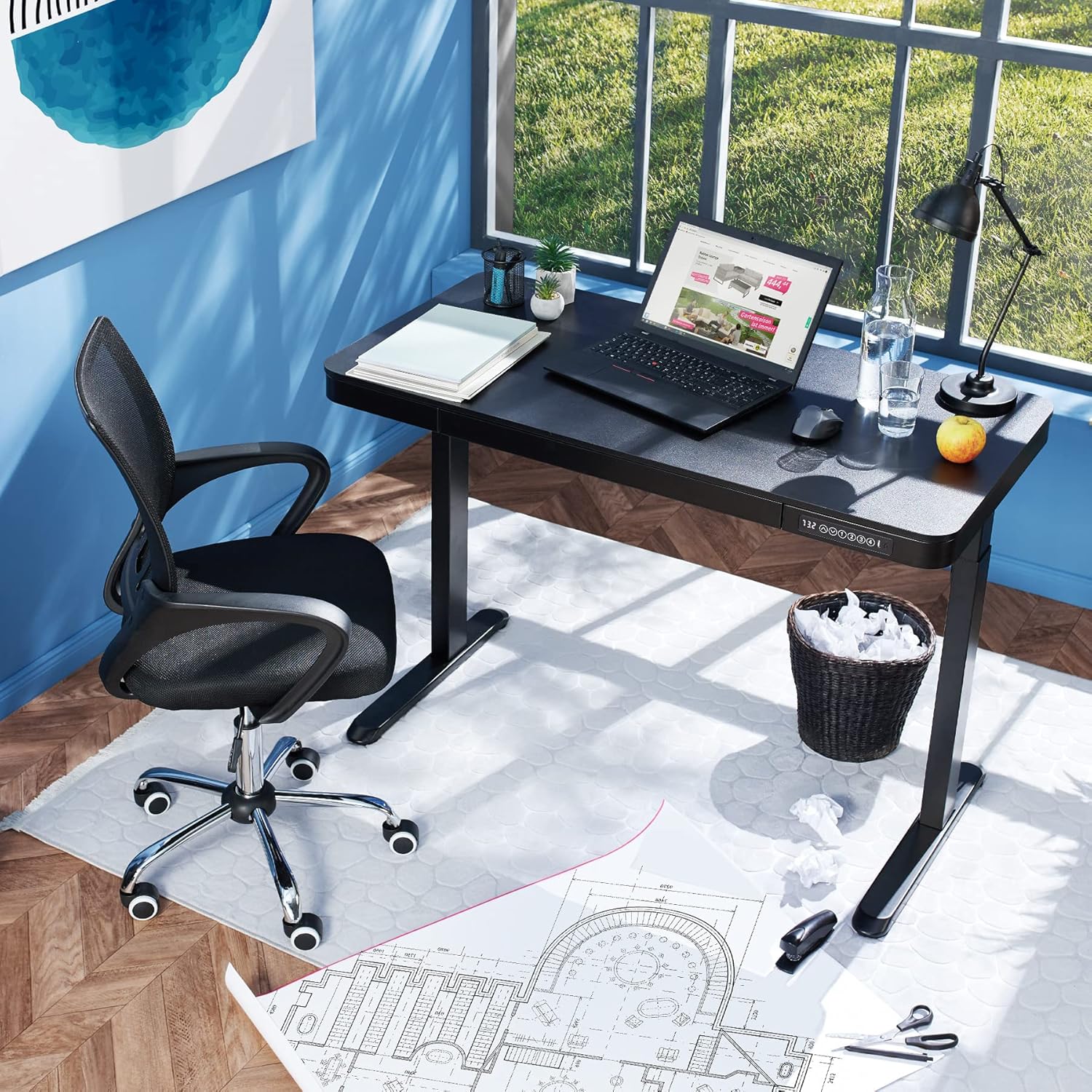
Image 1.2: The desk integrated into a modern office environment, demonstrating its practical use.
2. 안전 지침
- 조립 및 사용 전에 모든 지침을 주의 깊게 읽으십시오.
- 작동 중에는 어린이와 애완동물이 책상에 접근하지 못하도록 하세요.
- 사용 전에 모든 나사와 볼트가 단단히 조여졌는지 확인하십시오. 주기적으로 점검하고 필요에 따라 다시 조여주십시오.
- Do not overload the desk. The maximum load capacity is 45 kg.
- Keep hands and fingers clear of moving parts during height adjustment. The desk is equipped with an anti-collision system, but caution is still advised.
- 제공된 전원 어댑터만 사용하십시오.
- Do not disassemble or modify the motor or control unit. Contact qualified personnel for repairs.
- Place the desk on a level surface. Adjustable feet can compensate for minor unevenness.
3. 패키지 내용
조립을 시작하기 전에 모든 구성품이 있고 손상되지 않았는지 확인하세요. 부품이 누락되었거나 손상된 경우 고객 지원 센터에 문의하세요.
- Tabletop with integrated drawer and control panel
- 왼쪽 다리 어셈블리
- 오른쪽 다리 어셈블리
- 피트(2x)
- 전원 어댑터 및 케이블
- Assembly Hardware (screws, Allen key, etc.)
- 사용 설명서(본 문서)
4. 조립 가이드
Assembly is required for this product. It is recommended to have two people for easier and safer assembly. Clear a spacious area for assembly and lay out all components.
단계별 조립:
- Attach Leg Assemblies to Tabletop: Carefully place the tabletop upside down on a soft, clean surface to prevent scratches. Align the left and right leg assemblies with the pre-drilled holes on the underside of the tabletop. Secure them using the provided screws and Allen key. Ensure the motor cables are not pinched.
- Attach Feet to Leg Assemblies: Slide the feet onto the bottom of each leg assembly. Secure them with the appropriate screws.
- 전원 케이블 연결: Locate the power input port on the control unit (usually on the underside of the tabletop near the control panel). Connect the power cable firmly.
- 책상 위치 조정: With assistance, carefully flip the desk upright and move it to its desired location. Adjust the plastic feet at the bottom of the legs to ensure the desk is stable and level on uneven floors.
- 초기 전원 켜기: Plug the power adapter into a wall outlet. The control panel display should light up.

Image 4.1: Dimensional drawing of the desk, useful for planning space and assembly.

이미지 4.2: 측면 view illustrating the robust leg structure and height adjustment mechanism.
5. 운영 가이드
The tectake Zola desk features an intuitive control panel for easy height adjustment and memory functions.
제어판 기능:

Image 5.1: The control panel, showing the digital height display and control buttons.
- 디지털 디스플레이: 책상의 현재 높이를 센티미터 단위로 표시합니다.
- 위/아래 화살표(↑ / ↓): 길게 누르면 책상 높이가 위아래로 연속적으로 조절됩니다. 원하는 높이에서 멈추려면 버튼에서 손을 떼세요.
- 메모리 버튼(1, 2, 3, 4): 이 버튼들을 사용하면 선호하는 높이 설정을 최대 4개까지 저장하고 불러올 수 있습니다.
- 높이를 저장하려면: Adjust the desk to your desired height using the up/down arrows. Press and hold one of the memory buttons (1-4) until the display flashes or beeps, indicating the height has been saved.
- 높이를 기억하려면: Simply press the corresponding memory button (1-4). The desk will automatically move to the saved height.
- 충돌 방지 시스템: The desk is equipped with a sensitive anti-collision system. If the desk encounters an obstruction during height adjustment, it will stop and slightly reverse direction to prevent damage.
- USB-A and USB-C Ports: Located on the control panel, these ports can be used to charge small electronic devices.

Image 5.2: Detail of the USB-A and USB-C charging ports for convenient device charging.

Image 5.3: Visual representation of the desk's adjustable height range.
일체형 서랍:
The desk includes a convenient integrated drawer for storing small office supplies, helping to keep your workspace tidy.

Image 5.4: The desk's integrated drawer, providing discreet storage.

Image 5.5: Detail of the drawer's smooth-gliding mechanism.
6. 유지관리 및 관리
- 청소: 책상 표면과 다리를 부드러운 천으로 닦으세요.amp 천으로 닦으세요. 강한 화학 물질이나 연마성 세제는 마감재를 손상시킬 수 있으므로 사용하지 마세요.
- 정기 점검: 모든 나사와 연결부가 단단히 조여져 있는지 주기적으로 점검하십시오. 필요한 경우 다시 조이십시오.
- 케이블 관리 : Ensure power cables are not tangled or pinched, which could lead to damage or malfunction.
7. 문제 해결
| 문제 | 가능한 원인 | 해결책 |
|---|---|---|
| 책상이 움직이지 않습니다. | No power; cable disconnected; motor error. | Check power connection to wall outlet and desk. Ensure all cables are securely connected. Unplug and replug the power cable to reset the system. |
| 책상이 고르지 않게 움직이거나 이상한 소리가 납니다. | 연결 불량; 장애물; 불균형한 하중. | Check all assembly screws for tightness. Ensure there are no obstructions under or around the desk. Distribute weight evenly on the tabletop. |
| 충돌 방지 시스템이 자주 작동합니다. | Obstruction; sensitive setting. | Ensure the path of movement is clear. If the issue persists without clear obstruction, consult customer support. |
| 메모리 기능이 작동하지 않습니다. | 저장 절차가 잘못되었습니다. | Refer to 'Operation Guide' section 5 for correct saving procedure (press and hold memory button until confirmation). |
8. 기술 사양
| 특징 | 사양 |
|---|---|
| 모델 번호 | 404316 |
| 전체 치수(길이 x 너비 x 높이) | Approx. 1204 x 604 x 720 - 1220 mm |
| 테이블 상판 치수(길이 x 너비 x 높이) | 약 1204 x 604 x 64.5mm |
| 내부 서랍 치수(길이 x 너비 x 높이) | 대략. 60 x 29 x 5cm |
| Lifting Columns per Side | 2 main columns (approx. 4.5 x 7.5 cm) |
| Adjustable Feet Range | 약 1.2cm |
| 모터 소음 수준 | <50dB (XNUMXdB) |
| 리프팅 속도 | 25mm/초 |
| 모터 파워 | 52.2와트 |
| 입력 Voltage | 100-240V(전기) |
| 케이블 길이 | 약 310cm |
| 하중 용량 | 45kg |
| 제품 무게 | 약 32kg |
| 재료 | Powder-coated steel, particle board, polychloride, ABS plastic |
9. 보증 및 지원
For information regarding warranty terms and conditions, please refer to the purchase documentation or contact your retailer. For technical support or inquiries about replacement parts, please visit the official tectake web해당 사이트를 방문하거나 고객 서비스 부서에 문의하세요. 구매 증빙 자료로 구매 영수증을 보관하세요.
제조업체: 텍타케
상표: 테크테이크
Ask a question about this manual
Ask about setup, troubleshooting, compatibility, parts, safety, or missing instructions. Manuals+ will review the question and use this page’s manual context to help answer it.