
소개
This manual provides detailed instructions for the safe and effective use of your pxton PX-8S-01 two-way radio. Please read this manual thoroughly before operating the device to ensure optimal performance and longevity.
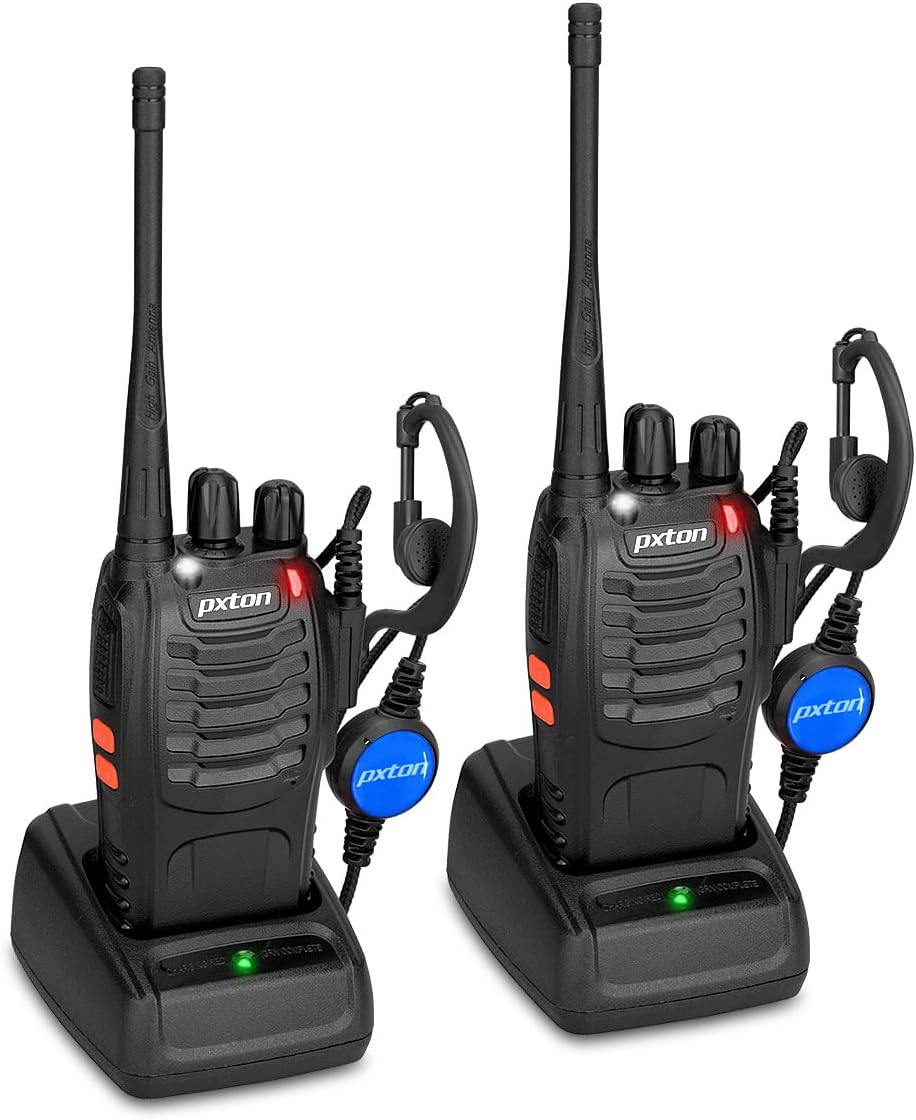
Image: Two pxton PX-8S-01 two-way radios with charging bases and earpieces.
패키지 내용
패키지에 모든 품목이 들어 있는지 확인하세요.
- pxton PX-8S-01 Two-Way Radio (2 units)
- Lithium-Ion Battery (2 units)
- USB Charger (2 units)
- Upgraded Earpiece (2 units)
- 벨트 클립(2개)
- 손목 스트랩 (2개입)
- 안테나 (2개)
- 사용 설명서(1부)

Image: Contents of the pxton PX-8S-01 package.
제품 끝view
Familiarize yourself with the components of your pxton PX-8S-01 two-way radio:

Image: Labeled diagram of the pxton PX-8S-01 two-way radio components.
- 통합형 고감도 안테나: 신호를 전송하고 수신하는 데 사용됩니다.
- 채널 전환: 회전식 노브를 사용하여 16개의 사용 가능한 채널 중 하나를 선택합니다.
- 전원 스위치/볼륨 제어: 라디오를 켜고 끄고 볼륨을 조절하는 회전식 다이얼입니다.
- 플래시: 조명을 위한 LED 조명이 내장되어 있습니다.
- LED 표시등: 무선 통신 상태(예: 송신, 수신, 충전)를 표시합니다.
- PTT 버튼(푸시 투 토크): 전송하려면 길게 누르고, 받으려면 떼세요.
- MONI Button (Monitor): 일시적으로 스켈치를 비활성화하고 약한 신호를 감지하려면 누르세요.
- 손전등 버튼: 내장된 손전등을 작동시킵니다.
- SP/MIC 잭: Ports for connecting external audio accessories like earpieces or speaker microphones.
- 클리어 스피커: 수신된 오디오를 출력합니다.
- 내장 마이크: 음성을 캡처하여 전송합니다.
설정
1. 배터리 설치
- 라디오의 전원이 꺼져 있는지 확인하세요.
- 배터리 팩을 라디오 뒷면의 홈에 맞춰 놓습니다.
- 배터리 팩을 위쪽으로 밀어서 제자리에 고정되도록 합니다.
- 분리하려면 (있는 경우) 분리 래치를 누르고 배터리를 아래쪽으로 밀어 빼내십시오.
2. 배터리 충전
- Connect the USB charger to a power source.
- 배터리가 장착된 라디오를 충전 거치대에 놓으세요.
- 충전기의 LED 표시등은 충전 상태를 보여줍니다(예: 빨간색은 충전 중, 녹색은 완충).
- A full charge from 0 capacity typically takes 3-4 hours.
3. 액세서리 부착
- 안테나: 안테나를 라디오 상단의 커넥터에 시계 방향으로 돌려 손으로 조일 때까지 조이세요. 너무 세게 조이지 마세요.
- 벨트 클립: 제공된 나사를 사용하여 벨트 클립을 라디오 뒷면의 지정된 슬롯에 부착하십시오.
- 이어폰: 이어폰 플러그를 무전기 측면의 SP/MIC 잭에 삽입하십시오. 제대로 연결되려면 플러그가 완전히 삽입되었는지 확인하십시오.
작동 지침
1. 전원 켜기/끄기 및 볼륨 조절
- To power on the radio, rotate the Power Switch/Volume Control knob clockwise. You will hear a "click" and a voice prompt indicating the current channel.
- 볼륨을 높이려면 손잡이를 시계 방향으로 계속 돌리고, 볼륨을 낮추려면 시계 반대 방향으로 계속 돌리세요.
- To power off, rotate the knob counter-clockwise until you hear a "click."
2. 채널 선택
- 채널 스위치 노브를 돌려 사용 가능한 16개 채널 중 하나를 선택하세요.
- 라디오에서 선택된 채널 번호가 방송됩니다.
- 그룹 내 모든 무전기의 통신 채널이 동일하게 설정되어 있는지 확인하십시오.
3. 송신 및 수신
- 전송하려면 다음을 길게 누르세요. PTT(푸시투톡) button. Speak clearly into the microphone. The LED indicator will illuminate red.
- PTT 버튼에서 손을 떼면 송신이 중지되고 수신 모드로 돌아갑니다. 신호 수신 시 LED 표시등이 녹색으로 켜집니다.
4. VOX (Voice Operated Exchange) Function
VOX 기능은 손을 사용하지 않고도 작동할 수 있도록 해줍니다. 이 기능을 활성화하면 PTT 버튼을 누르지 않고도 음성이 감지되어 무전기가 자동으로 송신합니다.
- VOX settings are typically programmed via software. Refer to advanced programming instructions if available.
- When using VOX, ensure the microphone is positioned correctly to pick up your voice effectively.
Image: VOX/Handfree function icon.
5. 손전등 기능
- 전용 버튼을 누르세요 손전등 버튼 to turn the built-in LED flashlight on or off.
Image: Flashlight function icon.
6. 스캔 기능
The scan function allows the radio to automatically scan through channels to find active transmissions.
- To activate the scan function, typically this is done via a programmed side key or by selecting a specific channel. Refer to your radio's programming guide for details.
- When scanning, the radio will stop on an active channel until the transmission ends, then resume scanning.
7. 비상 경보
The radio features an emergency alarm function for critical situations.
- To activate the emergency alarm, press the designated Emergency Alarm button (if programmed) or a specific key combination. This will typically emit a loud siren sound and/or transmit an alert signal.

Image: Emergency Alarm function icon.
8. 스켈치 조정
Squelch suppresses background noise when no signal is being received. The PX-8S-01 has an adjustable squelch feature.
- Squelch levels are typically set via programming software. A higher squelch level requires a stronger signal to open the receiver, reducing static but potentially missing weak signals.
- The MONI button can be used to temporarily override the squelch and listen to all signals, including weak ones or background noise.
Image: Squelch adjustment icon.
9. 개인정보보호 규정(CTCSS/DCS)
The radio supports 165 privacy codes (50 CTCSS / 210 DCS) per programmable channel to help filter out unwanted conversations.
- When a CTCSS/DCS code is set, you will only hear transmissions from other radios using the same channel and the same CTCSS/DCS code.
- Similarly, other radios will only hear your transmissions if they are on the same channel and using the same code.
- These codes are typically programmed using specialized software.
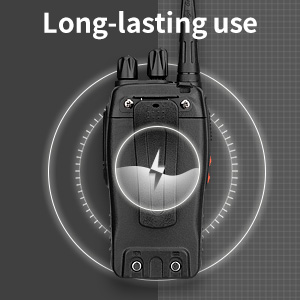
Image: CTCSS/DCS privacy codes icon.
유지
- 청소: 부드러운 d를 사용하세요amp 라디오 외부를 청소할 때는 천을 사용하세요. 강한 화학 물질이나 용제는 사용하지 마세요.
- 배터리 관리 :
- 배터리를 과충전하거나 완전히 방전하지 마세요.
- 사용하지 않을 때는 배터리를 서늘하고 건조한 곳에 보관하십시오.
- 장기간 라디오를 사용하지 않을 경우 배터리를 제거하세요.
- 저장: 라디오를 극한의 온도를 피해 건조하고 먼지가 없는 환경에 보관하세요.
- 안테나: 안테나를 구부리거나 개조하지 마십시오. 성능에 영향을 미칠 수 있습니다.
문제 해결
| 문제 | 가능한 원인 | 해결책 |
|---|---|---|
| 라디오가 켜지지 않습니다. | 배터리가 방전되었거나 올바르게 설치되지 않았습니다. | 배터리를 충전하세요. 배터리가 단단히 장착되었는지 확인하세요. |
| 전송하거나 수신할 수 없습니다. | Incorrect channel selected. Battery low. Radio out of range. | 두 무전기가 같은 채널에 맞춰져 있는지 확인하십시오. 배터리를 충전하십시오. 다른 무전기 가까이로 이동하십시오. |
| 오디오 품질이 좋지 않거나 잡음이 있습니다. | Weak signal. Squelch level too low/high. Interference. | Move to an area with fewer obstructions. Adjust squelch level (if programmable). Check for sources of interference. |
| 짧은 통신 범위. | Obstructions (buildings, terrain). Low battery. | Move to an open area. Ensure battery is fully charged. |
| 이어폰이 작동하지 않습니다. | Earpiece not fully inserted. Faulty earpiece. | Ensure earpiece plug is fully inserted into the SP/MIC jack. Try a different earpiece if available. |
명세서
- 모델: PX-8S-01
- FCC ID : 2AX68PX-888S
- 채널 수: 16
- 주파수 범위: 초고주파
- 말하는 범위 최대: Up to 5 miles (unobstructed)
- 개인 정보 코드 : 165(50CTCSS/210DCS)
- 배터리 유형: 리튬이온(포함)
- 배터리 용량tage: 3.7볼트(DC)
- 배터리 수명: 8-96 hours standby, 8-12 hours continuous use (actual time varies with usage)
- 충전 시간: 3-4 hours (from 0 capacity)
- 방수 수준: 방수
- 제품 크기: 1.1인치 깊이 x 1.89인치 너비 x 8.34인치 높이
- 품목 무게: 1.34파운드 (두 개 기준)
- 특별 기능: Rechargeable, VOX, TOT, Emergency Alarm, Battery Low Alert, Flashlight, Scan Function

Image: Size comparison of the pxton PX-8S-01 radio.
안전 정보
Your pxton PX-8S-01 walkie-talkie has been granted FCC transmission and reception certification and authorization (FCC ID: 2AX68PX-888S). This device is intended for use only within the frequency points authorized by the FCC certification range.
다음 안전 지침을 준수하십시오.
- 폭발성 분위기(예: 가연성 가스, 먼지 입자, 금속 분말)에서는 라디오를 작동하지 마세요.
- Do not modify the radio or its accessories. Unauthorized modifications can void your warranty and violate FCC regulations.
- 라디오와 그 부속품을 어린이의 손이 닿지 않는 곳에 보관하세요.
- Use only pxton-approved batteries and chargers. Using unapproved accessories can cause damage or injury.
- Avoid exposing the radio to extreme temperatures, direct sunlight, or moisture for prolonged periods.
- 라디오에서 연기가 나거나 이상한 냄새가 나면 즉시 전원을 끄고 배터리를 분리하십시오. 고객 지원 센터에 문의하십시오.
보증 및 지원
pxton provides lifetime customer service for its walkie-talkies. If you encounter any questions or issues with your PX-8S-01 radio, please contact pxton customer support through the platform where you purchased the product. Our professional team is available to assist you with troubleshooting and support.
For further assistance, please refer to the official pxton web사이트를 방문하거나 고객 서비스에 직접 문의하세요.