
1. 서론
This manual provides essential information for the safe and efficient use of your Philips DST3030/70 Steam Iron. Please read these instructions carefully before first use and keep them for future reference. Proper use and maintenance will ensure optimal performance and extend the lifespan of your appliance.
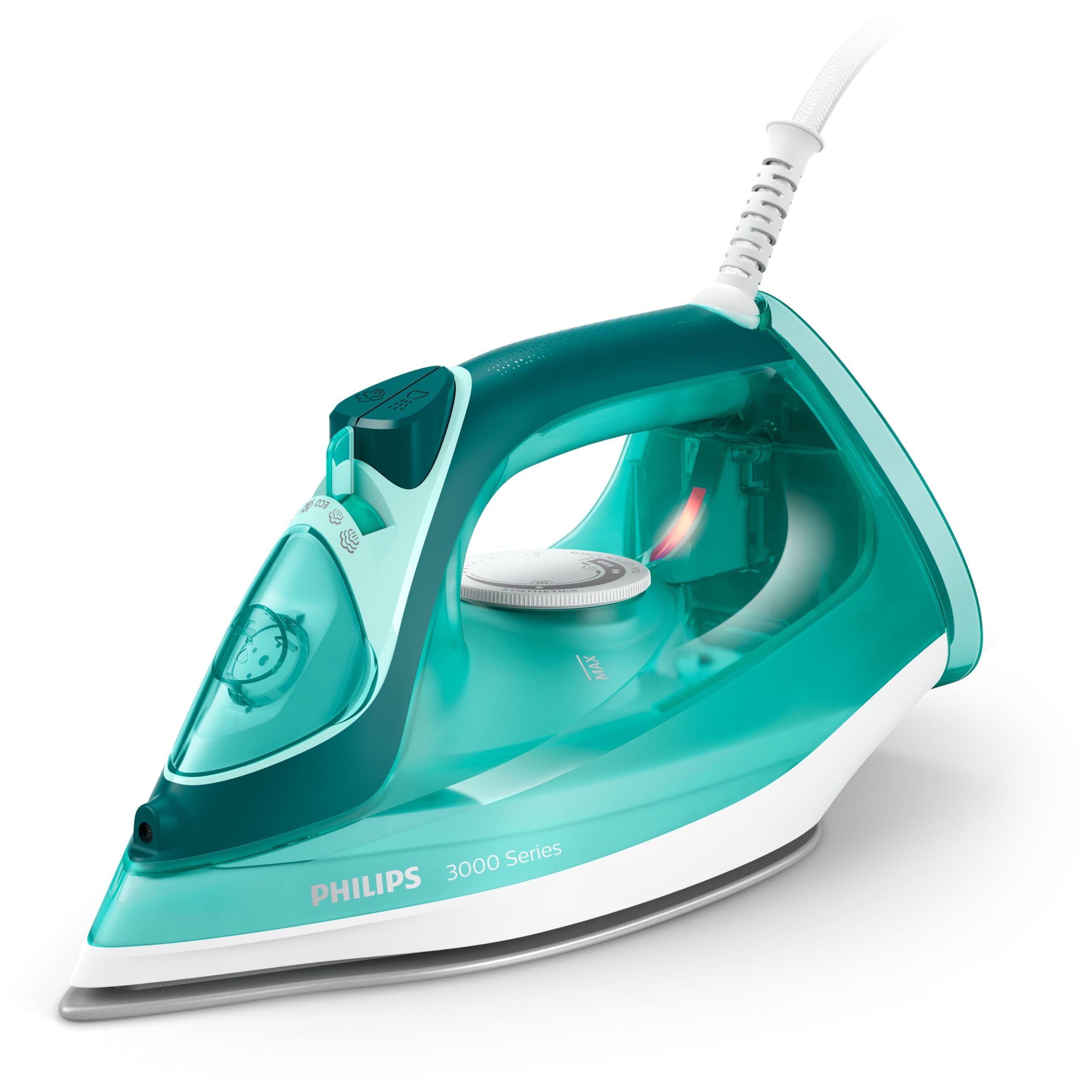
Figure 1: Philips DST3030/70 Steam Iron
2. 안전 정보
화재, 감전, 신체 상해의 위험을 줄이려면 전기 제품을 사용할 때 항상 기본적인 안전 예방 조치를 따르세요.
- 볼륨을 확보하세요tag다리미에 표시된 e는 해당 지역의 주 전원에 해당합니다.tag연결하기 전에 e를 누르세요.
- 다리미나 전원 코드를 물이나 다른 액체에 담그지 마십시오.
- 다리미는 어린이와 애완동물의 손이 닿지 않는 곳에 보관하십시오.
- Never leave the iron unattended while it is switched on or connected to the mains.
- Always unplug the iron from the power outlet before filling or emptying the water tank, and when not in use.
- 손상된 코드나 플러그가 있는 경우, 또는 다리미를 떨어뜨리거나 손상시킨 경우에는 다리미를 작동하지 마십시오.
- 밑판이 매우 뜨거워질 수 있습니다. 뜨거운 표면에 직접 닿지 않도록 하십시오.
- 다리미는 안정적이고 내열성이 있는 표면, 가급적 다리미판 위에서 사용하십시오.
3. 제품 오버view
The Philips DST3030/70 Steam Iron is designed for efficient and effective ironing, featuring a ceramic soleplate and powerful steam functions.
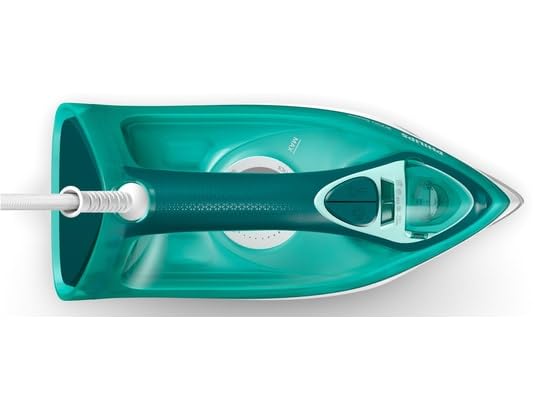
그림 2: 상단 view of the iron with water tank and controls
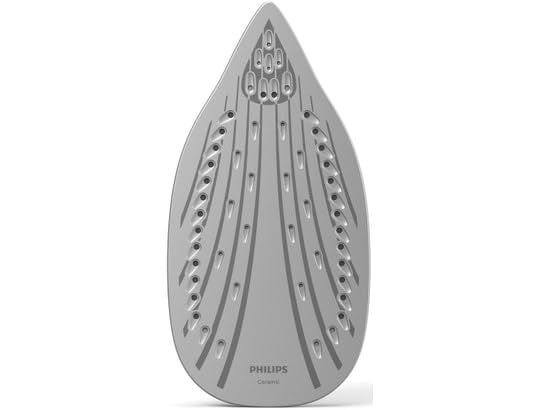
Figure 3: Ceramic soleplate for smooth gliding
주요 특징:
- 2400W 전력: Ensures rapid heating for quick ironing sessions.
- Continuous Steam (up to 40 g/min): Provides a steady output of steam to effectively remove creases.
- Steam Boost (up to 180 g): Delivers an extra burst of steam for stubborn wrinkles.
- 세라믹 열판: Offers excellent gliding performance and resistance to scratches.
- 자동 차단 : Enhances safety by turning off the iron if left unattended.
- 수직 증기: 걸려있는 의류와 커튼을 스팀 다릴 수 있습니다.
- 삼중 정밀 팁: 단추나 주름처럼 손이 닿기 어려운 부분까지 깔끔하게 정리할 수 있도록 설계되었습니다.
- 적하 정지 시스템: Prevents water droplets from staining your clothes during ironing.
비디오 1: 360도 view of the Philips DST3030/70 Steam Iron, showcasin디자인과 기능.
4. 설정
Follow these steps to prepare your iron for first use:
- 짐 풀기: 다리미를 포장에서 조심스럽게 꺼내세요. 다리미 바닥에 붙어 있는 스티커나 보호 필름을 제거하세요.
- 물 탱크 채우기: Ensure the iron is unplugged. Open the water filling inlet and fill the water tank with tap water up to the 'MAX' indicator. Do not overfill. Close the inlet securely.
- 첫 번째 사용 준비: For the first use, iron an old piece of fabric for a few minutes to remove any manufacturing residues from the soleplate. Steam may be emitted during this process.
5. 사용 설명서
Using your Philips DST3030/70 Steam Iron effectively:
- 온도 설정: Plug in the iron. Turn the temperature dial to the desired setting based on the fabric type. The indicator light will illuminate, indicating the iron is heating up. It will turn off when the set temperature is reached.
- 스팀 기능: Once the iron reaches the desired temperature (for steam ironing, select a setting between '••' and 'MAX'), you can activate the steam. Adjust the steam slider to the desired steam level.
- 스팀 부스트: Press the steam boost button for an extra powerful burst of steam to tackle stubborn creases. Wait a few seconds between bursts to allow the iron to reheat.
- 수직 찌기: Hold the iron vertically, close to the hanging garment. Press the steam boost button to release steam and remove wrinkles.
- 드라이 다림질: For dry ironing, ensure the steam slider is set to the 'no steam' position and select the appropriate temperature.
- 자동 차단 : The iron will automatically switch off if left motionless for a certain period (e.g., 30 seconds on its soleplate or 8 minutes on its heel rest). The indicator light will flash to signal this. Move the iron to restart heating.

Figure 4: Vertical steam function for hanging garments.

Figure 5: Automatic shut-off for enhanced safety.
6. 유지관리 및 청소
Regular maintenance ensures your iron performs optimally:
- 열판 청소: After use, allow the iron to cool down completely. Wipe the soleplate with a damp 필요하다면 천과 연마성이 없는 세척제를 사용하십시오. 거친 수세미나 금속 세척제는 사용하지 마십시오.
- Descaling (Calc-Clean): Over time, mineral deposits can build up. Refer to the specific descaling instructions in your full product manual for the Calc-Clean function. Regular descaling helps maintain steam performance.
- 물탱크 비우기: After each use, unplug the iron and empty any remaining water from the tank. This prevents mineral buildup and leakage.
- 저장: Store the iron on its heel rest, with the cord neatly wrapped, in a dry and safe place.
7. 문제 해결
다리미 사용 중 문제가 발생하면 다음의 일반적인 문제 및 해결 방법을 참조하십시오.
| 문제 | 가능한 원인 | 해결책 |
|---|---|---|
| 철은 가열되지 않습니다. | 플러그가 꽂혀 있지 않음; 전원 콘센트 오류; 자동 차단 기능 작동됨. | 전원 연결을 확인하세요. 다른 콘센트를 사용해 보세요. 다리미를 움직여 다시 작동시켜 보세요. |
| 증기가 없거나 증기가 부족합니다. | Water tank empty; temperature too low; steam vents blocked by scale. | Fill water tank; set temperature to steam range (•• to MAX); perform Calc-Clean. |
| 물이 밑판에서 떨어집니다. | Temperature too low for steam; drip-stop system not engaged. | Ensure iron is hot enough for steam; avoid using steam at low temperatures. |
| 직물에 갈색 얼룩이 있습니다. | Mineral deposits in the iron; residues on soleplate. | Perform Calc-Clean; clean the soleplate. |
8. 사양
- 상표: 필립스
- 모델 이름: DST3030/70
- 특징: 자동 종료
- 색상: 터키 옥
- 힘: 2400 와트
- 권tage: 230 볼트
- 빈도: 50Hz
- 품목 무게: 1.2 킬로그램
- 스타일: 스팀 다리미
- 발판 소재: 세라믹
- 권장 사용: General ironing, suitable for most fabrics
- 국제 무역 식별 번호(GTIN): 08720389003059
- 포함된 구성 요소: Steam iron, user manual
9. 보증 및 지원
Your Philips DST3030/70 Steam Iron comes with a 2년 제조사 보증이 보증은 정상적인 사용 조건 하에서의 제조 결함에 적용됩니다.
For warranty claims, technical support, or service inquiries, please contact Philips customer support through their official website or the contact information provided in your product packaging. Please have your proof of purchase and model number (DST3030/70) ready when contacting support.