
EVGA 08G-P5-3767-KL
EVGA GeForce RTX 3070 FTW3 Ultra Gaming
사용자 설명서
모델: 08G-P5-3767-KL
소개
This manual provides essential information for the installation, operation, maintenance, and troubleshooting of your EVGA GeForce RTX 3070 FTW3 Ultra Gaming graphics card. Please read this guide thoroughly before proceeding with installation or use to ensure optimal performance and longevity of your product.
The EVGA GeForce RTX 3070 FTW3 Ultra Gaming is a high-performance graphics card designed for advanced gaming and demanding graphical applications. It features 8GB GDDR6 memory, iCX3 Technology for advanced cooling, ARGB LED lighting, and a durable metal backplate.
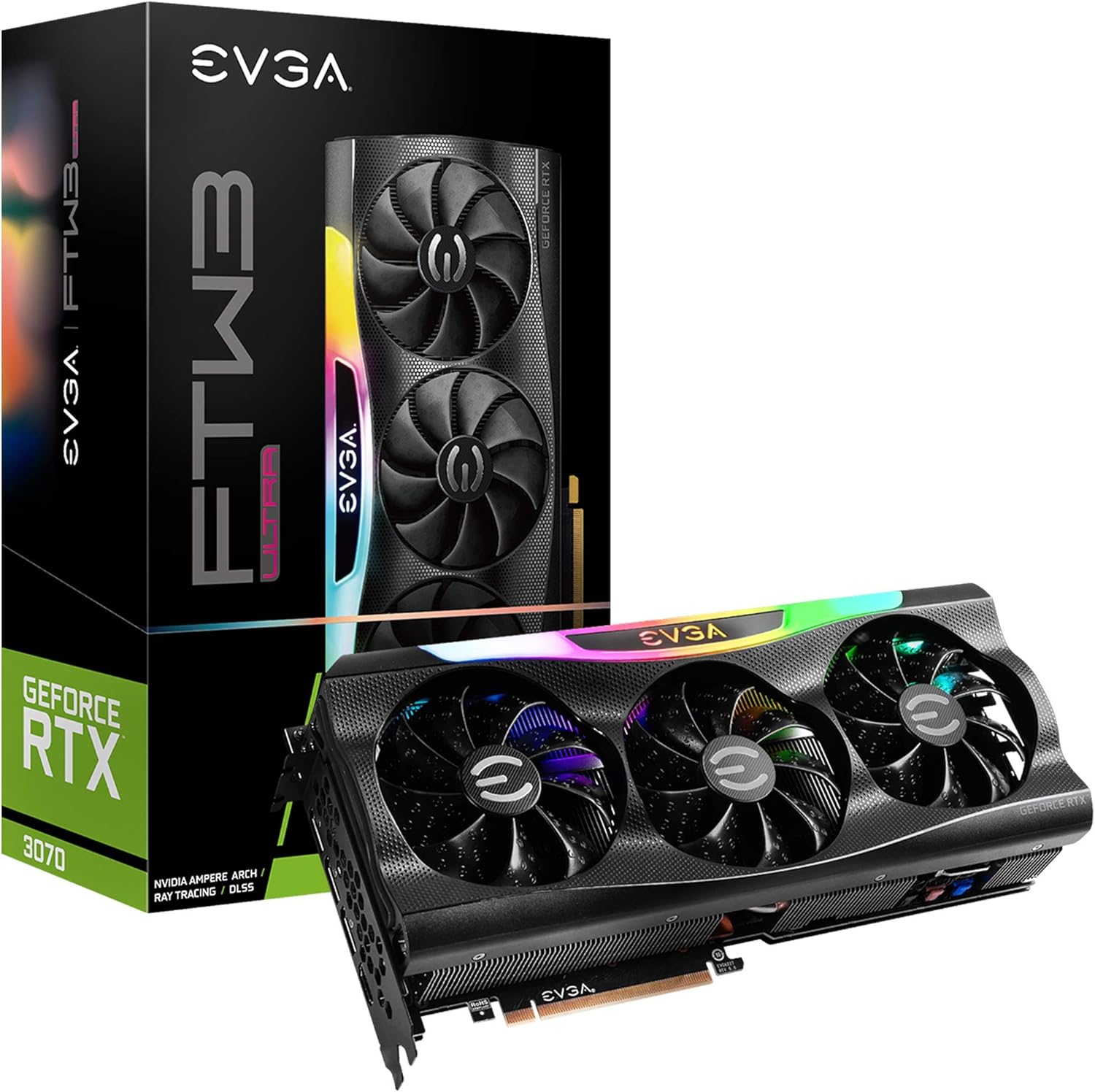
Figure 1: EVGA GeForce RTX 3070 FTW3 Ultra Gaming graphics card and packaging.
설정 및 설치
Proper installation is crucial for the functionality and stability of your graphics card. Follow these steps carefully.
1. 설치 전 체크리스트
- 전원 공급 장치: 전원 공급 장치(PSU)가 최소 와트 요구 사항을 충족하는지 확인하십시오.tage requirements for the RTX 3070 (typically 650W or higher, consult your PSU manufacturer for specific compatibility).
- PCIe 슬롯: Verify your motherboard has an available PCI Express x16 slot.
- 사건 종결: Confirm your computer case has sufficient physical space for the graphics card (Product Dimensions: 11.81 x 2.32 x 5.38 inches).
- 운전자: NVIDIA 공식 웹사이트에서 RTX 3070용 최신 NVIDIA 드라이버를 다운로드하세요. web설치 전 사이트.
- 정전기 방지: Use an anti-static wrist strap or periodically touch a grounded metal object to discharge static electricity.
2. 물리적 설치
- 전원 끄기 : 컴퓨터를 끄고 벽면 콘센트에서 전원 케이블을 뽑으세요.
- 열린 사건: 컴퓨터 케이스를 열어 마더보드에 접근하세요.
- 기존 카드를 제거하십시오(해당되는 경우): If replacing an existing graphics card, carefully remove it by unscrewing the retention bracket and releasinPCIe 슬롯 래치를 엽니다.
- 새 카드를 삽입하세요: Align the EVGA GeForce RTX 3070 FTW3 Ultra Gaming card with an available PCIe x16 slot. Press down firmly and evenly until the card is fully seated and the slot latch clicks into place.
- 보안 카드: Secure the graphics card to the case with screws using the retention bracket.
- 전원 연결: Connect the required PCIe power cables from your power supply to the graphics card. The EVGA RTX 3070 FTW3 Ultra Gaming typically requires two 8-pin PCIe power connectors. Ensure all connections are secure.

Figure 2: Power connector locations on the graphics card.
3. 드라이버 설치
- 전원 다시 연결: Close your computer case, reconnect the power cable, and connect your monitor to one of the graphics card's display outputs (HDMI or DisplayPort).
- 부트 시스템: 컴퓨터의 전원을 켭니다.
- 드라이버 설치: Once the operating system loads, run the NVIDIA driver installer downloaded earlier. Follow the on-screen prompts to complete the installation.
- 다시 시작: 드라이버 설치가 완료되면 컴퓨터를 다시 시작하십시오.

Figure 3: Reference for installation guidance.
그래픽 카드 작동 방법
After successful installation, you can optimize your graphics card's performance and customize its features.
1. 소프트웨어 및 기능
- EVGA Precision X1: This software allows for monitoring, overclocking, and customizing the ARGB LED lighting of your EVGA graphics card. It also provides control over fan speeds and other performance parameters.
- NVIDIA GeForce Experience: This application optimizes game settings, updates drivers, and enables features like NVIDIA ShadowPlay for recording gameplay.
- 실시간 레이 트레이싱: The RTX 3070 supports real-time ray tracing for enhanced visual fidelity in compatible games.
- NVIDIA DLSS: 딥러닝 슈퍼 Sampling (DLSS) uses AI to boost frame rates while maintaining image quality.

Figure 4: Graphics card with adjustable ARGB LED lighting.
2. iCX3 Technology
The iCX3 Technology integrates sensors and micro-control processors to provide intelligent cooling. It uses asynchronous fans that spin at different rates to cool components only as needed, optimizing cooling accuracy and reducing noise.

Figure 5: Explanation of iCX3 Technology features.
유지
정기적인 유지 관리는 그래픽 카드의 수명과 최적의 성능을 보장하는 데 도움이 됩니다.
- 청소: Periodically clean dust from the fans and heatsink using compressed air. Ensure the computer is powered off and unplugged before cleaning. Hold the fan blades gently to prevent them from spinning rapidly during cleaning.
- 드라이버 업데이트 : NVIDIA 공식 웹사이트에서 제공하는 최신 버전으로 그래픽 드라이버를 업데이트하세요. website. Driver updates often include performance improvements, bug fixes, and support for new games.
- 소프트웨어 업데이트: Keep EVGA Precision X1 and NVIDIA GeForce Experience software updated.
- 온도 모니터링: Use EVGA Precision X1 or other monitoring tools to keep an eye on your GPU temperatures, especially during heavy loads. Ensure adequate airflow within your computer case.
문제 해결
그래픽 카드에 문제가 발생하면 다음의 일반적인 문제 해결 단계를 참조하십시오.
- 디스플레이 출력 없음:
- Ensure the monitor cable is securely connected to the graphics card's output and the monitor.
- Verify the graphics card is fully seated in the PCIe slot and all power cables are connected.
- 가능하다면 다른 디스플레이 케이블이나 모니터로 테스트해보세요.
- Driver Issues/Crashes:
- 최신 NVIDIA 드라이버를 새로 설치하십시오. 새 드라이버를 설치하기 전에 안전 모드에서 Display Driver Uninstaller(DDU)를 사용하여 이전 드라이버를 제거하십시오.
- Ensure you are using official software and drivers. Avoid using unofficial software as it can lead to instability or security risks.
- 과열:
- Check for proper airflow in your computer case. Ensure case fans are functioning correctly.
- 그래픽 카드 팬과 방열판의 먼지를 청소하세요.
- Monitor temperatures with EVGA Precision X1. If temperatures are consistently high, consider adjusting fan curves or improving case ventilation.
- 성능 문제:
- Ensure your system meets the recommended specifications for the games or applications you are running.
- Verify that the graphics card is running at its expected clock speeds using monitoring software.
- 시스템 리소스를 소모하는 백그라운드 애플리케이션이 있는지 확인하십시오.
명세서
EVGA GeForce RTX 3070 FTW3 Ultra Gaming 그래픽 카드의 상세 기술 사양입니다.
| 특징 | 사양 |
|---|---|
| 모델 번호 | 08G-P5-3767-KL |
| 그래픽 코프로세서 | 엔비디아 지포스 RTX 3070 |
| 메모리 상세 정보 | 8192 MB GDDR6X |
| 메모리 속도 | 14000MHz |
| 부스트 클록 | 1815MHz |
| 최대 화면 해상도 | 4K(3840x2160) 해상도에서 60Hz 주사율 |
| 비디오 출력 인터페이스 | HDMI, 디스플레이포트 |
| 제품 크기(LxWxH) | 11.81 x 2.32 x 5.38 인치 |
| 품목 무게 | 4.29파운드 |
| iCX3 Technology | 예 |
| ARGB LED | Yes, Adjustable |
| 백플레이트 | 모든 금속 |
| LHR (Lite Hash Rate) | 예 |
보증 및 지원
EVGA products are typically covered by a manufacturer's warranty. For specific warranty terms, registration, and technical support, please visit the official EVGA web사이트를 방문하거나 고객 서비스에 문의하세요.
It is recommended to register your product upon purchase to facilitate any future warranty claims or support requests.
최신 드라이버, 소프트웨어 및 지원 자료는 다음 웹사이트를 방문하세요. EVGA 지원 Web대지