
KPREPUBLIC MXRSKEY 60U OTM Black Switch x1
KPREPUBLIC MXRSKEY 60U 기계식 키보드 사용 설명서
Model: MXRSKEY 60U OTM Black Switch x1
1. 서론
This manual provides comprehensive instructions for the KPREPUBLIC MXRSKEY 60U Mechanical Keyboard. Please read this manual thoroughly before using the product to ensure proper operation and longevity.
The MXRSKEY 60U is a 60% mechanical keyboard featuring Outemu switches and single-color mixed LED backlighting. It supports multimedia combination keys for enhanced functionality. Please note that this keyboard is not hot-swappable and does not feature RGB backlighting; each row has a single, fixed color LED.
2. 패키지 내용
패키지에 모든 품목이 들어 있는지 확인하세요.
- KPREPUBLIC MXRSKEY 60U Mechanical Keyboard
- USB-C 케이블
- 사용 설명서 (본 문서)
3. 사양
| 특징 | 설명 |
|---|---|
| 키보드 레이아웃 | 60% 컴팩트 |
| 스위치 유형 | Outemu Mechanical Switches (Black Switch variant) |
| 키캡 재질 | ABS Doubleshot Keycaps |
| 백라이트 | Single Color Mixed LED (Each row with one fixed color) |
| 연결성 | USB-C (분리형 케이블) |
| 특별 기능 | Multimedia Combination Keys, Non-hot-swappable switches |
| 제조업체 | KPREPUBLIC |
| 모델 번호 | MXRSKEY 60U |
4. 설정 가이드
4.1 키보드 연결
- Locate the USB-C port on the back or side of the MXRSKEY 60U keyboard.
- 제공된 USB-C 케이블의 한쪽 끝을 키보드의 USB-C 포트에 삽입하십시오.
- Insert the other end of the USB-A connector into an available USB port on your computer.
- 키보드는 운영 체제에서 자동으로 인식됩니다. 일반적으로 추가 드라이버는 필요하지 않습니다.
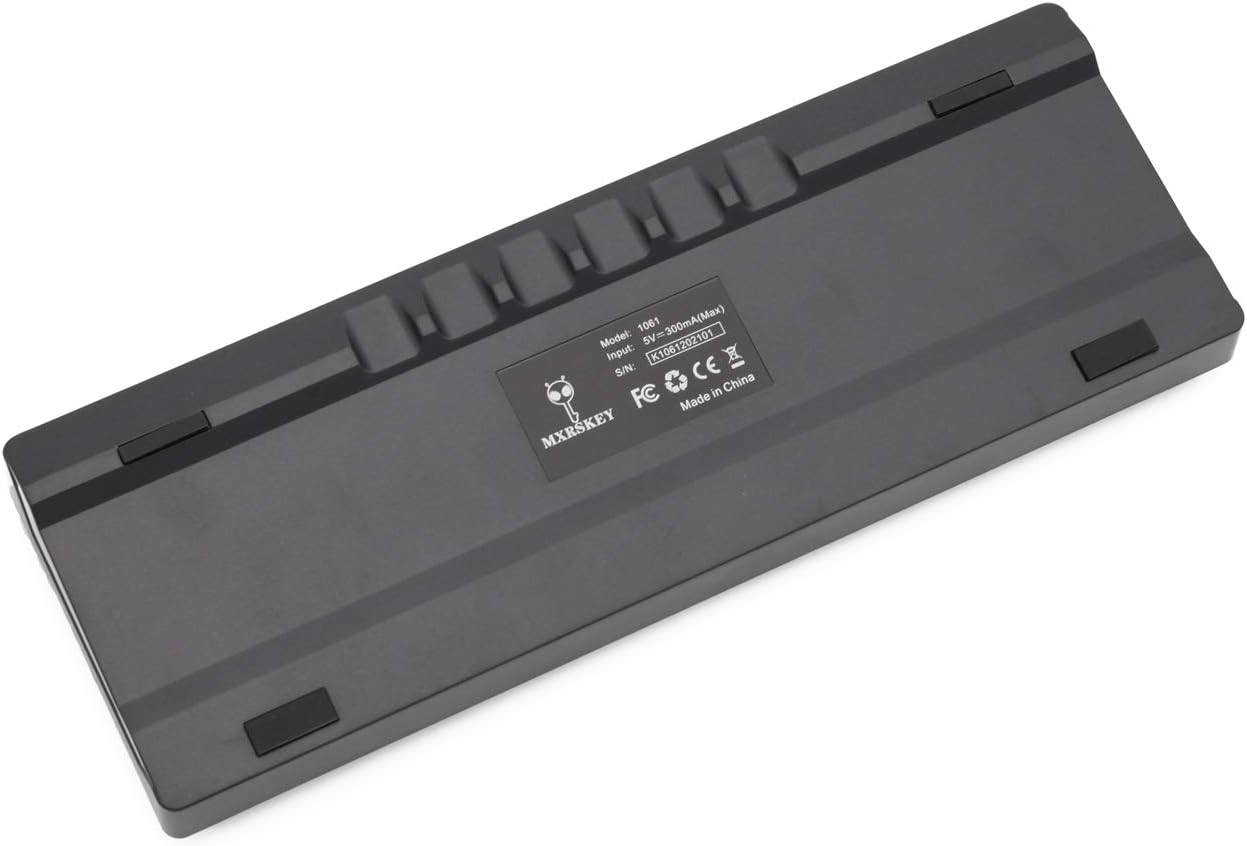
이미지: 후면 view of the MXRSKEY 60U keyboard, highlighting the USB-C port for connection and the stable rubber feet.
5. 사용 설명서
5.1 기본 키보드 기능
The MXRSKEY 60U is a standard QWERTY layout 60% keyboard. All standard alphanumeric and symbol keys function as expected.

이미지: 상단 view of the MXRSKEY 60U keyboard, showcasing its compact 60% layout and the single-color mixed LED backlighting.
5.2 기능(FN) 키 조합
Due to its compact 60% layout, many functions are accessed via the Function (FN) key in combination with other keys. Refer to the table below for common FN key combinations.
| 조합 키 | 기능 | 메모 |
|---|---|---|
| FN+탭 | 키보드 재설정 | |
| FN+Esc | ~ | |
| FN+1 | F1 | |
| FN+2 | F2 | |
| FN+3 | F3 | |
| FN+4 | F4 | |
| FN+5 | F5 | |
| FN+6 | F6 | |
| FN+7 | F7 | |
| FN+8 | F8 | |
| FN+9 | F9 | |
| FN+10 | F10 | |
| FN+11 | F11 | |
| FN+12 | F12 | |
| FN+[ | 명도- | |
| FN+] | 밝기+ | |
| FN+; | 속도- | |
| FN+' | 속도+ | |
| FN+? | ↑ | |
| FN+대체 | ← | |
| FN+메뉴 | ↓ | |
| FN+Ctrl | → | |
| 에프엔+엘 | Back Lit Effect Change | |
| FN+백스페이스 | Close Back lit | |
| 멀티미디어 키 | ||
| FN+A | 정지시키다 | |
| 에프엔+에스 | 이전 | |
| FN+D | 다음 | |
| 에프엔+에프 | 무음 | |
| FN+G | 권+ | |
| FN+H | Vol- | |
| FN+J | 끼워 넣다 | |
| FN+K | 집 | |
| FN+L Win | 승리 잠금 | |
| 에프엔+엘 | PGUP | |
| FN+N | 델 | |
| 에프엔+엠 | 끝 | |
| FN+ | PGDN | |
| FN+; | 영어: PRT(프롬트) | |
| FN+O | (주) | |
| FN+P | PS | |
Table: FN key combinations for various functions, including multimedia controls and navigation.

Image: Close-up of the keyboard's keycaps, illustrating the legends for primary and FN-accessed functions.
5.3 백라이트 제어
The MXRSKEY 60U features single-color mixed LED backlighting. You can adjust the brightness and change the lighting effect using FN key combinations.
- FN + [: 백라이트 밝기를 낮춥니다.
- FN + ]: 백라이트 밝기를 높입니다.
- FN + ;: Decrease backlight speed/effect.
- FN + ': Increase backlight speed/effect.
- 에프엔 + 엘: Change backlight effect.
- FN + 백스페이스백라이트를 끄세요.

Image: The keyboard with its single-color mixed LED backlighting active, showing the distinct color zones per row.
6. 유지관리 및 관리
6.1 키보드 청소
- 청소하기 전에 키보드를 컴퓨터에서 분리하세요.
- 부드럽고 털이 없는 천을 살짝 사용하세요.amp물이나 순한 세척액을 사용하여 키캡과 섀시를 닦아냅니다.
- 키캡 사이의 먼지와 이물질을 제거하려면 압축 공기를 사용하세요.
- 강한 화학 물질, 연마성 세제 또는 과도한 습기는 키보드를 손상시킬 수 있으므로 사용하지 마십시오.
6.2 보관
장기간 사용하지 않을 경우 키보드를 직사광선과 극한 온도 변화를 피해 건조하고 서늘한 곳에 보관하십시오.
7. 문제 해결
| 문제 | 가능한 원인 | 해결책 |
|---|---|---|
| 키보드가 응답하지 않습니다 | 케이블 연결이 헐거워졌거나, USB 포트가 잘못되었거나, 시스템 드라이버에 문제가 있을 수 있습니다. | USB-C 케이블이 키보드와 컴퓨터에 제대로 연결되어 있는지 확인하십시오. 다른 USB 포트에 연결해 보십시오. 컴퓨터를 재시작하십시오. |
| 백라이트가 작동하지 않음 | 백라이트가 꺼져 있고 밝기가 최소로 설정되어 있습니다. | Press FN + ] to increase brightness. Press FN + L to cycle through effects. Press FN + Backspace to toggle backlight. |
| 일부 키가 작동하지 않습니다 | 키캡 아래에 이물질이 있거나 스위치가 오작동하는 경우입니다. | Use compressed air to clear debris. As switches are not hot-swappable, contact support if the issue persists. |
| FN key combinations not working | 잘못된 조합, 일시적인 소프트웨어 오류입니다. | Refer to the "Function (FN) Key Combinations" table. Try resetting the keyboard (FN+TAB). |
8. 보증 및 지원
For warranty information and technical support, please refer to the official KPREPUBLIC web사이트를 방문하거나 판매점에 문의하세요. 보증 청구를 위해 구매 영수증을 보관하세요.
Manufacturer: KPREPUBLIC
최초 출시일: 2021년 2월 9일
추가 지원을 받으려면 다음을 방문하세요. KPREPUBLIC Brand Store on Amazon
Ask a question about this manual
Ask about setup, troubleshooting, compatibility, parts, safety, or missing instructions. Manuals+ will review the question and use this page’s manual context to help answer it.