
Fractal Design FD-C-POA1A-02
Fractal Design Pop Air Black Tempered Glass Clear Tint ATX Air
사용 설명서
소개
The Fractal Design Pop Air series fuses flair with function, providing a solid foundation and excellent build quality for your PC components. This manual provides detailed instructions for setting up, operating, and maintaining your Fractal Design Pop Air Black Tempered Glass Clear Tint ATX Air case.
주요 특징
- Accommodates ATX / mATX / Mini ITX Motherboards.
- Easily mounted tempered glass side panel for component visibility.
- Up to three HDDs and six SSDs (or two HDDs and five SSDs with one optical bay in use).
- Includes three 120 mm Aspect 12 RGB fans (supports two more for a total of five).
- Supports radiators up to 280 mm in the front, 240 mm in the top, and 120 mm in the rear.
- Vividly colored motherboard plate, drive trays, and exterior accents (specific to RGB Core models).
설정 및 설치
케이스 오버view
Familiarize yourself with the main components and layout of the Fractal Design Pop Air case.
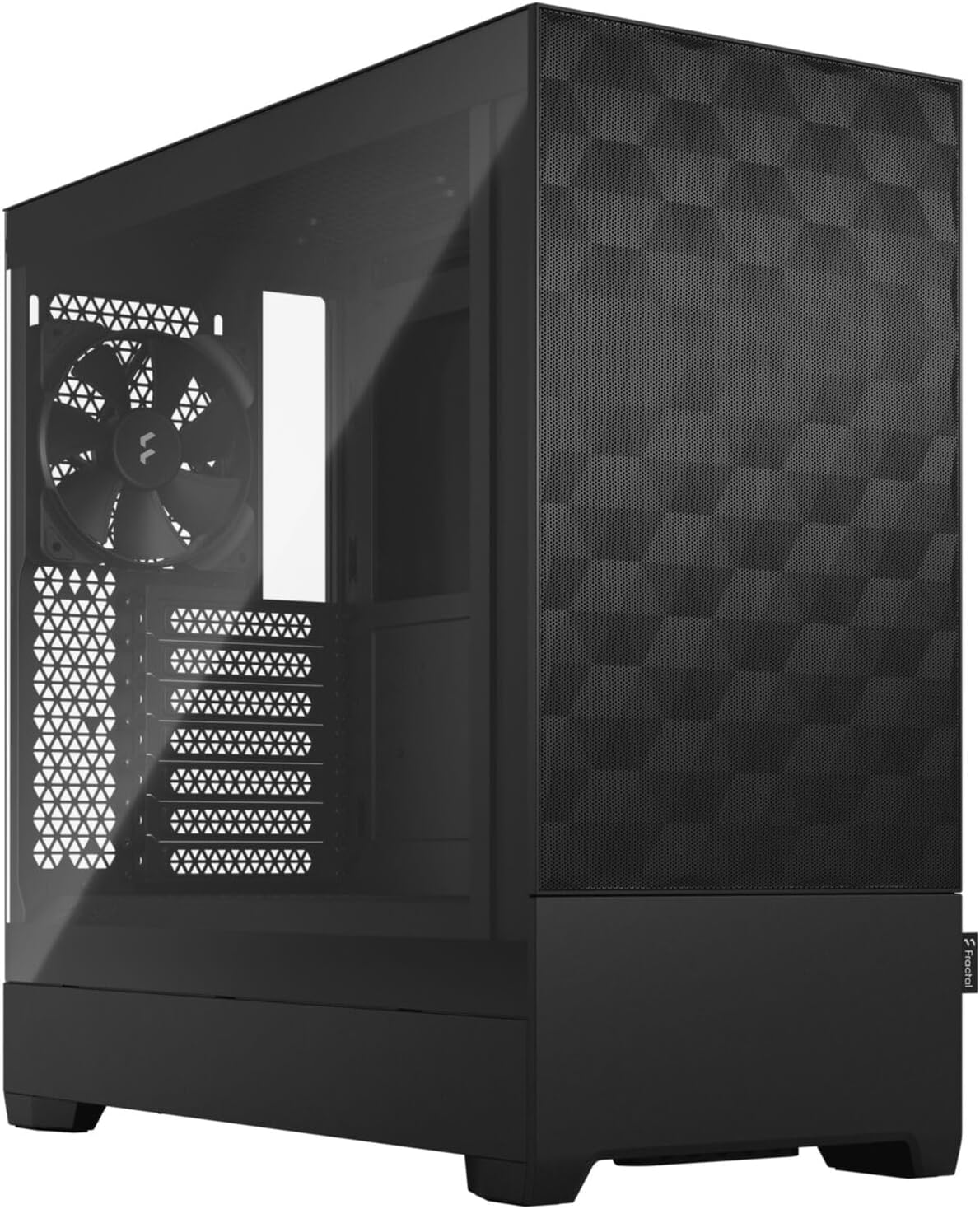
그림 1: 전체 view of the Fractal Design Pop Air Black Tempered Glass Clear Tint ATX Air PC case.
Accessing the Interior
The tempered glass side panel is secured by two thumbscrews at the rear. Loosen these screws and carefully slide the panel off to access the interior for component installation.

그림 2: 내부 view of the case, highlighting the motherboard tray and cable routing options.
마더보드 설치
The case supports ATX, mATX, and Mini ITX motherboards. Install the necessary standoffs, then carefully place your motherboard and secure it with screws.
스토리지 드라이브 설치
The case offers versatile storage options. For 2.5" SSDs, utilize the removable SSD tray located behind the motherboard tray. For 3.5" HDDs, use the dedicated drive cages in the PSU shroud area. The front of the case also features a hidden compartment that can be used for a 5.25" optical drive or additional storage trays.

Figure 3: Hidden storage compartment/5.25" drive bay at the front bottom of the case.

Figure 4: SSD mounting locations behind the motherboard tray.
Fan and Radiator Support
The case comes with three pre-installed 120mm Aspect 12 RGB fans (two front, one rear). Additional fans can be installed: up to two 120mm/140mm fans at the top. Radiator support includes up to 280mm in the front, 240mm in the top, and 120mm in the rear.
전면 I/O 패널
The top I/O panel provides convenient access to a USB Type-C port, two USB 3.0 ports, headphone and microphone jacks, an RGB control button, and the power button.

Figure 5: Top I/O panel for easy connectivity.
Video Guide: Fractal Design Pop Series Overview
This official video from Fractal Design provides a comprehensive overview of the Pop Series, including key features and design elements relevant to setup and component installation.
PC 케이스 작동 방법
Once your components are installed, connect all necessary power cables and peripherals. Use the power button on the top I/O panel to start your system.
RGB 조명 제어
The pre-installed Aspect 12 RGB fans can be controlled via the dedicated RGB button on the top I/O panel. Press the button to cycle through various colors and lighting effects. If your motherboard supports addressable RGB (A-RGB) sync, you can connect the fan's A-RGB cables to your motherboard's A-RGB header and control lighting via software (e.g., ASUS Aura Sync).

Figure 6: Illuminated RGB fans inside the case.
유지
정기적인 유지보수는 PC 부품의 최적 성능과 수명 연장을 보장합니다.
먼지 필터 청소
The Fractal Design Pop Air case features multiple dust filters to prevent dust buildup. The front mesh panel acts as a filter, and there's a removable magnetic filter on the top panel. A standard pull-out filter is located under the PSU vent at the bottom rear. Regularly remove and clean these filters with compressed air or water (ensure they are completely dry before reinstallation).

Figure 7: Removable magnetic top dust filter.
케이블 관리
활용하다 ample space behind the motherboard tray and the pre-installed velcro cable ties for efficient cable management. This improves airflow and maintains a clean interior appearance.

Figure 8: Cable routing channels and velcro ties behind the motherboard tray.
문제 해결
PC 케이스에 문제가 발생하면 다음과 같은 일반적인 해결 방법을 고려해 보세요.
- 전원 없음: Ensure all power supply cables are securely connected to the motherboard, CPU, and GPU. Check the power switch on the PSU.
- 팬이 회전하지 않음/RGB가 작동하지 않음: Verify fan power cables are properly connected. For RGB, ensure A-RGB cables are properly connected to either the motherboard header or the built-in controller. Try cycling through RGB modes using the top I/O button.
- 과열: Check fan orientation for proper airflow (front intake, rear/top exhaust). Clean dust filters. Ensure CPU cooler and GPU fans are functioning correctly.
- 느슨한 패널: Ensure side panels are properly aligned and thumbscrews are tightened.
For more complex issues, consult your individual component manuals or contact Fractal Design support.
명세서
| 특징 | 사양 |
|---|---|
| 상표 | 프랙탈 디자인 |
| 모델명 | Pop Air Black - Tempered Glass Clear Tint |
| 품목 모델 번호 | FD-C-POA1A-02 |
| 마더보드 호환성 | ATX / mATX / Mini ITX |
| 케이스 유형 | 미드 타워 |
| 치수(길이x너비x높이) | 21.5 x 21 x 12.5 인치 |
| 품목 무게 | 19.14파운드 |
| 재료 | 강화 유리 |
| 냉각 방식 | 공기 |
| 사전 설치된 팬 | 3 x 120mm Aspect 12 RGB |
| 라디에이터 지지대(전면) | 최대 280mm |
| 라디에이터 지지대(상단) | 최대 240mm |
| 라디에이터 지지대(후면) | 최대 120mm |
| 최대 GPU 길이 | 405mm (XNUMXmm) |
| 최대 CPU 쿨러 높이 | 170mm (XNUMXmm) |
| 전원 공급 장치 장착 유형 | 바텀 마운트 |
| USB 2.0 포트 | 1 |
보증 및 지원
Fractal Design products come with a limited warranty. Please refer to the official Fractal Design web해당 지역에 특화된 최신 보증 약관은 해당 웹사이트에서 확인하세요.
For technical support, troubleshooting assistance, or warranty claims, please visit the official Fractal Design support page or contact their customer service directly. You can find contact information and FAQs on their web대지: www.fractal-design.com/support/