
1. 제품 오버view
The TIMBERTECH Airbrush Kit with Compressor AS18-2K is a comprehensive basic start kit designed for various artistic and hobby applications. This kit includes an oil-less piston compressor, a dual-action gravity feed airbrush, an air hose, cleaning brushes, and test paints. It is suitable for tasks such as nail painting, temporary tattoos, cake decorating, craft painting, model art, and automotive graphics.
The compressor features an auto-start/auto-stop function, a pressure regulator with a gauge, a water trap, and an overheat protector, ensuring stable air pressure and safe operation. Its portable and quiet design makes it ideal for both beginners and experienced users in various environments.
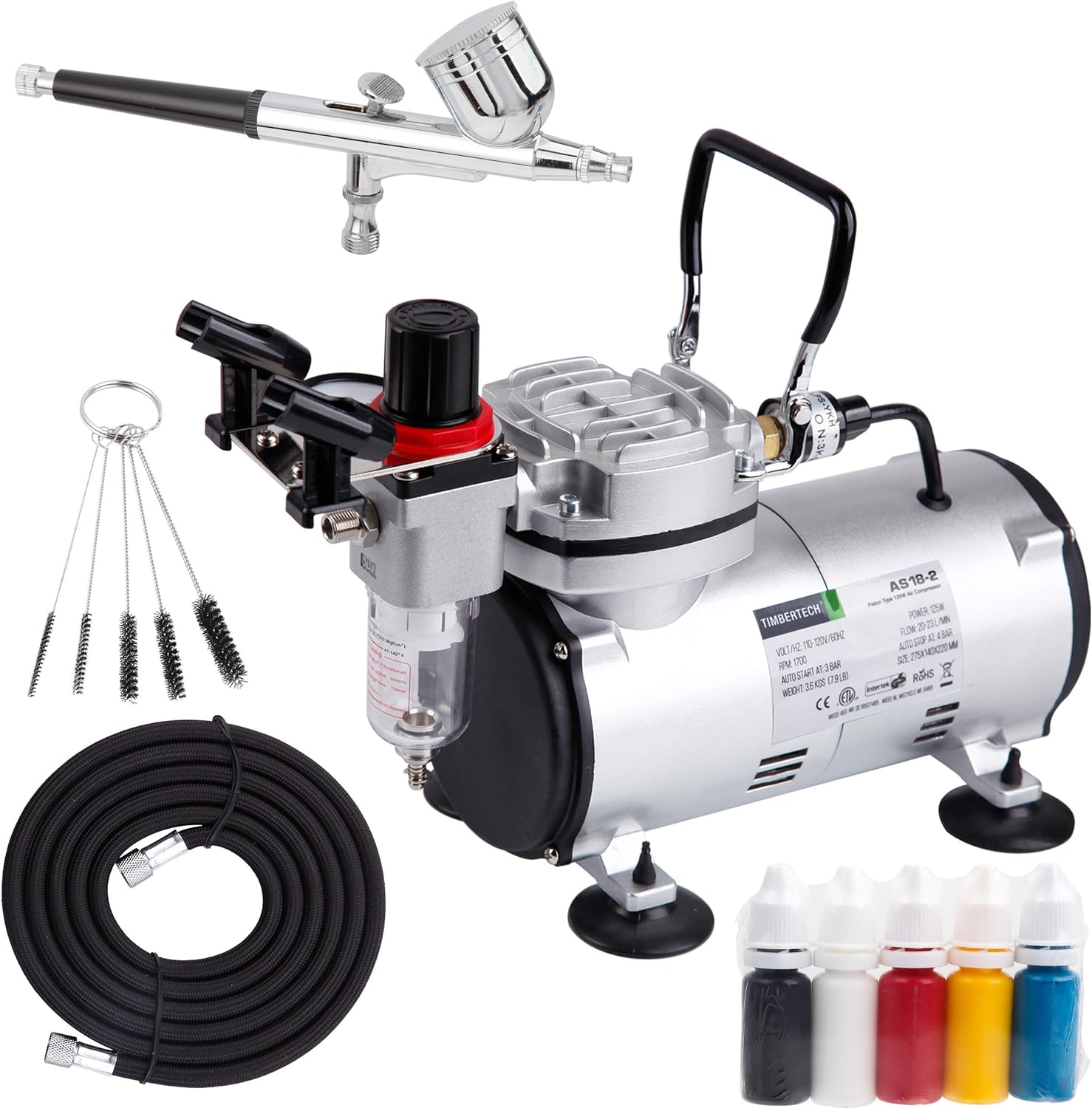
Figure 1.1: Complete TIMBERTECH Airbrush Kit AS18-2K, showing the compressor, airbrush, hose, cleaning brushes, and test paints.
2. 설정 지침
Follow these steps to set up your TIMBERTECH Airbrush Kit for first use:
- 구성 요소 풀기: 모든 구성품을 포장에서 조심스럽게 꺼내세요. 포장 목록에 있는 모든 부품이 있는지 확인하세요.
- 압축기를 설치하십시오: Place the compressor on a stable, flat surface. Ensure there is adequate ventilation around the unit.
- 공기 호스 연결:
- Locate the air outlet on the compressor, typically near the pressure regulator.
- Connect one end of the provided air hose to the compressor's air outlet. Tighten securely by hand.
- Connect the other end of the air hose to the airbrush's hose connection point. Ensure a snug fit to prevent air leaks.

Figure 2.1: The AS18-2K compressor with its pressure regulator and air outlet visible.
- 전원 연결: Plug the compressor's power cord into a standard 120V electrical outlet.
- Initial Airbrush Check: Before adding paint, test the airbrush with clean water to ensure proper air flow and trigger function.
3. 사용 설명서
This section details how to operate your airbrush kit effectively.
3.1 전원 켜기 및 압력 조절
- 전원 켜기: Turn on the compressor using the power switch. The compressor will start running and build pressure.
- 자동 정지 기능: The compressor is designed with an auto-start (3 Bar / 43 PSI) and auto-stop (4 Bar / 58 PSI) feature. This means it will automatically turn off when the pressure reaches 58 PSI and turn back on when it drops to 43 PSI, maintaining consistent air pressure without constant running.

Figure 3.1: Compressor gauge illustrating the auto-start and auto-stop pressure settings.
- 공기압 조절:
- To adjust the output air pressure, first pull the black knob on top of the pressure regulator upwards (Step 1).
- Rotate the knob clockwise to increase pressure or counter-clockwise to decrease pressure (Step 2).
- Read the current pressure from the gauge.
- Once the desired pressure is set, push the knob back down to lock the setting.

Figure 3.2: Steps for adjusting and locking the air pressure setting on the compressor.
3.2 Airbrush Usage (Dual-Action)
The included airbrush is a dual-action gravity feed type, meaning it controls both air and paint flow independently with a single trigger.
- 페인트 준비: Ensure your paint is properly thinned for airbrushing. The consistency should be similar to milk. Pour the thinned paint into the airbrush's gravity cup.
- 공기 흐름: 방아쇠를 아래로 눌러 공기를 빼내세요.
- Paint Flow: While holding the trigger down for air, pull the trigger back to release paint. The further back you pull, the more paint will be released.
- 분무 기술: Practice on scrap material to get a feel for the airbrush. Maintain a consistent distance from your surface and move your hand smoothly.

그림 3.3: 예amples of airbrush applications including model painting, nail art, and body art.
3.3 안전 예방 조치
- 압축기는 항상 환기가 잘 되는 곳에서 작동하십시오.
- Wear appropriate personal protective equipment (PPE), such as a respirator mask and safety glasses, especially when spraying paints or chemicals.
- Do not touch the compressor motor during or immediately after operation, as it may become hot.
- 전원 코드가 손상되지 않았는지, 접지된 콘센트에 제대로 꽂혀 있는지 확인하십시오.
- This compressor is designed for airbrush use only. Do not connect it to spray guns or other high-demand air tools.
4. 유지관리
정기적인 유지 관리는 에어브러시 키트의 수명과 최적의 성능을 보장합니다.
4.1 Airbrush Cleaning
Clean your airbrush thoroughly after each use, especially when changing colors or finishing a session.
- 세척제로 헹구세요: Empty any remaining paint from the cup. Add a few drops of appropriate airbrush cleaner or water (for water-based paints) to the cup. Spray through until the cleaner runs clear.
- 역세척: Cover the nozzle with your finger or a cap and press the trigger for air. This will force air back into the paint cup, creating bubbles that help clean the inside of the cup and siphon tube.
- 분해 및 세척: For a deeper clean, disassemble the airbrush components (needle, nozzle, cap). Use the provided cleaning brushes and cleaner to remove all paint residue. Be gentle with the needle and nozzle as they are delicate.
- 재조립: Carefully reassemble the airbrush, ensuring all parts are correctly seated.

Figure 4.1: The dual-action airbrush with its components and a cleaning tool.
4.2 Compressor Maintenance
- Drain Water Trap: The water trap (moisture filter) collects condensation. Regularly check and drain it by unscrewing the valve at the bottom of the trap. This prevents moisture from reaching your airbrush and paint.
- 깨끗한 공기 필터: Periodically check the air filter on the compressor. If it appears dirty, clean or replace it according to manufacturer guidelines to ensure optimal air flow.
- 저장: When not in use, store the compressor and airbrush in a clean, dry place away from direct sunlight and extreme temperatures.
5. 문제 해결
이 섹션에서는 일반적으로 발생할 수 있는 문제와 해결 방법을 설명합니다.
| 문제 | 가능한 원인 | 해결책 |
|---|---|---|
| 에어브러시에서 공기가 나오지 않음 |
|
|
| Inconsistent spray or sputtering |
|
|
| 페인트가 흐르지 않음 |
|
|
| Compressor gets hot |
|
|
6. 제품 사양
Key technical specifications for the TIMBERTECH Airbrush Kit with Compressor AS18-2K:
| 특징 | 세부 사항 |
|---|---|
| 모델명 | AS18 2K |
| 권tage | 120 볼트 |
| 전원 | 코드식 전기 |
| 소음 수준 | 47데시벨 |
| 기류 용량 | 20-23 L/Min (LPM) |
| 최대 작동 압력 | 58 PSI(4바) |
| Auto-Start Pressure | 43 PSI(3바) |
| Auto-Stop Pressure | 58 PSI(4바) |
| 모터 마력 | 0.17마력 |
| 품목 무게 | 8.95 파운드 |
| 제품 크기(L x W x H) | 12.6인치 x 5.5인치 x 12.2인치 |
| 재료 | Alloy Steel, Aluminum, Copper |
| 호스 길이 | 6 피트 |
| Airbrush Nozzle/Needle Size | 0.30mm |
| 특별 기능 | Oil-less piston, Maintenance-free, Portable, Overheat protector, Regulator with gauge, Water trap |

그림 6.1: 차원view of the TIMBERTECH AS18-2K compressor.
7. 보증 및 지원
7.1 보증 정보
TIMBERTECH products are manufactured to high-quality standards. For specific warranty terms and conditions, please refer to the warranty card included with your product or visit the official TIMBERTECH web일반적으로 제품은 구매일로부터 특정 기간 동안 제조상의 결함에 대해 보증됩니다.
7.2 고객 지원
Should you encounter any issues or have questions regarding your TIMBERTECH Airbrush Kit, please contact customer support. Have your model number (AS182K) and purchase details ready for faster assistance.
- 온라인 지원: Visit the official TIMBERTECH webFAQ, 문제 해결 가이드, 문의 양식을 제공하는 사이트입니다.
- 이메일 지원: 제품 포장이나 공식 문서를 참조하세요. web고객 서비스 이메일 주소 사이트입니다.