
1. 서론
The MEDION P85295 Internet Radio 2.1 offers a versatile audio experience, combining traditional radio reception with modern streaming capabilities. This device allows you to access over 25,000 internet radio stations and numerous podcasts worldwide, along with DAB+ digital radio and FM radio. It features Wi-Fi connectivity, a 3.2-inch TFT color display, and a 2.1 sound system with an integrated subwoofer for enhanced audio quality. This manual provides detailed instructions for setting up, operating, and maintaining your MEDION P85295 Internet Radio.
2. 안전 정보
기기를 사용하기 전에 모든 안전 지침을 주의 깊게 읽으십시오. 나중에 참조할 수 있도록 이 설명서를 보관하십시오.
- 전원 공급 장치: 제공된 전원 어댑터만 사용하세요. 볼륨을 확인하세요.tage는 장치에 지정된 요구 사항과 일치합니다.
- 통풍: Do not block any ventilation openings. Place the device on a stable, flat surface with adequate space around it for proper airflow.
- 물과 습기: 기기를 비, 습기 또는 액체가 떨어지거나 튀는 곳에 노출시키지 마십시오. 꽃병 등 액체가 담긴 물건을 기기 위에 올려놓지 마십시오.
- 열원: 장치를 라디에이터, 난방 장치, 스토브 또는 기타 열을 발생시키는 기기와 같은 열원으로부터 멀리 두십시오.
- 청소: 청소하기 전에 전원을 분리하세요. 부드럽고 마른 천을 사용하세요. 액체 또는 에어로졸 세척제는 사용하지 마세요.
- 서비스: 이 제품을 직접 수리하려고 하지 마십시오. 모든 서비스는 자격을 갖춘 서비스 담당자에게 문의하십시오.
3. 패키지 내용
패키지에 모든 품목이 들어 있는지 확인하세요.
- MEDION P85295 Internet Radio (MD 88295)
- 배터리로 원격 제어
- 전원 어댑터
- 사용자 설명서
- 보증서
4. 제품 오버view
The MEDION P85295 features a user-friendly design with intuitive controls and a clear display.
4.1 전면 패널 및 디스플레이
The front panel includes a 3.2-inch TFT color display, two rotary knobs for power/volume and navigation/selection, and several control buttons for various functions.

영상: 앞쪽 view of the MEDION P85295 Internet Radio, highlighting the central 3.2-inch TFT color display. The display shows icons for various streaming services like Amazon Music, Spotify, Deezer, and an 'Internet Radio' icon. Two large rotary knobs are visible on either side of the display, along with several smaller buttons below, including MUTE, MODE, FAV, USB, Headphone, INFO, MENU, and Back.
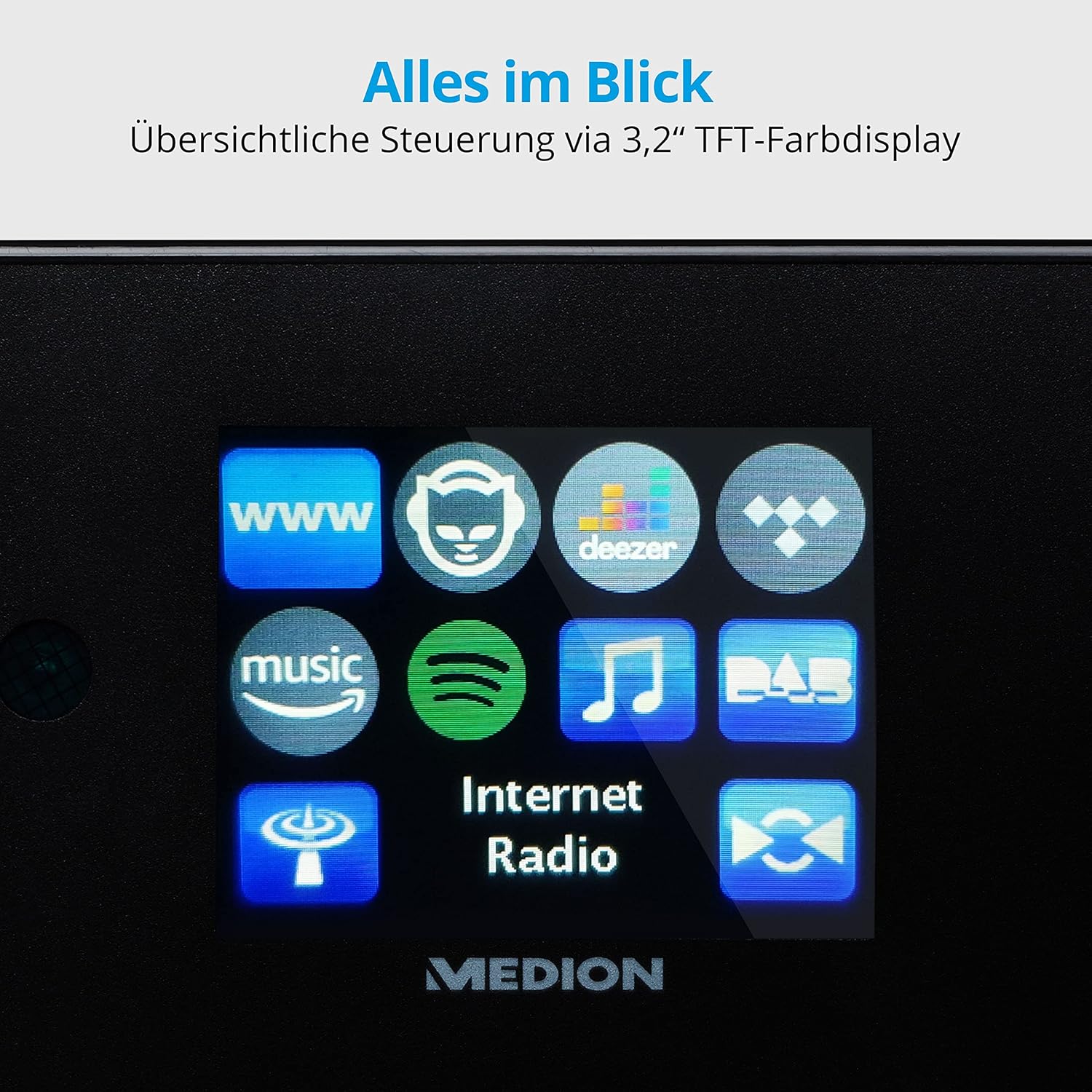
영상: 클로즈업 view of the 3.2-inch TFT color display of the MEDION P85295 Internet Radio. The screen clearly shows various application icons, including WWW, a cat-like icon, Deezer, a music note, Amazon Music, Spotify, DAB, and Internet Radio, indicating the device's diverse functionalities.
4.2 후면 패널 및 연결
The rear panel provides various input and output ports for external devices and network connectivity.
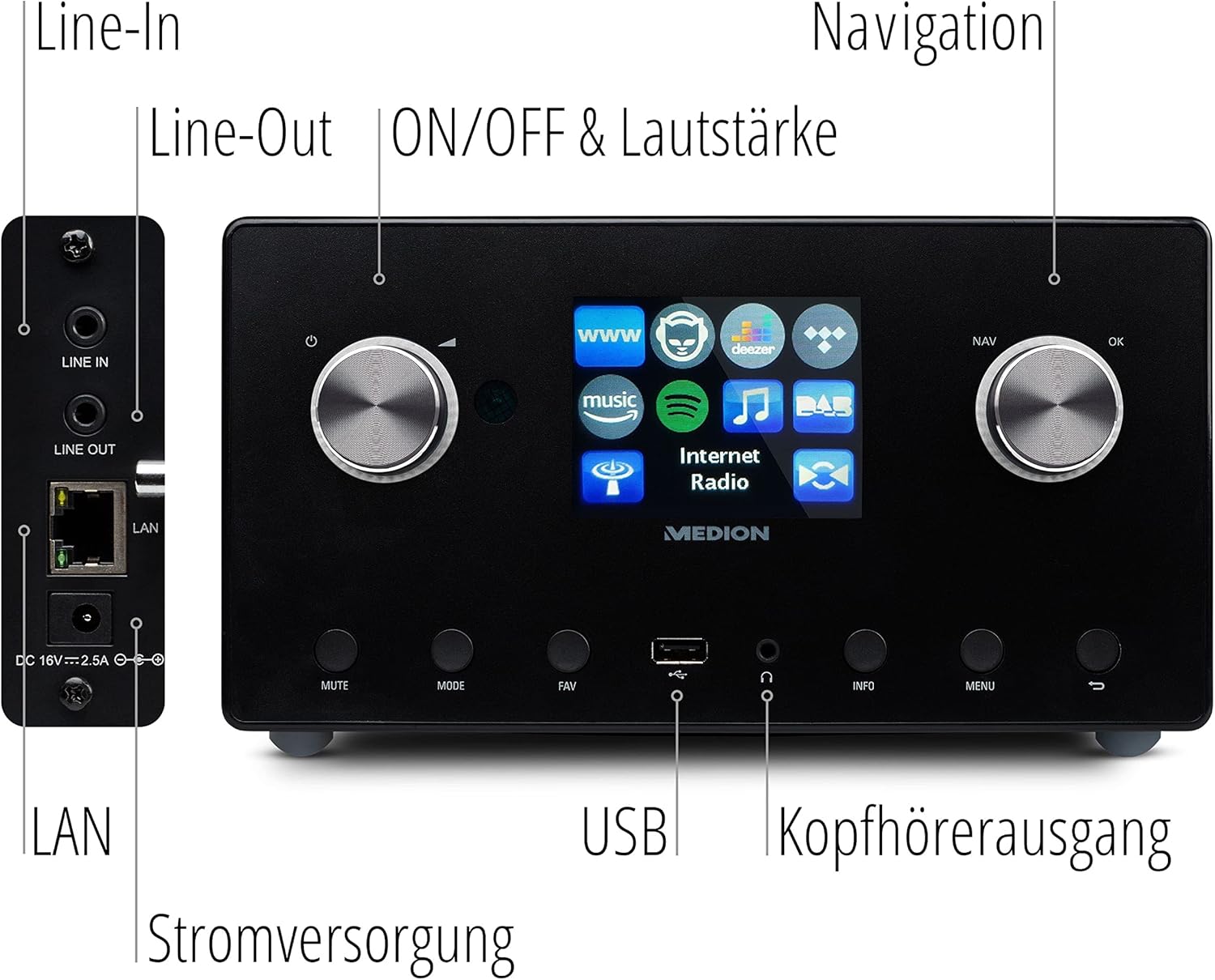
영상: 자세한 view of the rear panel of the MEDION P85295 Internet Radio, with various ports clearly labeled. From top to bottom on the left side, there are Line-In and Line-Out jacks, followed by a LAN port and the DC 18V power input. On the front panel, below the display, a USB port and a headphone output are also indicated.
- 라인 입력: 외부 오디오 소스를 연결하세요.
- 라인 아웃: 외부에 연결 amplifier 또는 스테레오 시스템.
- LAN : 유선 네트워크 연결용.
- DC 18V 전원 입력: 전원 어댑터를 연결합니다.
- USB 포트: USB 저장 장치의 미디어를 재생하는 데 사용합니다.
- 헤드폰 출력: 개인적으로 듣기 위한 것입니다.
5. 설정
5.1 전원 연결
- Connect the power adapter to the DC 18V input on the rear of the radio.
- 전원 어댑터를 벽면 콘센트에 꽂으세요.
5.2 초기 설정 마법사
기기를 처음 켜면 초기 설정 마법사가 안내에 따라 진행됩니다.
- 언어 선택: 탐색 다이얼을 사용하여 원하는 언어를 선택하고 확인을 누르십시오.
- 시간과 날짜: Set the current time and date. The device can synchronize this via the internet.
- 네트워크 구성:
- Wi-Fi 연결: Select 'Wireless Network' and choose your Wi-Fi network from the list. Enter the password using the on-screen keyboard and confirm.
- 랜 연결: If using a wired connection, connect an Ethernet cable to the LAN port on the rear of the device. The radio will automatically detect the connection.
6. 운영
6.1 기본 컨트롤
- Power/Volume Knob (Left): Turn to adjust volume. Press to power on/off or mute.
- Navigation/OK Knob (Right): Turn to navigate menus. Press to confirm selection.
- MODE 버튼: Switch between different operating modes (Internet Radio, DAB+, FM, USB, Line In).
- FAV 버튼: 즐겨찾는 방송국에 액세스하거나 저장하세요.
- 메뉴 버튼: 설정과 옵션을 보려면 메인 메뉴에 접속하세요.
- 정보 버튼: 현재 역 또는 선로에 대한 정보를 표시합니다.
6.2 라디오 모드
The MEDION P85295 supports multiple radio reception types:
- 인터넷 라디오: Access over 25,000 stations and podcasts globally via Wi-Fi or LAN. Use the navigation knob to browse by genre, location, or search for specific stations.
- DAB+ 디지털 라디오: Enjoy high-quality digital radio broadcasts. The radio will automatically scan for available DAB+ stations.
- FM 라디오 : Tune into traditional FM broadcasts. Automatic and manual station search with automatic station storage is available.
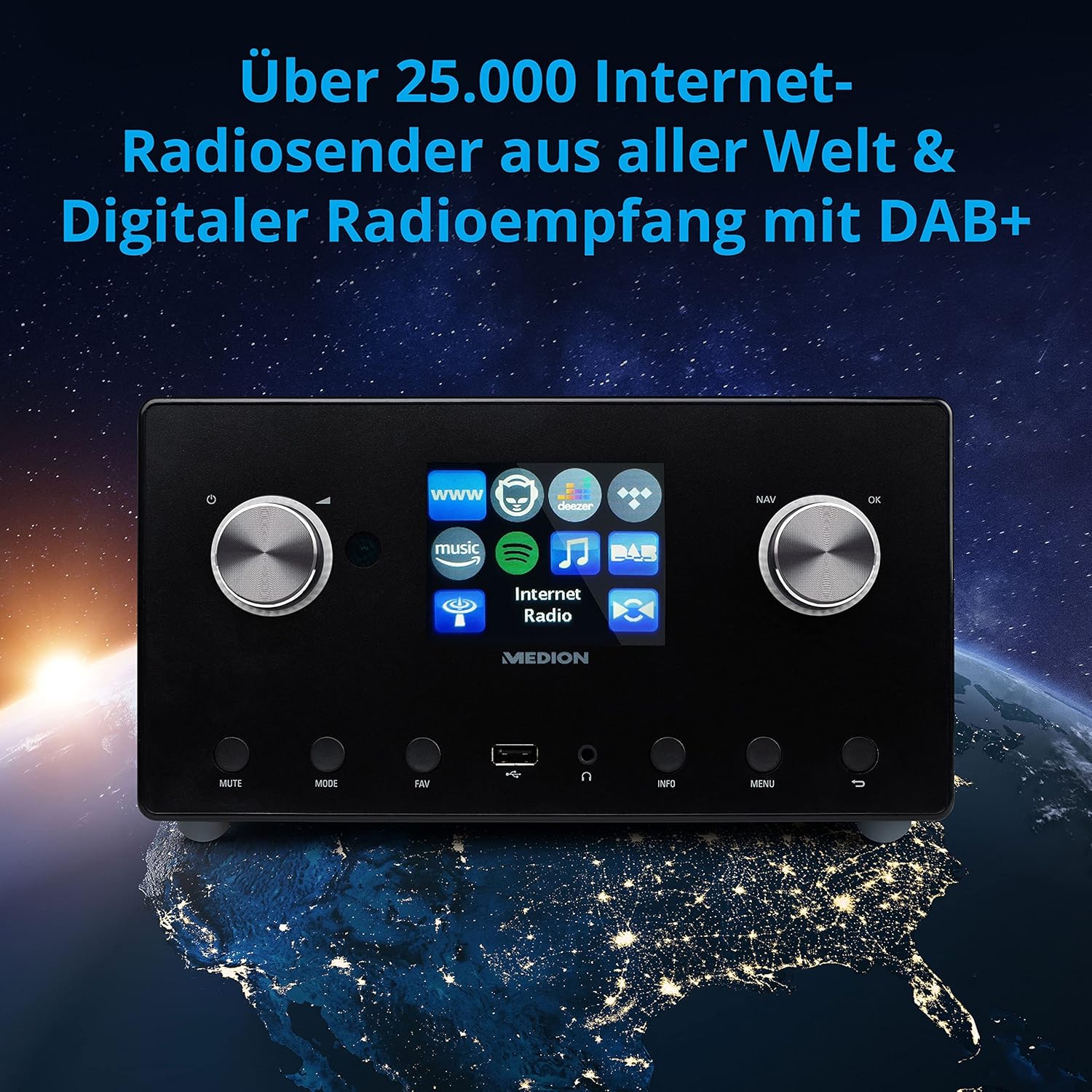
영상: The MEDION P85295 Internet Radio positioned on a stylized globe, emphasizing its capability to receive over 25,000 internet radio stations worldwide and digital radio reception with DAB+.
6.3 스트리밍 서비스
The device supports various streaming services:
- 스포티파이 연결: Stream music directly from your Spotify account using the Spotify app on your smartphone or tablet.
- Amazon Music, Napster, Tidal, Deezer: Access these services directly from the radio's interface. A subscription may be required for some services.
6.4 미디어 재생
- USB: Connect a USB storage device to the front USB port to play MP3 files.
- DLNA: Stream music from compatible devices on your home network (e.g., PC, NAS) using DLNA. Control is convenient via the MEDION LifeStream 2 App (Android or iOS).
6.5 오디오 기능
The MEDION P85295 features a 2.1 sound system for rich audio:
- 출력 전력: 2 x 7.5 W + 1 x 15 W RMS.
- 통합형 서브우퍼: Provides powerful bass.

영상: A diagram showing the MEDION P85295 Internet Radio with sound waves emanating from its sides and bottom, illustrating its 2.1 sound system and the additional subwoofer for powerful sound.
7. Alarm, Snooze, and Sleep Functions
The radio includes convenient time-based functions:
- 알람 기능: Set two individually adjustable alarm times.
- 스누즈 기능 : 알람을 일시적으로 멈춥니다.
- 수면 기능 : 라디오가 자동으로 꺼지도록 타이머를 설정하세요.
These functions can often be configured via the device's menu or a dedicated button on the remote control.
8. 유지관리
적절한 관리로 장치의 수명을 연장하세요.
- 청소: Wipe the exterior with a soft, dry, lint-free cloth. Do not use abrasive cleaners, waxes, or solvents.
- 먼지: Regularly dust the device, especially around ventilation openings, to prevent overheating.
- 저장: 장기간 기기를 보관할 경우 전원을 끄고 서늘하고 건조한 곳에 보관하세요.
9. 문제 해결
문제가 발생하면 다음의 일반적인 문제와 해결 방법을 참조하세요.
| 문제 | 가능한 원인 | 해결책 |
|---|---|---|
| 전원이 없습니다 | 전원 어댑터가 연결되지 않았거나 콘센트에 결함이 있습니다. | 전원 연결을 확인하세요. 다른 콘센트에 꽂아 보세요. |
| 소리가 나지 않습니다 | 볼륨이 너무 작거나, 음소거되었거나, 잘못된 소스가 선택되었습니다. | Increase volume, check mute status, ensure correct input mode (e.g., Internet Radio, FM). |
| Wi-Fi에 연결할 수 없습니다 | 비밀번호가 잘못되었거나, 신호가 약하거나, 라우터 문제입니다. | 와이파이 비밀번호를 확인하세요. 무선 장치를 라우터에 더 가까이 옮기세요. 라우터를 재시작하세요. |
| 인터넷 라디오 버퍼링/연결 끊김 | Slow internet connection or network interference. | Check internet speed. Reduce network traffic. Try a wired LAN connection if possible. |
| DAB+/FM 수신 상태 불량 | 신호가 약하거나 안테나 위치가 잘못되었을 수 있습니다. | Adjust the antenna. Perform a new station scan. |
문제가 지속되면 고객 지원팀에 문의하세요.
10. 사양
- 상표: MEDION
- 모델 번호: 피85295
- 색상: 무연탄
- 표시하다: 3.2인치 TFT 컬러 디스플레이
- 연결 기술 : Wi-Fi, USB, LAN
- 지원되는 라디오 대역: FM, DAB+, 인터넷 라디오
- 특별 기능: DAB+, Auxiliary Input, USB, Spotify Connect, Amazon Music, DLNA, Alarm, Snooze, Sleep Function
- 사운드 시스템: 2.1 (2 x 7.5 W + 1 x 15 W RMS with integrated subwoofer)
- 호환 장치: 헤드폰
- 전원: Electric Cable (DC 18V)
- 제품 크기: 24cm (L) x 13.5cm (W) x 19cm (H)
- 포함된 구성 요소: Internet Radio P85295 (MD 88295), Remote Control with Battery, Power Adapter, User Manual, Warranty Card
- 배터리: 리모컨 작동을 위해 AAA 배터리 2개가 필요합니다.

영상: The MEDION P85295 Internet Radio shown with its physical dimensions: 24 cm in length, 13.5 cm in width, and 19 cm in height, providing a clear understanding of its size.
11. 보증 및 지원
Your MEDION P85295 Internet Radio comes with a manufacturer's warranty. Please refer to the included warranty card for specific terms and conditions.
For technical support, troubleshooting assistance, or warranty claims, please contact MEDION customer service. Contact information can typically be found on the MEDION official web해당 사이트 또는 제품과 함께 제공된 보증 카드에서 확인하세요.
온라인 리소스: MEDION 공식 웹사이트를 방문하세요. website for updated drivers, firmware, and additional support documentation.