
1. 서론
The GuliKit NS07PRO Bluetooth Adapter is designed to provide wireless audio connectivity for various gaming platforms. This compact device allows users to connect Bluetooth headphones and speakers to their Nintendo Switch, PC, and PlayStation 4, enhancing the gaming experience with wireless sound and voice chat capabilities.
2. 주요 특징
- 초박형 디자인: The adapter features a slim profile, making it unobtrusive when connected to your device.
- 다중 플랫폼 호환성: Works seamlessly with Nintendo Switch, PC, and PlayStation 4.
- In-Game Voice Chat Support: Includes a microphone gadget for games requiring audio input and output.
- 저지연 오디오: Supports Qualcomm aptX Low Latency technology for synchronized audio, provided your headphones also support aptX LL or aptX.
- Dual Headphone Connection: Allows two Bluetooth headphones to connect simultaneously for shared audio.
- 외부 전원이 필요하지 않습니다. Powered directly by the connected device, ensuring low power consumption.
- Hidden Buttons and LEDs: Designed to minimize visual interference during gameplay.
3. 패키지 내용
패키지에 모든 품목이 들어 있는지 확인하세요.
- GuliKit NS07PRO Bluetooth Adapter
- USB Type-C-USB Type-A 어댑터
- 3.5mm Microphone Gadget
- 사용 설명서 (본 문서)
4. 설정 지침
4.1. For Nintendo Switch (Handheld Mode)
- Locate the USB Type-C port at the bottom of your Nintendo Switch console.
- Carefully insert the GuliKit NS07PRO Bluetooth Adapter into the USB Type-C port.
- To pair your Bluetooth headphones, press and hold either the 'A' or 'B' button on the adapter until the LED indicator flashes rapidly.
- Bluetooth 헤드폰을 페어링 모드로 전환하세요.
- Once connected, the LED on the adapter will indicate the active audio codec (SBC, aptX, or LL).

Image: The GuliKit NS07PRO Bluetooth Adapter connected to a Nintendo Switch, illustrating its compatibility with various devices including the Switch, PC, and PS4.
4.2. For Nintendo Switch (TV Dock Mode), PC, and PS4
- Connect the GuliKit NS07PRO Bluetooth Adapter to the provided USB Type-C to USB Type-A adapter.
- Plug the combined adapter into an available USB Type-A port on your Nintendo Switch dock, PC, or PS4 console.
- Follow the pairing steps (hold 'A' or 'B' button on the adapter, then put headphones into pairing mode) as described for handheld mode.
- For PS4, ensure that the audio output settings are configured to output audio through the USB device.
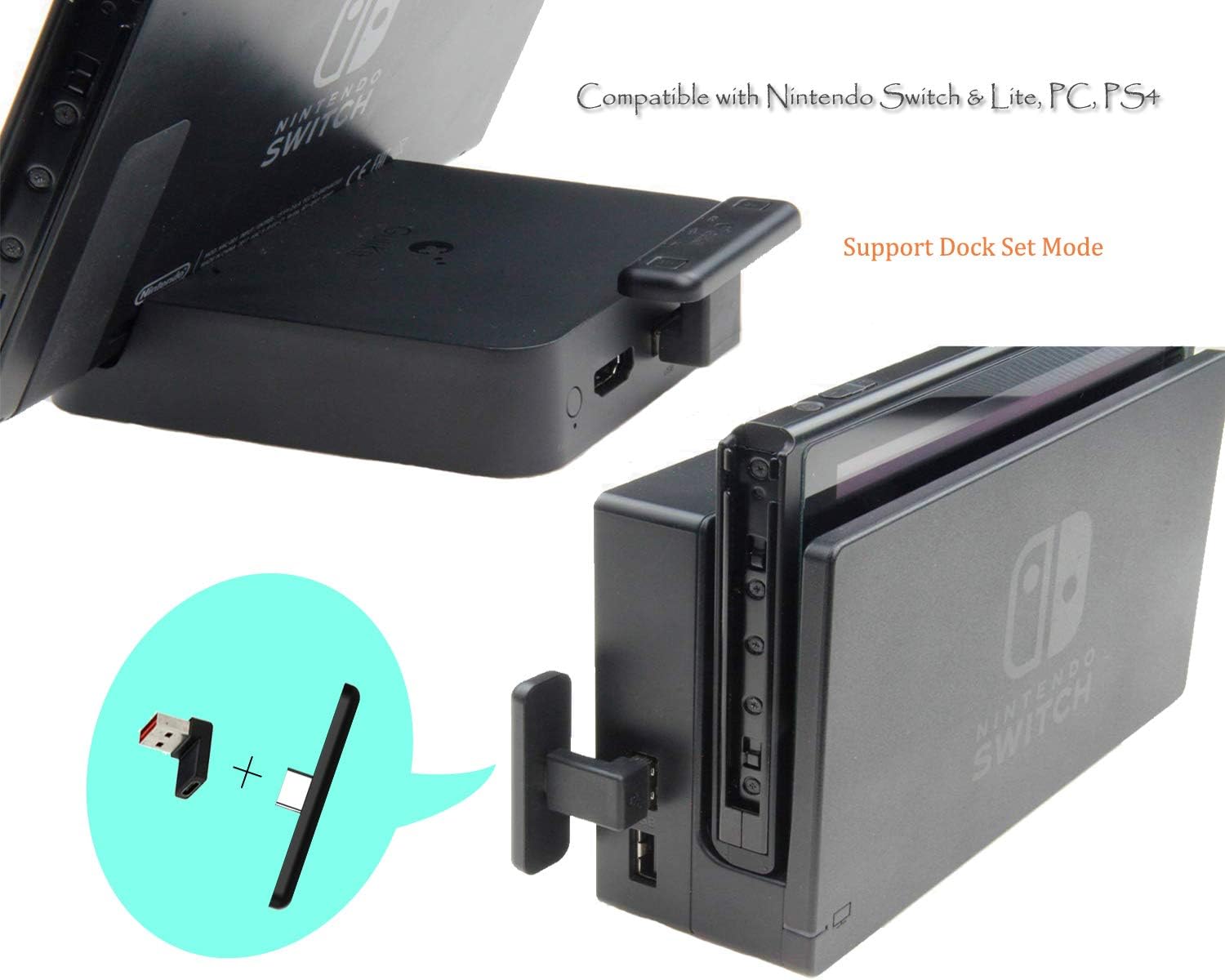
Image: The GuliKit NS07PRO Bluetooth Adapter shown connected to a Nintendo Switch dock, demonstrating its use in TV mode with the USB-A adapter.
4.3. Voice Chat Setup
If in-game voice chat is required (e.g., for games like Fortnite):
- Plug the small 3.5mm microphone gadget into the 3.5mm audio jack on your Nintendo Switch or Switch Lite.
- The GuliKit NS07PRO will still function as the audio adapter, and the microphone gadget will handle voice input.
5. 사용 설명서
5.1. 블루투스 기기 페어링
새 Bluetooth 장치를 페어링하려면:
- Ensure the GuliKit NS07PRO adapter is plugged into your console or PC.
- Press and hold either the 'A' or 'B' button on the adapter for approximately 3 seconds until the corresponding LED flashes rapidly. This indicates pairing mode.
- Bluetooth 헤드폰 또는 스피커에서 페어링 모드를 활성화합니다.
- The devices will automatically connect. The LED on the adapter will remain solid and indicate the active audio codec (SBC, aptX, or LL).

이미지: 자세한 view of the GuliKit NS07PRO adapter, highlighting its 'A' and 'B' pairing buttons and the LED indicators for SBC, aptX, and aptX Low Latency audio codecs.
5.2. Work Mode Indicator
The small LEDs located in the middle of the adapter clearly indicate the current audio codec in use:
- SBC : 표준 블루투스 코덱.
- aptX: Higher quality audio codec.
- LL (aptX Low Latency): Optimized for minimal audio delay, ideal for gaming.
The adapter automatically selects the best available codec supported by your connected Bluetooth device.
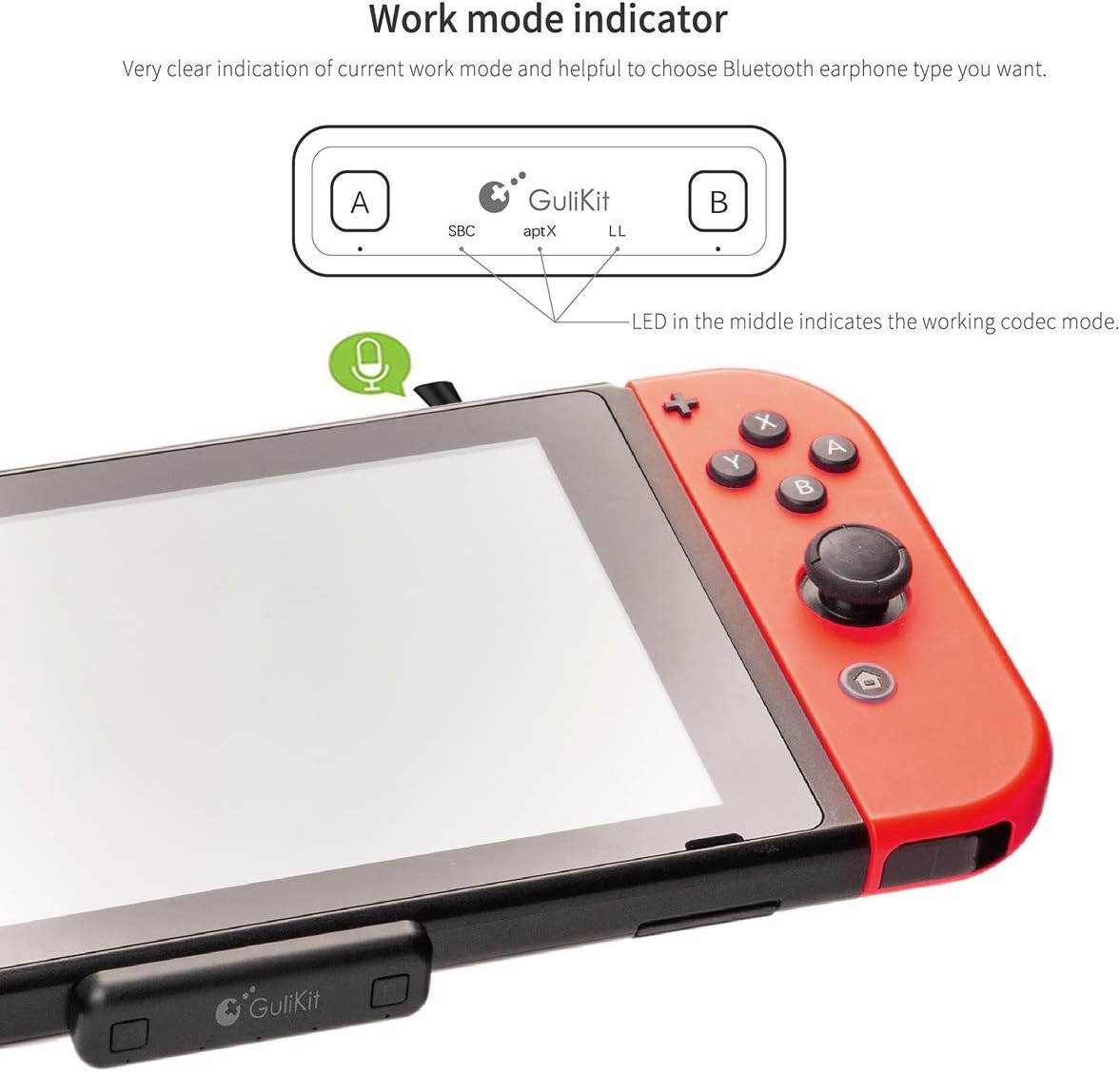
Image: The GuliKit NS07PRO adapter attached to a Nintendo Switch, with an arrow pointing to the work mode indicator LEDs, which show the active audio codec.

Image: The GuliKit NS07PRO adapter positioned alongside a pair of over-ear headphones, visually representing its capability for Super Hi-Fi and Low Latency audio transmission.
6. 유지관리
To ensure the longevity and optimal performance of your GuliKit NS07PRO Bluetooth Adapter:
- 어댑터를 깨끗하게 유지하고 먼지와 이물질이 묻지 않도록 하십시오. 부드럽고 마른 천으로 닦아주세요.
- 어댑터를 극한의 온도, 습기 또는 직사광선에 노출시키지 마십시오.
- Store the adapter in its protective case when not in use to prevent damage.
- 기기를 직접 분해하거나 수리하려고 하지 마세요. 그럴 경우 보증이 무효화됩니다.
7. 문제 해결
7.1. No Audio or Intermittent Connection
- Ensure the adapter is securely plugged into the device's USB-C port or the USB-A adapter is firmly connected to the dock/PC/PS4.
- Verify that your Bluetooth headphones are fully charged and in pairing mode.
- Try re-pairing the headphones with the adapter.
- 어댑터에 더 가까이 이동하여 범위 문제를 배제하십시오.
- 다른 Bluetooth 장치가 간섭을 일으키는지 확인하세요.
7.2. Audio Lag/Delay
- Audio lag can occur if your Bluetooth headphones do not support aptX Low Latency (aptX LL) or aptX codecs. The adapter will default to SBC, which may have a noticeable delay.
- For optimal performance, use headphones that support aptX LL.
7.3. 마이크가 작동하지 않음
- Ensure the 3.5mm microphone gadget is fully inserted into the audio jack of your Switch or Switch Lite.
- Check in-game or system settings to confirm that the microphone input is correctly selected.
8. 사양
- 모델 번호: NS07PRO
- 제품 크기: 1.9 x 0.6 x 0.3 인치
- 품목 무게: 1.58 온스
- 커넥터 유형: USB 타입 C
- 호환 장치: Nintendo Switch, Nintendo Switch Lite, PC, PS4
- 제조업체: 굴리킷
- 첫 번째 이용 가능: 19년 2019월 XNUMX일

이미지: 사이드 프로file view of the GuliKit NS07PRO Bluetooth Adapter, emphasizing its remarkably thin 5mm design.
9. 보증 및 지원
GuliKit products are designed for reliability and performance. For warranty information or technical support, please refer to the official GuliKit web사이트를 방문하거나 고객 서비스에 직접 문의하세요. 보증 청구를 위해 구매 영수증을 보관하세요.